⬆️저번에 국제화 개발 편의성을 위한 VSCode Extension 설정과 국제화까지 프로젝트에 적용시켰다.
그런데 구글 스프레드 시트를 이용해서 json 파일을 build 전마다 자동으로 다운로드해서 수정할 수 있다는 사실을 알았다! 그래서 자동화를 적용시켜 보았다.
https://meetup.nhncloud.com/posts/295
⬆️전체적인 흐름 참고
i18n 자동화 과정
국제화 자동화는 다음과 같은 순서로 진행된다.
👩🏻💻 구글 스프레드 시트 다운→ json 형태로 파싱 → json 기반으로 translation
프로젝트에서 사용하는 구글 스프레드 시트는 다음과 같은 형식이다.
1번째 column - Description
2번째 column - Keys
3번째 column - KR
4번째 column - EN
5번째 column - AR
6번째 column - 코멘트
실질적으로 개발에 필요한 컬럼은 2,3,4,5번째 컬럼이다.
그런데 AR은 현재 값이 없는 상태이다.
1. 구글 스프레드 시트 서비스 계정 연결
-
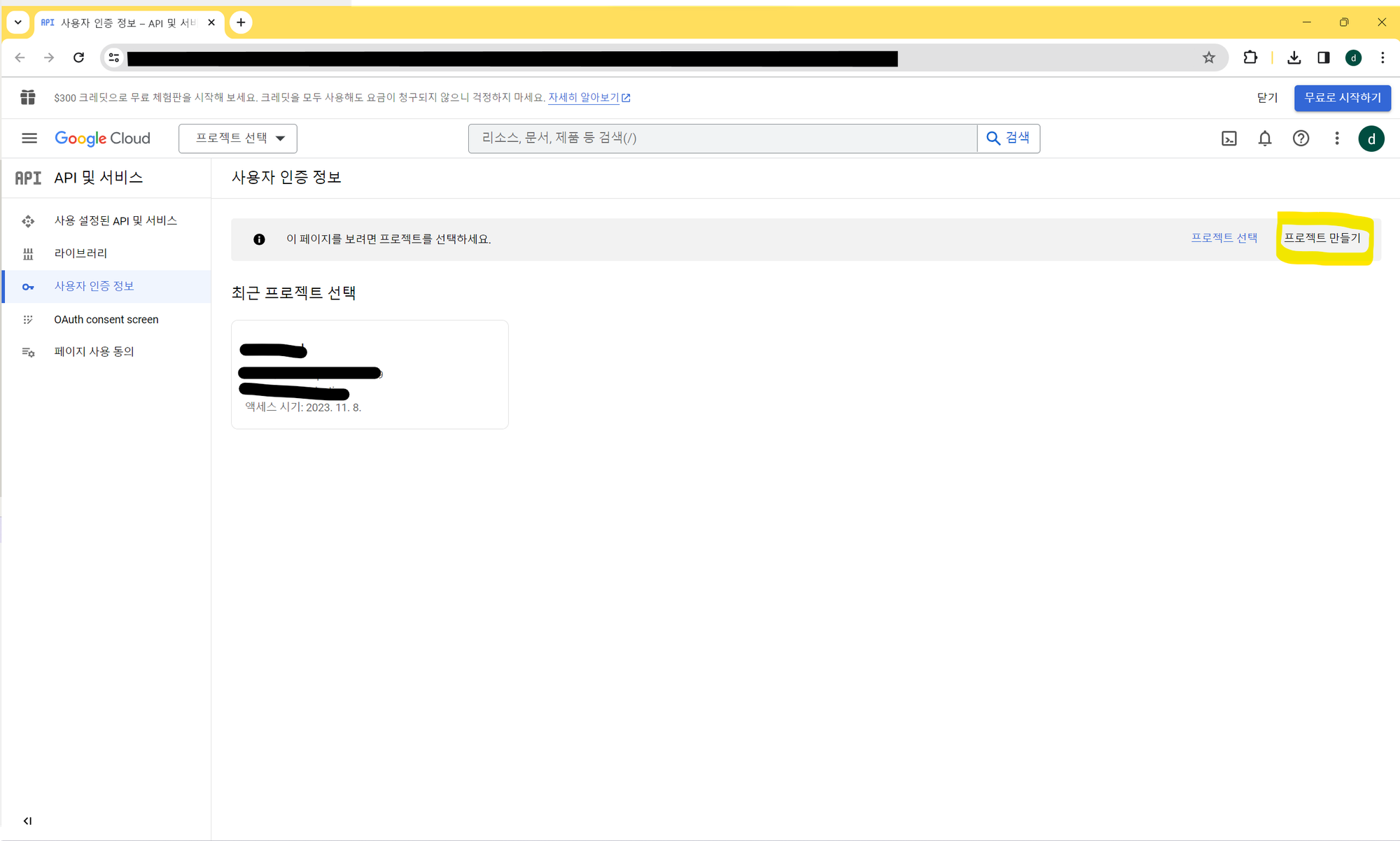
링크로 들어가 프로젝트 만들기를 클릭
-
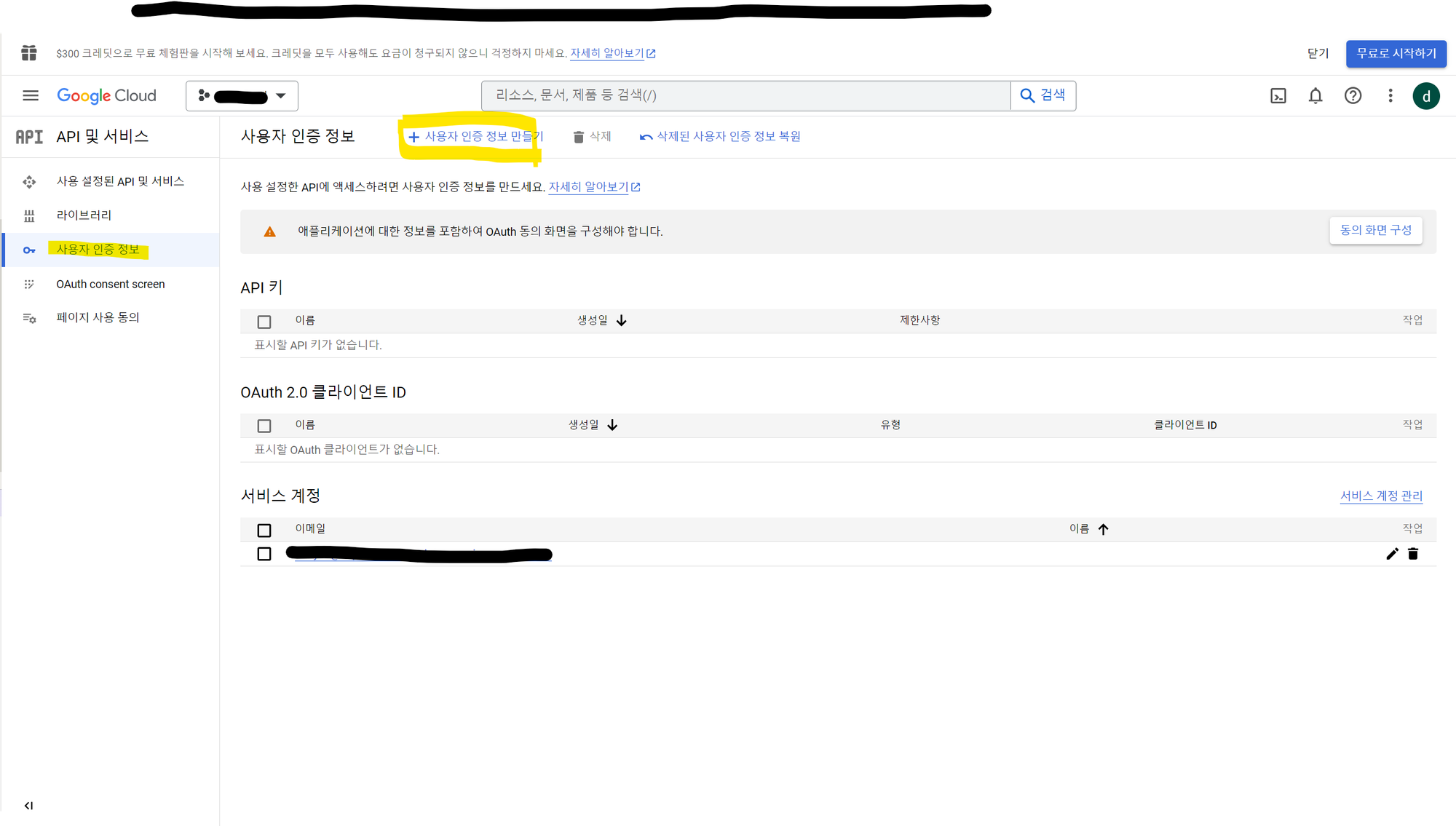
프로젝트 선택 후 사용자 인증 정보 > 사용자 인증 정보 만들기를 클릭.
-
서비스 계정을 선택 해 서비스 계정 만들기
-
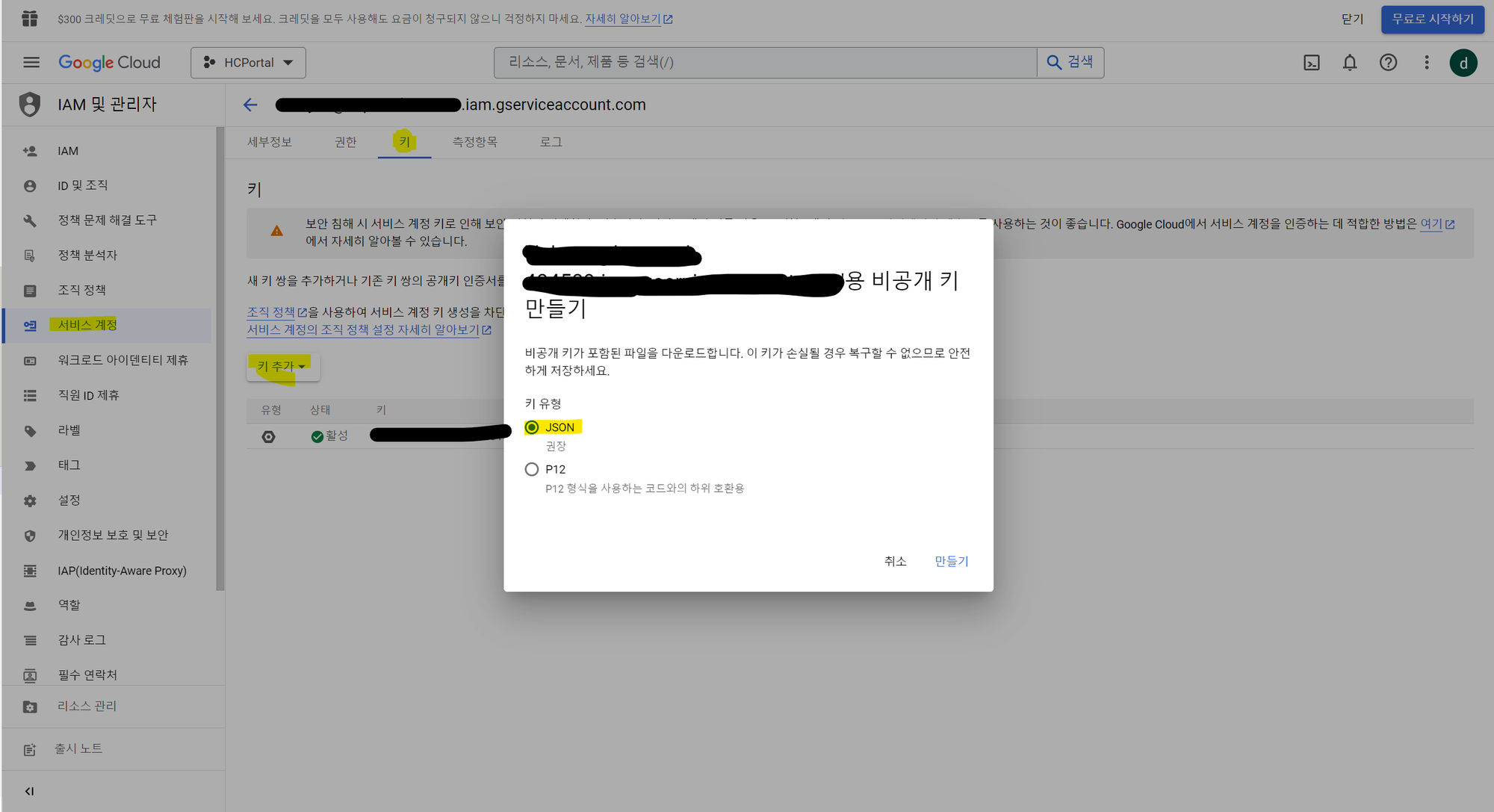
서비스 계정 클릭 > 키 추가 클릭 > 새 키 만들기 클릭
-
JSON 키 다운로드 후 잘 보관하기
-
구글 스프레드 시트에 생성한 서비스 계정 등록하기
2. 구글 스프레드 시트 패키지 다운
프로젝트에 패키지를 추가한다.
yarn add -D google-spreadsheetGoogle Sheet API를 사용하여서 스프레드 시트를 생성하거나 행을 읽고 조작할 수 있다.
3. 구글 스프레드 시트 관리 폴더 생성
translation 폴더 생성
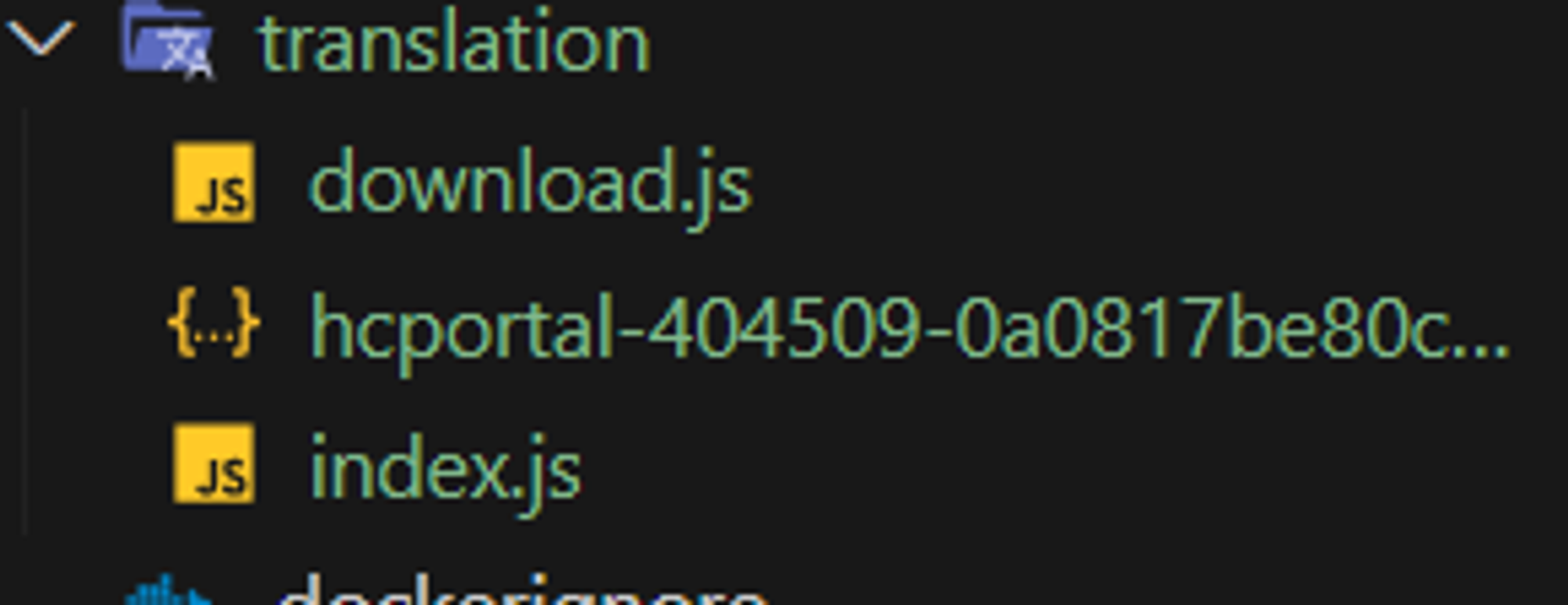
download.js, 키.json (1번 과정에서 얻은 키), index.js 파일 폴더에 생성하기
다운로드하려는 구글 스프레드 시트 URL을 보면
//docs.google.com/spreadsheets/d/spreadsheetDocId/edit#gid=숫자로된 gid
이런 형식으로 되어 있는데, 아래의 코드에서 선언해주어야 한다.
⬇️translation/index.js
const { GoogleSpreadsheet } = require('google-spreadsheet')
const { JWT } = require('google-auth-library')
const creds = require('./$키.json')
const spreadsheetDocId = '$spreadsheetDocId'
const ns = 'common'
const lngs = ['ko', 'en'] //'ar'은 제외함
const sheetId = '$숫자로된 gid'
const localesPath = 'public/locales'
const NOT_AVAILABLE_CELL = 'N/A'

//스프레드시트의 column 설정
const columnKeyToHeader = {
  description: 'Description',
  key: 'keys',
  ko: 'Korean (kr)',
  en: 'English (en)',
  ar: 'Arabic (ar)',
  comment: '코멘트',
}

// 구글 서비스 계정 인증
const serviceAccountAuth = new JWT({
  email: '$만든 서비스 계정의 이메일',
  key: '$다운 받은 JSON 키의 private_key의 value 값(-----BEGIN PRIVATE KEY-----로 시작)',
  scopes: ['https://www.googleapis.com/auth/spreadsheets'],
})

async function loadSpreadsheet() {
  console.info(
    '\u001B[32m',
    '=====================================================================================================================\n',
    '# i18next auto-sync using Spreadsheet\n\n',
    '  * Download translation resources from Spreadsheet and make /src/locales//.json\n',
    '  * Upload translation resources to Spreadsheet.\n\n',
    `The Spreadsheet for translation is here (\u001B[34mhttps://docs.google.com/spreadsheets/d/${spreadsheetDocId}/#gid=${sheetId}\u001B[0m)\n`,
    '=====================================================================================================================',
    '\u001B[0m',
  )

  const doc = new GoogleSpreadsheet(spreadsheetDocId, serviceAccountAuth)

  await doc.loadInfo()
  return doc
}

module.exports = {
  localesPath,
  loadSpreadsheet,
  ns,
  lngs,
  sheetId,
  columnKeyToHeader,
  NOT_AVAILABLE_CELL,
}
원래 ko, en, ar 이렇게 3종류의 언어로 translation을 해야하는데, 스프레드시트에서 ar부분이 빠져있어 에러가 나서 ar은 생략했다.
따라서 ko, en만 json이 생성된다.
⬇️translation/download.js
const fs = require('fs')
const { mkdirp } = require('mkdirp')
const _ = require('lodash')

const {
  loadSpreadsheet,
  localesPath,
  ns,
  lngs,
  sheetId,
  columnKeyToHeader,
  NOT_AVAILABLE_CELL,
} = require('./index')

// 스프레드시트 -> json
async function fetchTranslationsFromSheetToJson(doc) {
  const sheet = doc.sheetsById[sheetId]

  if (!sheet) {
    return {}
  }

  const lngsMap = {}
  const rows = await sheet.getRows()

  rows.forEach((row) => {
    const key = row._rawData[1]
    if (!key) {
      return
    }
    lngs.forEach((lng) => {

      if (lng === 'ko') {
        _.set(lngsMap, `${lng}.${key}`, row._rawData[2]) // ko 데이터가 스프레드 시트에서 2번째 컬럼임
      } else if (lng === 'en') {
        _.set(lngsMap, `${lng}.${key}`, row._rawData[3]) // en 데이터가 스프레드 시트에서 3번째 컬럼임
      }

    })
  })

  return lngsMap
}

//디렉토리 설정
function checkAndMakeLocaleDir(dirPath, subDirs) {
  return new Promise((resolve) => {
    subDirs.forEach((subDir, index) => {
      try {
        mkdirp(`${dirPath}/${subDir}`).then((result) => {
          if (result !== undefined) {
            console.log(`made directories, starting with ${result}`)
          }
        })
        resolve()
      } catch (err) {
        if (err) {
          throw err
        }
      }
    })
  })
}

//json 파일 업데이트
async function updateJsonFromSheet() {
  console.log('확인')
  await checkAndMakeLocaleDir(localesPath, lngs)

  const doc = await loadSpreadsheet()
  const lngsMap = await fetchTranslationsFromSheetToJson(doc)

  fs.readdir(localesPath, (error, lngs) => {
    if (error) {
      throw error
    }
    console.log(lngs)

    lngs.forEach((lng) => {
      const localeJsonFilePath = `${localesPath}/${lng}/${ns}.json`
      console.log(lng)
      console.log(lngsMap[lng])
      const jsonString = JSON.stringify(lngsMap[lng], null, 2)

      fs.writeFile(localeJsonFilePath, jsonString, 'utf8', (err) => {
        if (err) {
          throw err
        }
      })
    })
  })
}

updateJsonFromSheet()
4. package.json에 스크립트 작성
빌드하기 전에 스프레드 시트를 다운로드해야하므로 스크립트를 작성한다.
"scripts": {
    // 원래 있던 스크립트들
    "download:i18n": "node translation/download.js"
  },
5. 스크립트 실행
yarn download:i18n위의 스크립트를 실행하면 내가 설정한 위치인 public/locales/{lang}/common.json으로 파일이 생성된다.
이미 그 자리에 파일이 존재한다면 스프레드 시트를 json으로 파싱한 파일로 변경된다.
TODO
새로 생성할 시트의 헤더 고려 사항
- 기존 구글 스프레드 시트 헤더 중 Keys 가 json의 key가 되기 때문에
common.category.new처럼 언더바 없이 온점으로 처리해야 할 것 같다. - 헤더 중 Description을 도메인에 맞게 나누어 파싱이 편리하도록 하면 좋을 것 같다.
