다음은 Argo CD 공식 문서에 나와있는 설명이다.
Argo CD is a declarative, GitOps continuous delivery tool for Kubernetes.
위의 내용을 풀어서 설명하면 다음과 같이 말할 수 있다.
- Declarative - 명령을 직접적으로 때리는 것이 아니라 코드를 통해 원하는 상태를 선언한다.
- GitOps - 원하는 상태를 정의한 코드를
Git 레파지토리에 올리면Argo CD는 그것을 현재 상태에 반영한다. - Continuous Delivery -
Git 레파지토리에 있는 내용의 변화를 감지하고 계속해서 레파지토리 내용과의Sync를 맞춘다.
즉, Argo CD는 쿠버네티스 리소스들의 현 상태를 사용자가 원하는 상태로 유지하려고 하는 지속적인 배포 도구이다.
Argo CD 설치
argo 네임스페이스를 생성한다.
$ kubectl create namespace argo
namespace/argo created
다음 명령어를 통해 helm repo 추가 및 업데이트를 진행한다.
$ helm repo add argo https://argoproj.github.io/argo-helm
WARNING: Kubernetes configuration file is group-readable. This is insecure. Location: /home/aylee/.kube/config
WARNING: Kubernetes configuration file is world-readable. This is insecure. Location: /home/aylee/.kube/config
"argo" has been added to your repositories

$ helm repo update
WARNING: Kubernetes configuration file is group-readable. This is insecure. Location: /home/aylee/.kube/config
WARNING: Kubernetes configuration file is world-readable. This is insecure. Location: /home/aylee/.kube/config
Hang tight while we grab the latest from your chart repositories...
...Successfully got an update from the "eks" chart repository
...Successfully got an update from the "argo" chart repository
...Successfully got an update from the "jenkinsci" chart repository
Update Complete. ⎈Happy Helming!⎈
values 파일을 작성하기 위해 Argo CD가 제공하는 템플릿 소스를 다운로드 받는다.
$ helm fetch argo/argo-cd압축된 템플릿 소스가 다운받아졌다.
$ ls
argo-cd-3.6.4.tgz
압축을 풀어준다.
$ tar -xvzf argo-cd-3.6.4.tgz
argo-cd/Chart.yaml
argo-cd/Chart.lock
argo-cd/values.yaml
argo-cd/templates/NOTES.txt
...
압축 해제 후 argo-cd 폴더로 들어가서 values.yaml 파일을 열어 편집해 준다.
$ cd argo-cd
$ vim values.yaml
LoadBalancer 타입으로 서비스를 배포하여 외부에서 접속 가능하도록 500번째 줄에 .server.service 부분을 다음과 같이 수정해준다.
...
## Server service configuration
  service:
    annotations:
      service.beta.kubernetes.io/aws-load-balancer-type: "nlb"
      service.beta.kubernetes.io/aws-load-balancer-subnets: subnet-0d8d50653b7935fee,subnet-088cab1b1e8d2966c
    labels: {}
    type: loadBalancer
...
수정된 values.yaml파일을 이용하여 Argo CD 설치를 진행한다.
$ helm install argo -n argo argo/argo-cd -f values.yaml
WARNING: Kubernetes configuration file is group-readable. This is insecure. Location: /home/aylee/.kube/config
WARNING: Kubernetes configuration file is world-readable. This is insecure. Location: /home/aylee/.kube/config
manifest_sorter.go:192: info: skipping unknown hook: "crd-install"
manifest_sorter.go:192: info: skipping unknown hook: "crd-install"
NAME: argo
LAST DEPLOYED: Mon May 31 01:51:56 2021
NAMESPACE: argo
STATUS: deployed
REVISION: 1
TEST SUITE: None
NOTES:
In order to access the server UI you have the following options:

1. kubectl port-forward service/argo-argocd-server -n argo 8080:443

    and then open the browser on http://localhost:8080 and accept the certificate

2. enable ingress in the values file `server.ingress.enabled` and either
      - Add the annotation for ssl passthrough: https://github.com/argoproj/argo-cd/blob/master/docs/operator-manual/ingress.md#option-1-ssl-passthrough
      - Add the `--insecure` flag to `server.extraArgs` in the values file and terminate SSL at your ingress: https://github.com/argoproj/argo-cd/blob/master/docs/operator-manual/ingress.md#option-2-multiple-ingress-objects-and-hosts

After reaching the UI the first time you can login with username: admin and the random password generated during the installation. You can find the password by running:

kubectl -n argo get secret argocd-initial-admin-secret -o jsonpath="{.data.password}" | base64 -d

(You should delete the initial secret afterwards as suggested by the Getting Started Guide: https://github.com/argoproj/argo-cd/blob/master/docs/getting_started.md#4-login-using-the-cli)
argo 네임스페이스의 Pod와 Service를 조회해 보면 다음과 같이 배포가 잘 된 것을 볼 수 있다.
$ kubectl get po,svc -n argo
NAME                                                      READY   STATUS    RESTARTS   AGE
pod/argo-argocd-application-controller-7f6d5d7994-bqnfr   1/1     Running   0          2m19s
pod/argo-argocd-dex-server-65f5d57f69-87mmw               1/1     Running   0          2m19s
pod/argo-argocd-redis-7986bb755-bhld9                     1/1     Running   0          2m19s
pod/argo-argocd-repo-server-6cd745d8c4-6dznx              1/1     Running   0          2m19s
pod/argo-argocd-server-64976c4596-25rlr                   1/1     Running   0          2m19s

NAME                                         TYPE           CLUSTER-IP      EXTERNAL-IP                                                                          PORT(S)                      AGE
service/argo-argocd-application-controller   ClusterIP      10.100.58.56    <none>                                                                               8082/TCP                     2m20s
service/argo-argocd-dex-server               ClusterIP      10.100.91.58    <none>                                                                               5556/TCP,5557/TCP            2m20s
service/argo-argocd-redis                    ClusterIP      10.100.67.243   <none>                                                                               6379/TCP                     2m20s
service/argo-argocd-repo-server              ClusterIP      10.100.78.234   <none>                                                                               8081/TCP                     2m20s
service/argo-argocd-server LoadBalancer 10.100.32.158 ad83680f74b894646b3768709dc36ebd-e1ced8fd61f42438.elb.ap-northeast-1.amazonaws.com 80:30130/TCP,443:30766/TCP 2m20sLoadBalancer의 EXTERNAL-IP를 이용하여 접속해 보면 Argo CD 콘솔에 접속할 수 있다.
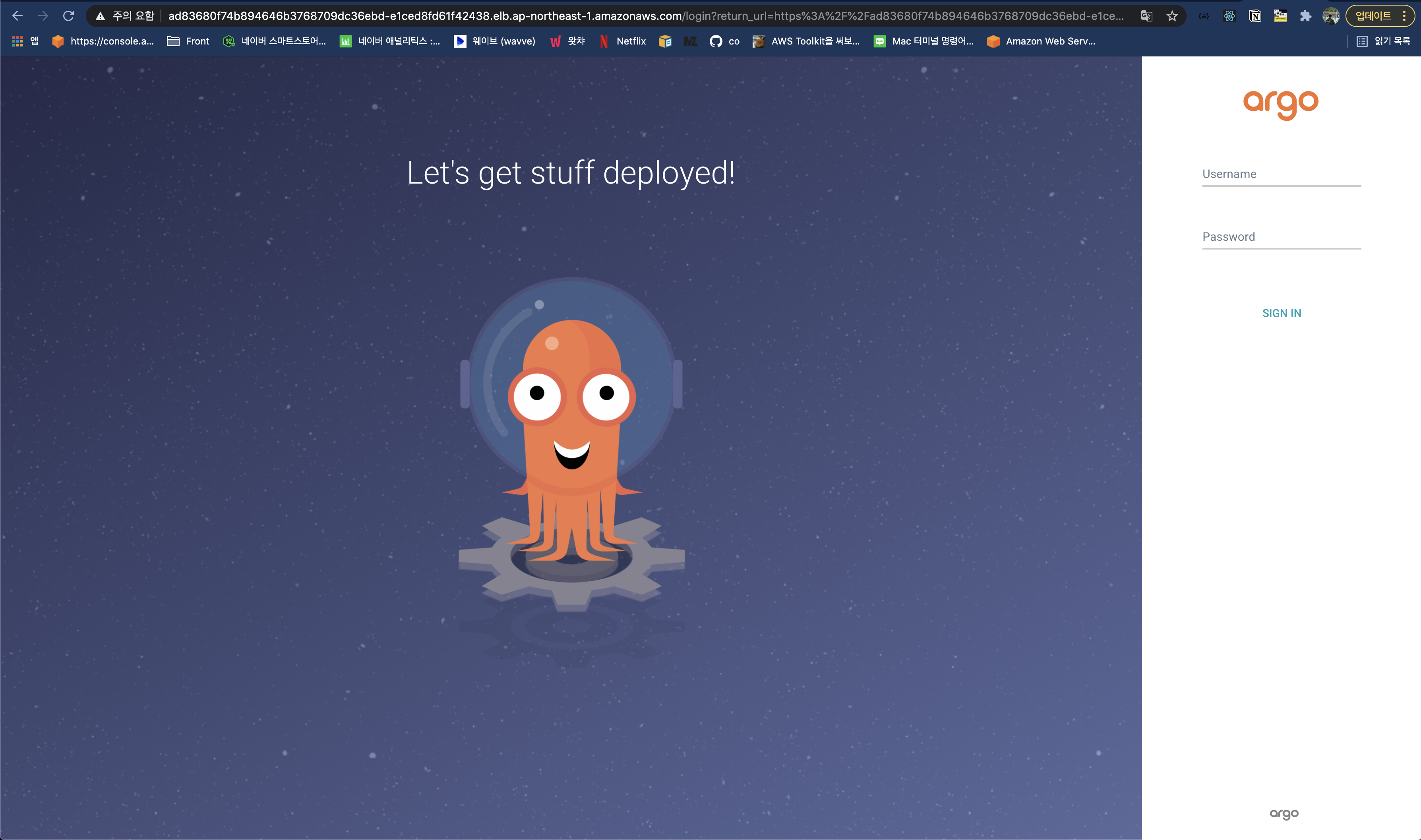
Username은 admin이고 비밀번호는 다음 명령어를 통해 얻을 수 있다.
$ kubectl -n argo get secret argocd-initial-admin-secret -o jsonpath="{.data.password}" | base64 -dGit 레파지토리 연동
콘솔에 로그인 후 Settings → Repositories 로 이동한다.
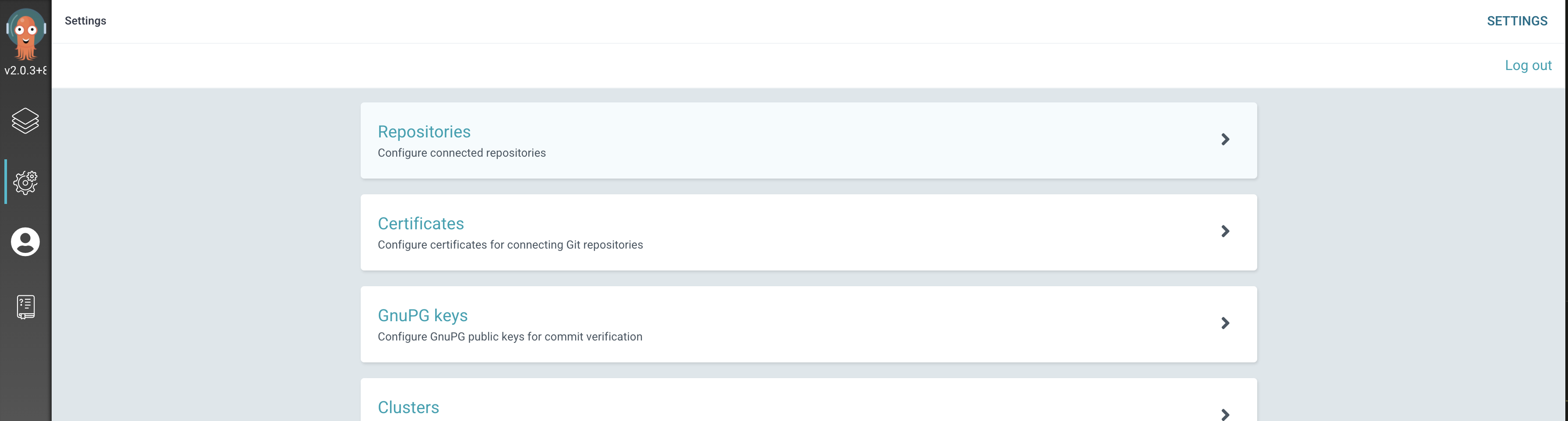
CONNECT REPO USING HTTPS를 선택했다.

연동하고자 하는 Git 레파지토리의 정보를 입력해 준다.
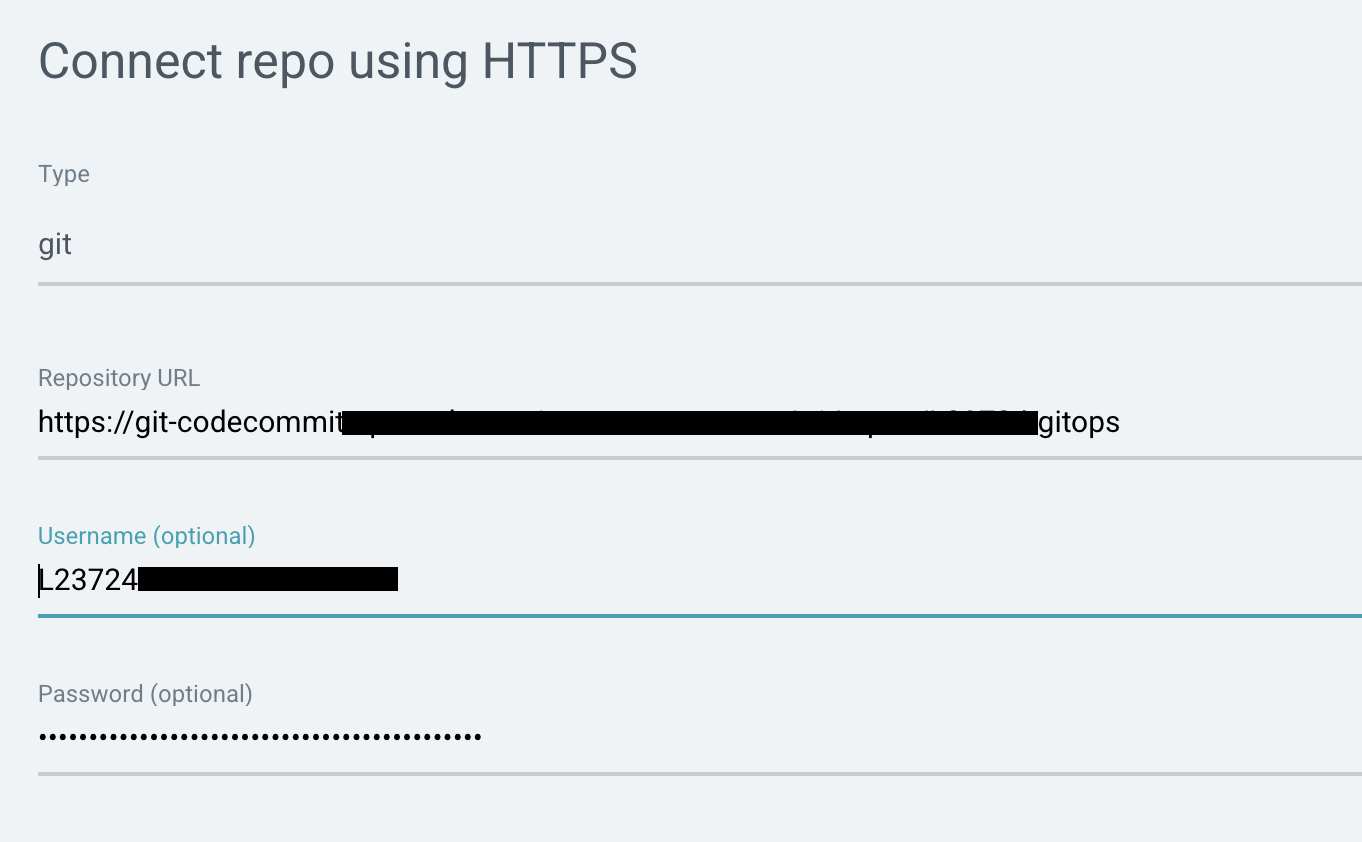
설정을 완료하면 해당 레파지토리가 목록에 추가된다.

서비스 배포
서비스를 배포하려면 어떻게 배포할 것인지 정의한 yaml 파일이 있어야 한다.
나는 다음과 같이 작성하여 ./api폴더 아래에 저장하고 원격 레파지토리에 Push 하였다.
apiVersion: apps/v1
kind: Deployment
metadata:
  name: test-api
spec:
  replicas: 2
  selector:
    matchLabels:
      app: test-api
      tier: back
  template:
    metadata:
      labels:
        app: test-api
        tier: back
    spec:
      containers:
        - name: test-api
          image: public.ecr.aws/p4g1u1f9/23724-k8s/api:13
          ports:
            - containerPort: 8080

---
apiVersion: v1
kind: Service
metadata:
  name: test-api
spec:
  selector:
    app: test-api
    tier: back
  ports:
    - port: 8080
yaml 파일을 레파지토리에 올렸다면 Argo CD 콘솔에서 Applications로 이동하여 New App 버튼을 클릭하여 배포를 생성한다.
나의 경우에는 다음과 같이 설정했다.
SYNC POLICY는 Automatic으로 설정하여 Git에 변경된 내용이 있으면 자동으로 반영이 되도록 했다.
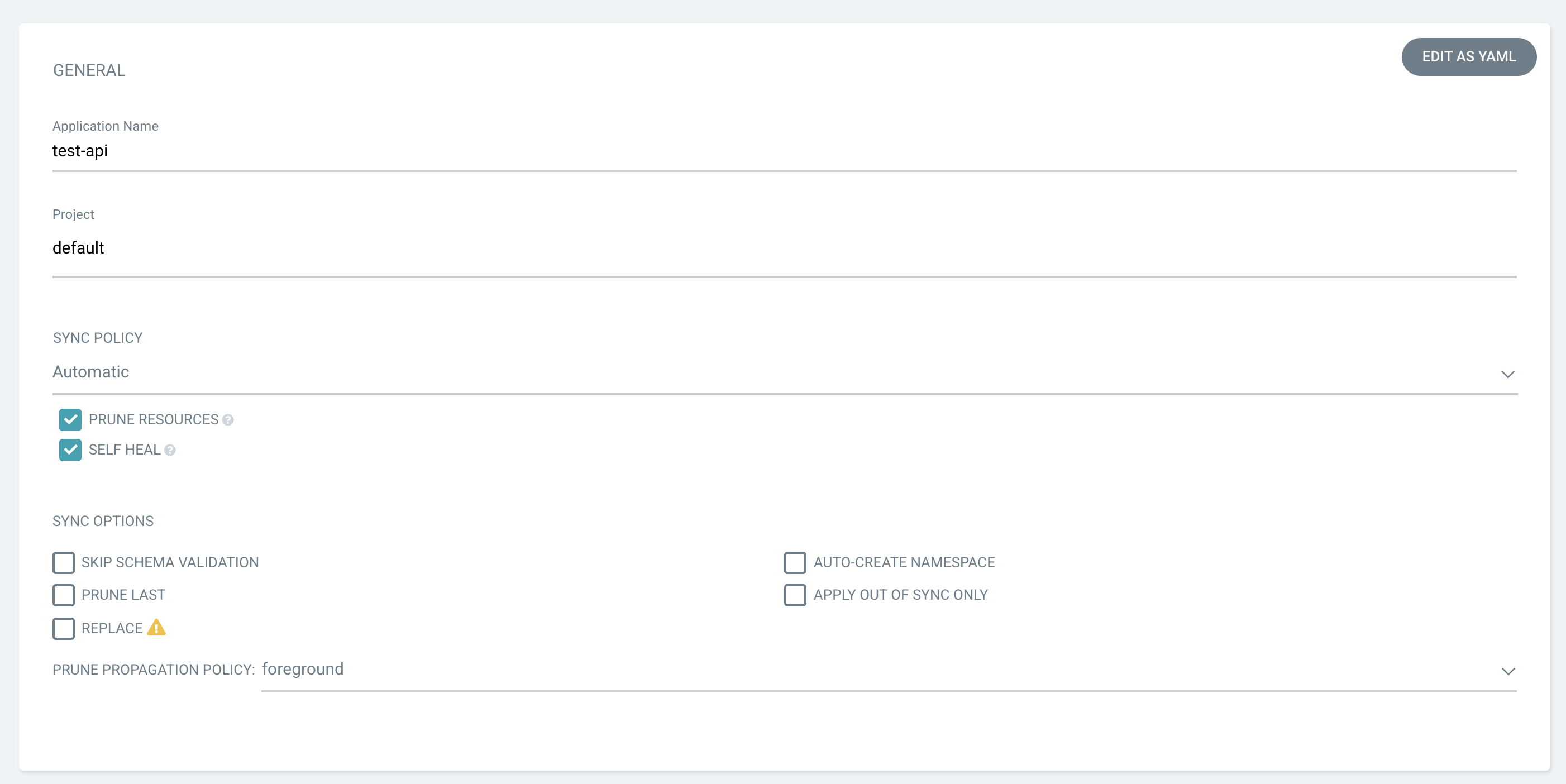
./api 폴더 아래에 yaml 파일을 작성했기 때문에 Path에 ./api라고 지정했다.
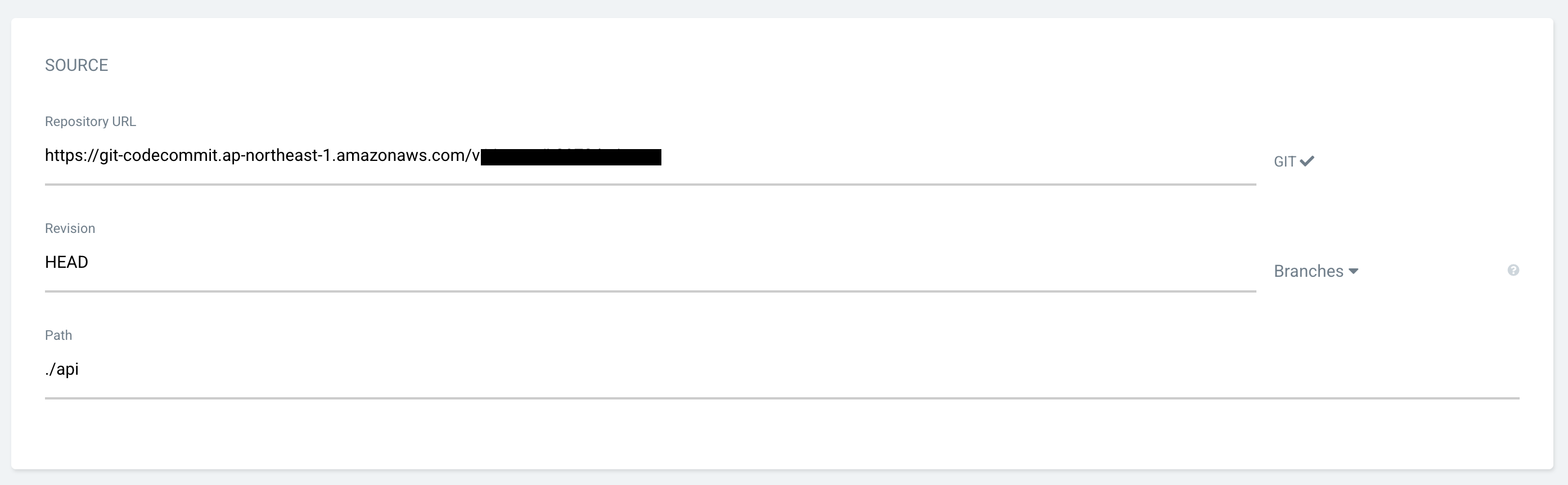
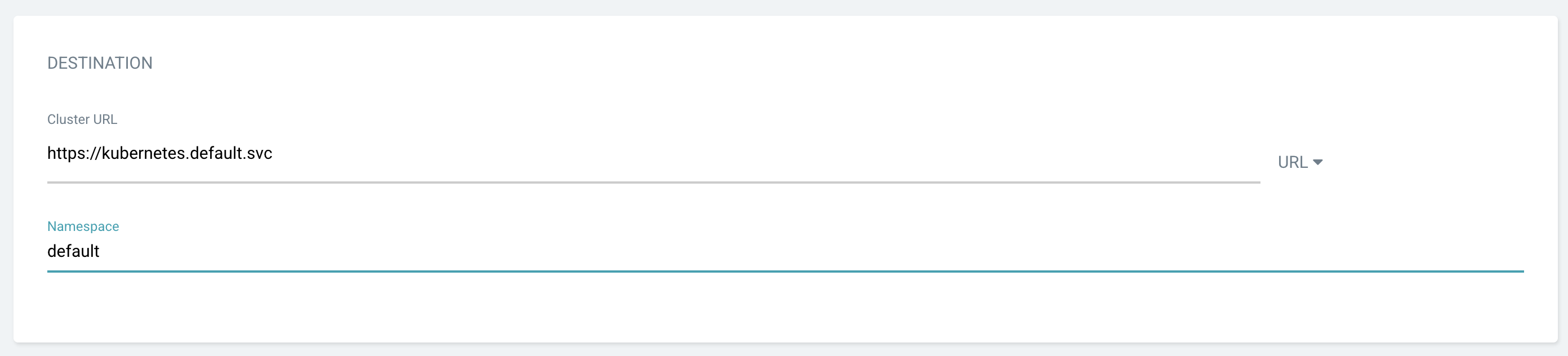
세팅을 마치고 CREATE 버튼을 누르면 바로 배포가 진행된다.
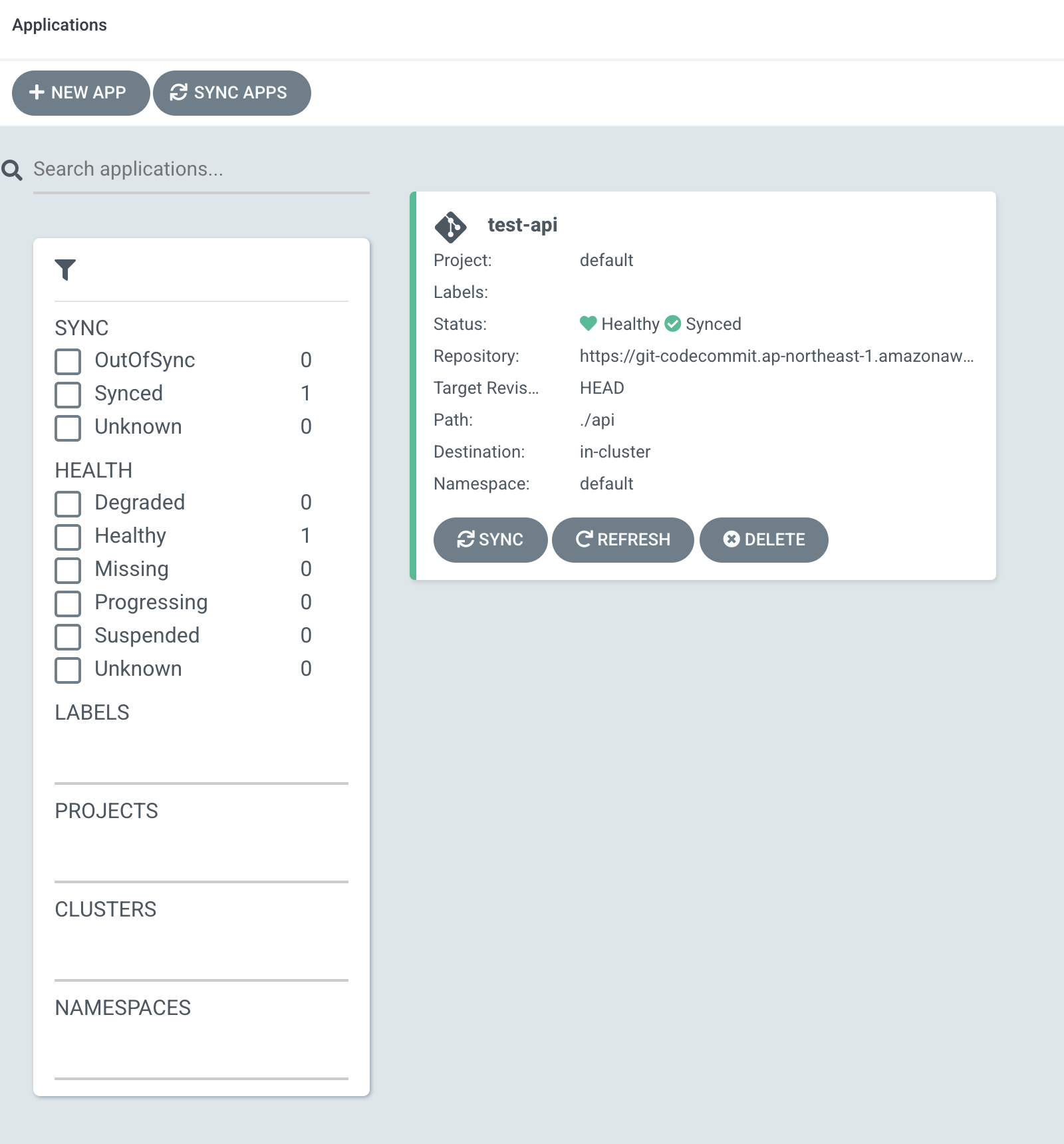
$ kubectl get svc,po
NAME                 TYPE        CLUSTER-IP       EXTERNAL-IP   PORT(S)          AGE
service/kubernetes   ClusterIP   10.100.0.1       <none>        443/TCP          20d
service/test-api     NodePort    10.100.100.135   <none>        8080:30000/TCP   29s

NAME                            READY   STATUS    RESTARTS   AGE
pod/test-api-7fc5955f97-5lzkj   1/1     Running   0          29s
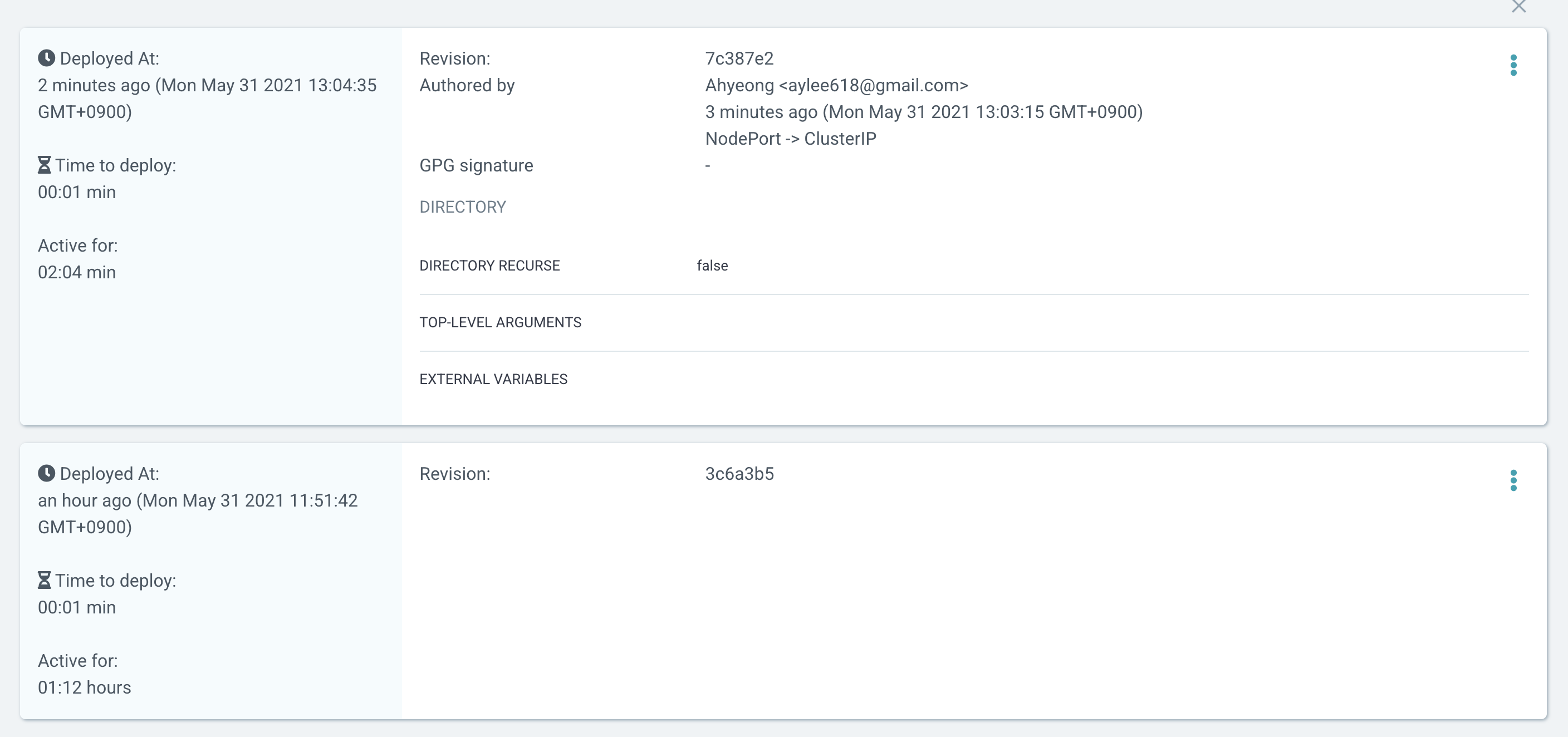
yaml 파일을 수정하고 다시 Push 하면 OutOfSync를 감지하고 원하는 상태에 맞게 현재 상태를 맞춘다.
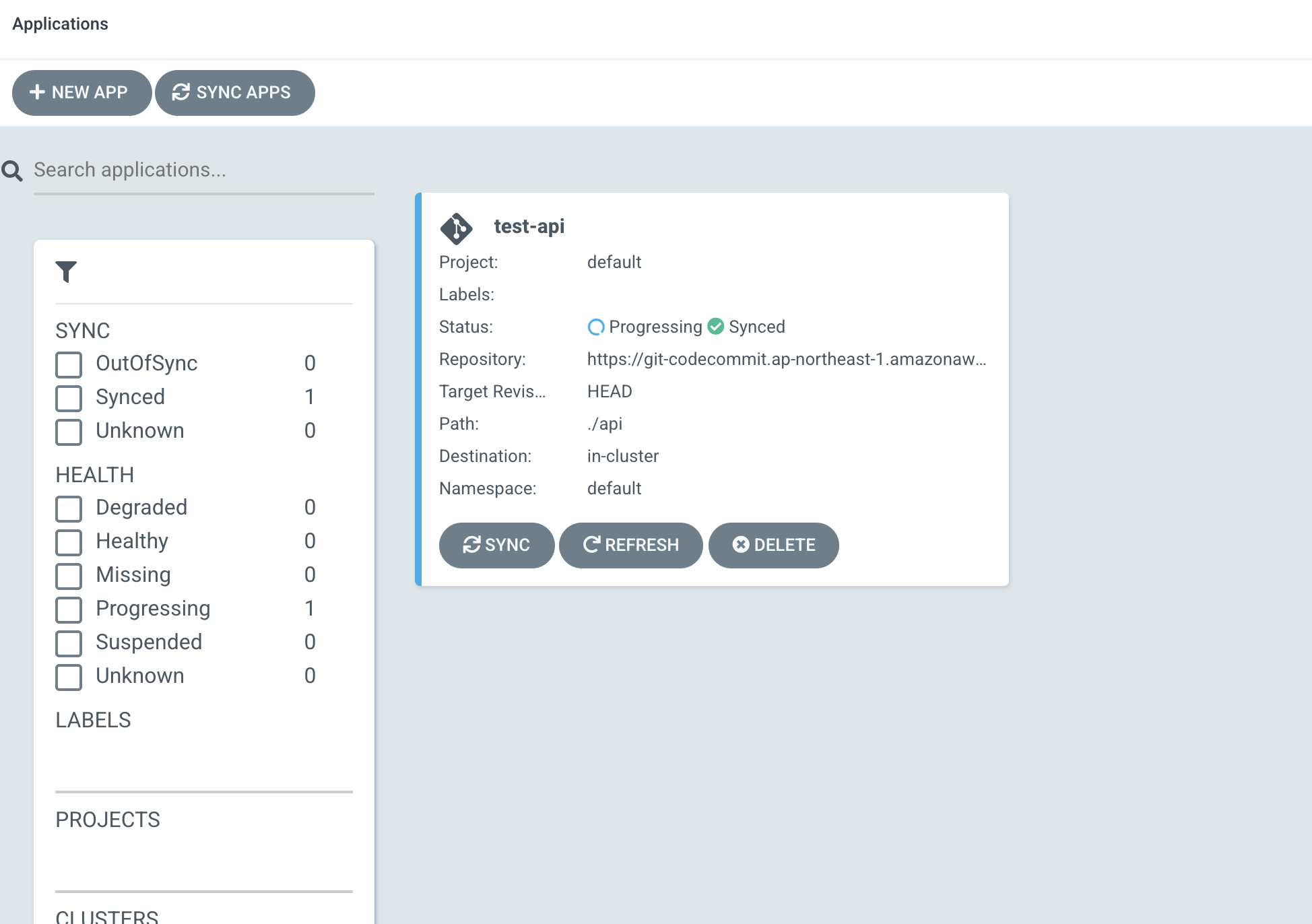
이전 Pod는 삭제되고 새로운 Pod가 생성된다.
$ kubectl get svc,po
NAME                 TYPE        CLUSTER-IP       EXTERNAL-IP   PORT(S)    AGE
service/kubernetes   ClusterIP   10.100.0.1       <none>        443/TCP    21d
service/test-api     ClusterIP   10.100.100.135   <none>        8080/TCP   73m

NAME                            READY   STATUS        RESTARTS   AGE
pod/test-api-5f9bfb479-zzzp7    1/1     Running       0          38s
pod/test-api-7fc5955f97-5lzkj   0/1     Terminating   0          73m
바뀐 이력 또한 HISTORY AND ROLLBACK에서 볼 수 있고 원하는 지점으로 바로 RollBack도 가능하다.

2개의 댓글

Our key methodology is to furnish customers with genuine female photographs and guarantee them awesome administrations as guaranteed on the platter in the arrangement. Our free Call Girl in Aerocity are skilfully adequate to go about as your Escort as well as your associate, sweetheart, accomplice or your better half according to the conditions.
https://mapquest-directions.io is a go-to app for travelers and commuters who want to navigate the roads with ease and efficiency.