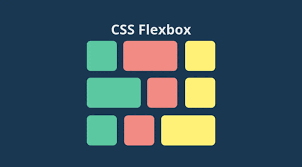
1. display: flex 만 주면 기본 정렬 방향이 가로(row)
display: flex;를 설정하면 기본적으로flex-direction: row;가 적용됨- 즉, 요소들이 가로(왼→오) 방향으로 배치됨.
justify-content: center;→ 가로 정렬을 담당align-items: center;→ 세로 정렬을 담당하지만, 높이가 없으면 효과가 없음
2. align-items: center 가 동작하려면, height 가 필요하다?
align-items: center;는 세로(위↔아래) 정렬을 담당하지만, 부모 요소의height가 없으면 동작하지 않음- 기본적으로
height: auto;이면 콘텐츠의 높이에 맞춰지기 때문에, 세로 정렬할 공간이 없음 - 그래서
height: 100vh같은 값을 줘야 위아래 정렬이 가능해짐
- 기본적으로
3. justify-content: center, align-items: center 을 제대로 적용하려면?
요소들을 화면 중앙에 위치시키려면 다음이 필요함:
display: flex;설정flex-direction: column;설정 → 세로 배치 변경justify-content: center;→ 세로 중앙 정렬 (위↔아래)align-items: center;→ 가로 중앙 정렬 (왼↔오)height를 설정하여 정렬할 공간 확보 (height: 100vh등)
4. 요소를 화면 중앙에 배치하려면 flex-direction: column; 이 필요함
flex-direction: coumn;을 적용하면 주축(Main Axis)이 세로(위↔아래) 방향으로 바뀜.justify-content: center;→ 세로 중앙 정렬을 담당하게 됨align-items: center;→ 가로 중앙 정렬을 담당하게 됨- 따라서 요소를 정확히 화면 중앙에 배치하려면
flex-direction: column;을 적용해야 함.
- 따라서 요소를 정확히 화면 중앙에 배치하려면
5. 최종 결론
- 기본적으로
display: flex;를 적용하면flex-direction: row;가 기본값이므로, 가로 배치가 기본이다. align-items: center;는 세로 정렬을 담당하지만, 부모의height가 없으면 동작하지 않는다.justify-content: center;는 기본적으로 가로 정렬이므로, 요소를 화면 중앙에 배치하려면flex-direction: column;을 설정해야 한다.justify-content: center; align-items: center;을 완벽히 적용하려면flex-direction: column;과height: 100vh;을 함께 설정해야 한다.

FE 개발 꿈틀이