📅 2024-10-07 개인프로젝트 32일차 - 금일 KBO 기사 페이지 구현
TODO
- 금일 KBO 기사 페이지 구현
1. 금일 KBO 기사 페이지 구현
- 크롤링 할 웹페이지의 html을 분석해서 구성한 크롤링 메서드
- 이미지URL이 없을 경우 빈문자열로 추가
- 선택해서 골라야할 드롭다운 메뉴들이 많다..
- 10개만 가져오고 10개 미만인 경우엔 존재하는 기사의 개수만큼만 가져온다. (do while 반복문 활용)
@Component
public class NewsCrawl {

    public List<News> crawl(String teamId) {
        List<News> newsList = new ArrayList<>(); // 뉴스 정보를 저장할 리스트

        System.setProperty("webdriver.chrome.driver",
                "C:/work_YGC/sts-4.24.0.RELEASE-workspace/baseball_ygc/chromedriver.exe");

        WebDriver driver = new ChromeDriver();
        WebDriverWait wait = new WebDriverWait(driver, Duration.ofSeconds(10)); // WebDriverWait 객체 생성

        try {
            driver.get("https://sports.news.naver.com/kbaseball/news/index?isphoto=N");
            wait.until(ExpectedConditions.visibilityOfElementLocated(By.cssSelector("ul#_sortTypeList li.toggle a")));

            // "KBO" 항목 선택
            WebElement kboOption = wait.until(ExpectedConditions.elementToBeClickable(By.cssSelector("ul#_sectionList li[data-id='kbo']")));
            kboOption.click();

            // "구단별" 항목 클릭
            WebElement teamSortToggle = driver.findElement(By.cssSelector("ul#_sortTypeList li.toggle a"));
            teamSortToggle.click();
            wait.until(ExpectedConditions.visibilityOfElementLocated(By.id("_kboTeamList"))); // 드롭다운이 보일 때까지 대기

            // 드롭다운 보이게 만들기
            ((JavascriptExecutor) driver).executeScript("arguments[0].style.display='block';", driver.findElement(By.id("_kboTeamList")));

            // 선택할 팀의 요소를 찾기
            WebElement teamToSelect = wait.until(ExpectedConditions.elementToBeClickable(By.cssSelector("div.news_team>ul li[data-id='" + teamId + "'] a")));
            teamToSelect.click();

            // 팀 선택 후 뉴스 항목이 로드될 때까지 대기
            wait.until(ExpectedConditions.visibilityOfElementLocated(By.cssSelector("div#_newsList ul")));

            // 최신 뉴스 항목을 가져오는 부분
            List<WebElement> newsItems;
            do {
                // 현재 뉴스 항목을 가져오기
                newsItems = driver.findElements(By.cssSelector("div#_newsList ul li"));

                // 뉴스 항목이 존재하는지 확인
                for (WebElement item : newsItems) {
                    try {
                        String title = item.findElement(By.cssSelector("div.text a.title span")).getText(); // 제목
                        String link = item.findElement(By.cssSelector("div.text a.title")).getAttribute("href"); // 링크

                        // 이미지 URL 가져오기 (없을 경우 빈 문자열로 처리)
                        String imgUrl = "";
                        try {
                            imgUrl = item.findElement(By.cssSelector("a.thmb img")).getAttribute("src"); // 이미지 URL
                        } catch (NoSuchElementException e) {
                            // 이미지가 없을 경우 예외 발생, imgUrl은 빈 문자열로 설정됨
                        }

                        String desc = item.findElement(By.cssSelector("div.text p.desc")).getText(); // 요약 텍스트
                        String press = item.findElement(By.cssSelector("div.source span.press")).getText(); // 언론사
                        String time = ""; // 시간 요소가 없으면 빈 문자열로 처리

                        // 뉴스 객체 생성 후 리스트에 추가
                        newsList.add(new News(title, link, imgUrl, desc, press, time));

                        // 10개가 모이면 더 이상 크롤링하지 않음
                        if (newsList.size() >= 10) {
                            break; // 반복문을 빠져나가서 더 이상 뉴스 수집하지 않도록 함
                        }
                    } catch (StaleElementReferenceException e) {
                        // 요소를 다시 가져오기
                        newsItems = driver.findElements(By.cssSelector("div#_newsList ul li"));
                    }
                }

                // 뉴스 항목이 업데이트되기까지 대기
                wait.until(ExpectedConditions.visibilityOfElementLocated(By.cssSelector("div#_newsList ul li")));

            } while (!newsItems.isEmpty() && newsList.size() < 10); // 뉴스 항목이 비어있지 않고, 수집된 뉴스가 10개 미만인 경우 계속

        } catch (Exception e) {
            e.printStackTrace(); // 오류 발생 시 스택 트레이스 출력
        } finally {
            driver.quit(); // 브라우저 종료
        }
        return newsList; // 크롤링한 뉴스 리스트 반환
    }
}-
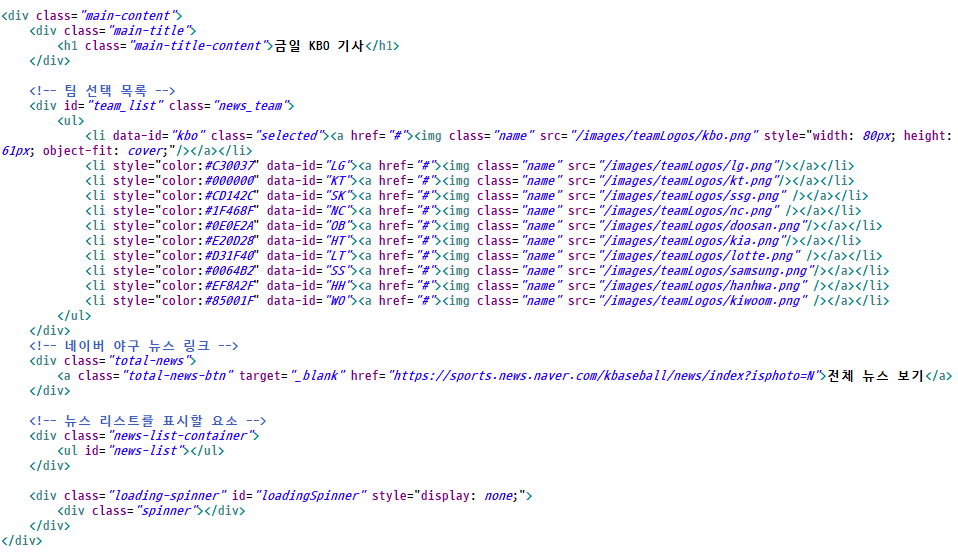
크롤링 해서 보여줄 jsp 페이지의 html 구성
-
Ajax 요청 (이미지 url이 빈문자열일때와 아닐때를 구분해서 로직 구성)
- 추가될 li의 css까지 같이 처리
<!-- 네이버 뉴스 Ajax 요청 -->
<script>
$(document).ready(function() {
    // 스피너 표시
    $("#loadingSpinner").show();

    // 초기 뉴스 로딩 (전체 뉴스)
    fetchNews('kbo'); // 기본값으로 전체 뉴스 로딩

    // 팀 선택 이벤트 처리
    $('#team_list ul li a').click(function(event) {
        event.preventDefault(); // 기본 링크 동작 방지
        $('#team_list ul li').removeClass('selected'); // 선택된 클래스 제거
        $(this).parent().addClass('selected'); // 선택된 팀 클래스 추가

        // 선택된 팀의 뉴스 로딩
        const selectedTeam = $('#team_list ul li.selected').data('id'); // 선택된 팀의 data-id 가져오기
        fetchNews(selectedTeam); // 선택된 팀의 뉴스 로딩
        console.log("selectedTeam : " + selectedTeam);
    });

 	// 뉴스 가져오는 함수
    function fetchNews(teamId) {
        // 스피너 표시
        $("#loadingSpinner").show();

        // 뉴스 리스트 초기화
        $('#news-list').empty(); // 기존 뉴스 리스트를 초기화

        // 서버로부터 뉴스 데이터를 불러와서 동적으로 페이지에 삽입
        $.ajax({
            url: "${pageContext.request.contextPath}/getNews",  // 서버의 API 엔드포인트
            method: "GET",  // GET 메서드로 요청
            data: { teamId: teamId }, // 선택된 팀을 파라미터로 전송
            success: function(data) {
                // 뉴스 데이터를 리스트로 변환해서 출력
                let newsHtml = '';
                $.each(data, function(index, news) {
                    newsHtml += '<li style="display: flex; align-items: flex-start; margin-bottom: 10px;">'; // 리스트 항목에 flex 스타일 추가

                    // 이미지가 빈 문자열이 아닐 경우에만 이미지 추가
                    if (news.imgUrl) {
                        newsHtml += '<img src="' + news.imgUrl + '" alt="' + news.title + '" style="width: 140px; height: auto; margin-right: 10px; object-fit: cover; object-position: center;" />'; // 이미지 너비 140px로 고정, 높이는 자동
                    }

                    newsHtml += '<div style="flex-grow: 1;">'; // 이미지와 설명을 감싸는 div 추가
                    newsHtml += '<h2 style="margin: 0; font-size: 1.2em;"><a href="' + news.link + '" target="_blank">' + news.title + '</a></h2>'; // 제목 스타일 조정
                    newsHtml += '<p style="margin: 5px 0;">' + news.desc + '</p>'; // 설명 추가 및 여백 조정
                    newsHtml += '<span style="font-size: 0.9em; color: gray;">' + news.press + '</span> | <span style="font-size: 0.9em; color: gray;">' + news.time + '</span>';
                    newsHtml += '</div>'; // div 닫기
                    newsHtml += '</li>'; // 리스트 항목 닫기
                    newsHtml += '<hr style="color:gray; margin-bottom:10px;">'; // 밑줄 추가
                });
                // 뉴스 리스트를 HTML로 변환하여 삽입
                $('#news-list').html(newsHtml);
            },
            error: function() {
                // 오류 발생 시 메시지를 표시
                $('#news-list').html('<li>Failed to load news.</li>');
            },
            complete: function() {
                // 스피너 숨기기
                $("#loadingSpinner").hide();
            }
        });
    }

});
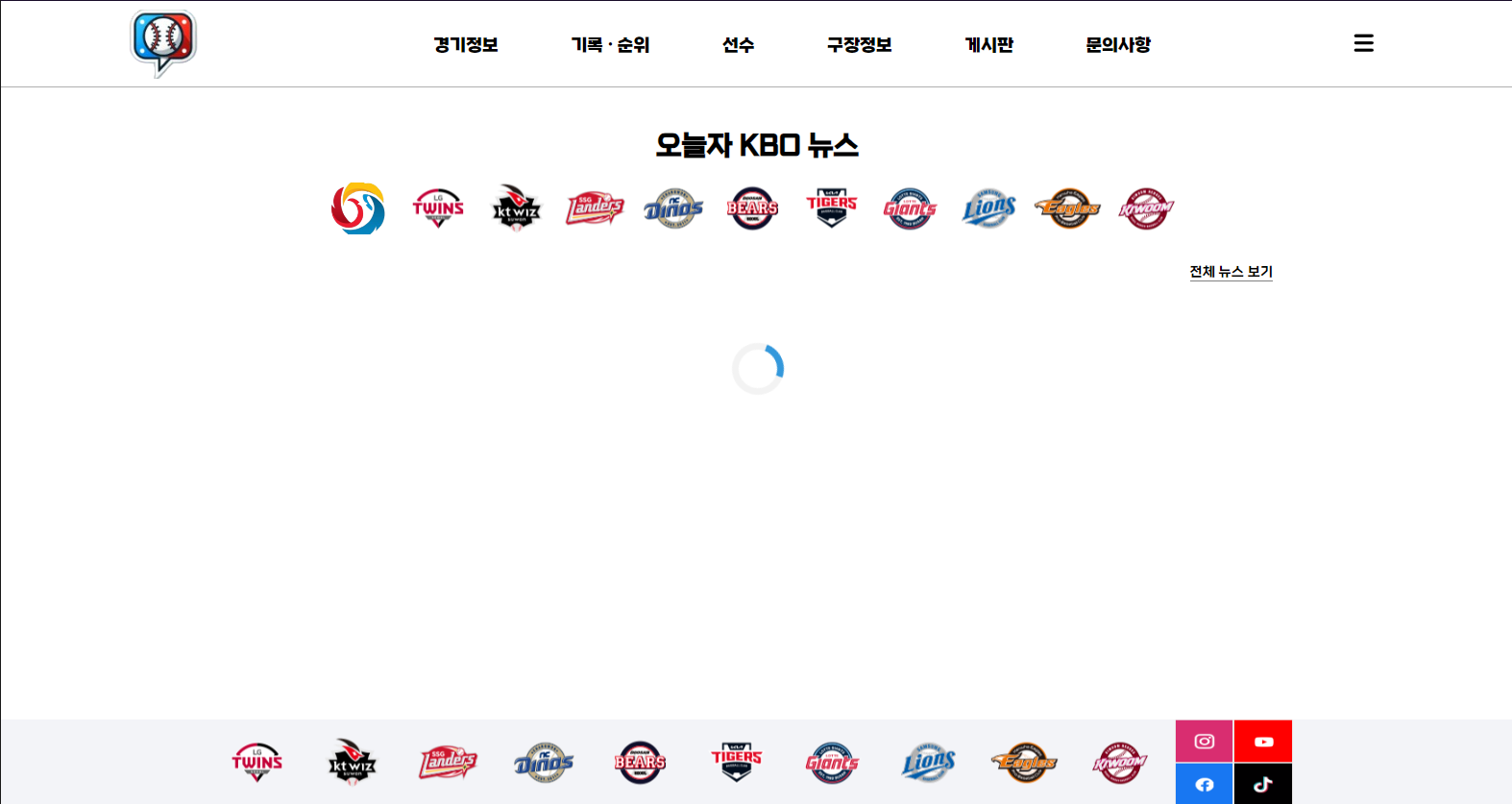
</script>- 페이지 로딩 중 모습
- 구단로고를 누르면 해당하는 구단의 기사만 필터링해서 가져온다(맨앞의 kbo 로고는 전체구단)
- 전체 뉴스 보기를 클릭하면 해당 URL을(네이버 스포츠 뉴스 - 야구) 새 창으로 연다.
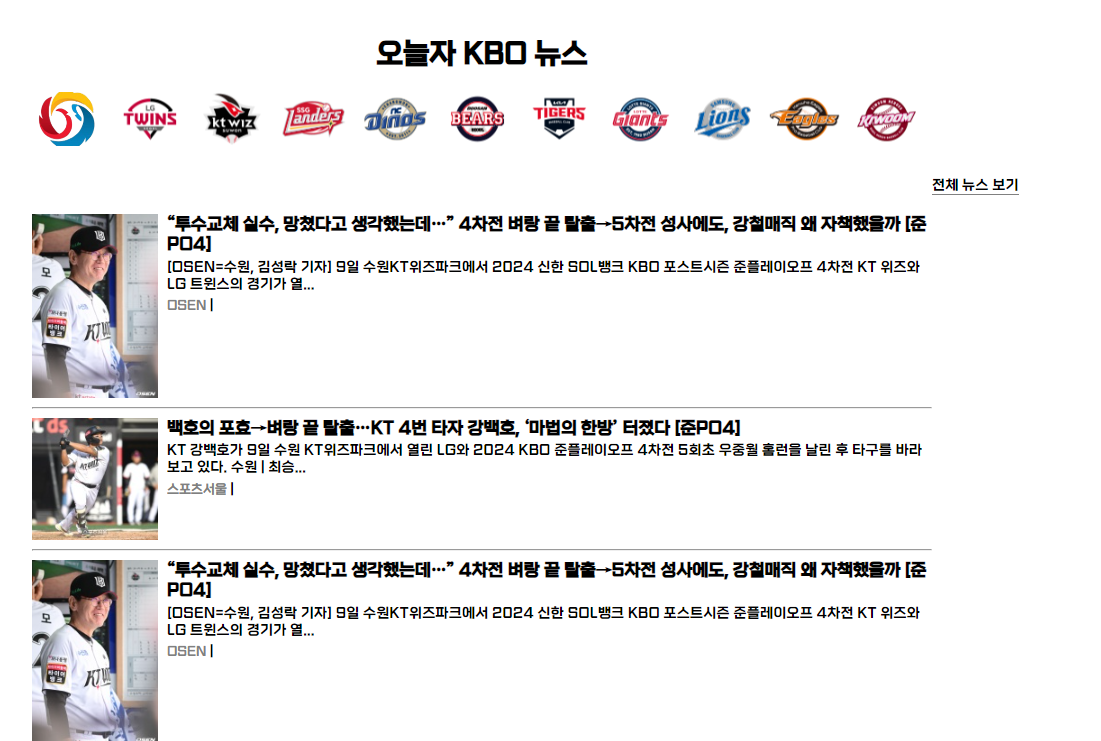
- 크롤링 후 모습
- 컴퓨터 성능에 따라 가져오는 데이터의 오류가 발생하기도 한다.. 이건 찾아서 수정해야함.
- 크롤링 실행 후 생기는 크롬 브라우저의 f12를 눌러 개발자 모드를 켜면 오류 없이 다 가져온다.. 해당 웹페이지의 ajax요청 순서?가 꼬이는거 같기도 하고... 아직은 이유를 잘 모르겠다.
앞으로 남은거
✔ 선수 정보에 선수 사진 넣기 - 아마 DB도 수정될거 같다. 그럼 ERD도 바꿔야겠지?
✔ 달력 API
✔ 메인페이지에 추가할 경기 일정의 예매버튼 누르면 a태그로 해당 예매사이트로 이동(디자인도 같이)
✔ 구단순위(달력 API 연동), 선수 기록 페이지(테스트 할 거 몇개만)
✔ 게시글 관련 페이지
✔ 문의사항 이메일로 보낼지, 작성하고 작성시에 입력한 비밀번호(암호키?)로 접근할지 결정하기
✔ 디자인 바꾸기

우당탕탕....