
개발자 도구의 설정(톱니바퀴)에 들어가서 preferences에 elements에서 show user agent shadow DOM을 활성화표시하면 보이게 된다.

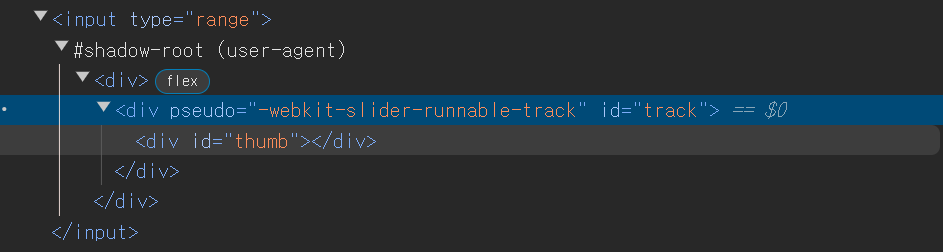
input태그 중 range type에 대한 것인데 이렇게 숨겨진 div들을 볼 수 있다.
shadow Dom 만드는법
<div id="mordor">

  </div>

<script>
  document.querySelector('#mordor').attachShadow({mode: 'open'})
</script>
우선 태그를 하나 만들어주고 그것에 attachShadow{mode:'open'}를 통해 어둠의 공간을 뚫어주자.
<div id="mordor">

</div>

<script>
  document.querySelector('#mordor').attachShadow({mode: 'open'})
document.querySelector('#mordor').shadowRoot.innerHTML =
  '<p>심연에서 왔도다</p>'
</script>
이렇게 만들어보면
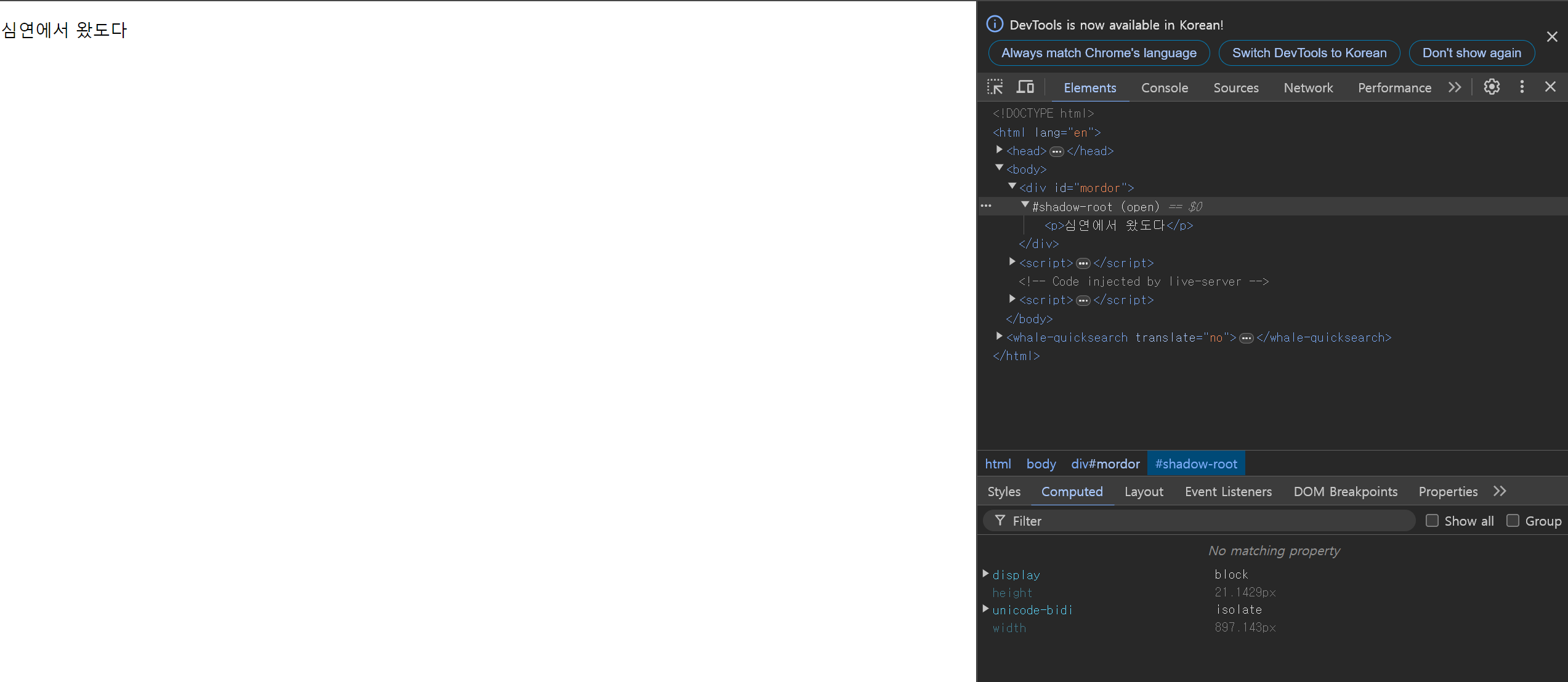
#shadow-root로 p태그가 들어가있는 것을 확인할 수 있다.
쌩코딩이 더 빠를듯. 왜 쓰지?!
(간지남)
사실 Web Components + shadow DOM = 완벽한 HTML 모듈
Web Component에 스타일도 넣고 싶으면?
Web component에 스타일도 넣고 싶으면
- shawdow DOM 쓰면 좋음
이렇게 되어있을때
<custom-input></custom-input>
<label>왜 나까지 빨개짐?</label>


<script>
  class 클래스 extends HTMLElement {
    connectedCallback() {
      this.innerHTML = `<label>이름을 입력하쇼</label><input>
<style> label { color : red } </style>`
    }
  }

customElements.define("custom-input", 클래스);
</script>
이런 모양새로 cutom-input만 빨개지길 원했는데 다른 label까지 빨개지는 것을 볼 수 있다.
shadow DOM안에 넣어보자.
<custom-input></custom-input>
<label>왜 나까지 빨개짐?</label>


<script>
  class 클래스 extends HTMLElement {
    connectedCallback() {
      this.attachShadow({mode : 'open'})
      this.shadowRoot.innerHTML = `<label>이름을 입력하쇼</label><input>
<style> label { color : red } </style>`
    }
  }

customElements.define("custom-input", 클래스);
</script>
오 이제 같이 빨개지진 않는다!!!
진정한 의미의 모듈화가 가능해진다!
참고로 css 상속은 이루어질 수 있음. 그렇지만 안에서 바깥으로 탈출하진 않음.
Web Component 특: 코드가 보기 어려워짐
따라서 <HTML 임시보관함>을 쓰자. 그게 뭐냐면 <template>
이 녀석은 보관함이라서 브라우저에보이진 않음.
이렇게 하면 더 보기좋게 사용할 수 있다.
<custom-input></custom-input>
<label>왜 나까지 빨개짐?</label>


<template id="template1">
  <label>이름을 입력하쇼</label><input>
  <style> label { color : red } </style>
</template>

<script>
    class 클래스 extends HTMLElement {
      connectedCallback() {
        this.attachShadow({mode : 'open'})
        this.shadowRoot.append(template1.content.cloneNode(true))
      }
    }

  customElements.define("custom-input", 클래스);
</script>
참고로 Web Component 생성 도와주는 라이브러리가 많아서 그런애들 쓰는게 더 나을지도?!
Lit, Stencil 또는 React, Vue 등
addEventListener를 이용하는 방법은 아래처럼
<custom-input></custom-input>
<label>왜 나까지 빨개짐?</label>


<template id="template1">
  <label>이름을 입력하쇼</label><input>
  <style> label { color : red } </style>
</template>

<script>
    class 클래스 extends HTMLElement {
      connectedCallback() {
        this.attachShadow({mode : 'open'})
        this.shadowRoot.append(template1.content.cloneNode(true))

        let el = this.shadowRoot.querySelector('label')
        el.addEventListener('click', function(){
          console.log('클.릭')
        })
      }
    }

  customElements.define("custom-input", 클래스);
</script>
반드시 결승점을 통과하는 개발자