Python 부트캠프(멀티잇 데이터 분석&엔지니어링 캠프) 에서 배운 django수업을 기반으로 직접 2023년 8월경 다른 블로그에 작성한 글을 가져왔습니다.
github
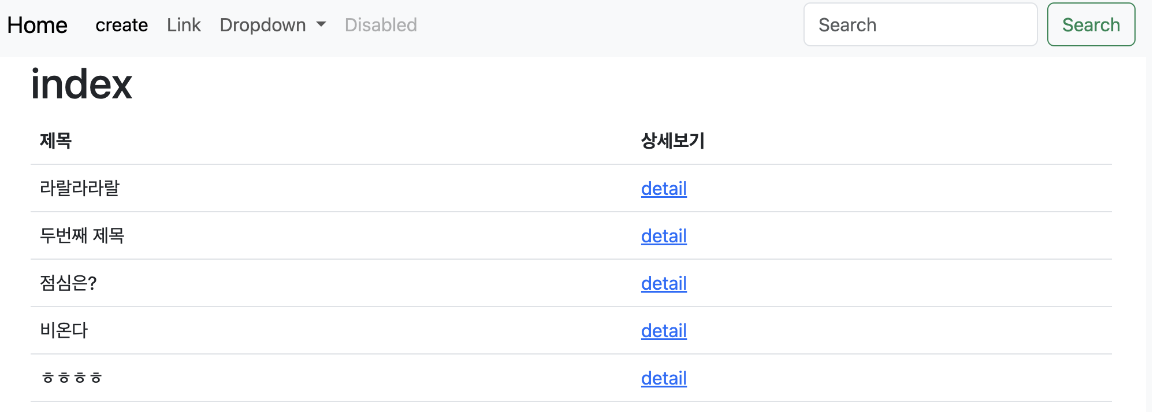
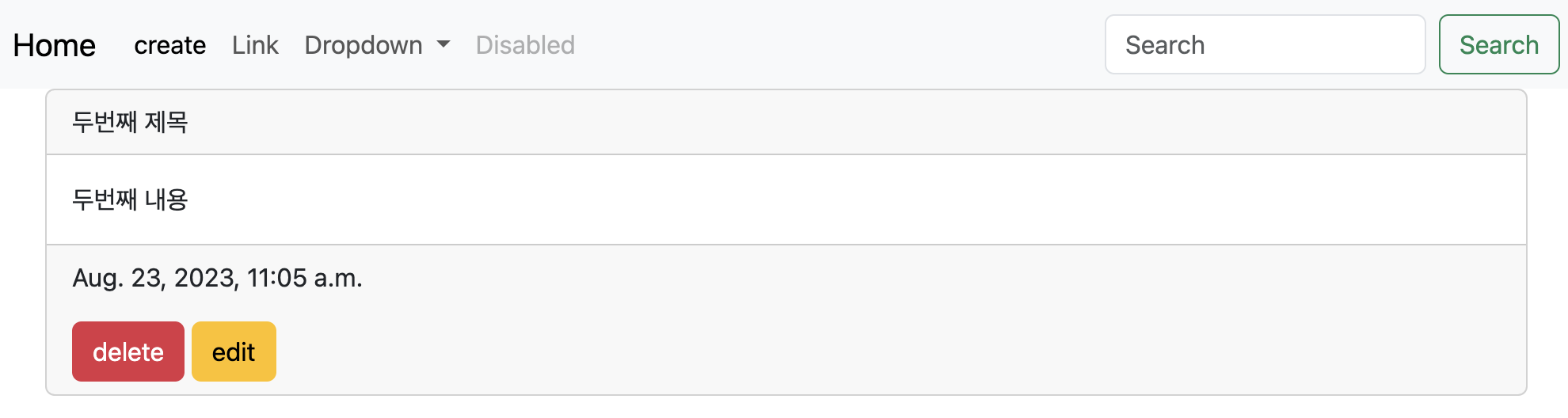
완성본 미리보기
HTML 구조
POST 메소드board 게시판을만드는 프로젝트를 만들자
셋팅
board 라는 프로젝트 폴더 생성
VScode 열기
 django-admin startproject board .
                          -----  -----
                         프로젝트명   반드시 . 있어야!
                                     없으면 폴더안에 폴더!
python -m venv venv
source venv/bin/activate
pip install django
.gigignore 파일 생성 -> gitignore.io
README.md 파일생성
python manage.py runserver -> 로켓나오는지 확인 app 만들기 = posts로 설정
django-admin startapp posts
                     ------app이름


board>settings.py 에서 만든 app 추가
INSTALLED_APPS = [
	...
    "posts",
]
urls.py
예시
path('blog/', include('blog.urls'))
중복되는거 뭉쳐서 해보기path 작성순서 path ( ), path ( '첫번째인자/', 첫번째인자실행결과 ), path ( 'posts/', include('posts.urls')), 그리고 첫번째인자가 동일하다면, urls.py로 묶어서
from django.urls import path 에 # , include 추가

path ('posts/',include('posts.urls')),

이제 urls.py 하나 더 만들어주기
posts폴더>urls.py
posts>urls.py생성
1
from django.urls import path
from . import views          #views.py에 있는 모든값들을 가져온다.

urlpatterns = [
    path('',views.index),
        --> 아무것도 없으면 posts/ 으로 받는다.

]
2
from django.urls import path
from . import views

app_name = 'posts'   # app 이름

urlpatterns = [
    path('',views.index, name='index'),
                          --------------
                          어제 url주소/index 해야 이동
                          그런데 다른 곳도 갔다왔다
                          index주소를 변수화하자!

]
posts>views.py
1
from django.shortcuts import render

# Create your views here.
def index(request):
    return render(request,'index.html')
posts>templates폴더>index.html
1
! 누르고 tab
<body>
    <h1>index</h1>
</body>
여기까지 점검

여기서잠깐, HTTP status code
- 200 : ok
- 300~399 : redirect 뭐가 잘못되서 옮겨준다.
posts/와posts는 아예 다르게 인식한다.
django에는url 끝에 /를 붙이라고 한다. - 400~499 : client error 사용자 잘못
없는 잘못된 링크주소 또는 삭제된 페이지 - 401 : Unauthorized
- 403 : Forbidden
- 404 : Not Found 없는 페이지
- 500 : server error
밤에 500번대 error터지면 왠만한 개발자 집합
여기쯤에서 github연결>commit
settings의 장고템플릿 뜯어보기
TEMPLATES = [
    {
        "BACKEND": "django.template.backends.django.DjangoTemplates",
                    django의 기본 템플릿엔진의 백엔드 지정
        "DIRS": [],    템플릿 파일을 찾을 디렉토리 지정
                       그리니까 기본 template폴더가 2개이상이면 여기에 값을 별도 추가해줘야
        "APP_DIRS": True,
        "OPTIONS": {
            "context_processors": [
                "django.template.context_processors.debug",
                "django.template.context_processors.request",
                "django.contrib.auth.context_processors.auth",
                "django.contrib.messages.context_processors.messages",
            ],
        },
    },
]
최상위 프로젝트폴더>templates
프로젝트명> app폴더>
templates
프로젝트명>templates는 다르다.
settings.py
탐지하고 싶은 폴더 추가
TEMPLATES = [
	...
	"DIRS": [BASE_DIR / 'tamplates'],
             ----------------------django야 이 위치의 templates도 찾아줘.
    ...

]
board>templates>base.html
1
! 누르고 tab
bootstrap에서 위아래 코드 추가
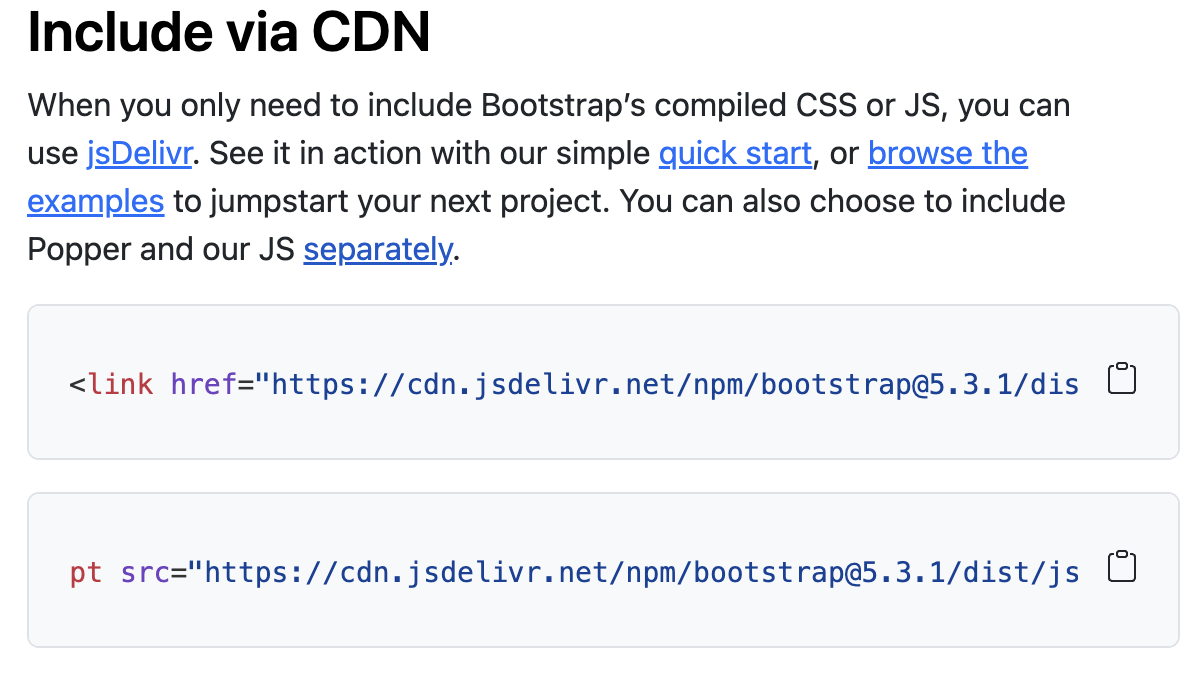
1
<!DOCTYPE html>
<html lang="en">
<head>
    <meta charset="UTF-8">
    <meta name="viewport" content="width=device-width, initial-scale=1.0">
    <title>Document</title>
    <link href="https://cdn.jsdelivr.net/npm/bootstrap@5.3.1/dist/css/bootstrap.min.css" rel="stylesheet" integrity="sha384-4bw+/aepP/YC94hEpVNVgiZdgIC5+VKNBQNGCHeKRQN+PtmoHDEXuppvnDJzQIu9" crossorigin="anonymous">
</head>
<body>


    <script src="https://cdn.jsdelivr.net/npm/bootstrap@5.3.1/dist/js/bootstrap.bundle.min.js" integrity="sha384-HwwvtgBNo3bZJJLYd8oVXjrBZt8cqVSpeBNS5n7C8IVInixGAoxmnlMuBnhbgrkm" crossorigin="anonymous"></script>
</body>
</html>
2
Navigation Bar 에 있는 코드 추가
그리고 아래 코드 추가
{% block content %}
{% endblock %}
<!DOCTYPE html>
<html lang="en">
<head>
    <meta charset="UTF-8">
    <meta name="viewport" content="width=device-width, initial-scale=1.0">
    <title>Document</title>
    <link href="https://cdn.jsdelivr.net/npm/bootstrap@5.3.1/dist/css/bootstrap.min.css" rel="stylesheet" integrity="sha384-4bw+/aepP/YC94hEpVNVgiZdgIC5+VKNBQNGCHeKRQN+PtmoHDEXuppvnDJzQIu9" crossorigin="anonymous">
</head>
<body>
    <nav class="navbar navbar-expand-lg bg-body-tertiary">
        <div class="container-fluid">
          <a class="navbar-brand" href="#">Navbar</a>
          <button class="navbar-toggler" type="button" data-bs-toggle="collapse" data-bs-target="#navbarSupportedContent" aria-controls="navbarSupportedContent" aria-expanded="false" aria-label="Toggle navigation">
            <span class="navbar-toggler-icon"></span>
          </button>
          <div class="collapse navbar-collapse" id="navbarSupportedContent">
            <ul class="navbar-nav me-auto mb-2 mb-lg-0">
              <li class="nav-item">
                <a class="nav-link active" aria-current="page" href="#">Home</a>
              </li>
              <li class="nav-item">
                <a class="nav-link" href="#">Link</a>
              </li>
              <li class="nav-item dropdown">
                <a class="nav-link dropdown-toggle" href="#" role="button" data-bs-toggle="dropdown" aria-expanded="false">
                  Dropdown
                </a>
                <ul class="dropdown-menu">
                  <li><a class="dropdown-item" href="#">Action</a></li>
                  <li><a class="dropdown-item" href="#">Another action</a></li>
                  <li><hr class="dropdown-divider"></li>
                  <li><a class="dropdown-item" href="#">Something else here</a></li>
                </ul>
              </li>
              <li class="nav-item">
                <a class="nav-link disabled" aria-disabled="true">Disabled</a>
              </li>
            </ul>
            <form class="d-flex" role="search">
              <input class="form-control me-2" type="search" placeholder="Search" aria-label="Search">
              <button class="btn btn-outline-success" type="submit">Search</button>
            </form>
          </div>
        </div>
      </nav>

      {% block content %}
      {% endblock %}

    <script src="https://cdn.jsdelivr.net/npm/bootstrap@5.3.1/dist/js/bootstrap.bundle.min.js" integrity="sha384-HwwvtgBNo3bZJJLYd8oVXjrBZt8cqVSpeBNS5n7C8IVInixGAoxmnlMuBnhbgrkm" crossorigin="anonymous"></script>
</body>
</html>
3
특히 하단의 코딩 더 이쁘게
이 코드의 뜻은: 구멍을 만들겠다! 빈공간을 만들겠다!
    <div class="container">
        {% block content %}
        {% endblock %}
    </div>
posts>templates>index.html
일단 내용 다 삭제
그리고 extends로 확장
이유: 위의 구멍을 채우겠다!
{% extends 'base.html'%} # 위에 base.html을 다 가져오겠다.{% block content %}
<h1> index </h1> # 위의 만들어진 구멍을 이걸로 채우겠따!
{% endblock %}그리고 결과

templates>base.html
12번
<a class="navbar-brand" href="#">Navbar</a>
                             --아무의미없음
            이렇게 수정
<a class="navbar-brand" href="{% url 'posts:index' %}">Home</a>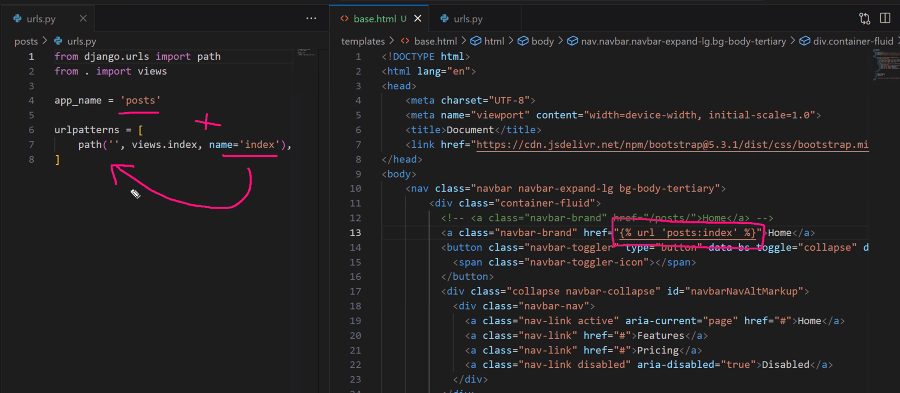
이제 저 버튼을 누를 때마다 url사이트 posts/index 로 가게 될거다.
아직 기재한게 없어서 별 다른 반응 없을 뿐.

이제 앞으로 모든 url은 f' 스트링타입으로 작성 x
지금 식으로 작성할거다.
하나의 url을 변수화 하는거다.
url 'posts:index' 이거는 결국 /posts/ 인거다.
공통으로 들어가는 base.html구조 종료
models.py
django의 modelField 는 그때그때 찾아서 쓸수 있어야 한다.
1
from django.db import models

# Create your models here.
class Post(models.Model):
#          ---------django의 기본class (models의 model을 인자로 삼는다)
    title = models.CharField(max_length=50)
    content = models.TextField()
    created_at = models.DateTimeField()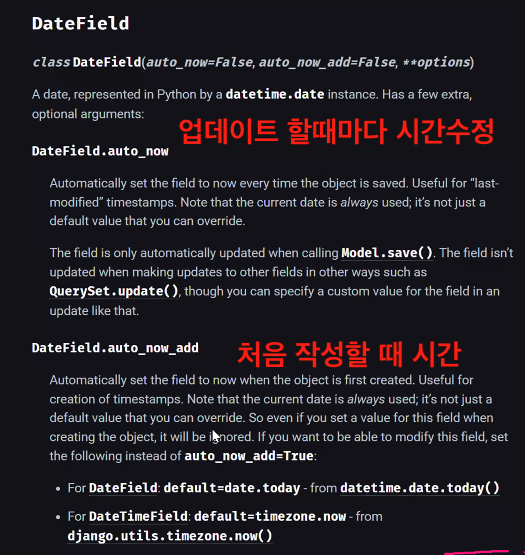
2
from django.db import models

# Create your models here.
class Post(models.Model):
#          ---------django의 기본class (models의 model을 인자로 삼는다)
    title = models.CharField(max_length=50)
    content = models.TextField()
    created_at = models.DateTimeField(auto_now_add=True)
django 잠시 끄기 ctrl+c
python manage.py makemigrations
python manage.py migrate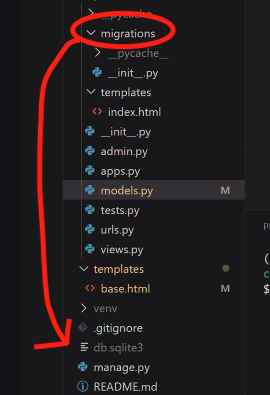
admin.py
from django.contrib import admin
from .models import Post

# Register your models here.

admin.site.register(Post)
다시 bash
python manage.py createsuperuser

username, password 생성 후,

python manage.py runserver 후 로그인 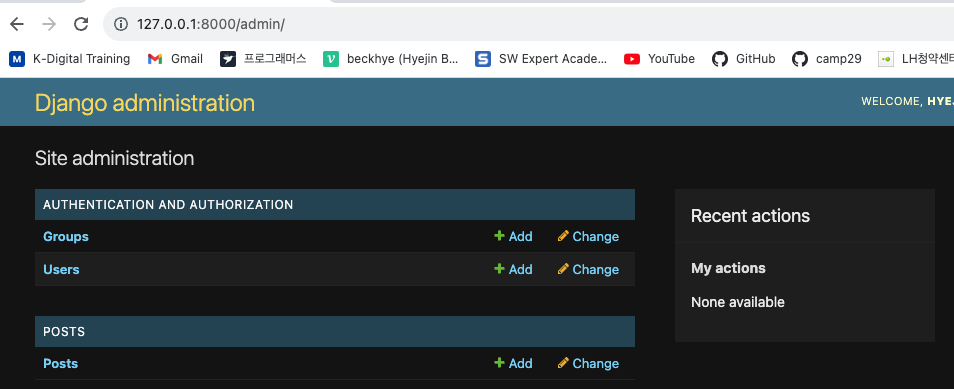
게시글 몇 개 미리 작성해두자.
여기까지 CRUD완료
페이지 꾸미기
views.py
from django.shortcuts import render
from .models import Post             # Post를 불러와야함

# Create your views here.
def index(request):
    posts = Post.objects.all()       # 모든 게시글의(제목)을보여줘.

    context = {
        'posts' : posts
    }

    return render(request,'index.html', context )
보통 django에서 render의 세번째 인자를 context라고 부른다.
다른이름으로도 ok 이긴함
bootstrap으로 꾸며보자
tables 이런 구조로 작성할거다.
index.html
table.table 하고 엔터
1
{% extends 'base.html'%}

{% block content %}
    <h1>index</h1>

    <table class="table">
        <thead>

        </thead>

        <tbody>

        </tbody>

    </table>

{% endblock %}
과정1
        <thead>
            <tr>
            <th>제목</th>
            <th>상세보기</th>
            </tr>
        </thead>
과정2
        <tbody>
            {% for post in posts %}
                <tr>
                    <td>{{post.title}}</td>
                    <td>링크</td>
                </tr>
            {% endfor %}
        </tbody>
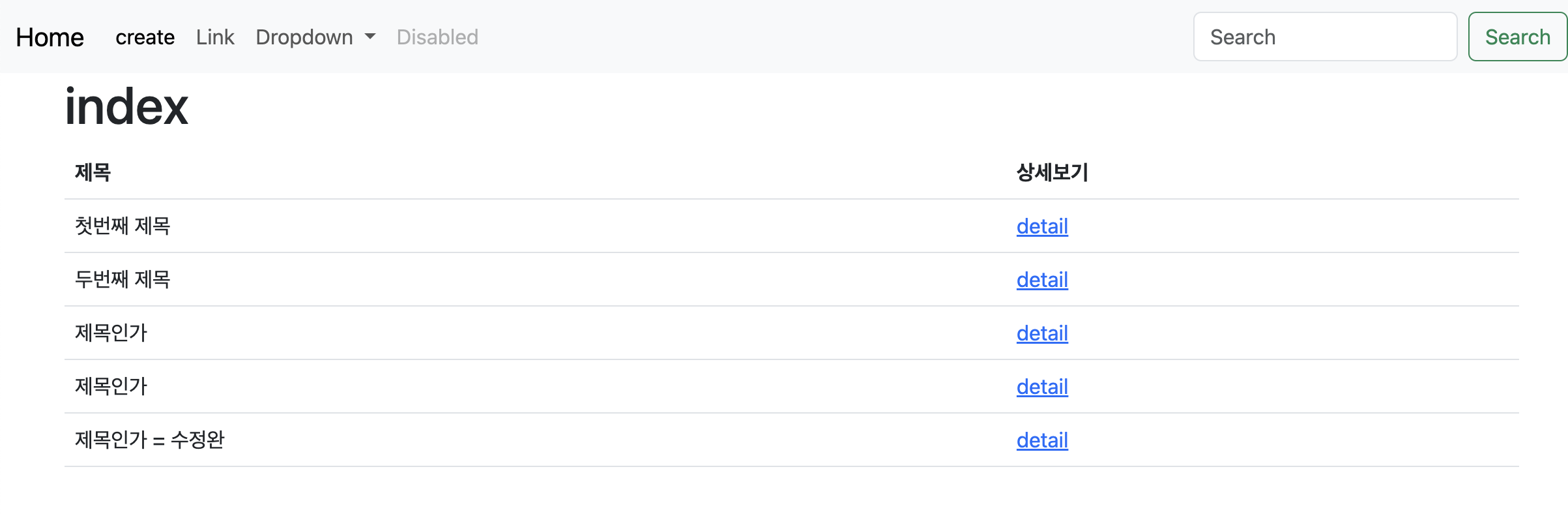
확인
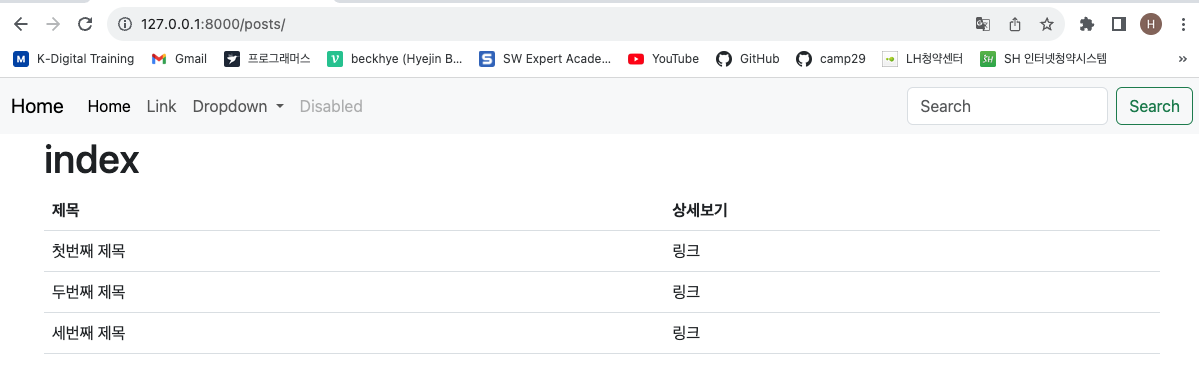
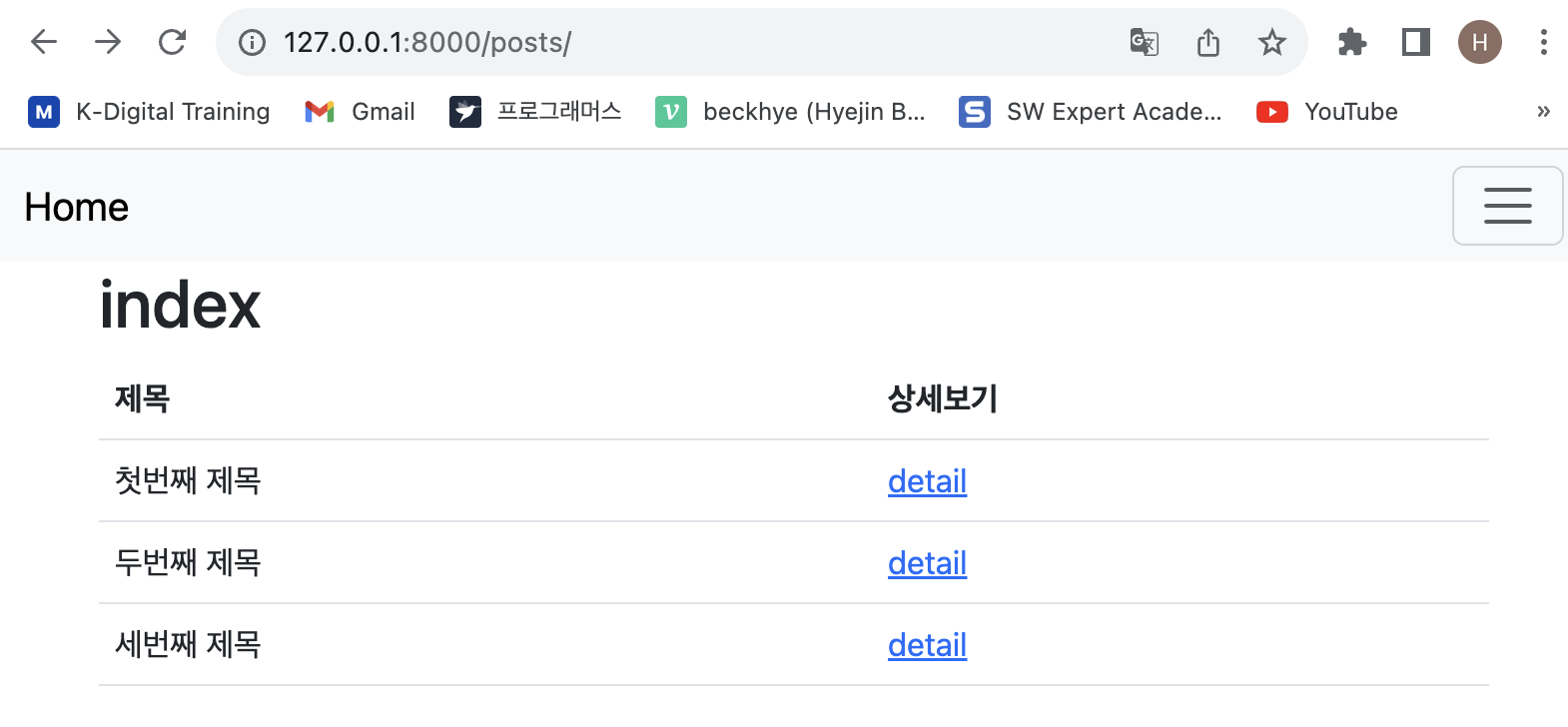
여기까지 read(all)
index 제목과 상세보기 테이블화
index.html
과정1
        <tbody>
            {% for post in posts %}
                <tr>
                    <td>{{post.title}}</td>
                    <td><a href="">detail</a></td>
                    # 수정

                </tr>
            {% endfor %}
        </tbody>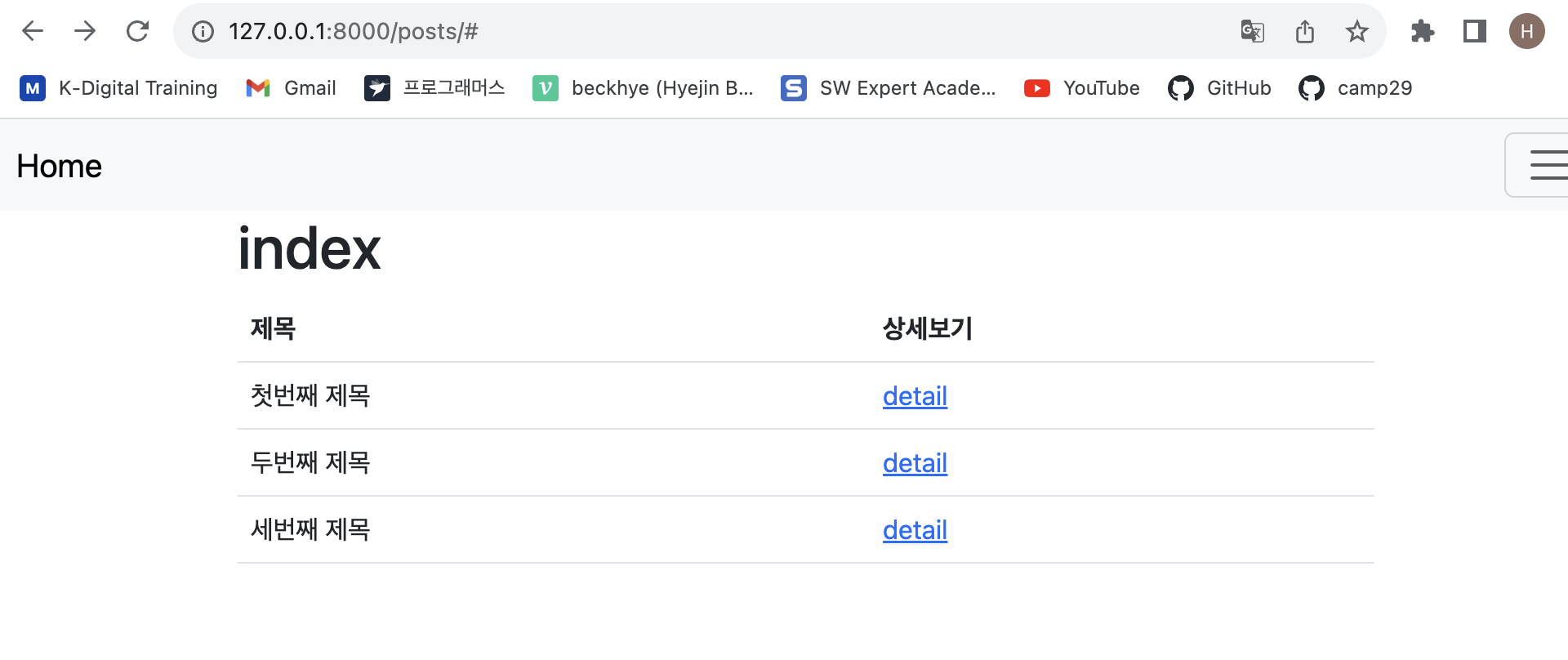
과정2
        <tbody>
            {% for post in posts %}
                <tr>
                    <td>{{post.title}}</td>
                    <tdtd><a href="{% url 'posts:detail'%}">detail</a></td>
                    # 수정

                </tr>
            {% endfor %}
        </tbody>
urls.py
from django.urls import path
from . import views  #views.py에 있는 모든값들을 가져온다.

app_name = 'posts'   # app 이름

urlpatterns = [
    path('',views.index, name='index'),
    path('<int:id>/', views.detail,name='detail'),

]
index.html
{% extends 'base.html'%}

{% block content %}
    <h1>index</h1>

    <table class="table">
        <thead>
            <tr>
            <th>제목</th>
            <th>상세보기</th>
            </tr>
        </thead>

        <tbody>
            {% for post in posts %}
                <tr>
                    <td>{{post.title}}</td>
                    <td><a href="{% url 'posts:detail' id=post.id%}">detail</a></td>
                </tr>
            {% endfor %}
        </tbody>

    </table>

{% endblock %}
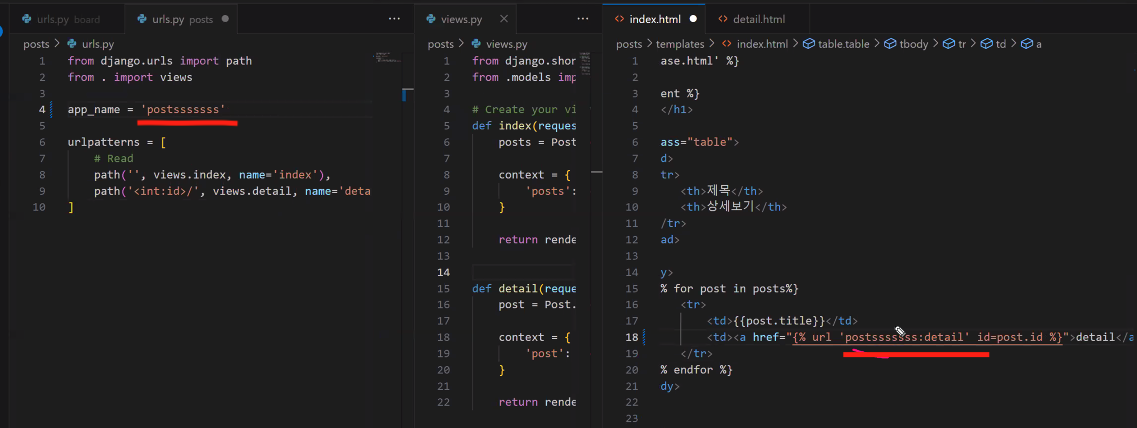
여기서 잠깐,
url 'posts:detail' 은 urls.py에서 app_name 지정한 값이다.
views.py
def detail(request,id):
    post = Post.objects.get(id=id)

    context = {
        'post': post,
    }

    return render(request, 'detail.html', context)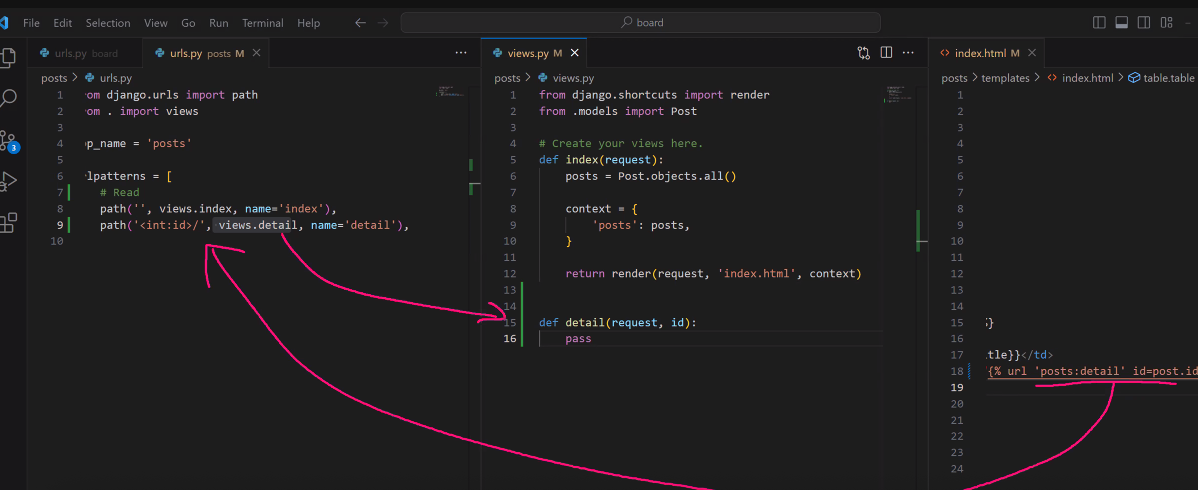
detail.html 생성
과정1
{% extends 'base.html'%}  -> base공통페이지를 쓰겠다.

{% block content %} --> 빈칸이 있으면 아래내용으로 채우겠다.
                     여기에 내용 기재
{% endblock %}   -> 빈칸 채울 값 기재종료
과정2
{% extends 'base.html'%}

{% block content %}

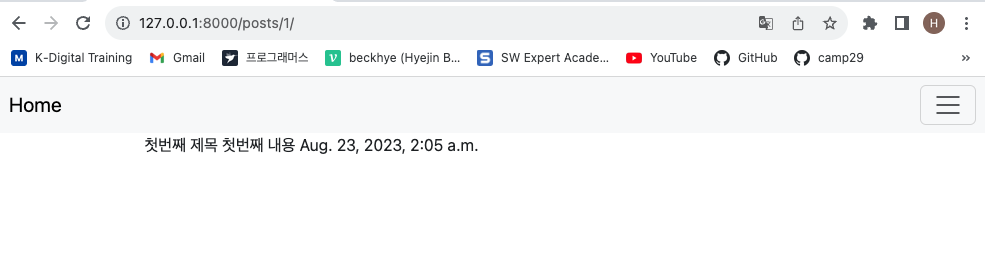
    {{post.title}}
    {{post.content}}
    {{post.created_at}}

{% endblock %}
확인
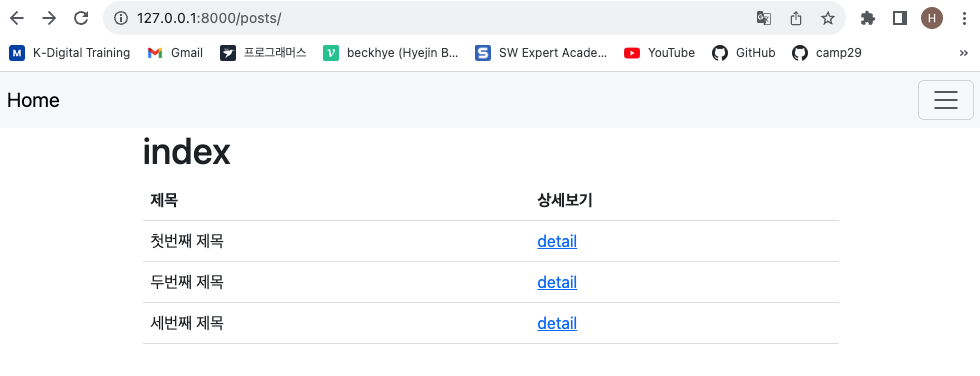
detail 누르면 상세페이지로 이동
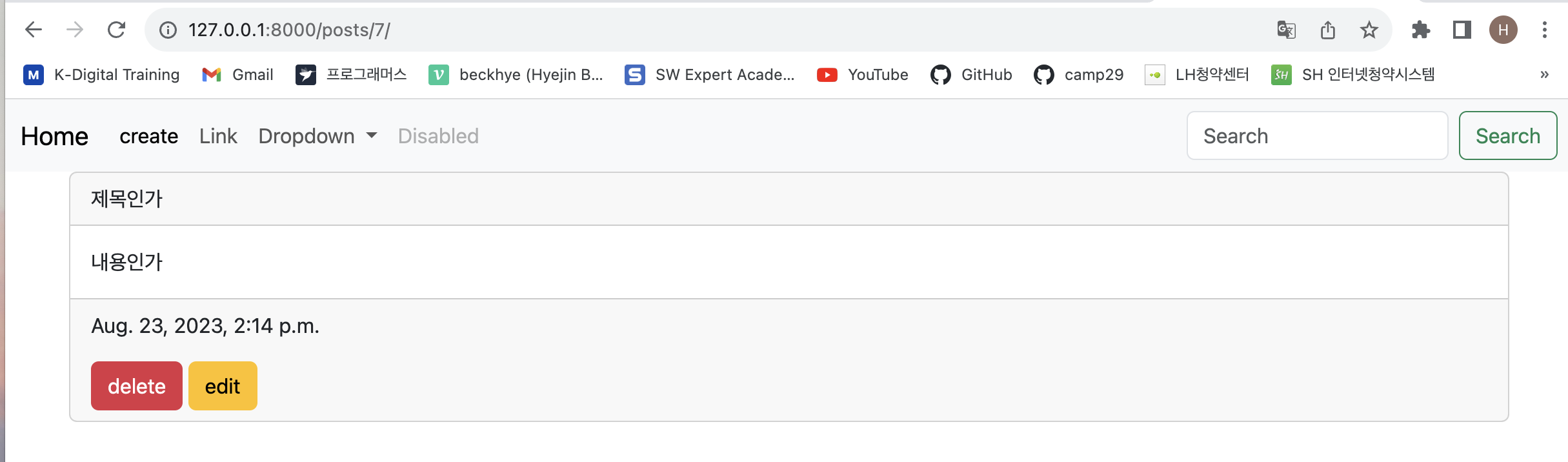
Bootstrap의 card
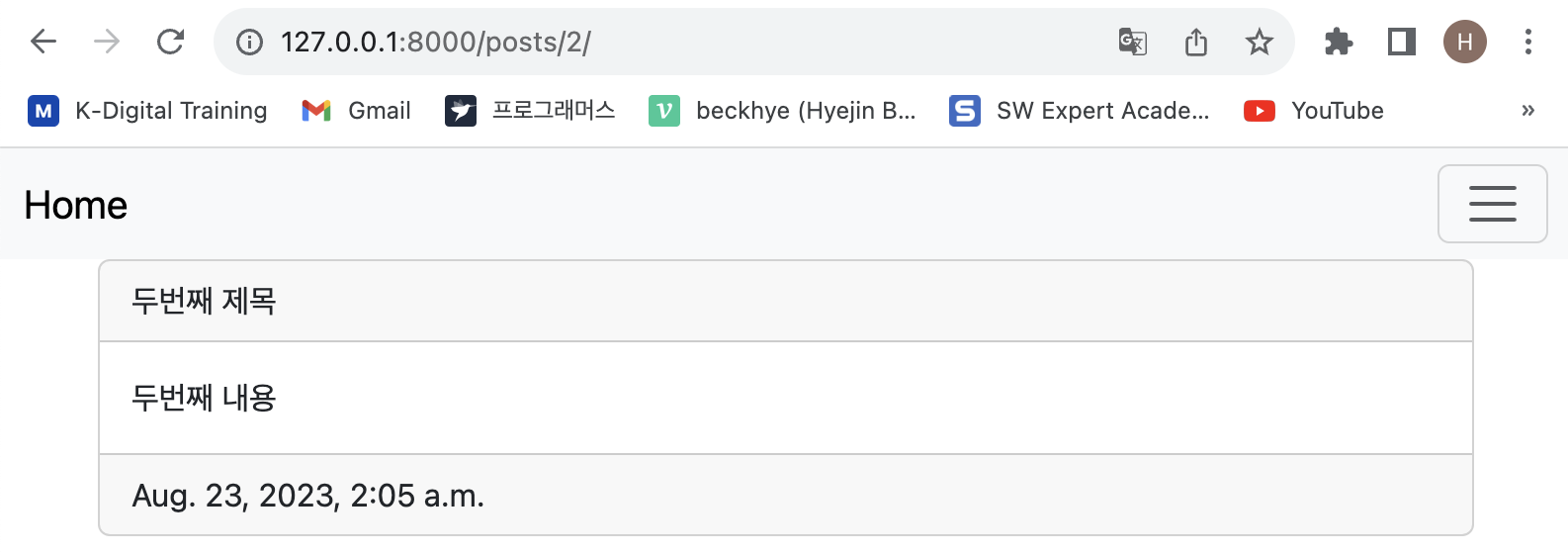
card 로 상세페이지 구조 꾸미기
    <div class="card">
        <div class="card-header">

        </div>
        <div class="card-body">

        </div>
        <div class="card-footer">

        </div>
detail.html
{% extends 'base.html'%}

{% block content %}

    <div class="card">
        <div class="card-header">
            {{post.title}}
        </div>
        <div class="card-body">
            {{post.content}}
        </div>
        <div class="card-footer">
            {{post.created_at}}
        </div>
    </div>

{% endblock %}
card구현 확인
detail눌러 상세페이지로 이동
여기까지 read(1)
Create
base.html
<a class="nav-link active" aria-current="page" href="#">home</a>

home을 create로 수정
"page"를 {% url 'posts:new' % }로 수정
urls.py
path('new/', views.new, name='new'), 추가 views.py
def new(request):
    return render(request,'new.html') 추가
posts>templates>new.html
{% extends 'base.html'%}

{% block content %}

                          # 여기에
{% endblock %}
form- overview
첫번째 폼을 붙혀넣기
그리고 마지막 단락 삭제
{% extends 'base.html'%}

{% block content %}


<form>
    <div class="mb-3">
      <label for="exampleInputEmail1" class="form-label">Email address</label>
      <input type=" #여기도 바꿔줄거야." class="form-control" id="exampleInputEmail1" aria-describedby="emailHelp">
      <div id="emailHelp" class="form-text">We'll never share your email with anyone else.</div>
    </div>
    <div class="mb-3">
      <label for="exampleInputPassword1" class="form-label"> # 여기도 바꿔줄거야. </label>
      <input type="password" class="form-control" id="exampleInputPassword1">
    </div>

    <button type="submit" class="btn btn-primary">Submit</button>
  </form>


{% endblock %}
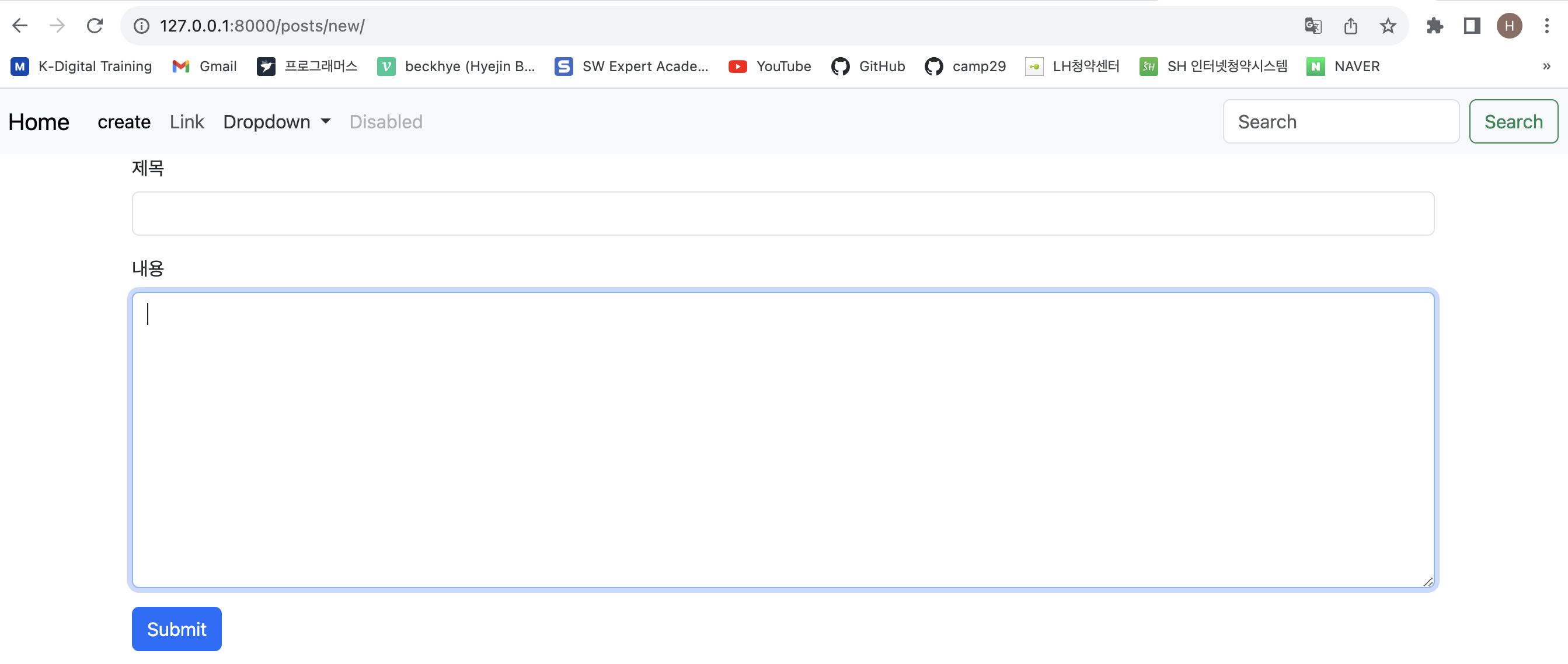
그리고 몇가지 수정
<form>
    <div class="mb-3">
      <label for="title" class="form-label">제목</label>
      <input type="text" class="form-control" id="title" >
    </div>
    <div class="mb-3">
      <label for="content" class="form-label">내용</label>
      <!--<input type="password" class="form-control" id="exampleInputPassword1"> -->
        <textarea class="form-control" id="content" cols="30" rows="10"></textarea>
    </div>

    <button type="submit" class="btn btn-primary">Submit</button>
  </form>
여기까지 점검
여기서 잠깐
def 에서 요청사항 구분.GET ~ 가져다줘
.POST ~ (문서등을)올려줘
이제 post방식으로 데이터를 전송해보자.
new.html
맨 위의
<form> 수정

<form action="{%url 'posts:create' %}" method="POST">

action="경로지정"
method= "post" 또는 "POST" 소문자든 대문자든 상관없음
method= 의 기본값은 "get" 이나,
민감한 중요데이터는 get으로 보내지마세요. get은 수정가능해서
post 추천
코드를 입력하세요여기서 잠깐 action=" 링크를 빼보자."
<form action="  " method="POST">
    <div class="mb-3">
      <label for="title" class="form-label">제목</label>
      <input type="text" class="form-control" id="title" name="title" >
    </div>
    <div class="mb-3">
      <label for="content" class="form-label">내용</label>
      <!--<input type="password" class="form-control" id="exampleInputPassword1"> -->
        <textarea class="form-control" id="content" cols="30" rows="10" name="content"></textarea>
    </div>
    <button type="submit" class="btn btn-primary">Submit</button>
  </form>
이렇게 action = 링크를 빼버린 뒤, url사이트에서 추가 기재하면 forbidden 나온다.
하고 submit 누르면
야, 너 보내질 공간 없는데 정말 post 할꺼임? 이라는 뜻
아직 create.html만들기 전이긴 하다.
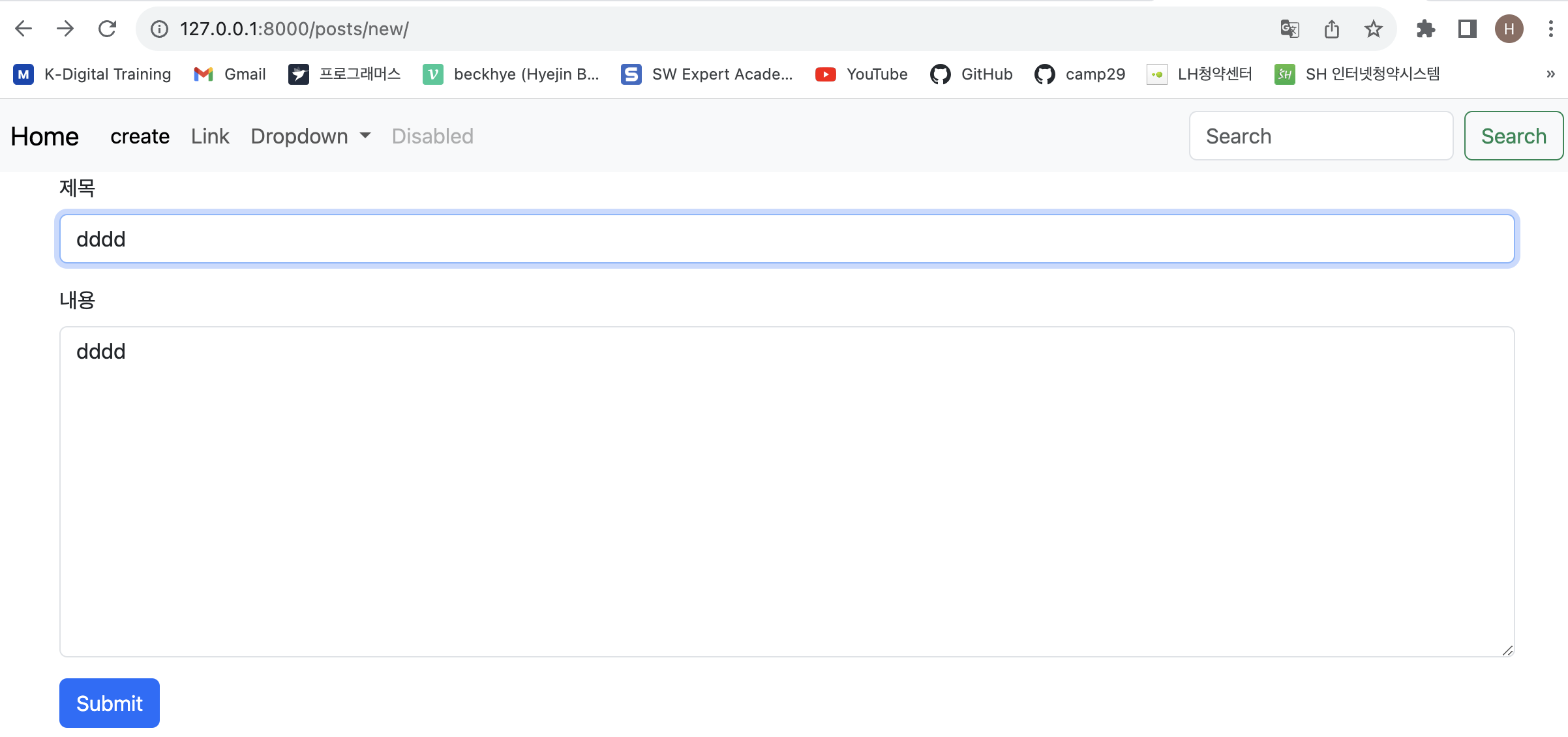
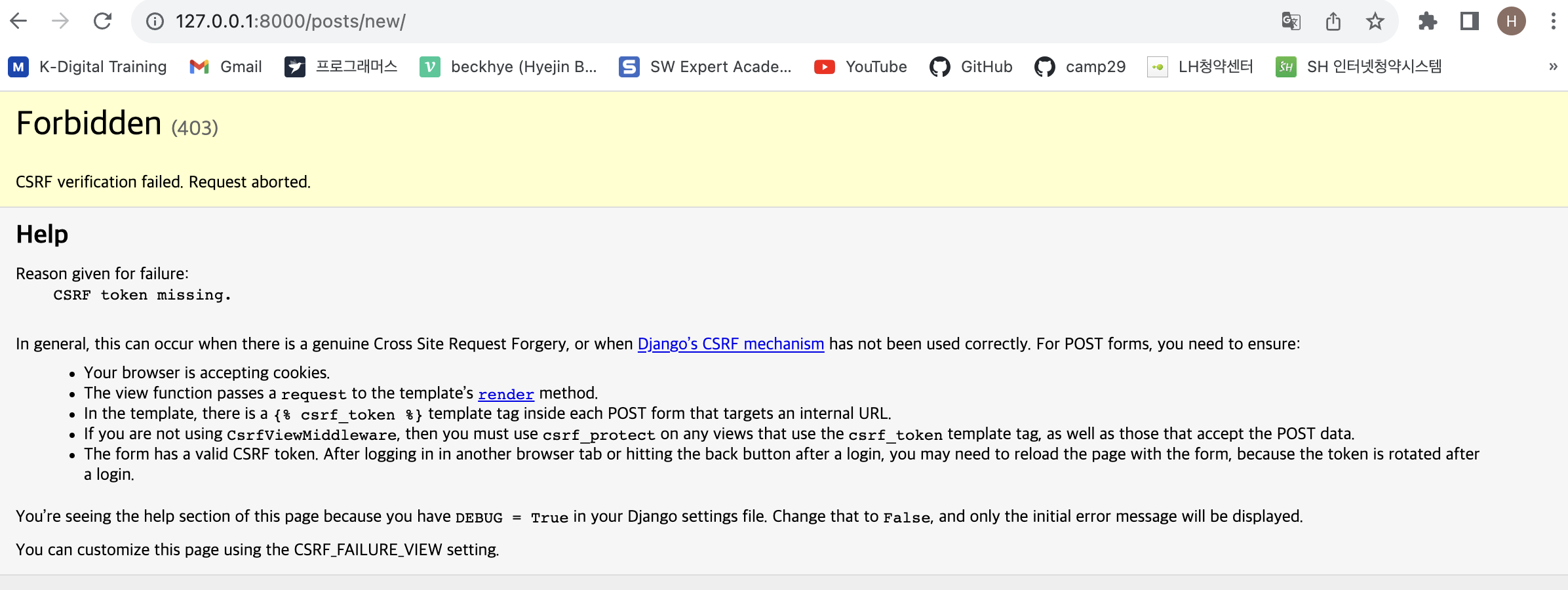
Forbidden 에러 공부
CSRF attack : 사이트 간 요청위조
다른사람의 html코드를 그대로 복사해서 새로운 사이트를 위조
url주소도 아주 비슷하게 만들면 사용자가 착각할수 있음
사용자가 위조사이트 들어가서 개인정보를 기재하면
위조사이트에서 정사이트에 맞는값인지 문의를 하는데,
정사이트에서는 이걸 감지? 하게된다... 라는건가
정사이트에서 허용되는값인지 아닌지 검열 후,
검열에 통과된 데이터만 받아들이고, 아니면 fobbiden error 해준다.
new.html
<form action="  " method="POST"> # 여기 아래에
    {% csrf_token %}             # 해당 문구 추가
{% csrf_token %} 는 위조되지 않도록 검열에 통과되는 조건값
안전하게 데이터를 저장할 수 있다.
데이터베이스는 아주 중요한 공간이고,
잘못된 정보가 잘못 들어가면 위험하니,
get, post 처럼 ~ 해줘 라는 요청값에 여러가지 검열을 하며,
그 검열을 통과하기 위한 인증부여값이 중요하다.
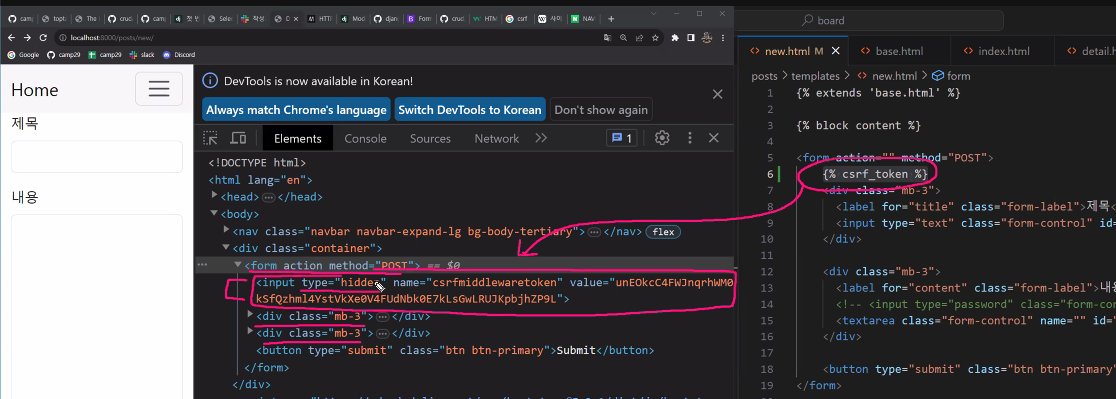
다시 action 주소값을 추가한다.
<form action="{%url 'posts:create' %}" method="POST">
    {% csrf_token %}
urls.py
path('create/',views.create, name='create'), 추가 views.py
1
def create(request):
    pass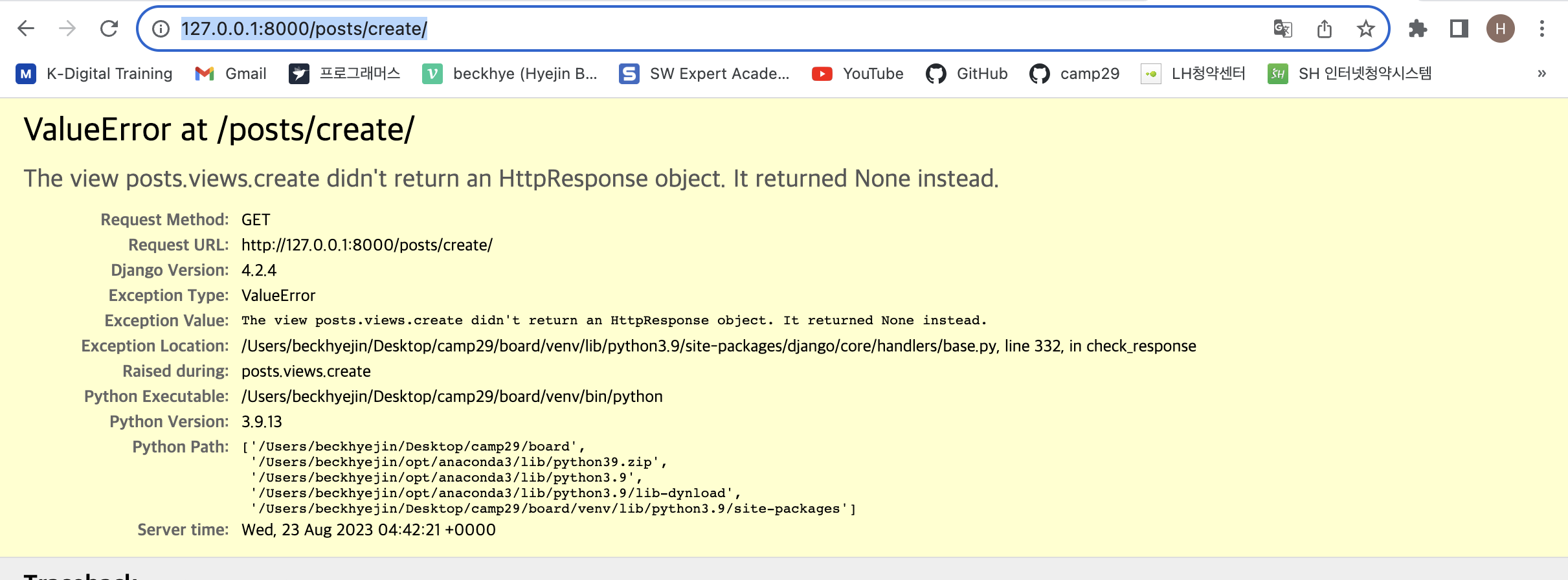
2
def create(request):
    title = request.POST.get('title')
              # POST라는 곳에서 데이터를 가져오겠다.
    content = request.POST.get('content')

    post = Post()
    post.title = title
    post.content = content
    post.save()
3
    post = Post()
    post.title = title
    post.content = content
    post.save()

    이거는

    post = Post(title=title, content=content)
    post.save()
    이 값과 같다.
4
from django.shortcuts import render # , redirect 추가하기5
하단에
return redirect('posts:detail', id=post.id) 추가
점검
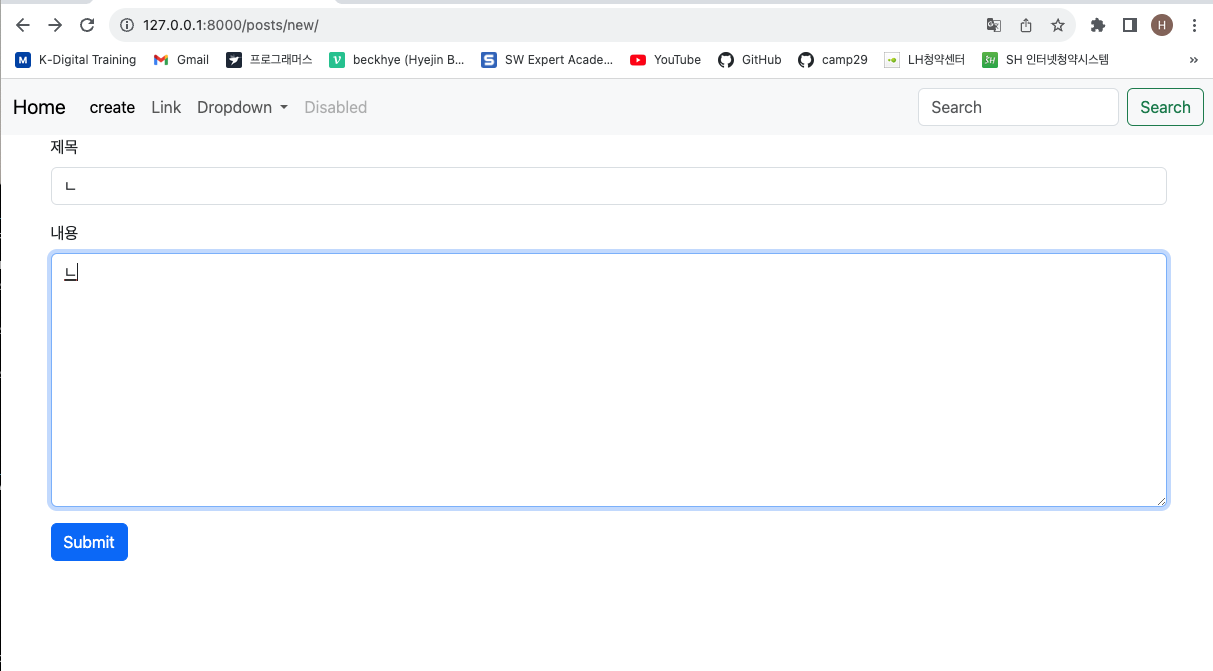
submit누르면 이동 후 적용 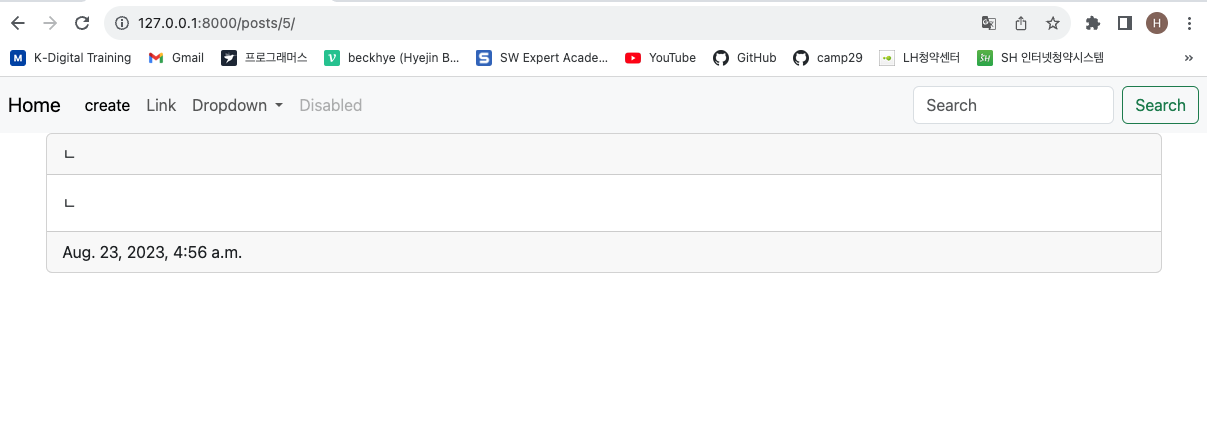
다시한번 정리!
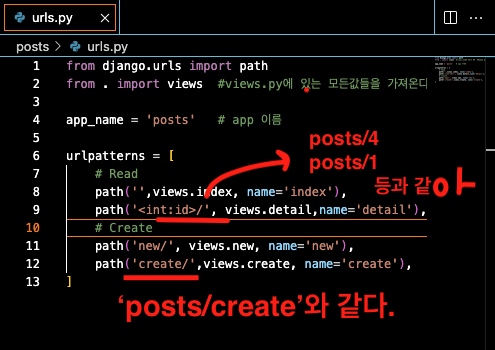
ulr주소에서 posts/ 가 기본값되어 생략
기본 CRUD 구성
Read 가져올거야.
Create 생성할거야.
Update 바꿀거야
Delete 삭제할거야.Restfull 한 구성
Post (데이터를) 집어 넣을거야.
posts/ n
Get (데이터를) 가져올거야.posts/
Updateposts/ n
Deleteposts/ n
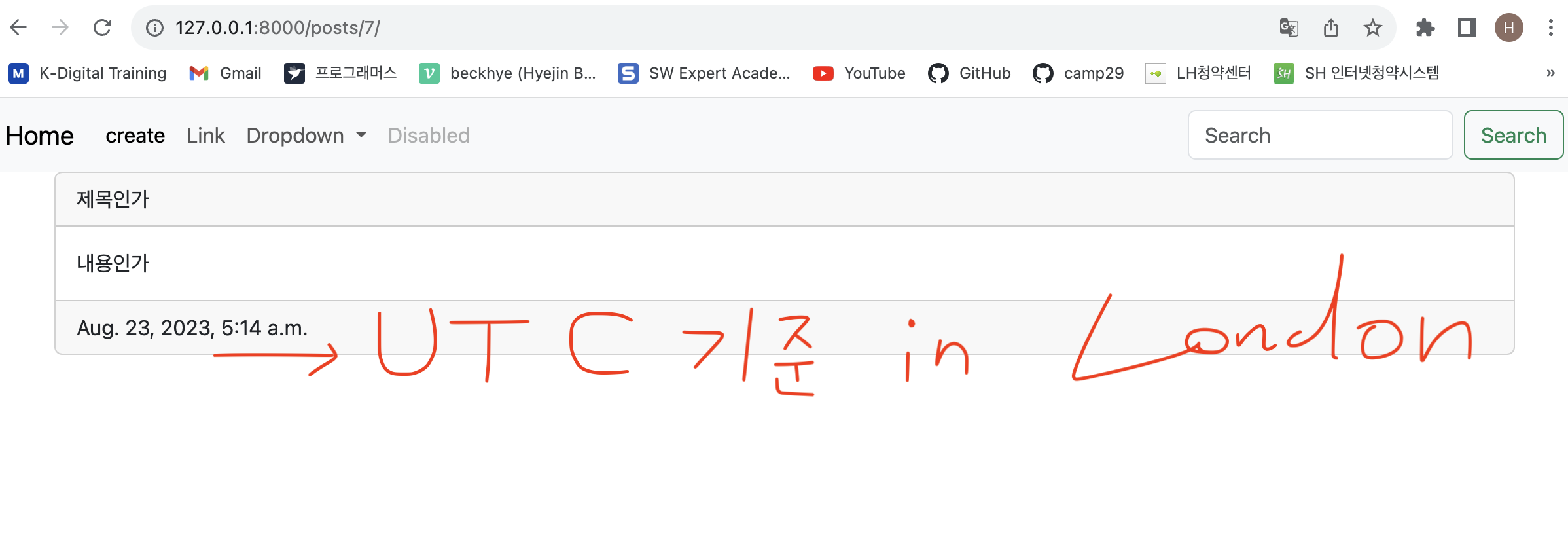
기본셋팅시간값 바꾸기
settings.py
# Internationalization    국제시간기준
# https://docs.djangoproject.com/en/4.2/topics/i18n/

LANGUAGE_CODE = "en-us"

TIME_ZONE = "UTC"  # -> 대신, TIME_ZONE = 'Asia/Seoul' 로 수정

USE_I18N = True

USE_TZ = True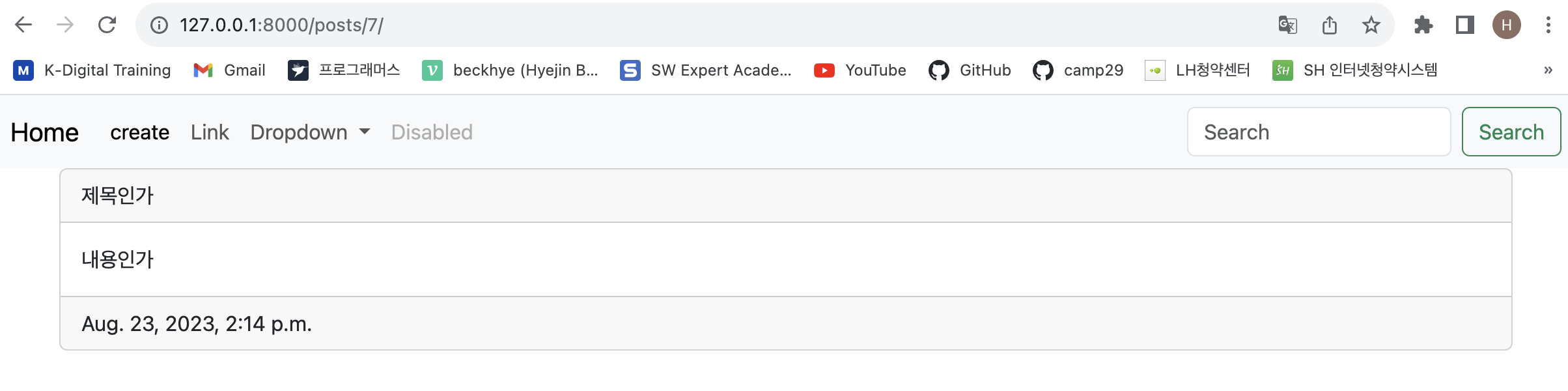
Create 완료
--
Delete
detail.html 삭제버튼
delete 누르기
1
        <div class="card-footer">
            {{post.created_at}}
            <a href="">delete</a>
2
        <div class="card-footer">
            <p>{{post.created_at}}</p>
            <a href="" class="btn btn-danger">delete</a>
        </div>
3
        <div class="card-footer">
            <p>{{post.created_at}}</p>
            <a href="{% url 'posts:delete' id=post.id %}" class="btn btn-danger">delete</a>
        </div>
urls.py 삭제요청
path('<int:id>/delete/',views.delete, name='delete'),주의: delete/ 에서 / 빼면 error
views.py 삭제진행
def delete(request, id):
    post= Post.objects.get(id=id)
    post.delete()

    return redirect('posts:index')
확인
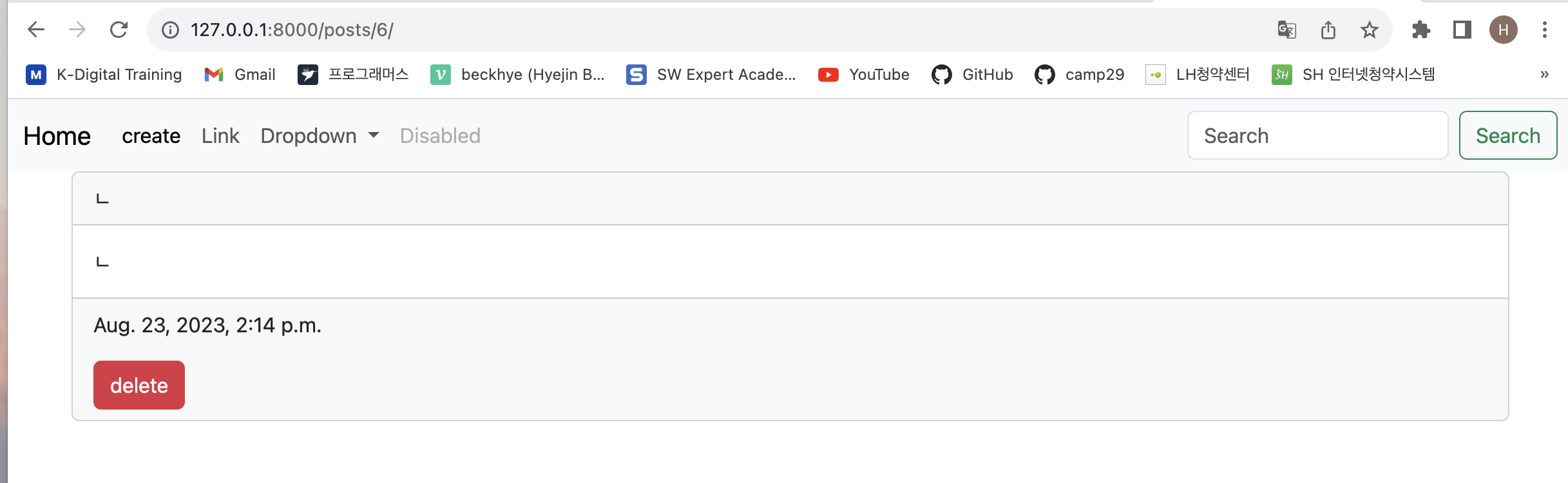
index 페이지에서 게시글 눌러 상세페이지로 이동 후,
delete 누르면 삭제된 상태로, 다시 index 페이지로 돌아감 ok
Delete 완료
--
update
detail.html 에서 edit 버튼
        <div class="card-footer">
            <p>{{post.created_at}}</p>
            <a href="{% url 'posts:delete' id=post.id %}" class="btn btn-danger">delete</a>
            <a href="" class="btn btn-warning">edit</a>    #  이거 기재
        </div>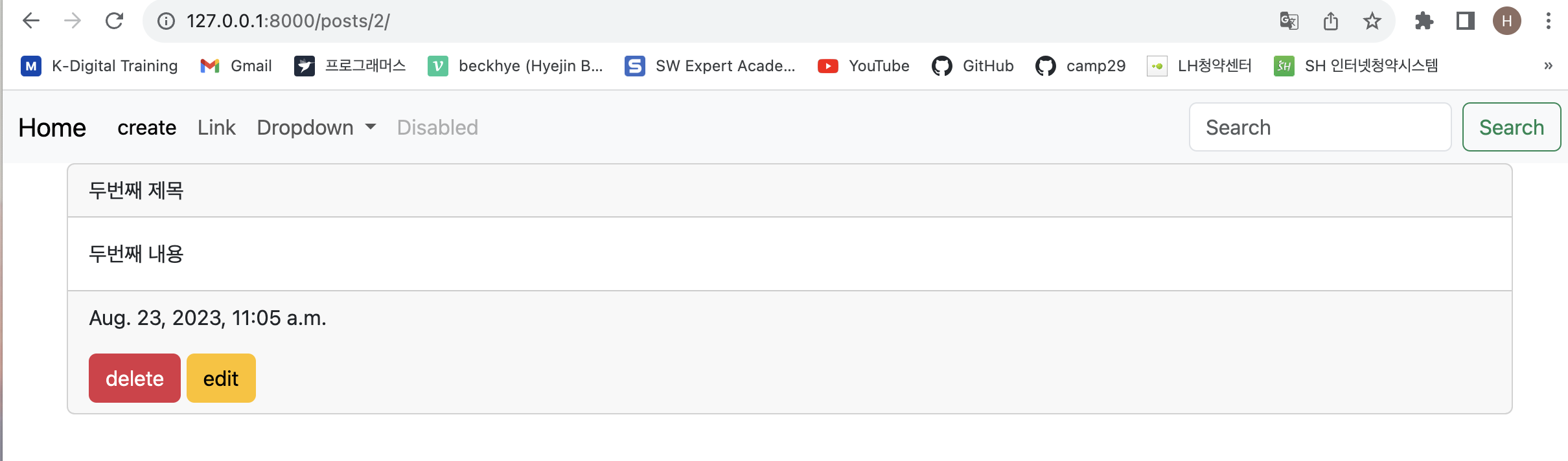
그리고 어디로 이동할지 사이트 주소 추가
<a href="{% url 'posts:edit' id=post.id %}" class="btn btn-warning">edit</a>
urls.py -> edit,upgrate 주소
    path('int:id>/edit/', views.edit, name='edit'),
    path('<int:id>/update/',views.update, name='update'),
update 관련해서도 그냥 미리 적어넣는다.
views.py -> edit 기능
def edit(request, id):
    post = Post.objects.get(id=id)

    context=  {
        'post': post,
    }

    return render(request, 'edit.html', context)

def update(request,id):
    pass
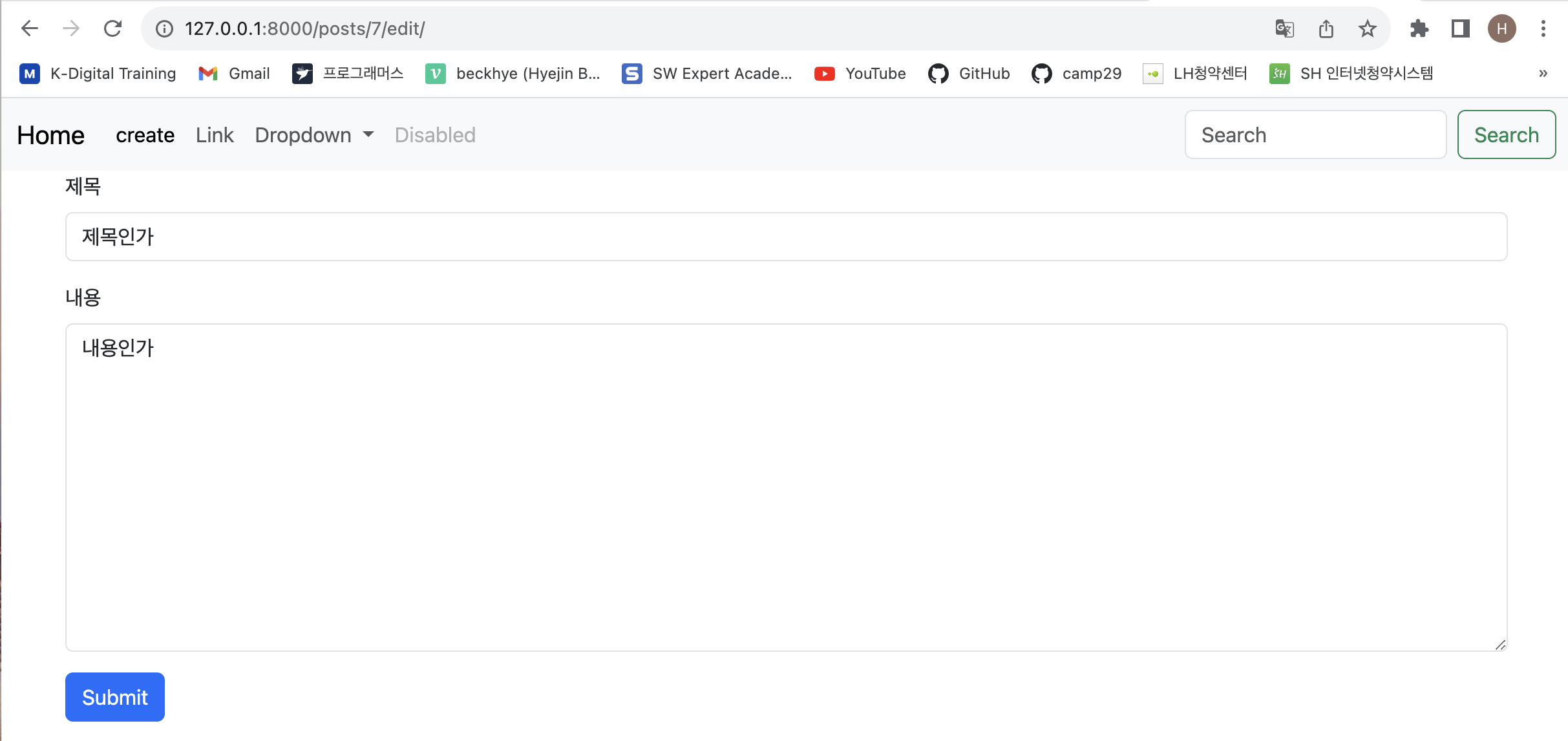
edit.html -> edit 보여줄값
new.html 값 그대로 복사
{% extends 'base.html'%}

{% block content %}


<form action="{%url 'posts:create' %}" method="POST">
    {% csrf_token %}
    <div class="mb-3">
      <label for="title" class="form-label">제목</label>
      <input type="text" class="form-control" id="title" name="title" >
    </div>
    <div class="mb-3">
      <label for="content" class="form-label">내용</label>
      <!--<input type="password" class="form-control" id="exampleInputPassword1"> -->
        <textarea class="form-control"  id="content" cols="30" rows="10" name="content"></textarea>
    </div>

    <button type="submit" class="btn btn-primary">Submit</button>
  </form>


{% endblock %}
이대로 수정
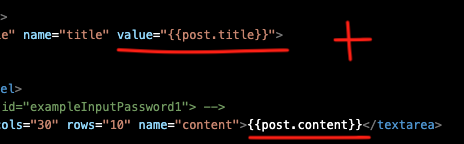
그리고 <form action="{%url 'posts:update' id=post.id  %}" method="POST">
                                -------- create -> update
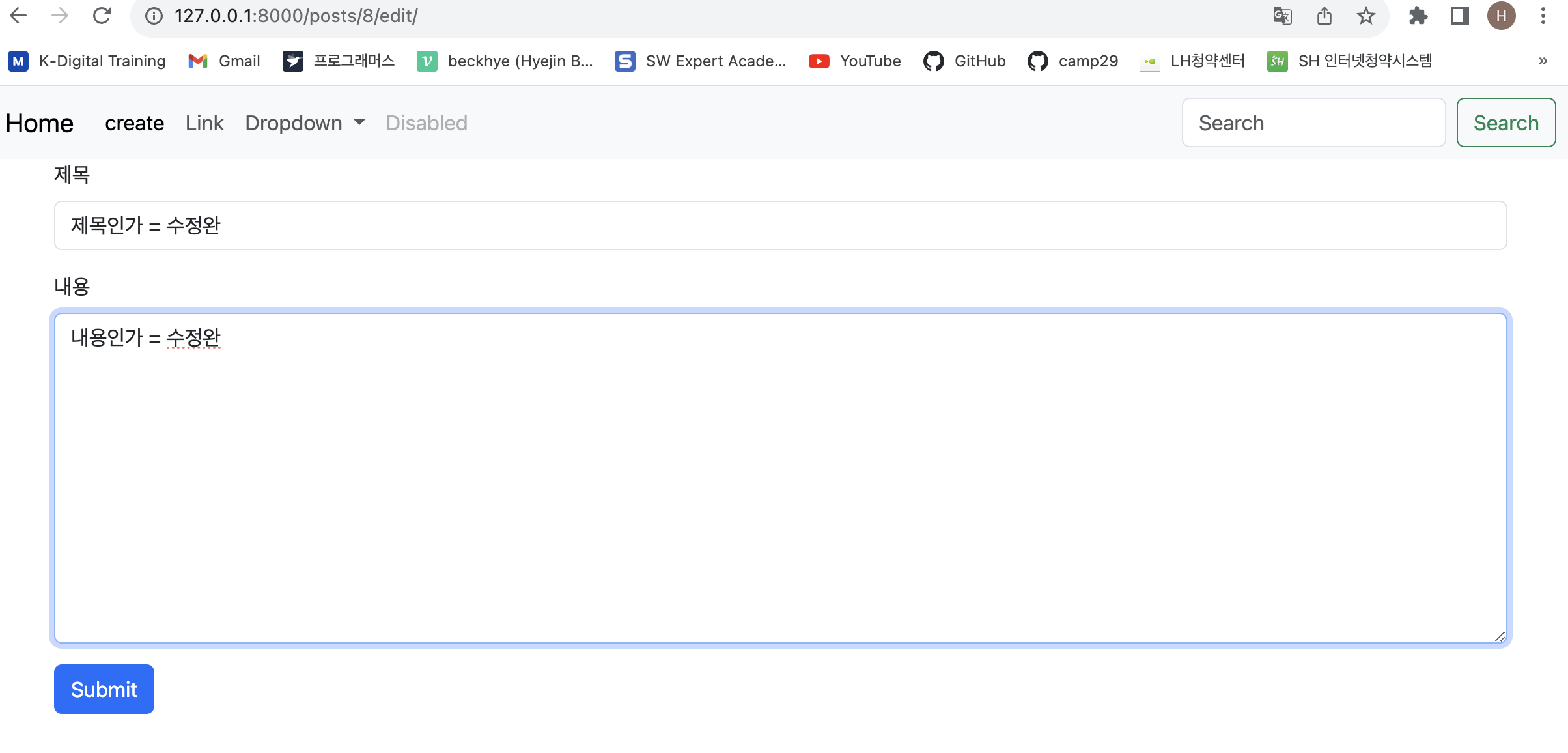
views.py -> update 기능
def update(request,id):
    # 사용자가 입력한 new data 를 가져와서
    title = request.POST.get('title')
    content = request.POST.get('content')

    # 기존 old data 에 덮어 씌운다.
    post= Post.objects.get(id=id)
    post.title = title
    post.content = content
    post.save()

    return redirect('posts:detail', id=post.id)
확인