합세 준비를 하면서 뷰를 짜다가 나는 모든 것을 margin으로 두면서 코드를 작성했는데 margin과 padding을 적절히 섞어가면서 사용한 OB분의 코드를 보고 근본부터 제대로 정리하기로 마음 먹었다..!^^..
이제야 이걸 제대로 깨달은게 부끄럽다..
margin과 padding을 언제 쓰는데?
→ 텍스트, 버튼, 이미지등의 요소들에게 여백을 줄 때
margin이란?
뷰의 외부에 여백을 준다.
padding이란?
뷰 내부에 여백을 준다.
- 찾아보다가 비유를 봤는데, 내가 패딩을 입는다고 생각을 해보자. 내가 패딩을 입으면 나와 외부 사이에 패딩이라는 빵빵한 공간이 더 생긴다고 생각하면 된다. 나와 외부 공간 사이의 내부 공간이 증가한 것이다.
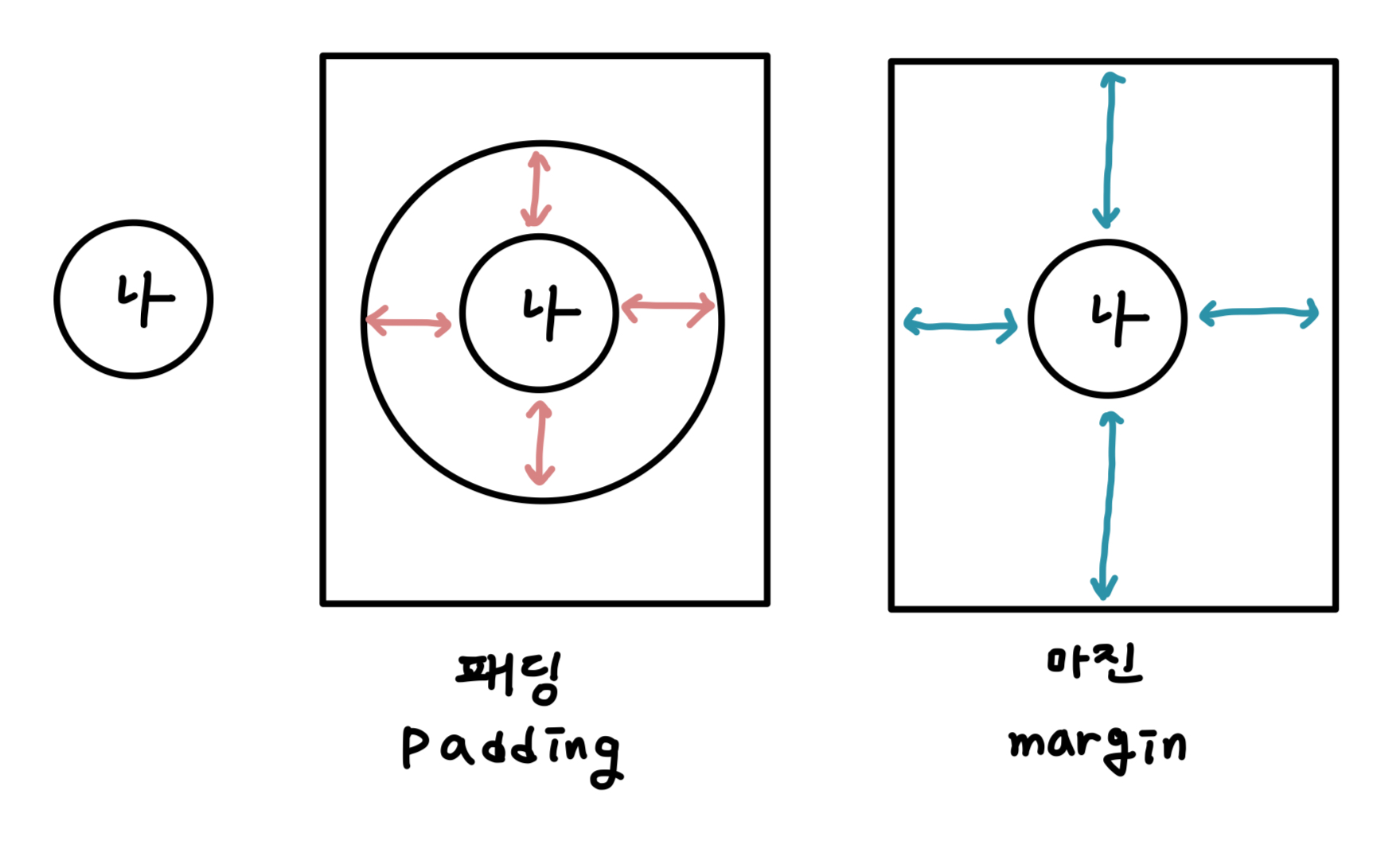
핑크색이 '나'와 '외부공간(네모 박스)' 사이의 '내부공간'이다.
그럼 코드로 알아보자!
<?xml version="1.0" encoding="utf-8"?>
<LinearLayout xmlns:android="http://schemas.android.com/apk/res/android"
    android:layout_width="match_parent"
    android:layout_height="match_parent"
    android:orientation="vertical">

    <TextView
        android:layout_width="wrap_content"
        android:layout_height="wrap_content"
        android:background="@color/main_green01"
        android:text="그냥 텍스트" />

    <TextView
        android:layout_width="wrap_content"
        android:layout_height="wrap_content"
        android:layout_margin="20dp" //마진을 준다 위 아래 양 옆으로  20dp씩
        android:background="@color/sub_orange01"
        android:text="마진은 외부 공간을 띄우는 것이다" />

    <TextView
        android:layout_width="wrap_content"
        android:layout_height="wrap_content"
        android:background="@color/gray02"
        android:padding="40dp" //패딩을 준다 위 아래 양 옆으로 40dp씩
        android:text="패딩은 내부 공간을 띄우는 것이다" />

</LinearLayout>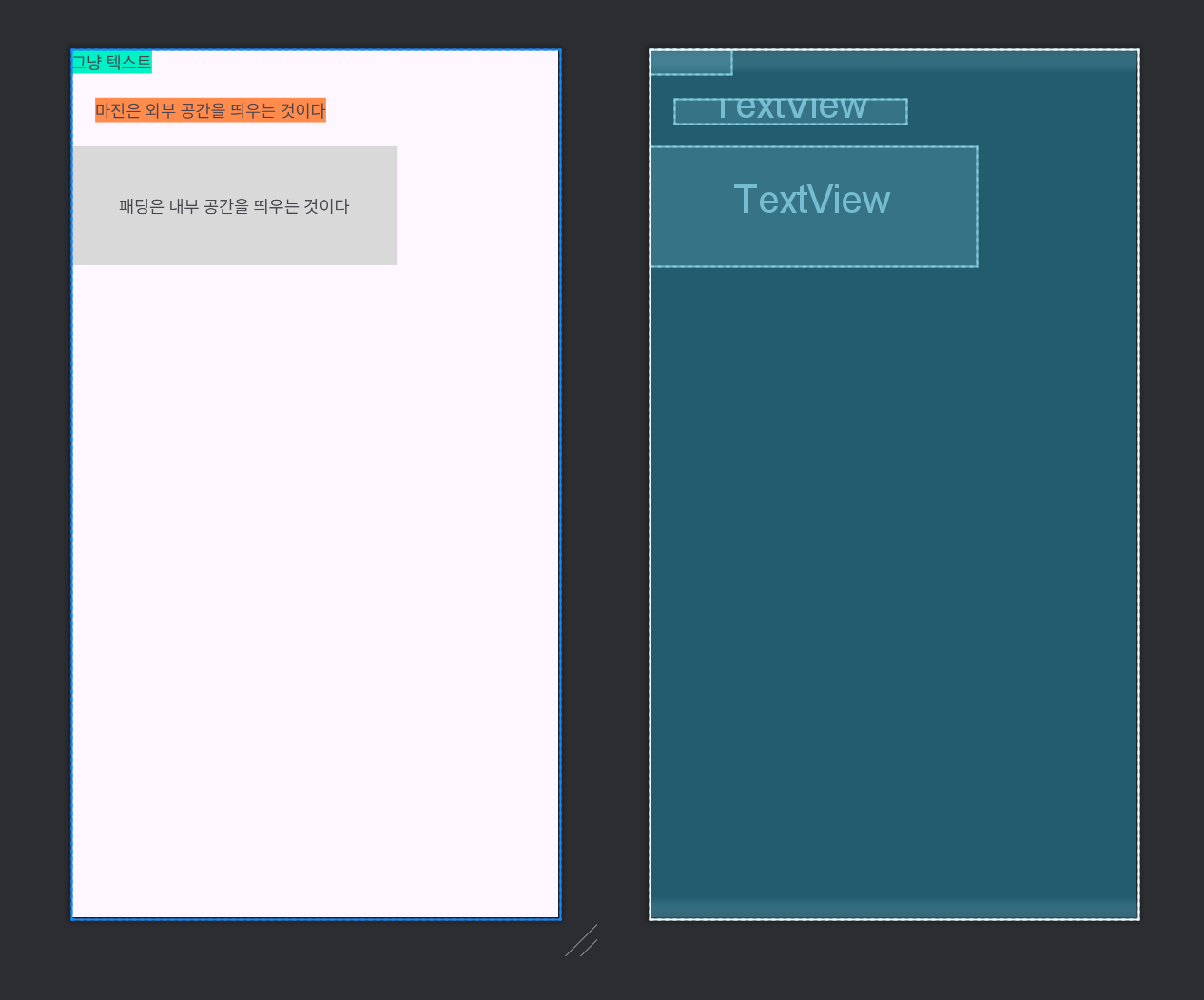
그러면 이렇게 된다!