[객체 생성 / 생성자함수]
[계산]
<!DOCTYPE html>
<html lang="en">
  <head>
    <meta charset="UTF-8" />
    <meta http-equiv="X-UA-Compatible" content="IE=edge" />
    <meta name="viewport" content="width=device-width, initial-scale=1.0" />
    <title>Document</title>
    <script>
        window.onload = () => {
      function Grade(kor, eng, math) {
        this.kor = kor;
        this.eng = eng;
        this.math = math;

        this.total = function () {
          return this.kor + this.eng + this.math;
        };
        this.avg = function () {
          return (this.kor + this.eng + this.math) / 3.0;
        };
      }
      let kwon = new Grade(
        Number(prompt("국어 점수", "입력")),
        Number(prompt("영어 점수", "입력")),
        Number(prompt("수학 점수", "입력"))
      );
      let output = document.getElementsByTagName("h1")[0];
      output.innerText =
        "total : " + kwon.total() + "\n" + "avg : " + kwon.avg();
    }
    </script>
  </head>
  <body>
    <h1 id="danbi"></h1>
  </body>
</html>
[결과값]



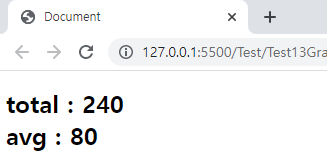
[setInterval / 실시간]
[계산]
<!DOCTYPE html>
<html lang="en">
<head>
    <meta charset="UTF-8">
    <meta http-equiv="X-UA-Compatible" content="IE=edge">
    <meta name="viewport" content="width=device-width, initial-scale=1.0">
    <title>Document</title>
    <script>
//디지털 시계 : 13:15:07 입니다.
    let clock2 = setInterval(function () {
        let date = new Date();
        document.getElementsByTagName("body")[0].innerHTML =
        "<h1>" +
        date.getHours() +
        ":" +
        date.getMinutes() +
        ":" +
        date.getSeconds() +
        "</h1>";
        }, 1000);
    </script>
</head>
<body>
</body>
</html>
[결과값]

[onload]
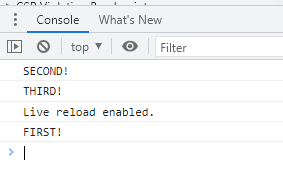
전체를 읽고 나서 마지막에 실행된다.
[계산]
<!DOCTYPE html>
<html lang="en">
<head>
  <meta charset="UTF-8">
  <meta http-equiv="X-UA-Compatible" content="IE=edge">
  <meta name="viewport" content="width=device-width, initial-scale=1.0">
  <title>Document</title>
  <script>
    window.onload = function(){
      console.log("FIRST!");
    };
  </script>
</head>
<body>
  <script>
    console.log("SECOND!");
  </script>
  <script>
    console.log("THIRD!");
  </script>
</body>
</html>
[결과값]
[Screen객체]
[계산]
<!DOCTYPE html>
<html lang="en">
<head>
  <meta charset="UTF-8">
  <meta http-equiv="X-UA-Compatible" content="IE=edge">
  <meta name="viewport" content="width=device-width, initial-scale=1.0">
  <title>Document</title>
  <script>
        function openWin(url, width, height) {

        console.log("screen.width : " + screen.width);
        console.log("screen.height : " + screen.height);

        var left = screen.width/2 - width/2;
        var top = screen.height/2 - height/2;
        var opt = "width = " + width + ", height = " + height + ", left = " + left + ", top = " + top;

        open(url, "newWin", opt);
      }
      openWin("https://yahoo.com", 800, 500);
  </script>
</head>
<body>
</body>
</html>
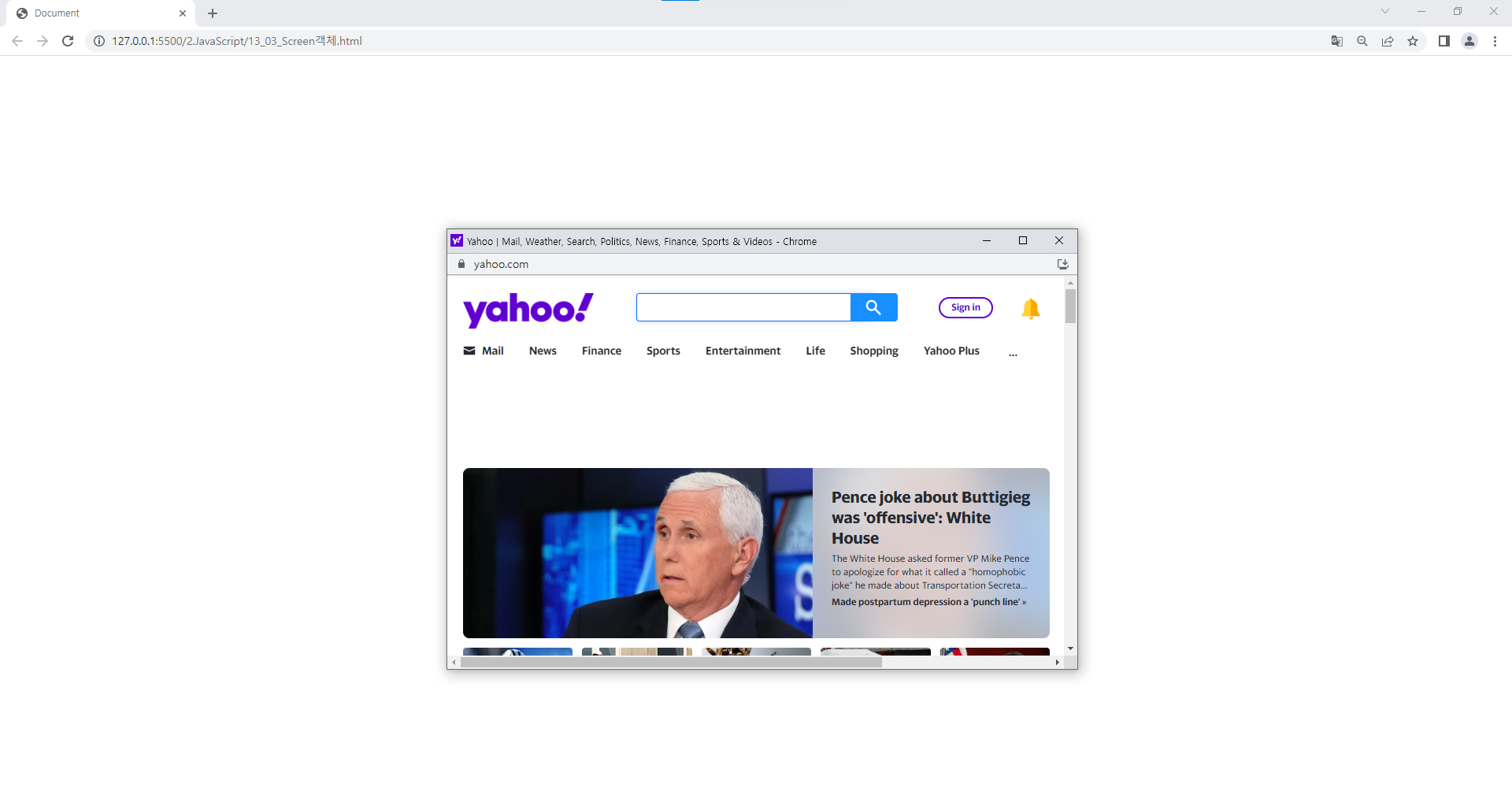
[결과값]
[Location객체]
location.href : 새로운 페이지로 이동된다. | 히스토리 기록됨
location.replace : 기존페이지를 새로운 페이지로 변경시킨다. | 히스토리 기록되지 않음
[계산]
<!DOCTYPE html>
<html lang="en">
  <head>
    <meta charset="UTF-8" />
    <meta http-equiv="X-UA-Compatible" content="IE=edge" />
    <meta name="viewport" content="width=device-width, initial-scale=1.0" />
    <title>Document</title>
    <script>
      window.onload = function () {
        location.href = "http://www.yahoo.com"; //새로운 페이지로 이동된다.
        // location.assign("http://www.naver.com");
        // location.replace("http://www.naver.com"); //기존페이지를 새로운 페이지로 변경시킨다.

        setTimeout(function () {
          console.log("Location.reload!");
          location.reload();
        }, 3000);
      };
    </script>
  </head>
  <body></body>
</html>
[결과값]

[DOM]
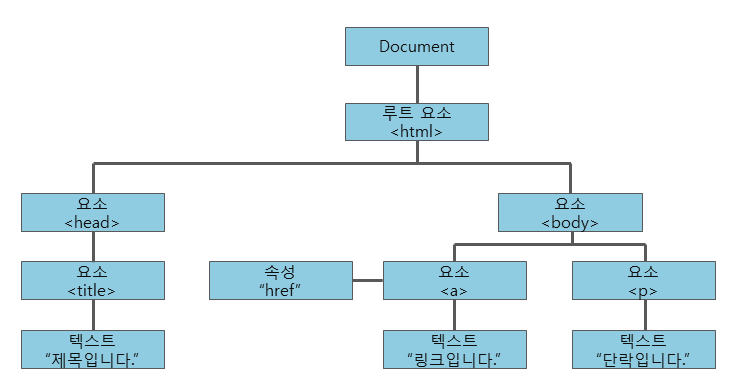
DOM : Document Object Model의 약자로 웹문서(태그)와 관련된 객체를 뜻한다.
Javascript를 이용해서 html태그 객체를 생성, 추가, 삭제(CRUD), 이동 등의 작업을 할 수 있다.
[TextNode]
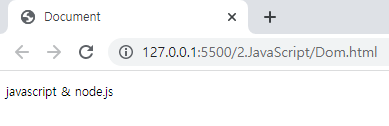
[계산] <!DOCTYPE html> <html lang="en"> <head> <meta charset="UTF-8" /> <meta http-equiv="X-UA-Compatible" content="IE=edge" /> <meta name="viewport" content="width=device-width, initial-scale=1.0" /> <title>Document</title> <script> window.onload = function () { //element는 HTML에서 예를 들어, <html>,<div>,<title>과 같은 태그로 나타낸 것들은 전부 element var elementNode = document.createElement("p"); // <p></p> var textNode = document.createTextNode("javascript & node.js"); // javascript & node.js elementNode.appendChild(textNode); // <p>javascript & node.js</p> document.body.appendChild(elementNode); }; </script> </head> <body></body> </html>[결과값]
[TextNode 외 1]
[계산]
<!DOCTYPE html>
<html lang="en">
  <head>
    <meta charset="UTF-8" />
    <meta http-equiv="X-UA-Compatible" content="IE=edge" />
    <meta name="viewport" content="width=device-width, initial-scale=1.0" />
    <title>Document</title>
    <script>
      //텍스트 노드 외 노드 이용하기
      window.onload = function () {
        // 객체생성
        var imgNode = document.createElement("img");
        imgNode.src = "./img/logo.png";
        imgNode.width = "170";
        imgNode.height = "67";
        // 노드 연결
        document.body.appendChild(imgNode);
      };
    </script>
  </head>
  <body></body>
</html>
[결과값]

[TextNode 외 2]
[계산]
<!DOCTYPE html>
<html lang="en">
  <head>
    <meta charset="UTF-8" />
    <meta http-equiv="X-UA-Compatible" content="IE=edge" />
    <meta name="viewport" content="width=device-width, initial-scale=1.0" />
    <title>Document</title>
    <script>
      //텍스트 노드 외 노드 이용하기 2
      window.onload = function () {
      var imgNode = document.createElement("img");
      imgNode.setAttribute("src", "./img/logo.png");
      imgNode.setAttribute("width", 170);
      imgNode.setAttribute("height", 67);
      document.body.appendChild(imgNode);
      }
    </script>
  </head>
  <body></body>
</html>
[결과값]

[TextNode 외 3]
[계산]
<!DOCTYPE html>
<html lang="en">
  <head>
    <meta charset="UTF-8" />
    <meta http-equiv="X-UA-Compatible" content="IE=edge" />
    <meta name="viewport" content="width=device-width, initial-scale=1.0" />
    <title>Document</title>
    <script>
      //innerHTML 이용하기
      window.onload = function () {
        var str = "";
        str += "<p> javascript & node.js </p>";
        str += " <img src='./img/logo.png', ";
        str += " width='170', height='67', tempData='logoImg'> ";
    document.body.innerHTML = str;
  };
</script>[id 속성값을 이용해서 객체 선택하기]
[계산]
<!DOCTYPE html>
<html lang="en">
  <head>
    <meta charset="UTF-8" />
    <meta http-equiv="X-UA-Compatible" content="IE=edge" />
    <meta name="viewport" content="width=device-width, initial-scale=1.0" />
    <title>Document</title>
    <script>
      window.onload = function () {
        var str = "";
        str += "<p id='jsTitle'> javascript &node.js </p>";
        str += "<img id='logoImg', src='.img/logo.png',";
        str += "width='170', height='67', tempData='logoImg'>";
        document.body.innerHTML = str;

        var titleNode = document.getElementById("jsTitle");
        titleNode.innerHTML = "JS & node";

        var logoNode = document.getElementById("logoImg");
        logoNode.setAttribute("src", "./img/arm_mbed.png");
        logoNode.setAttribute("width", 297);
        logoNode.setAttribute("height", 124);
      };
    </script>
  </head>
  <body>
  </body>
</html>
[결과값]