🚨🚨🚨
기본적인 리덕스의 작동 방식과 기능을 배우기 위해 리덕스 툴킷을 사용하기 전,
createStore()라는 함수를 사용하여 리덕스 저장소라는 걸 생성하여 개념을 학습 할 예정
ㅤ
( 리액트 리덕스 팀은 리덕스 툴킷이라는 추가 패키지와 리덕스 스토어를 생성하는 다른 방법을 사용할 것을 권장)
- 해당 게시물의 demo 버전은 react를 사용하지 않음(개념 탐색 목적)
핵심 작동 방식 실행해보기
-
빈 폴더에 js파일 하나 만들기
-
node.js 패키지 생성
npm init -y - redux 설치
npm i redux 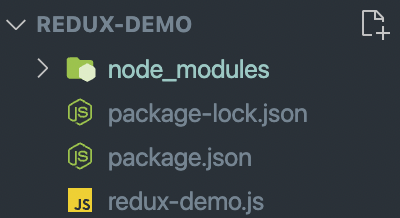
- 여기서는 Node.js로 파일을 실행할 것이기 때문에 import 방법이 다름
(서드파티 패키지를 import하기 위한 기본 Node.js import 구문)
const redux = require("redux");
- 리덕스 객체를 이용하여 저장소 생성
const store = redux.createStore();- reducer 함수 생성
- reducer 함수는 Redux 라이브러리에 의해 호출될 것이고, 한상 2개의 파라미터를 받는다.(기존 state와 dispathe된 Action)
- Reducer는 Redux가 제공하는 입력을 취하고 예상된 출력물은 항상 새로운 상태 객체를 리턴해야만 한다.
그래서 순수함수가 되어야 한다. - 순수함수란 동일한 입력 값을 넣으면 항상 정확히 같은 출력이 산출되어야 한다.(즉, 부수적 효과 없어야함 예로 HTTP 요청을 전송한다거나 뭔가를 로컬 저장소에 기록한다거나 로컬 저장소에서 뭔가를 가져오지 말아햐 한다.)
const counterReducer = (state, action) => {
    return {
        counter: state.counter + 1
    };
};- 이제
counterReducer()를 넣어서createStore()를 만든다.- 어떤 Reducer가 저장소를 변경하는지 저장소가 알아야하기 때문
const store = redux.createStore(counterReducer);- 저장소 구독자 생성(Subscription)
getState()는createStore()로 생성된 저장소에서 사용할 수 있는 메소드counterSubscriber()함수가 변경될 때마다 트리거가 됨, 그래서 트리거가 될 때마다getState()메소드로 변경된 후의 최신 상태를 받을 수 있다.
const counterSubscriber = () => {
    const latestState =  store.getState();
    console.log(latestState);
};- Redux가
counterSubscriber()함수를 인식하도록 하고 상태가 변경될 때마다counterSubscriber()를 실행하도록 하기subscribe()메서드는counterSubscriber()함수를 받고, Redux는 데이터와 저장소가 변경될 때마다 받은 함수 실행
store.subscribe(counterSubscriber);- Action 생성하기 전 코드 실행해보기(Node.js를 이용하여 실행)
- 처음 실행되어 기존 상태가 없기때문에
Cannot read properties of undefined (reading 'counter')에러가 남. - 그렇기에 Reducer
state파라미터에 default 파라미터를 주어야함 - 아직은 실행해도 초기 Action외에는 Action이 없기 때문에 아무것도 출력안됨
- 처음 실행되어 기존 상태가 없기때문에
//터미널
node redux-demo.js
const counterReducer = (state = { counter: 0 }, action) => {
return {
counter: state.counter + 1,
};
};- dispath할 Action 생성
dispath()는 Action을 발송하는 메서드()- 액션은 식별자 역할을 하는 타입 프로퍼티는 가진 자바스크립트 객체
- 일반적으로 문자열을 사용하고 그 문자열은 고유한 문자열이 되어야 한다.
- 그래야 발송하는 모든 고유한 액션들이 Reducer에서 다른 것들을 유발하게 된다.
- 카운터를 증가 시키기위해 'increment' 타입 작성
store.dispatch({ type: "increment" });- 실행해보기
- 초기화 이후 1이 되고
dispatch()로 새로운 액션을 발송해서 Reducer함수를 다시 실행시켜서 다시 counter를 증가해서2라는 결과 출력

- 초기화 이후 1이 되고
위에까지 글은 Redux의 핵심적인 작동 방식이지만 모든 기능은 아님
-
발송하고 있는 타입의 액션은 전혀 효과가 없음 (아래 글을 통해 자세히 살펴보기)
-
일반적으로 Redux를 사용할 때 Reducer 내부에서 다른 액션은 다른 일을 하는 게 목표이다. 따라서 Reducer 함수 파라미터에 두번째 인자로
action이 있는 것임 -
현재 상태를 받고 디스패치 된 액션을 받으면 그게 Reducer를 돌아가게 함
-
Reducer 내부에서 action 확인
- action type이 "increment"인 경우에만 증가하기 때문에 이제 초기실행 시 1이 증가하지 않아고 action 발송 후 증가하여
1출력
- action type이 "increment"인 경우에만 증가하기 때문에 이제 초기실행 시 1이 증가하지 않아고 action 발송 후 증가하여
const counterReducer = (state = { counter: 0 }, action) => {
  if (action.type === "increment") {
    return {
      counter: state.counter + 1,
    };
  }

  return state;
};- 다른 액션 dispatch
- 첫 번째 출력은 subscribe에서 증가 액션 다음에 온것
-store.dispatch({ type: "decrement" });를 통해 상태를 또 바꿈 - 따라서 subscribe을 트리거 했고 counter가
0이 됨

- 첫 번째 출력은 subscribe에서 증가 액션 다음에 온것
const counterReducer = (state = { counter: 0 }, action) => {
  if (action.type === "increment") {
    return {
      counter: state.counter + 1,
    };
  }

  if (action.type === "decrement") {
    return {
      counter: state.counter - 1,
    };
  }

  return state;
};
.
.
생략
.
.
store.dispatch({ type: "increment" });
store.dispatch({ type: "decrement" });
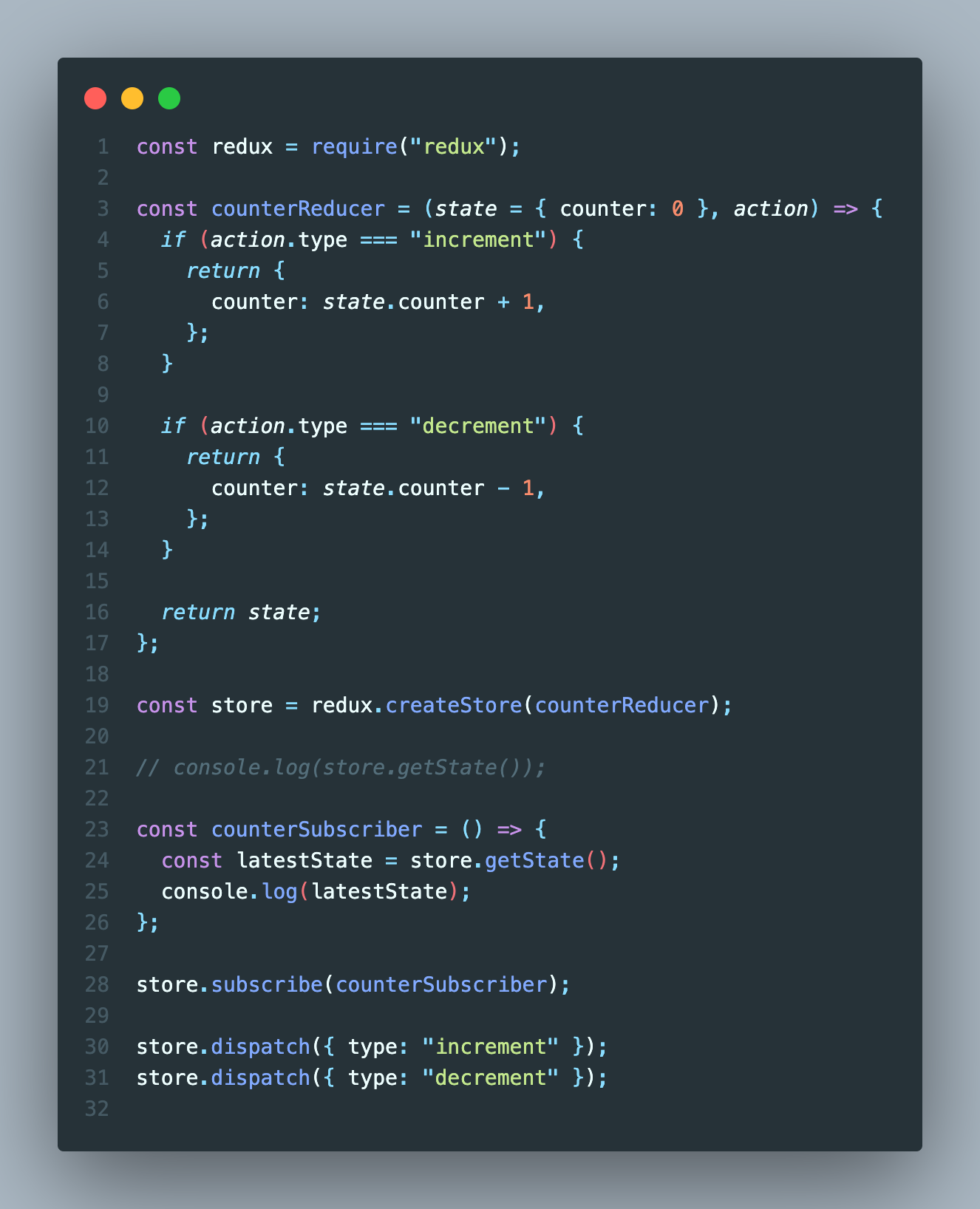
전체 코드

개발짜🏃♀️