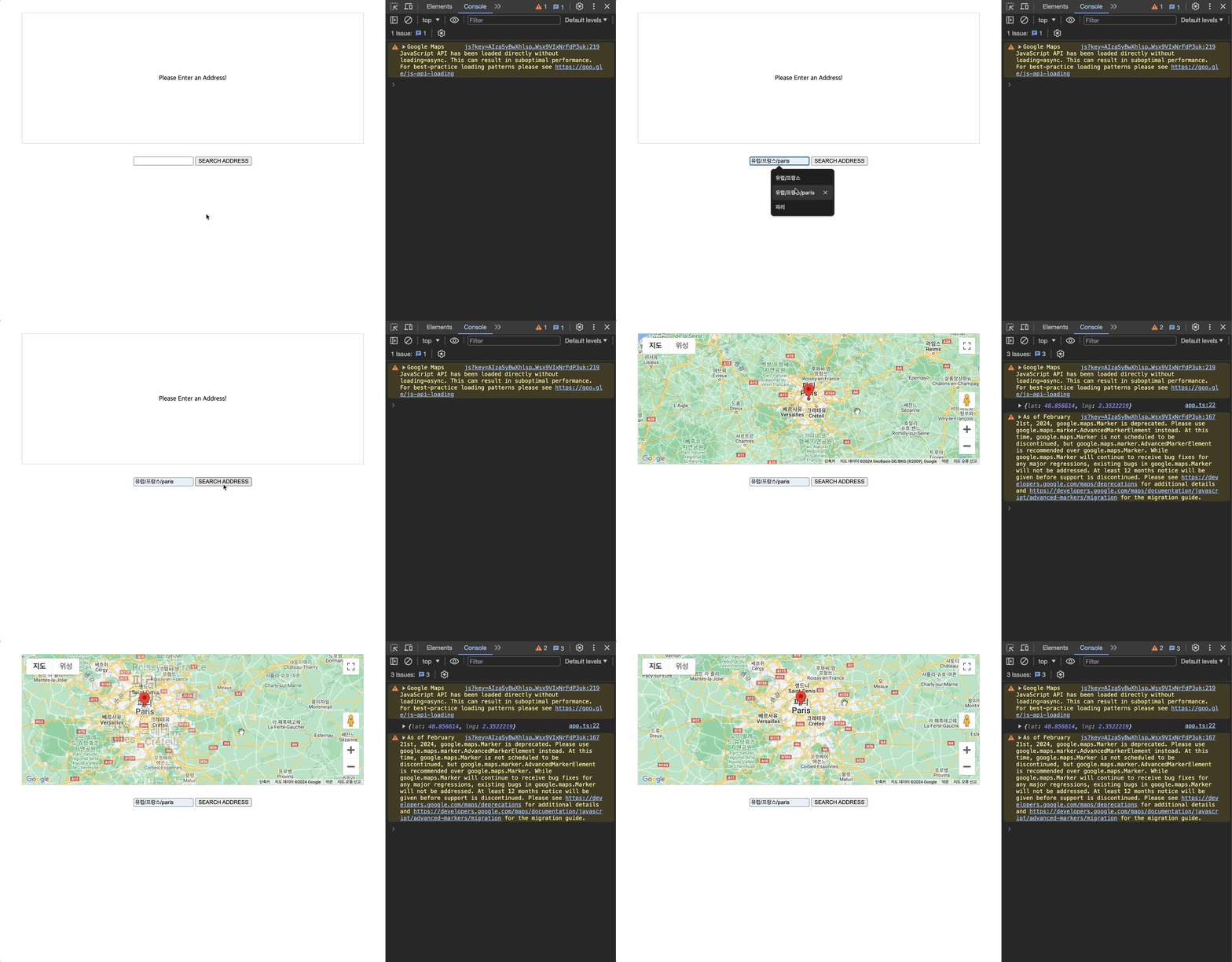
📌 장소 검색 및 출력 앱 만들기
📖 사용자 입력 받기
const form = document.querySelector("form")!;
const addressInput = document.getElementById("address")! as HTMLInputElement;
function searchAddressHandler(event: Event) {
event.preventDefault();
const enteredAddress = addressInput.value;
}
form.addEventListener("submit", searchAddressHandler);
📖 Axios를 이용해서 입력된 주소의 좌표 가져오기
- 설치 :
npm install --save axios
🔗 Google Geocoding API
import axios from "axios";
const form = document.querySelector("form")!;
const addressInput = document.getElementById("address")! as HTMLInputElement;
const GOOGLE_API_KEY = "";
type GoogleGeocodingResponse = {
results: { geometry: { location: { lat: number; lng: number } } }[];
status: "OK" | "ZERO_RESULTS";
};
function searchAddressHandler(event: Event) {
event.preventDefault();
const enteredAddress = addressInput.value;
axios
.get<GoogleGeocodingResponse>(
`https://maps.googleapis.com/maps/api/geocode/json?address=${encodeURI(
enteredAddress
)}&key=${GOOGLE_API_KEY}`
)
.then((response) => {
if (response.data.status != "OK") {
throw new Error("데이터를 가져올 수 없다.");
}
const coordinates = response.data.results[0].geometry.location;
console.log(coordinates);
})
.catch((err) => {
alert(err.message);
console.log(err);
});
}
form.addEventListener("submit", searchAddressHandler);
📖 Google 지도로 지도 렌더링
🔗 Google Map API
🔗 @types/google.maps
- 설치 :
npm install --save-dev @types/google.maps
import axios from "axios";
const form = document.querySelector("form")!;
const addressInput = document.getElementById("address")! as HTMLInputElement;
const GOOGLE_API_KEY = "";
type GoogleGeocodingResponse = {
results: {
geometry: { location: { lat: number; lng: number } };
formatted_address: string;
}[];
status: "OK" | "ZERO_RESULTS";
};
function searchAddressHandler(event: Event) {
event.preventDefault();
const enteredAddress = addressInput.value;
axios
.get<GoogleGeocodingResponse>(
`https://maps.googleapis.com/maps/api/geocode/json?address=${encodeURI(
enteredAddress
)}&key=${GOOGLE_API_KEY}`
)
.then((response) => {
if (response.data.status != "OK") {
throw new Error("데이터를 가져올 수 없다.");
}
const coordinates = response.data.results[0].geometry.location;
const title = response.data.results[0].formatted_address;
console.log(coordinates);
const map = new google.maps.Map(
document.getElementById("map") as HTMLElement,
{
center: coordinates,
zoom: 8,
}
);
new google.maps.Marker({
map: map,
position: coordinates,
title: title,
});
})
.catch((err) => {
alert(err.message);
console.log(err);
});
}
form.addEventListener("submit", searchAddressHandler);