목표
DRF 서버 배포를 위한 NCP 서버 가상환경 생성 및 파이썬 3.11버전으로 설치
서버 아키텍쳐
- python version : 3.11
- Django version : 5.0
- djagno rest framwork version : 3.14.0
- 사용한 NCP server 이미지 : Ubuntu 20.04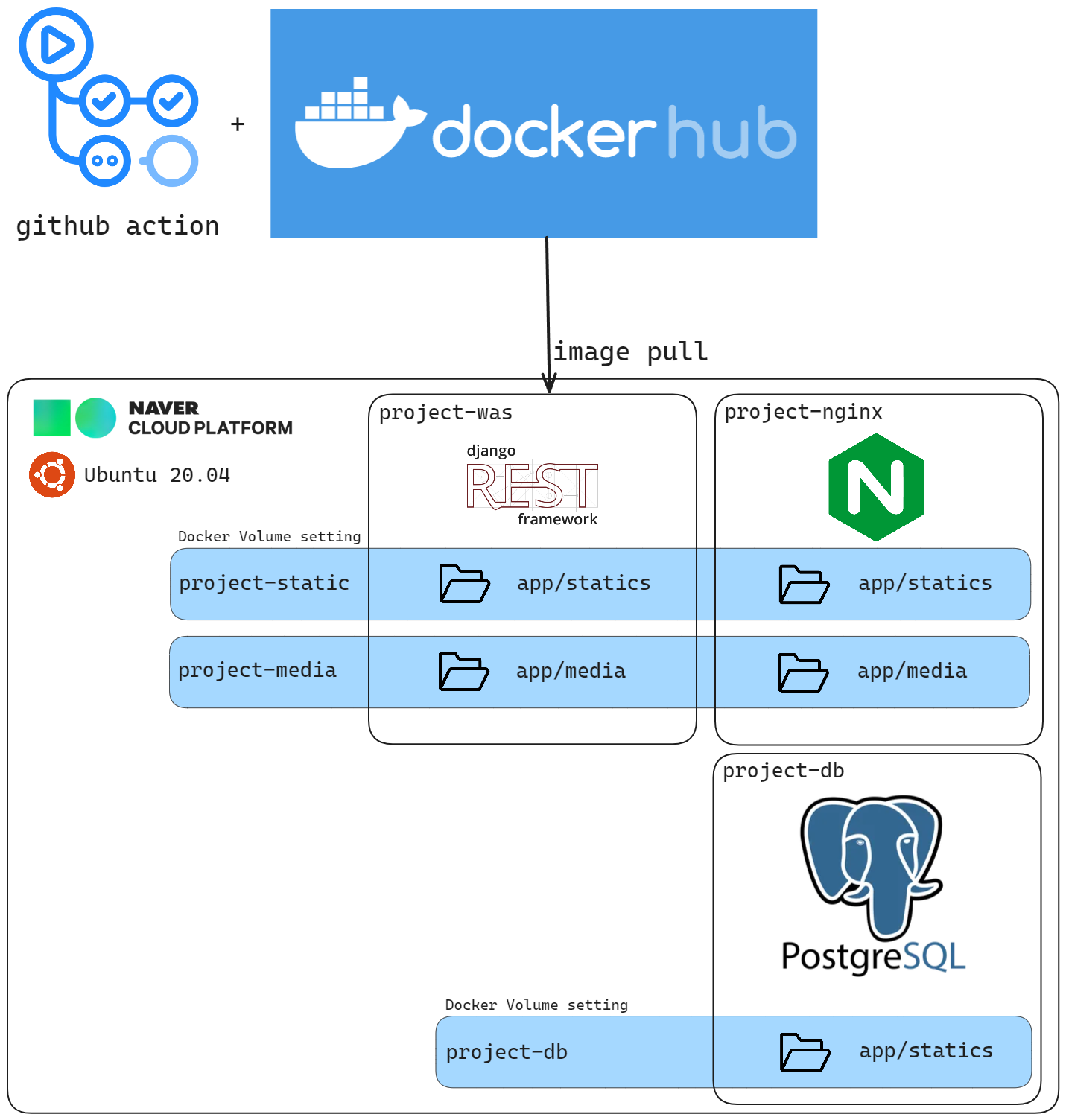
NCP 서버 생성
전적으로 참고한 자료 (4분 15초부터 참고하며 따라하였습니다.)
https://www.youtube.com/watch?v=Mu96t8TKMsI&t=263s
-
네이버 클라우드 콘솔 접속
-
ACG 및 서버 생성 (영상참고)
- 제 설정을 참고하시어 본인에게 맞는 서버 스펙을 선택해주시면 됩니다.
- 저는 개발용으로 사용할 예정이라 VPC 지원하는 서버 중 가장 작고 24년 2월 기준 첫 가입 시 NPC에서 1년간 무료로 지원해주는 micro-g3 서버를 사용하였습니다.
- 추가로, Ubuntu 18.04버전은 파이썬 3.11이 설치되지 않아. Ubuntu 20.04로 진행했습니다. 제가 못한 걸 수도 있으니 참고부탁드립니다.
- Putty로 서버 접속
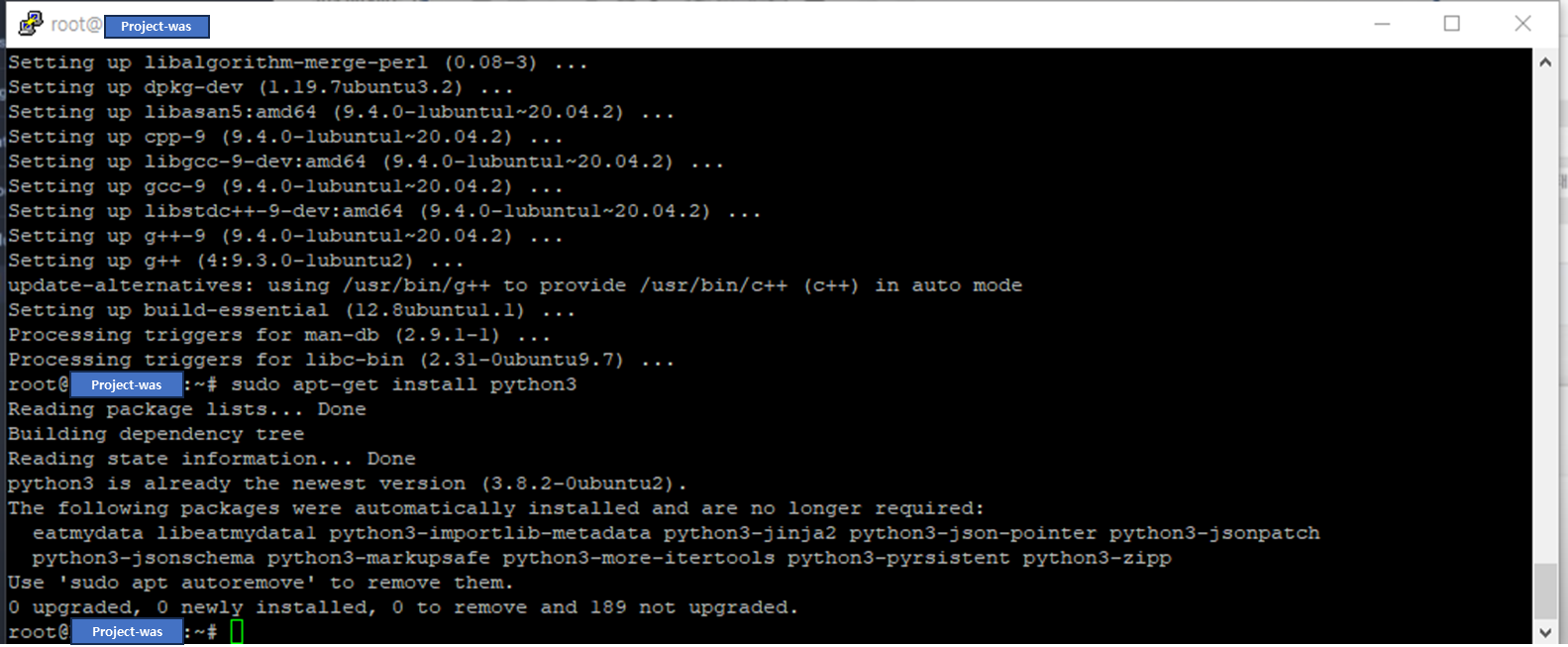
- 기본적으로 python 3.8.2가 설치되어있는 걸 확인할 수 있다.
NCP 서버에 파이썬 3.11 설치
(또) 전적으로 참고한 자료
https://computingforgeeks.com/how-to-install-python-on-ubuntu-linux/
링크를 타고 들어가면 python 3.11을 설치하는 2가지 방법을 설명해주고 있는 데, 저는 1번째 방법 Installing from the deadsnakes PPA을 이용하였습니다.
- 서버 콘솔 창에서 모든 패키지 업데이트
sudo apt update && sudo apt upgrade -y- 필요한 종속 패키지 설치
sudo apt install software-properties-common -y- deadsnakes PPA to the APT package manager sources list 추가
sudo add-apt-repository ppa:deadsnakes/ppa- 다음 문구가 나타나면 ENTER 누르기
..........
To install 3rd-party Python modules, you should use the common Python packaging tools. For an introduction into the Python packaging ecosystem and its tools, refer to the Python Packaging User Guide: https://packaging.python.org/installing/

Sources
=======
The package sources are available at:
https://github.com/deadsnakes/

Nightly Builds
==============

For nightly builds, see ppa:deadsnakes/nightly https://launchpad.net/~deadsnakes/+archive/ubuntu/nightly More info: https://launchpad.net/~deadsnakes/+archive/ubuntu/ppa
Press [ENTER] to continue or ctrl-c to cancel adding it- PPA가 추가되면 python 3.11 설치
sudo apt install python3.11- 설치 버전 확인
python3.11 --version제대로 설치되었다면 다음과 같이 출력될 것입니다.
Python 3.11.4- 만약 설치가 되지 않았다면, 두 번째 방법도 실행해보세요


안녕하세요, 네이버 클라우드 플랫폼입니다.
네이버클라우드의 기술 콘텐츠 리워드 프로그램 '이달의 Nclouder(2월)' 도전자로 초대합니다 :)
네이버 클라우드 플랫폼 서비스와 관련된 모든 주제로 3/7(목) 23시까지 신청 가능합니다. (*2월 작성 콘텐츠 한정 신청 가능)
Ncloud 크레딧을 포함한 다양한 리워드가 준비되어 있으니 많은 관심 부탁드립니다!
자세한 내용은 아래 링크에서 확인부탁드립니다.
https://blog.naver.com/n_cloudplatform/223344999298
신청 링크
https://navercloud.typeform.com/to/lF8NUaCF