React Native에서 ScrollView와 FlatList 중첩 문제 해결하기
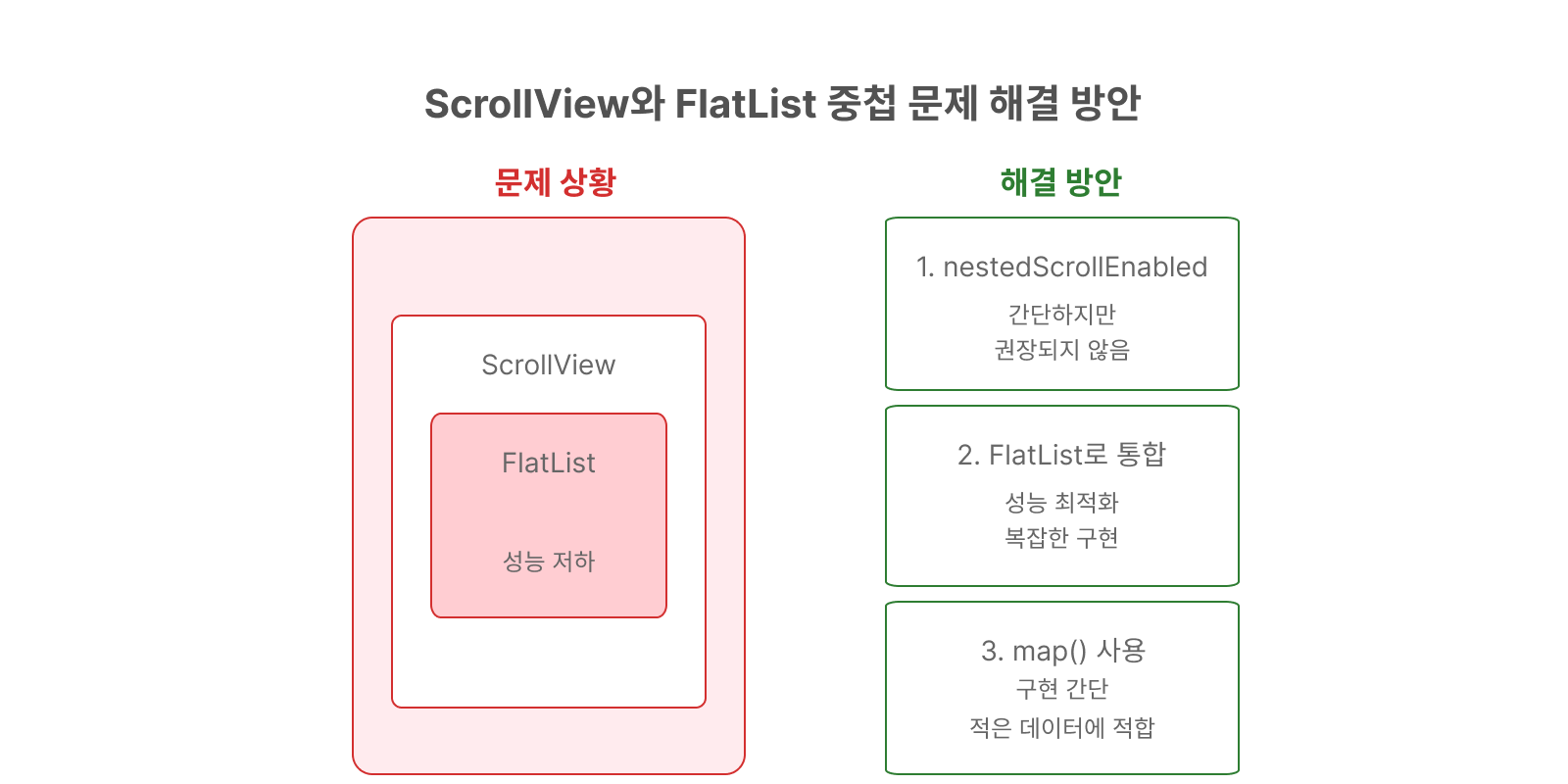
발생한 문제
VirtualizedLists should never be nested inside plain ScrollViews with the same orientation because it can break windowing and other functionality - use another VirtualizedList-backed container instead.ScrollView 안에 FlatList를 넣으면 발생하는 오류
🔹 문제가 발생하는 코드
<ScrollView>
  <View style={styles.header}>
    {/* 헤더 내용 */}
  </View>
  <ParticipationList participations={participations} />  // 여기서 FlatList 사용
</ScrollView>
해결 방법 3가지
1️⃣ 간단한 방법: nestedScrollEnabled 사용
<ScrollView nestedScrollEnabled>
  {/* 기존 코드 유지 */}
</ScrollView>- 장점: 구현이 매우 간단함
- 단점: React Native에서 권장하지 않는 방식
2️⃣ 구조 변경: FlatList로 전체 통합
<FlatList
  data={participations}
  renderItem={({ item }) => (
    <ParticipationItem item={item} />
  )}
  ListHeaderComponent={() => (
    <>
      <View style={styles.header}>
        {/* 헤더 내용 */}
      </View>
    </>
  )}
/>- 장점: 성능 최적화, 메모리 효율적
- 단점: 구현이 복잡해짐
3️⃣ 가장 실용적인 방법: FlatList 대신 map 사용
const ParticipationList = ({ participations }) => {
  return (
    <View>
      <Text style={styles.sectionTitle}>참여 매치</Text>
      {participations.map((item) => (
        <View key={item.match.id} style={styles.card}>
          {/* 카드 내용 */}
        </View>
      ))}
    </View>
  );
};- 장점: 구현이 간단하고 직관적
- 단점: 데이터가 많을 경우 성능 이슈 가능성
🔹 각 방법의 적절한 사용 시기
-
nestedScrollEnabled
- 빠른 프로토타입 개발 시
- 임시 해결책이 필요할 때
-
FlatList 통합
- 대량의 데이터 처리가 필요할 때
- 무한 스크롤 구현 시
- 성능이 중요한 경우
-
map() 사용
- 적은 양의 고정 데이터
- 간단한 리스트 구현
- 빠른 개발이 필요할 때
🔹 결론
- 적은 데이터량이면 map으로 구현하는 게 가장 실용적
- 데이터가 많아질 것 같다면 FlatList 구조로 변경 고려
- nestedScrollEnabled는 임시 방편으로만 사용

궁금한 것, 했던 것, 시행착오 그리고 기억하고 싶은 것들을 기록합니다.