자 이제 댓글 전체조회 기능을 만들것이다.
로직은 게시글 전체조회하는것과 동일하다.
댓글 전체조회 기능
Controller
Authentication에서 UserName을 가져와 사용한다.
게시글에 달린 Comment를 확인할 것이여서 PostId를 받아온다.
 //댓글 전체 조회
    @GetMapping("/{postId}/comments")
    @ApiOperation(value = "댓글 전체 조회")
    public Response<Page<CommentResponse>> getComments(@PageableDefault(size = 10, sort = {"id"}, direction = Sort.Direction.DESC)
                                                           Pageable pageable, @PathVariable Long postId) {
        return Response.success(commentService.getCommentList(pageable, postId));
    }
Dto
@AllArgsConstructor
@Getter
@Builder
public class CommentResponse {
    private Long id;
    private String comment;
    private String userName;
    private Long postId;

    private LocalDateTime createdAt;
    private LocalDateTime lastModifiedAt;

    public static CommentResponse fromEntity(Comment comment) {
        return CommentResponse.builder()
                .id(comment.getId())
                .comment(comment.getComment())
                .userName(comment.getUser().getUserName())
                .postId(comment.getPost().getId())
                .createdAt(comment.getCreatedAt())
                .lastModifiedAt(comment.getLastModifiedAt())
                .build();
    }
}
Service
우선 Post에 있는 Comment를 전부 찾아온다.
그리고 Entity를 반환 할 수 없으니 map()을 이용하여 Dto로 변환을 해준다.
변환은 CommentResponse의 fromEntity를 활용하였다.
public Page<CommentResponse> getCommentList(Pageable pageable, Long postId) {
        //postId로 찾아 리스트를 조회한다.
        Page<Comment> list = commentRepository.findByPostId(postId, pageable);
        return list.map(CommentResponse::fromEntity);
    }
Repositoy
- List를 조회할떄 Pageing 처리를 해주기 위해 따로 JPA메소드를 설정해 주었다.
public interface CommentRepository extends JpaRepository<Comment, Long> {
    Page<Comment> findByPostId(Long id, Pageable pageable);
}
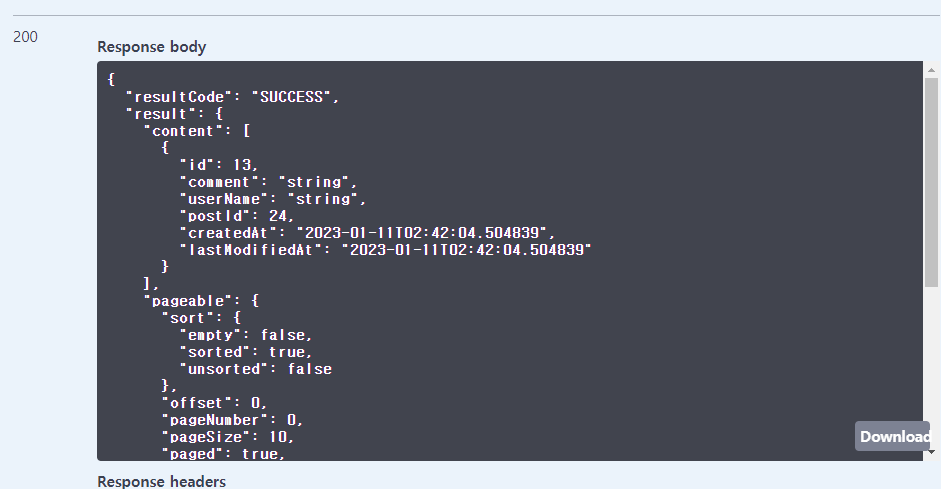
이제 댓글목록을 조회 할 수 있다.
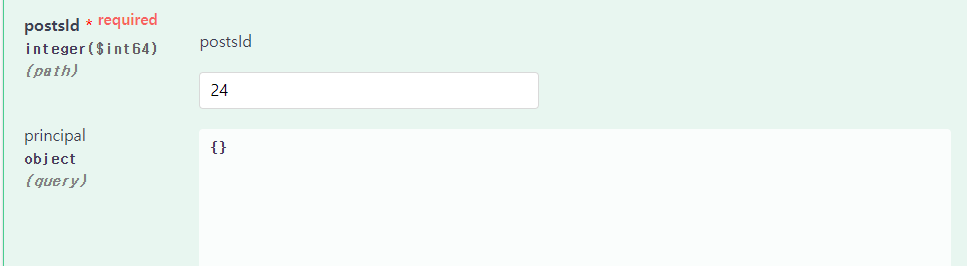
Swagger를 통해 확인해 보자.

배우고, 생각하고, 행동해라