
사용하는 기술 스택
Next.js 13, TypeScript
이번 포스팅에서는 '무한 스크롤'을 구현하는 데 쓰인 핵심 기능 두 가지를 소개할 것이다.
원래 내가 쓴 코드를 일일이 설명하려고 했으나, 글이 장황해져서, 딱 두 가지만 소개하기로 했다.😅
무한 스크롤을 구현하는데 가장 핵심이 되는 기술은 다음과 같다.
- Server Actions
- react-intersection-observer
Server Actions
Next.js 13에서 새로 나온 기능인 Server Actions를 활용하면 클라이언트 컴포넌트에서도 서버에서만 작동하는 함수를 실행할 수 있다.
사용 방법
1. ⚠️next.config.js에서 serverActions를 true로 설정한다.
- next.config.js
/** @type {import('next').NextConfig} */
const nextConfig = {
    experimental: {
        serverActions: true
    }
};

module.exports = nextConfig;
2. actions.ts 파일을 생성.
- ⚠️ 파일 맨 위에
"use server"를 기입해야한다. - actions.ts 파일에 사용하고 싶은 함수를 적는다.
나는getData()라는 함수를 만들었다.
"use server";

import config from "@/config/serviceKey.config";


export default async function getData(page: number) {
  const serviceKey = config.serviceKey;
  const url =
    "https://apis.data.go.kr/1741000/DisasterMsg3/getDisasterMsg1List";
  let numOfRows = 5;

  const finalURL =
    url +
    `?serviceKey=${serviceKey}&pageNo=${page}&numOfRows=${numOfRows}&type=json`;

  const res = await fetch(finalURL, { cache: "no-store" });

  if (!res.ok) {
    throw new Error("Failed to fetch data");
  }

  const data = res.json();

  return data;
}
3. 클라이언트 컴포넌트에 사용하고 싶은 함수를 import해서 사용하자.
- MessagesList.tsx의 일부
"use client";

import getData from "@/app/actions";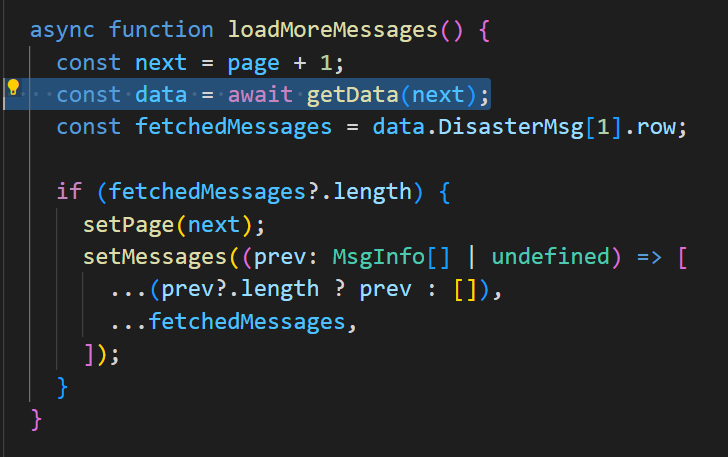
react-intersection-observer
react-intersection-observer는 화면에 요소가 들어오거나 나갈 때 특정 코드를 실행할 수 있게 해주는 기능이다.
나는 이 라이브러리를 활용해서 무한 스크롤을 구현했다.
원리는 다음과 같다.
1. 관찰하는 객체를 ref로 설정한다.
2. ref가 화면에 보이면 특정 코드를 실행
- 설치
npm install react-intersection-observer --save- import
import { useInView } from "react-intersection-observer";- MessagesList 컴포넌트의 코드 일부
 const [ref, inView] = useInView();


//`ref`가 화면에 보이면 loadMoreMessages()를 실행
  useEffect(() => {
    if (inView) {
      loadMoreMessages();
    }
  }, [inView]);

  return (
    <div>
      {messages?.map((message) => (
        <Message key={message.md101_sn} message={message} />
      ))}

      {/* 관찰하는 객체를 `ref`로 설정한다.*/}
      <div ref={ref}>
        <Skeleton />
      </div>
    </div>
  );
완성본
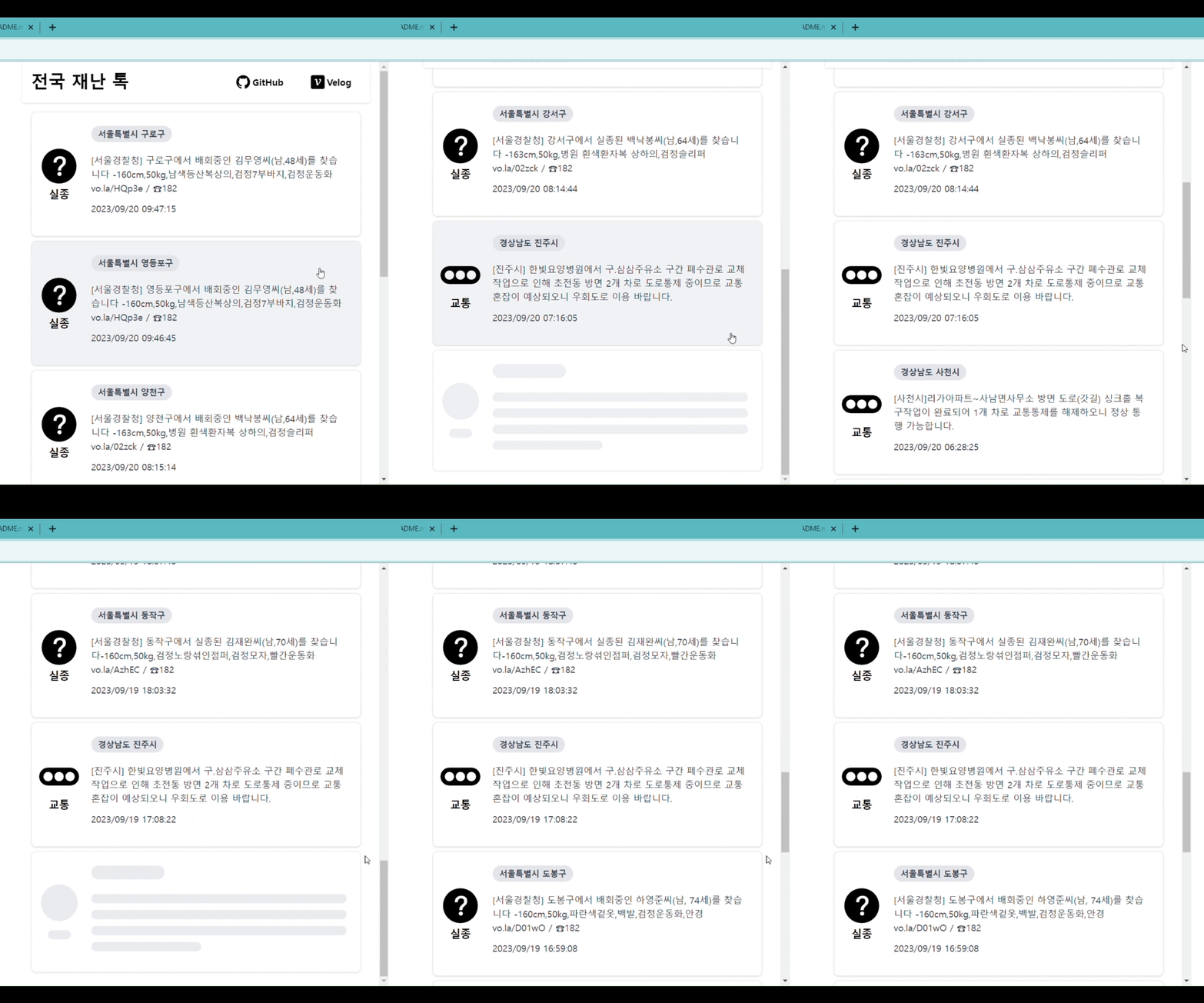
ref가 보이면 Skeleton UI가 보이고, 동시에 loadMoreMessages()가 실행되는 걸 볼 수 있다.
ℹ️참고 사항
: react-infinite-scroll-component를 사용하여 무한 스크롤을 구현하려고 해봤으나, 작동이 되지 않았다. 참고하길 바란다.

주니어 프론트엔드 개발자