Ubuntu20-docker에서 docker 다운로드
- docker용으로 만들어놓은 vm에만 설치한다.
# 1. 우분투 시스템 패키지 업데이터
  apt-get update

# 2. 패키지 설치
  apt-get install apt-transport-https ca-certificates curl gnupg-agent software-properties-common

# 3. Docker의 공식 GPG키를 추가
  curl -fsSL https://download.docker.com/linux/ubuntu/gpg | sudo apt-key add -

# 4. Docker의 공식 apt저장소 추가
  add-apt-repository "deb [arch=amd64] https://download.docker.com/linux/ubuntu $(lsb_release -cs) stable"

# 5. 패키지 업데이트
  apt-get update

# 6. Docker 설치
  apt-get install docker-ce docker-ce-cli containerd.io

# 7. 설치확인
  systemctl status docker
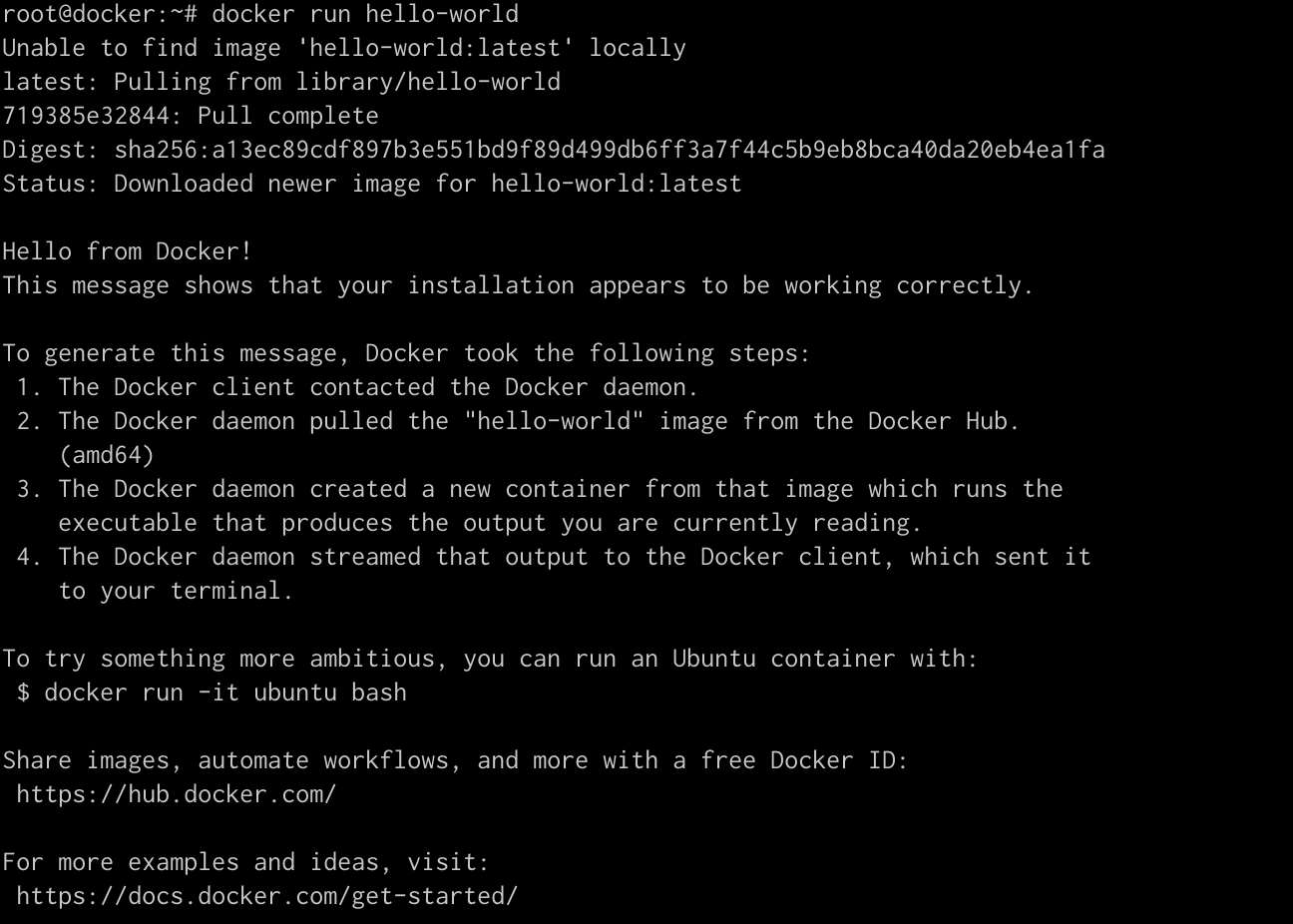
docker run hello-world-
도커 설치완료 화면.
-
도커 이미지 다운로드
- httpd
- alpine
- mysql:5.7
- nginx
- nginx:1.23
- centos:7
- wordpress:5.6
- nginx:1.16

docker pull <이미지명>- 이미지들 tar로 묶어준다.
도커이미지명 넣을때 띄어쓰기로 여러개 넣을 수 있다.
docker save -o images.tar <도커이미지>- 이미지 파일 각 워커노드에 전송
scp images.tar root@<IPADDR>:/root- 전송된 이미지 tar파일 containerd에 import
import된 파일은 crictl images 명령어로 확인 가능.
이 과정은 각 워커노드에서 실행
ctr -n k8s.io image import images.tar
Im steady Jeong