Express.js와 WebSocket을 사용하여 흉기 감지 알림을 클라이언트에 전송하는 서버를 설정
1. 모듈 불러오기 및 Express 앱 생성
const WebSocket = require('ws');
const express = require('express');
const bodyParser = require('body-parser');

const app = express();
app.use(bodyParser.json());
2. 서버 설정, websocket 서버 설정
const PORT = 8082; // 8082번 포트로 변경
const server = app.listen(PORT, () => {
  console.log(`Node.js 서버가 ${PORT}번 포트에서 실행 중입니다.`);
});

const wss = new WebSocket.Server({ server }); // 기존의 HTTP 서버를 WebSocket 서버로 사용
- WebSocket 서버를 HTTP 서버와 동일한 포트에서 실행하여 클라이언트와 실시간 통신 가능.
3. 알림 브로드캐스트 함수
function broadcastAlert(message) {
  wss.clients.forEach((client) => {
    if (client.readyState === WebSocket.OPEN) {
      client.send(JSON.stringify({ message }));
    }
  });
}
- broadcastAlert: 클라이언트들에게 알림을 전송하는 함수.
- 모든 클라이언트에 대해 readyState가 OPEN인 경우에만 메시지를 전송하여 연결이 활성화된 클라이언트에만 메시지를 보냄.
4. FastAPI에서 알림 수신
app.post('/alert', (req, res) => {
  const { detected } = req.body;

  if (detected) {
    console.log('흉기 감지! 클라이언트에 알림을 전송합니다.');
    broadcastAlert('Weapon detected!');
  }

  res.status(200).send('Alert received');
});
- app.post('/alert', ...): /alert 경로로 POST 요청을 처리하는 라우트.
- 요청 본문에서 detected 값을 추출하여 흉기가 감지된 경우, 브로드캐스트 함수를 호출하여 알림을 전송.
- 클라이언트에게 응답으로 "Alert received"를 반환.
5. WebSocket 클라이언트 연결 처리
wss.on('connection', (ws) => {
  console.log('클라이언트가 연결되었습니다.');

  ws.on('message', (message) => {
    console.log(`클라이언트로부터 메시지 수신: ${message}`);
  });

  ws.on('close', () => {
    console.log('클라이언트가 연결을 종료했습니다.');
  });

  ws.on('error', (error) => {
    console.error('WebSocket 오류 발생:', error);
  });
});
- wss.on('connection', ...): 클라이언트가 WebSocket 서버에 연결되었을 때 호출.
- ws.on('message', ...): 클라이언트로부터 메시지를 수신했을 때 호출.
- ws.on('close', ...): 클라이언트가 연결을 종료했을 때 호출.
- ws.on('error', ...): WebSocket 오류가 발생했을 때 호출.
cmd창에서 curl 명령어 입력해서 테스트


WebSocket을 사용하여 실시간으로 클라이언트에 흉기 감지 알림을 전달하는 서버를 구현.
FastAPI와의 연계를 통해 감지 알림을 수신하면 클라이언트에게 알림을 브로드캐스트.
클라이언트는 WebSocket을 통해 서버에 연결하여 실시간으로 알림을 받을 수 있음.
클라이언트
Cctv.js
...
  useEffect(() => {
    const socket = new WebSocket("ws://localhost:8082");

    socket.onopen = () => {
      console.log("WebSocket connected");
    };

    socket.onmessage = (event) => {
      const data = JSON.parse(event.data);
      console.log("Message from server:", data.message);

      // 알림을 표시하는 부분
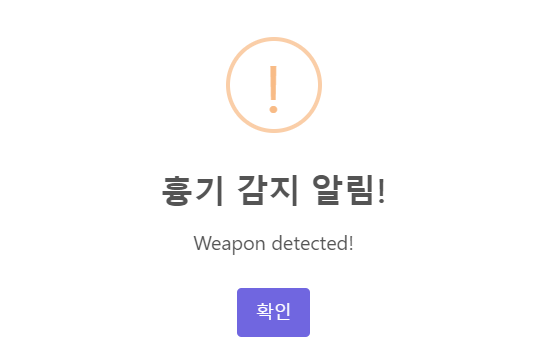
      Swal.fire({
        title: '흉기 감지 알림!',
        text: data.message,
        icon: 'warning',
        confirmButtonText: '확인'
      });
    };

    socket.onclose = () => {
      console.log("WebSocket disconnected");
    };

    // 컴포넌트 언마운트 시 WebSocket 연결 종료
    return () => {
      socket.close();
    };
  }, []);
...


개발자