nodemailer를 이용해 email 보내기
-
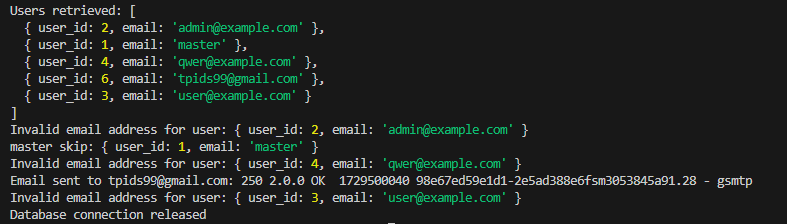
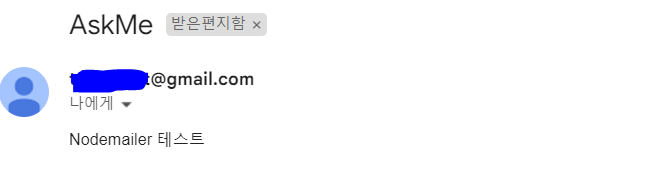
DB의 notification에 알림 기능 저장 및 users 테이블의 email 에게 이메일 보내기
-
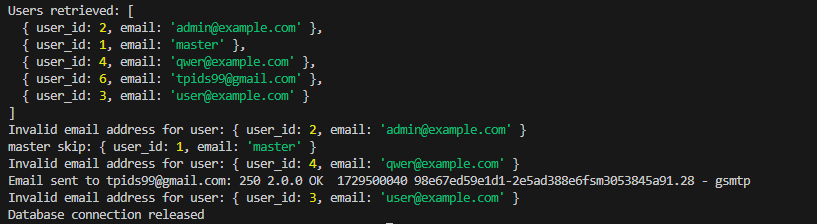
단, users 테이블의 master는 알림 안보내게 제외
-
@example.com 으로 끝나는 샘플 이메일도 제외
-
유효한 이메일만 전송되게 전송되면 db에 success 실패하면 fail
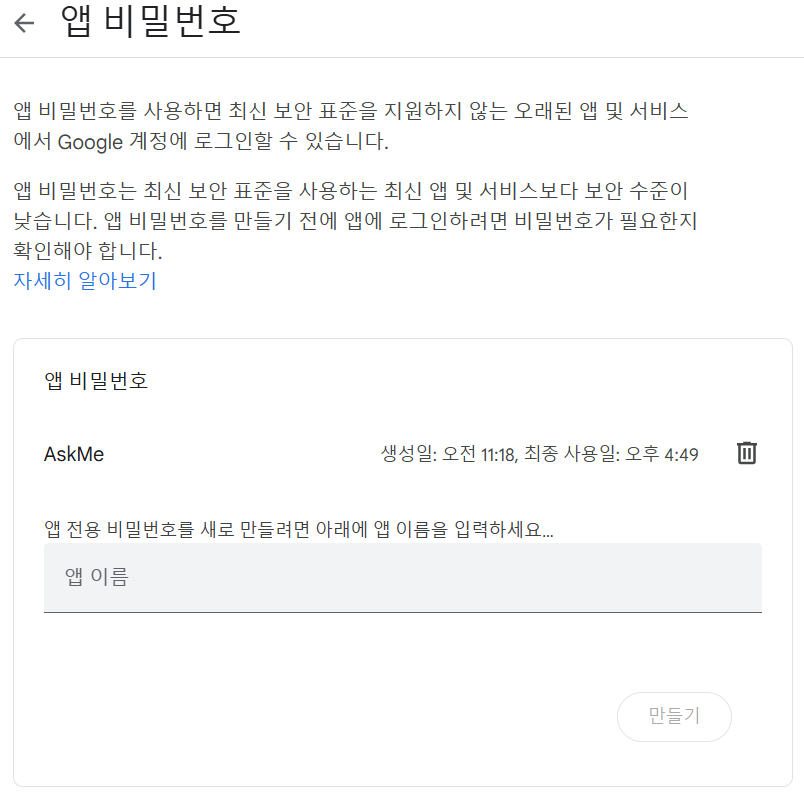
.env 파일에 개인정보 입력해서 보안 향상
-
EMAIL_USER=???
-
EMAIL_PASS=???
구글 이메일, 비밀번호는 2단계 인증해서 앱 비밀번호를 적는게 나음
notificationRoutes.js
require('dotenv').config({ path: '../.env' });
const nodemailer = require('nodemailer');
const db = require('../config/dbConfig');

// Nodemailer 설정
const transporter = nodemailer.createTransport({
    service: 'gmail',
    auth: {
        user: process.env.EMAIL_USER,
        pass: process.env.EMAIL_PASS,
    },
});

// 알림 기록 저장 함수 (image 추가)
async function logNotification(connection, userId, alertId, method, message, status, image = null) {
    const currentTime = new Date(); // 현재 시각을 가져옵니다.
    const query = `
        INSERT INTO Notification (user_id, alert_id, noti_method, message, status, sent_at, image)
        VALUES (?, ?, ?, ?, ?, ?, ?)
    `;
    await connection.execute(query, [userId, alertId, method, message, status, currentTime, image]);
}

// 이메일이 example.com인지 확인하는 함수
function isExampleEmail(email) {
    return email.endsWith('@example.com');
}

// 이메일 발송 및 기록 함수
async function sendTestEmail() {
    try {
        // 데이터베이스 연결
        const connection = await db.getConnection();
        console.log('success');

        // 수신자 이메일 가져오기 (Users 테이블에서)
        const [users] = await connection.execute('SELECT user_id, email FROM Users WHERE email IS NOT NULL');
        console.log('Users retrieved:', users);

        // Alert_Log에서 가장 최근 alert_id 가져오기
        const [alerts] = await connection.execute('SELECT alert_id FROM Alert_Log ORDER BY created_at DESC LIMIT 1');
        const alertId = alerts.length > 0 ? alerts[0].alert_id : null;

        if (!alertId) {
            console.error('No alert_id found in Alert_Log.');
            return;
        }

        for (const user of users) {
            const email = user.email;
            const userId = user.user_id;

            // master 이메일을 가진 사용자 처리
            if (email === 'master') {
                console.error(`master skip:`, user);
                continue; // master 이메일을 가진 사용자는 알림 기록을 건너뛰기
            }

            // 이메일 유효성 검사
            if (!email || !isValidEmail(email) || isExampleEmail(email)) {
                console.error(`Invalid email address for user:`, user);
                await logNotification(connection, userId, alertId, 'email', 'Failed', 'failure');
                continue; // 유효하지 않으면 다음 사용자로 넘어가기
            }

            const message = 'Nodemailer 테스트';

            try {
                // 이메일 발송
                const info = await transporter.sendMail({
                    from: process.env.EMAIL_USER,
                    to: email,
                    subject: 'AskMe',
                    text: message,
                });
                console.log(`Email sent to ${email}: ${info.response}`);

                // 이메일 발송 성공 시 기록
                await logNotification(connection, userId, alertId, 'email', message, 'success');
            } catch (error) {
                console.error(`Error sending email to ${email}:`, error.message);

                // 이메일 발송 실패 시 기록
                await logNotification(connection, userId, alertId, 'email', message, 'failure');
            }
        }

        // 데이터베이스 연결 해제
        connection.release();
        console.log('Database connection released');

    } catch (error) {
        console.error('Error:', error);
    } finally {
        process.exit(0); // 프로세스 종료
    }
}

// 이메일 유효성 검사 함수
function isValidEmail(email) {
    const re = /^[^\s@]+@[^\s@]+\.[^\s@]+$/; // 간단한 이메일 정규 표현식
    return re.test(String(email).toLowerCase()) && email !== 'master'; // 'master' 제외
}

// 테스트 이메일 전송
sendTestEmail();


개발자