Airflow의 DAG 작업 성공 여부 및 어떤 에러가 발생했는지를 Slack 메시지로 받을 수 있도록 한다. 사실 Airflow에 Slack을 연동했다기보다는 Slack Webhook을 통해 Airflow에서 slack에 메시지를 보낸 방법이라고 하는게 더 정확하다. 이때 airflow의 task callback을 사용한다.
airflow DAG 의 Callbacks
로그와 모니터링을 위해 작업 상태의 변화에 따라 실행되는 task callback을 사용할 수 있다
예를 들어 특정 작업이 실패하면 알림을 보내고, DAG의 마지막 작업이 성공하면 콜백을 통해 다른 함수를 호출할 수 있다.
! Note
콜백함수는 워커가 작업을 실행하여 상태가 변경될때만 호출된다. 즉, CLI나 UI를 통해 설정된 작업 상태가 변경된 경우 콜백함수를 실행하지 않는다
! Warning
콜백함수는 작업이 완료된 후에 실행된다. 콜백함수에서 발생한 오류는 작업 로그가 아닌 스케줄러 로그에 표시된다. 기본적으로 스케줄러 로그는 UI에 표시되지 않으며,$AIRFLOW_HOME/logs/scheduler/latest/PROJECT/DAG_FILE.py.log경로에서 찾을 수 있다.Callback types
| Name | Description |
|---|---|
on_success_callback | Invoked when the task succeeds |
on_failure_callback | Invoked when the task fails |
sla_miss_callback | Invoked when a task misses its defined SLA |
on_retry_callback | Invoked when the task is up for retry |
on_execute_callback | Invoked right before the task begins executing. |
on_skipped_callback | Invoked when the task is running and AirflowSkipException raised. Explicitly it is NOT called if a task is not started to be executed because of a preceding branching decision in the DAG or a trigger rule which causes execution to skip so that the task execution is never scheduled. |
에시
def task_failure_alert(context):
    print(f"Task has failed, task_instance_key_str: {context['task_instance_key_str']}")

def dag_success_alert(context):
    print(f"DAG has succeeded, run_id: {context['run_id']}")

with DAG(
    dag_id="example_callback",
    schedule=None,
    start_date=pendulum.datetime(2021, 1, 1, tz="UTC"),
    dagrun_timeout=datetime.timedelta(minutes=60),
    catchup=False,
    on_success_callback=dag_success_alert,
    on_failure_callback=task_failure_alert,
    tags=["example"],
)
Airflow ↔ Slack 연동 방법
1) Slack Workspace에 App 만들기
-
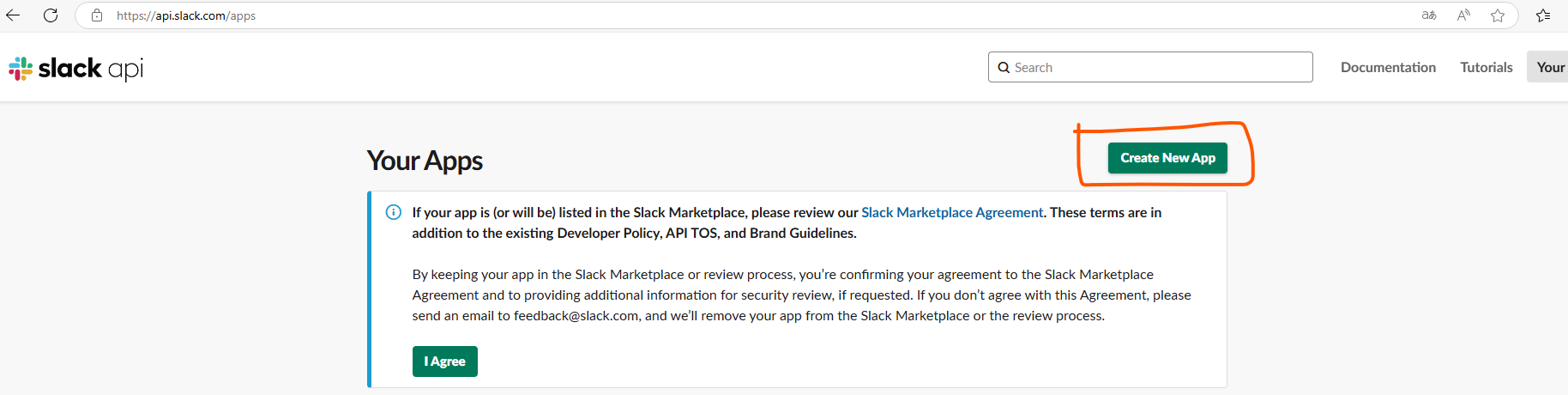
https://api.slack.com/apps 페이지로 이동
-
Create an App을 클릭
-
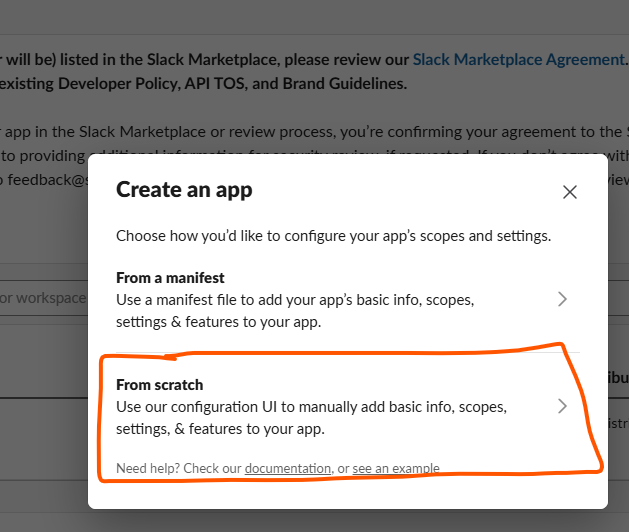
App을 처음부터 만들 것이기 때문에
From scratch선택
-
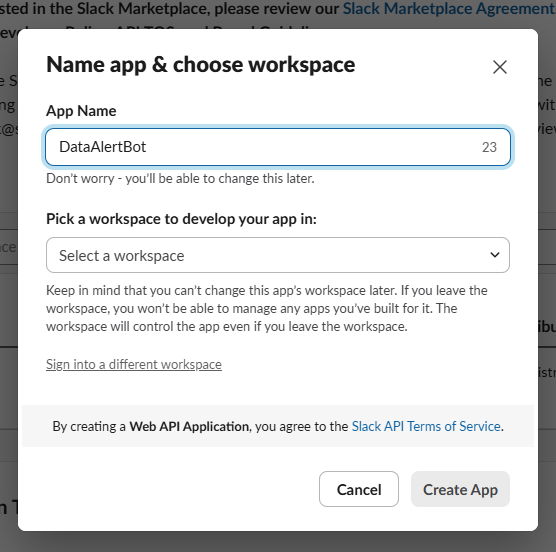
원하는 App의 이름을 작성하고 사용할 workspace를 선택한 후,
Create App눌러 APP을 생성
-
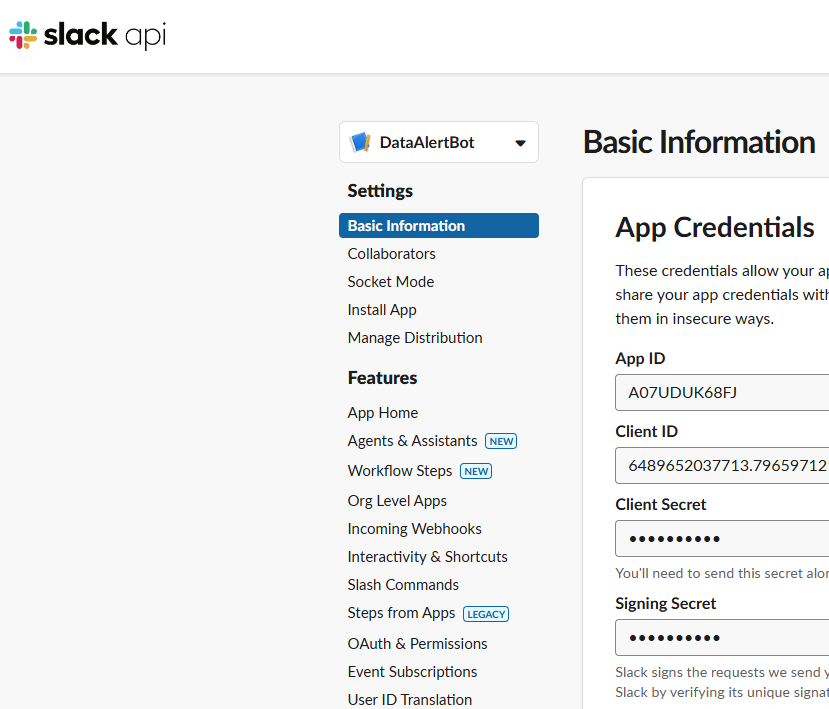
아래와 같이 여러 세팅 메뉴바가 나오는데,
Incoming Webhooks선택
-
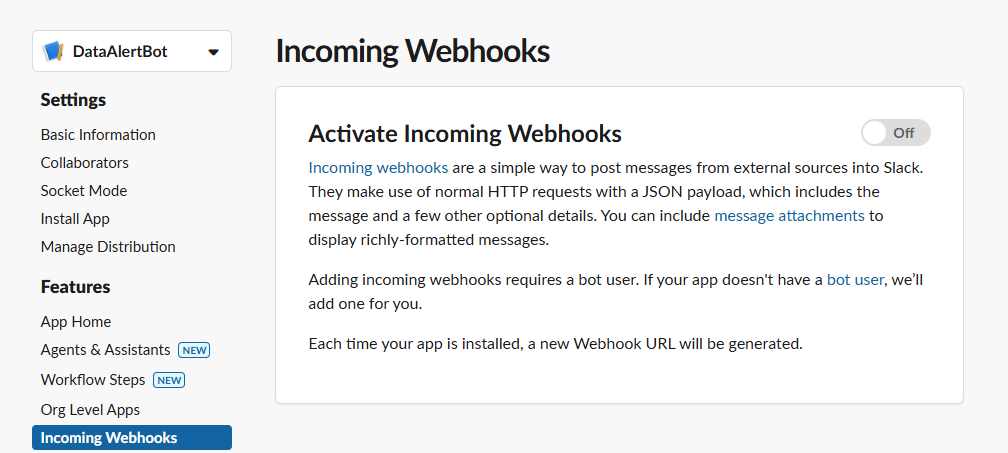
Active Incoming Webhooks의 off를 클릭해서 on으로 변경
-
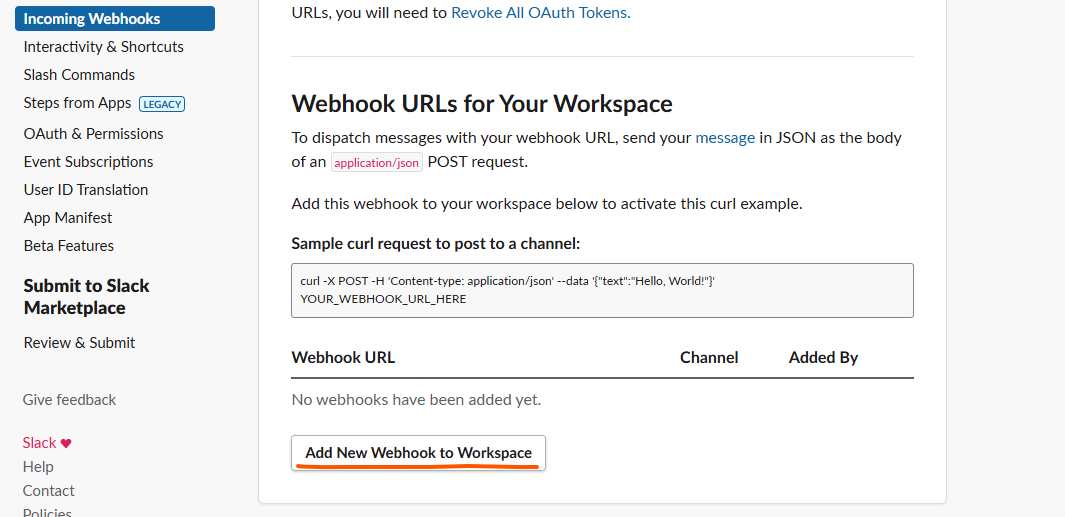
그러면 slack 채널에 메시지를 보낼 수 있는
sample curl request와 함께Add New Webhook to Workspace가 보인다. 이를 클릭
-
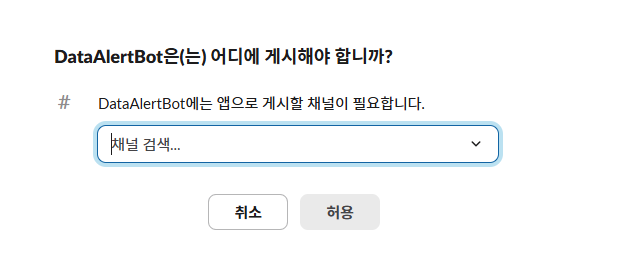
아래와 같이 만든 앱을 연동할 채널 설정
-
Sample curl request to post to a channel에 있는 코드를 통해 샘플 메시지를 날려볼 수 있다. 메시지를 날려서 잘 된다면 airflow와 연동을 위해 webhook URL을 복사한다.
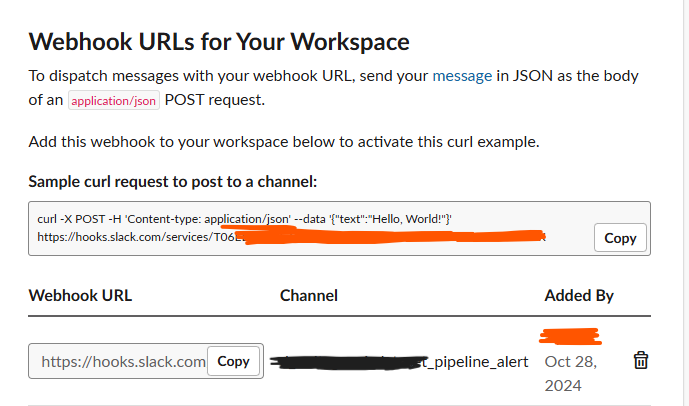
-
airflow에 들어가서
Admin>Variables를 클릭한 후, 새로운 Variable를 등록한다. 이때 key는 원하는 키값을 넣고 val에는 복사한 webhook URL을 넣는다
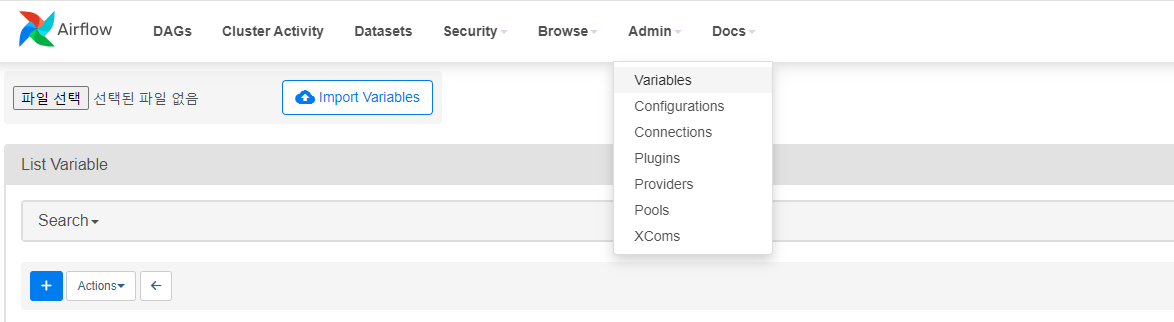
2) 연동함수 만들기
에러가 나면 호출될 콜백함수를 정의. 이때 Variable.get()을 통해 webhook url 값을 가져온다. 참고자료의 예시처럼 payload에 username 과 icon_emoji 를 넣어도 바뀌는 건 없음…
# slack.py

from airflow.models import Variable
import requests

 def on_failure_callback(context):
    text = str(context["task_instance"])
    text += "```" + str(context.get("exception")) + "```"
    send_message_to_a_slack_channel(text, ":scream:")

def send_message_to_a_slack_channel(message, emoji_alias):
    url = Variable.get("slack_url")
    headers = {
        "content-type": "application/json",
    }
    data = {"text": f"[{emoji_alias}] {message}"}
    r = requests.post(url, json=data, headers=headers)
    return r
3) DAG에 연동 함수 적용
min() 함수에 에러가 생기도록 코드를 작성하고, on_failure_callback 설정을 통해 에러 발생시 slack.on_failure_callback 함수를 실행하도록 한다.
from airflow import DAG
from airflow.operators.python_operator import PythonOperator
from datetime import datetime
from src import slack

def min():
    x = 0
    y = 1
    x = z

    return min(x, y)

with DAG(
    dag_id="send_slack_message",
    start_date=datetime(2024, 10, 28),  # 날짜가 미래인 경우 실행이 안됨
    catchup=False,
    default_args={
        "on_failure_callback": slack.on_failure_callback,  # 실패시 SLACK 함수 요청
    },
    tags=["operator_example"],
) as dag:
    task = PythonOperator(
        task_id=f"min_operator",
        python_callable=min,
    )
아래는 airflow DAG를 실행하여, 에러가 발생하여 slack 메시지를 보낸 모습이다.

참고자료
- https://airflow.apache.org/docs/apache-airflow/stable/administration-and-deployment/logging-monitoring/callbacks.html
- https://oozou.com/til/send-messages-to-slack-using-curl-26
- https://velog.io/@qkr471/airflow-slack-%EC%97%B0%EB%8F%99%ED%95%98%EA%B8%B0