MainActivity.java
package com.example.myapp3;

import androidx.appcompat.app.AppCompatActivity;

import android.content.Intent;
import android.os.Bundle;
import android.view.View;
import android.widget.EditText;
import android.widget.TextView;

public class MainActivity extends AppCompatActivity {

//    TextView tv1;
    EditText et1, et2;
    Intent intent;

    @Override
    protected void onCreate(Bundle savedInstanceState) {
        super.onCreate(savedInstanceState);
        setContentView(R.layout.activity_main);

        et1 = (EditText) findViewById(R.id.editText1);
        et2 = (EditText) findViewById(R.id.editText2);
//        tv1 = (TextView) findViewById(R.id.textView);

    }

    public void onButton1Click(View view) {     //더하기버튼
        String s1 = et1.getText().toString();
        String s2 = et2.getText().toString();

        int x = Integer.valueOf(s1);
        int y = Integer.valueOf(s2);

        int result = x + y ;

        Intent intent = new Intent(this, SubActivity.class);

        intent.putExtra("data", result+"");
        startActivity(intent);

        et1.setText("");
        et2.setText("");
//        tv1.setText(result+"");

    }

    public void onButton2Click(View view) {     //빼기
        String s1 = et1.getText().toString();
        String s2 = et2.getText().toString();

        int x = Integer.valueOf(s1);
        int y = Integer.valueOf(s2);

        int result = x - y ;

        Intent intent = new Intent(this, SubActivity.class);

        intent.putExtra("data", result+"");
        startActivity(intent);

        et1.setText("");
        et2.setText("");

//        tv1.setText(result+"");
    }

    public void onButton3Click(View view) {     //곱하기
        String s1 = et1.getText().toString();
        String s2 = et2.getText().toString();

        int x = Integer.valueOf(s1);
        int y = Integer.valueOf(s2);

        int result = x * y ;
        Intent intent = new Intent(this, SubActivity.class);

        intent.putExtra("data", result+"");
        startActivity(intent);

        et1.setText("");
        et2.setText("");

//        tv1.setText(result+"");
    }

    public void onButton4Click(View view) {     //나누기
        String s1 = et1.getText().toString();
        String s2 = et2.getText().toString();

        int x = Integer.valueOf(s1);
        int y = Integer.valueOf(s2);

        int result = x / y ;

        Intent intent = new Intent(this, SubActivity.class);

        intent.putExtra("data", result+"");
        startActivity(intent);

        et1.setText("");
        et2.setText("");

//        tv1.setText(result+"");
    }

    public void onButton5Click(View view) {     //나머지
        String s1 = et1.getText().toString();
        String s2 = et2.getText().toString();

        int x = Integer.valueOf(s1);
        int y = Integer.valueOf(s2);

        int result = x % y ;

        Intent intent = new Intent(this, SubActivity.class);

        intent.putExtra("data", result+"");
        startActivity(intent);

        et1.setText("");
        et2.setText("");

//        tv1.setText(result+"");
    }
}
SubActivity.java
package com.example.myapp3;

import androidx.appcompat.app.AppCompatActivity;

import android.content.Intent;
import android.os.Bundle;
import android.view.View;
import android.widget.TextView;

public class SubActivity extends AppCompatActivity {

    TextView tv1;
    Intent intent;

    @Override
    protected void onCreate(Bundle savedInstanceState) {
        super.onCreate(savedInstanceState);
        setContentView(R.layout.activity_sub);

        Intent intent = getIntent();
        String strResult = intent.getStringExtra("data");

        tv1 = (TextView) findViewById(R.id.textView2);
        tv1.setText(strResult);

    }

    public void onButton6Click(View view) {     //종료버튼
        finish();
    }
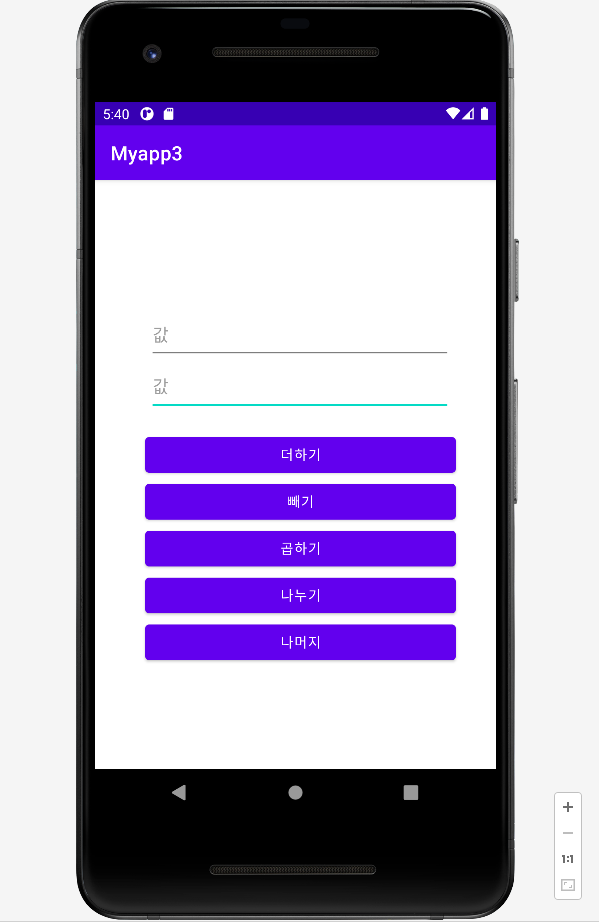
}
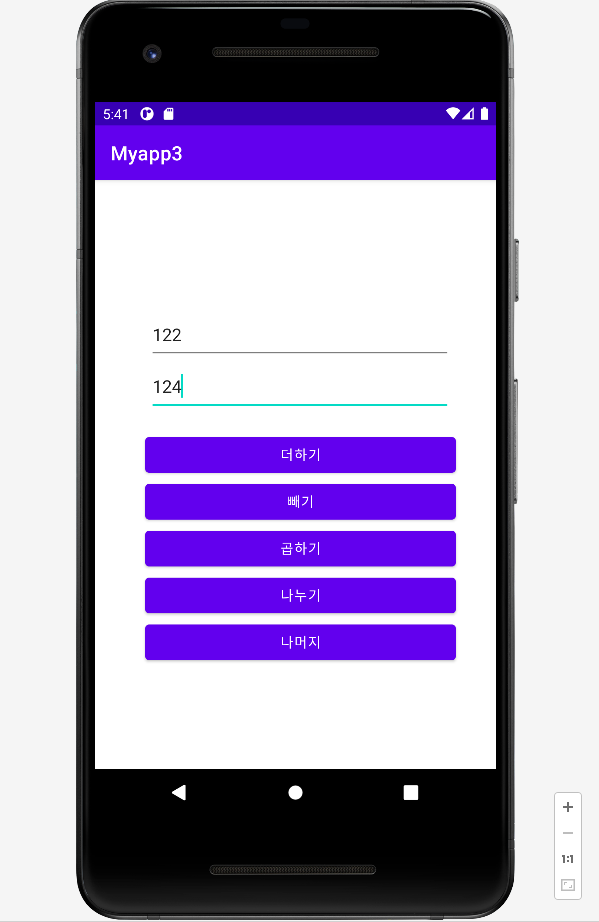
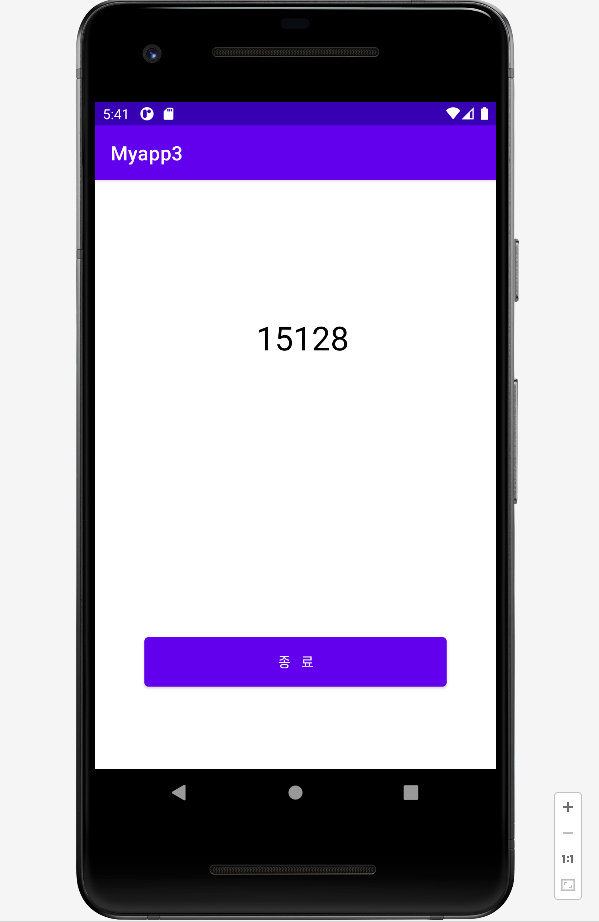

나를 위한 업그레이드 아자아자