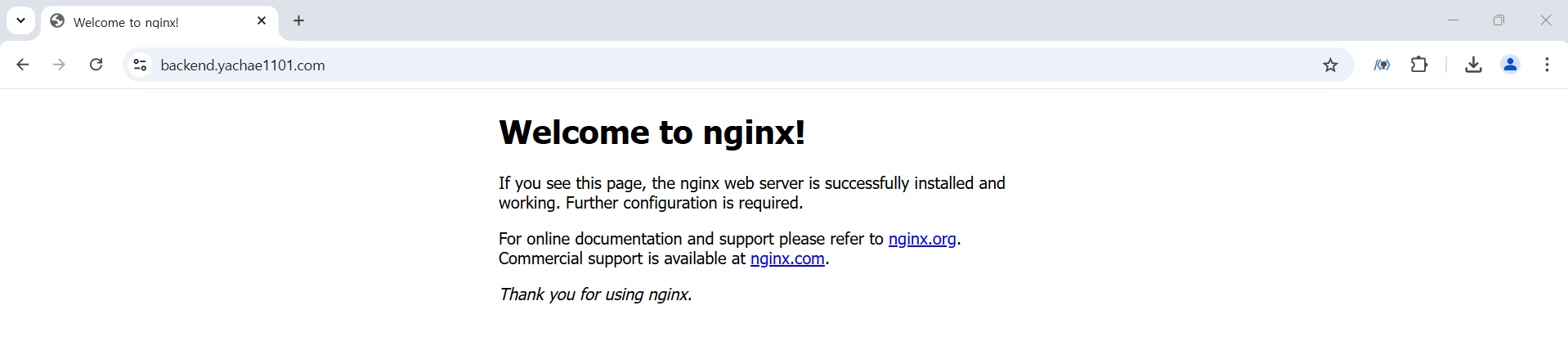
1)HTTPS를 사용해야 하는 이유
- 모바일 환경에서는 보안이 적용되지 않은 HTTP 사용을 허용하지 않습니다.
- 클라이언트 애플리케이션은 HTTPS로 접속하도록 만들어야 하는데 클라이언트 애플리케이션이 HTTPS를 사용하면 HTTP로 통신을 할 수 없습니다.
2)EKS에서 service를 이용해서 생성한 로드 밸런서에 HTTPS 적용
- EKS에서 생성한 service는 ALB(Application Load Balancer)가 아니고 CLB(Classic Load Balancer) 입니다.
- CLB에서는 관리 콘솔에서 HTTPS 인증서를 부착할 수 없습니다.
- 서비스를 생성하는 YAML 파일에서 인증서의 ARN 값을 이용해서 부착합니다.
- HTTPS 인증서는 도메인에만 적용할 수 있습니다.
3)작업 순서
-
HTTPS 인증서를 생성하고 ARN 값을 복사
-
Service를 생성해서 배포
-
로드밸런서에 도메인을 연결
4)실습
HTTPS 인증서를 생성하고 ARN 값을 복사
- AWS Route 53 에서 도메인 구입
:yachae1101.com
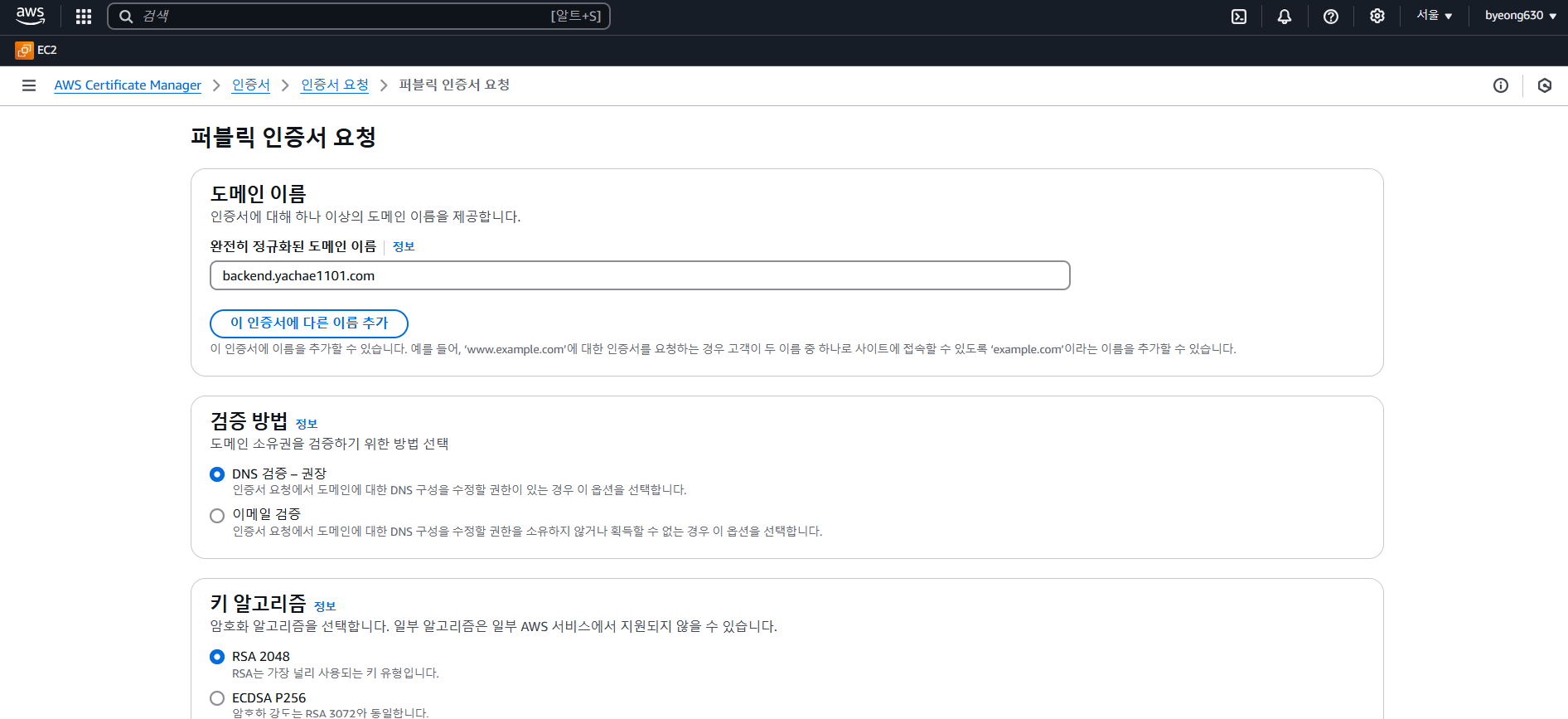
- AWS Certificate Manager 에서 인증서 요청
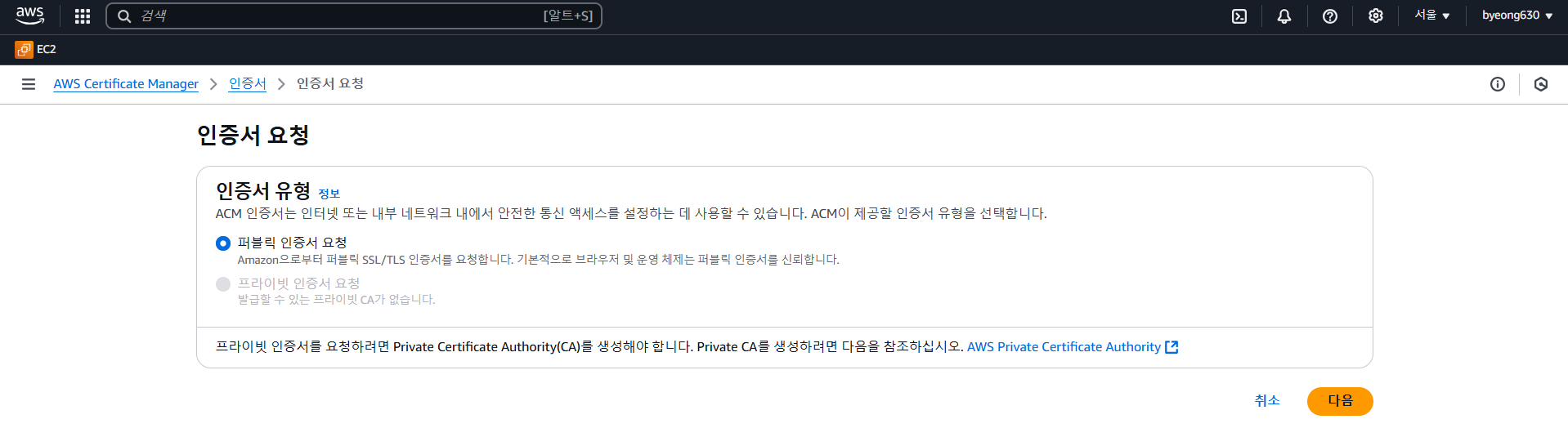
- 완전히 정규화된 도메인 이름을 입력 후 요청
:backend.yachae1101.com
- 인증서가 만들어지고 검증 대기 중으로 표시되는데 Route53에서 레코드 생성 버튼을 눌러서 검증을 요청합니다.
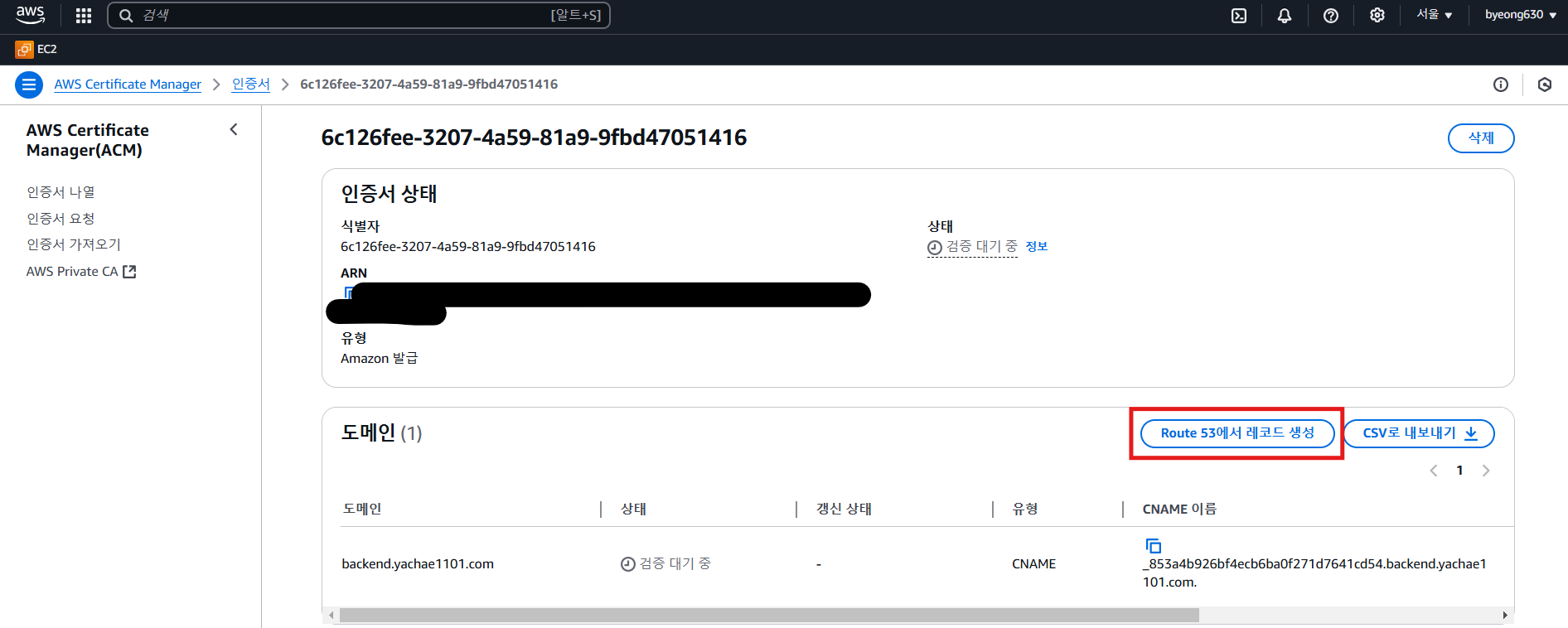
- 검증에 성공했으면 ARN 값을 복사

Deployment와 Service를 생성해서 배포
-
nginx_deployment.yamlapiVersion: apps/v1 kind: Deployment metadata: name: nginx labels: app: nginx spec: replicas: 2 selector: matchLabels: app: nginx template: metadata: labels: app: nginx spec: containers: - name: nginx image: nginx ports: - containerPort: 80 -
deployment 배포
kubectl apply -f nginx_deployment.yaml
-
nginx_service.yamlapiVersion: v1 kind: Service metadata: name: nginx-service annotations: service.beta.kubernetes.io/aws-load-balancer-backend-protocol: http service.beta.kubernetes.io/aws-load-balancer-ssl-ports: https service.beta.kubernetes.io/aws-load-balancer-ssl-cert: <자신의 ARN 값> service.beta.kubernetes.io/aws-load-balancer-type: classic spec: type: LoadBalancer selector: app: nginx ports: - protocol: TCP port: 443 targetPort: 80 name: https
- service 배포
kubectl apply -f nginx_service.yaml
- 인증서를 적용한 상태로 서비스를 배포하면 Load Balancer의 dns로 접근이 불가능합니다.
로드밸런서에 도메인을 연결
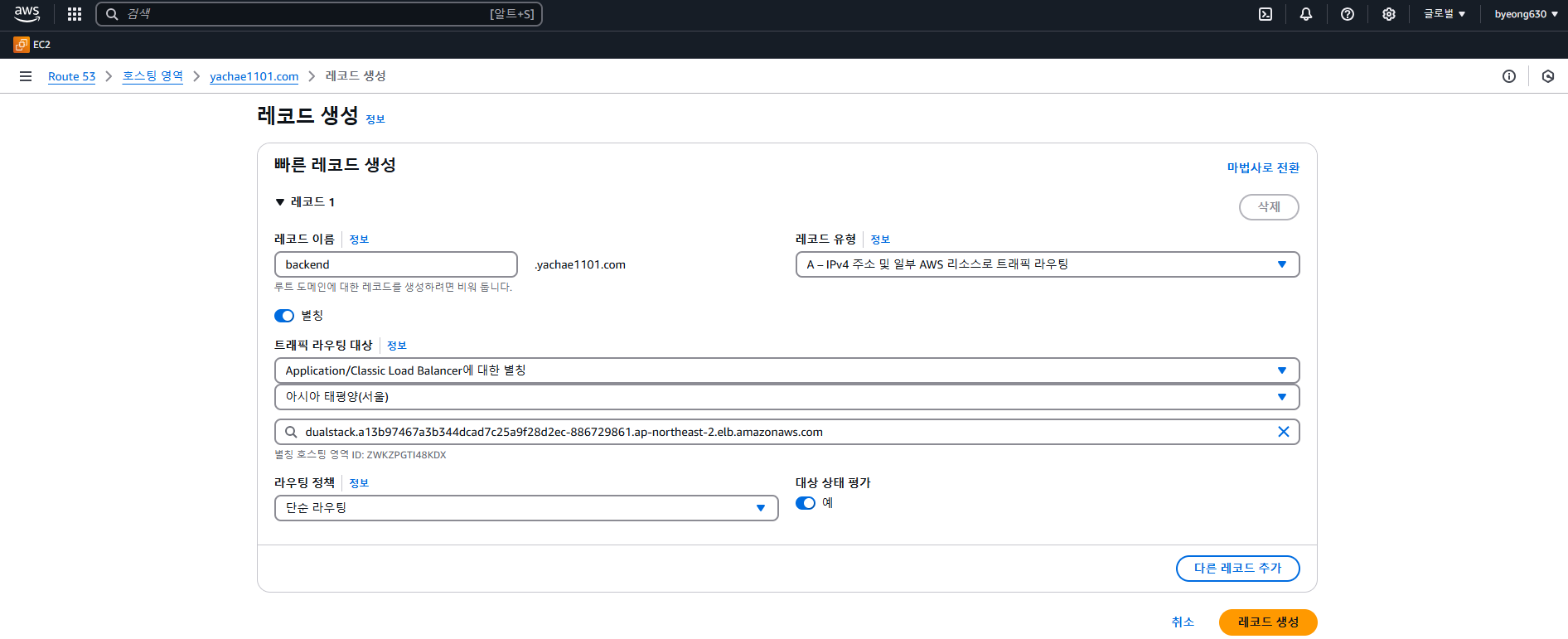
- Route53에 접속해서 인증서를 발급받을 때 사용한 레코드를 생성해서 ELB에 연결
레코드 이름 :backend.yachae1101.com
접속 확인
- https 를 사용해서 접속 확인 : https://backend.yachae1101.com