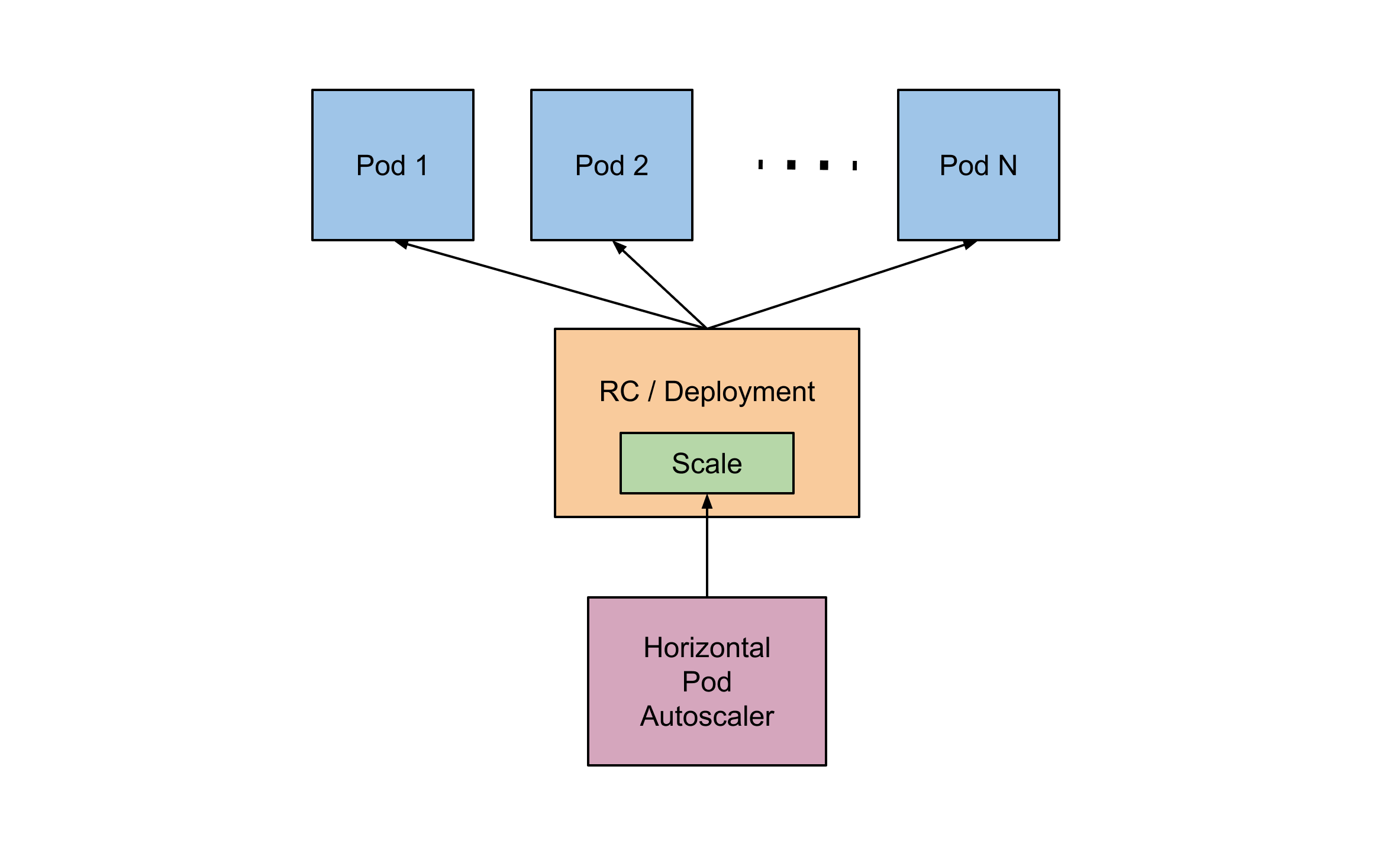
개요
- 노드의 오토스케일링은 파드를 원하는 수 만큼 동작시키기 위해 용량을 확보하는 것
- 파드 오토스케일링은 애플리케이션의 스케일링
- 쿠버네티스의 Horizontal Pod Autoscaler(HPA)라는 기능을 이용해서 파드의 스케일 아웃 그리고 스케일 인 기능을 구현할 수 있습니다.
- HPA는 AWS 오토스케일링 과 마찬가지로 서비스의 문제 발생을 막는 차원에서 설정
- 파드의 리소스 사용 현황을 모니터링하고 임곗값을 넘을 경우 스케일 아웃을 합니다.
메트릭 서버 배포
- 파드 리소스 사용 현황을 파악하는 서버
- 설치는 Kubernetes 지표 서버 설치로 검색하면 설치가 가능
kubectl apply -f https://github.com/kubernetes-sigs/metrics-server/releases/latest/download/components.yaml - 확인
kubectl get deployment metrics-server -n kube-system
kubectl get apiservice v1beta1.metrics.k8s.io -o yaml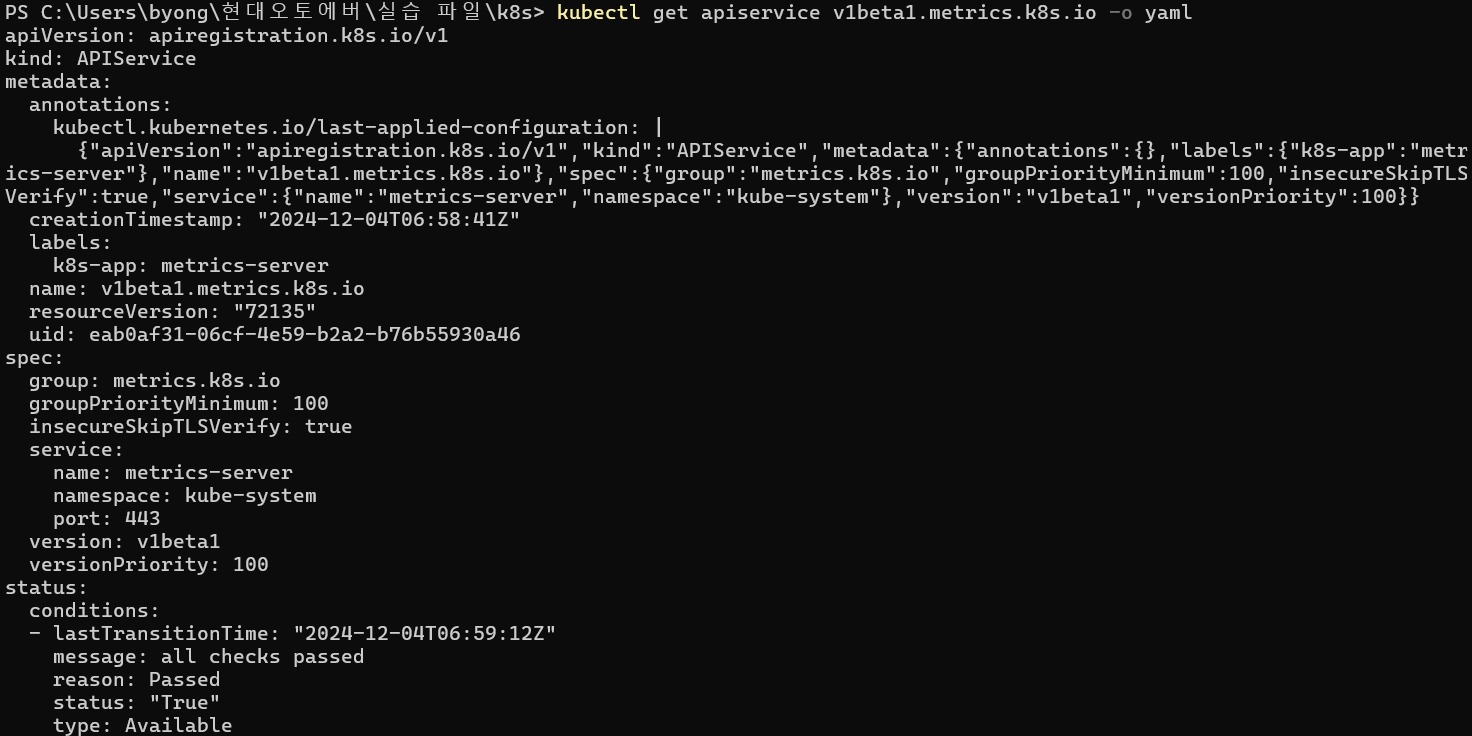
- 노드의 자원 소모량 확인
kubectl top nodes
- 파드의 자원 소모량 확인
kubectl top pods
HPA 리소스 생성
- HPA 리소스 생성하기 위한 야믈 파일 작성
horizontal-pod-autoscaler.yaml
nginx 이라는 Deployment 의 레플리카를 2에서 부터 5까지 증감시킬 수 있는데 증가하는 기준은 cpu 사용률이 50%를 넘었을 때입니다.apiVersion: autoscaling/v1 kind: HorizontalPodAutoscaler metadata: name: nginx spec: scaleTargetRef: apiVersion: apps/v1 kind: deployment name: nginx minReplicas: 2 maxReplicas: 5 targetCPUUtilizationPercentage: 50
-
HPA 리소스 생성
kubectl apply -f horizontal-pod-autoscaler.yaml -
Horizontal Pod Autoscaler 리소스에 대한 정보를 조회
kubectl get hpa
HPA 스케일 아웃 확인
-
CPU 사용량을 증가시킬 수 있도록 애플리케이션에서 wget 이나 요청을 하는 프로그램을 만들기
:traffic_simulator.pyimport requests while True: response = requests.get("https://backend.yachae1101.com/") print(response) -
targetCPUUtilizationPercentage 값을 2로 낮춰서 확인
cpu 사용률이 2% 가 넘으면 pod를 증가시키도록 설정 수정apiVersion: autoscaling/v1 kind: HorizontalPodAutoscaler metadata: name: nginx spec: scaleTargetRef: apiVersion: apps/v1 kind: deployment name: nginx minReplicas: 2 maxReplicas: 5 targetCPUUtilizationPercentage: 2 -
현재 상태 확인
kubectl get hpa현재 cpu 사용량은 1% 이고, 2% 이상을 사용하게 되면, pod가 증가

현재는 pod가 2개만 존재한다.

-
위에서 작성한 python 프로그램 실행
python traffic_simulator.py -
CPU 사용량이 임계값이 넘어가면 파드의 개수가 증가한다.
kubectl get hpa파드의 개수가 3개로 늘어났다.

kubectl get pods
