
GCP SDK 이용
- 널리 사용되는 프로그래밍 언어용 SDK client library
- Google SDK는 무료 사용
- Google Cloud 명령줄 인터페이스(Google CLI)
- 명령줄에서 리소스와 서비스를 관리할 수 있다.
- 로컬 개발 속도를 높여주는 서비스 및 데이터 에뮬레이터도 포함되어 있다.
* 애뮬레이터: 클라우드 환경을 로컬에서 가상으로 구현하여 테스트할 수 있는 도구다.
- Cloud Shell을 사용하면 웹브라우저에서 바로 코드를 작성하거나 터미널을 사용할 수 있다.
https://cloud.google.com/shell/docs/run-gcloud-commands?hl=ko
Cloud Shell 자체 사양이 높지 않다.
- Cloud Code는 VSCode 및 IntelliJ용 IDE 확장 프로그램 제공
- Java, Go, Python, Ruby, PHP, C++, Node.js, ABAP 언어용 Google SDK 제공
TIP!
-
SDK(Software Development Kit, Tool Kit)는 소프트 웨어 개발에 필요한 도구와 라이브러리를 모아놓은 패키지다.
-
클라우드 쉘은 간단한 관리 작업에 적합하지만, 복잡한 처리가 필요할 경우 다른 인프라(VM 등)를 사용하는 것이 좋다.
-
GCP 서비스
-
Pub/Sub: Google Cloud의 메시징 서비스로, 비동기적으로 메시지를 전송하고 처리하는 알림 서비스
-
Cloud Spanner: 글로벌 분산형 데이터베이스로, 높은 가용성과 일관성을 제공하며 관계형 데이터 모델을 지원
-
Cloud Bigtable: 대규모 비관계형 데이터 저장소로, 높은 읽기/쓰기 성능을 제공하며 시계열 데이터 및 IoT 데이터 처리에 유용
-
Cloud Datastore: 비관계형 NoSQL 데이터베이스로, 애플리케이션 데이터의 저장 및 쿼리를 쉽게 수행할 수 있도록 지원
1. Google Cloud CLI 설치
1.1. 사이트 접속
https://cloud.google.com/sdk/docs/install-sdk?hl=ko
1.2. 설치 파일 다운
도움말에 안내된 내용에 따라 사용하는 O/S에 맞는 설치 방법으로 Google Cloud CLI 설치한다.
파워 쉘 설치 방법도 있지만, 잘 안 되는 경우가 있어
설치 프로그램을 다운해 설치하는 것을 권장한다.
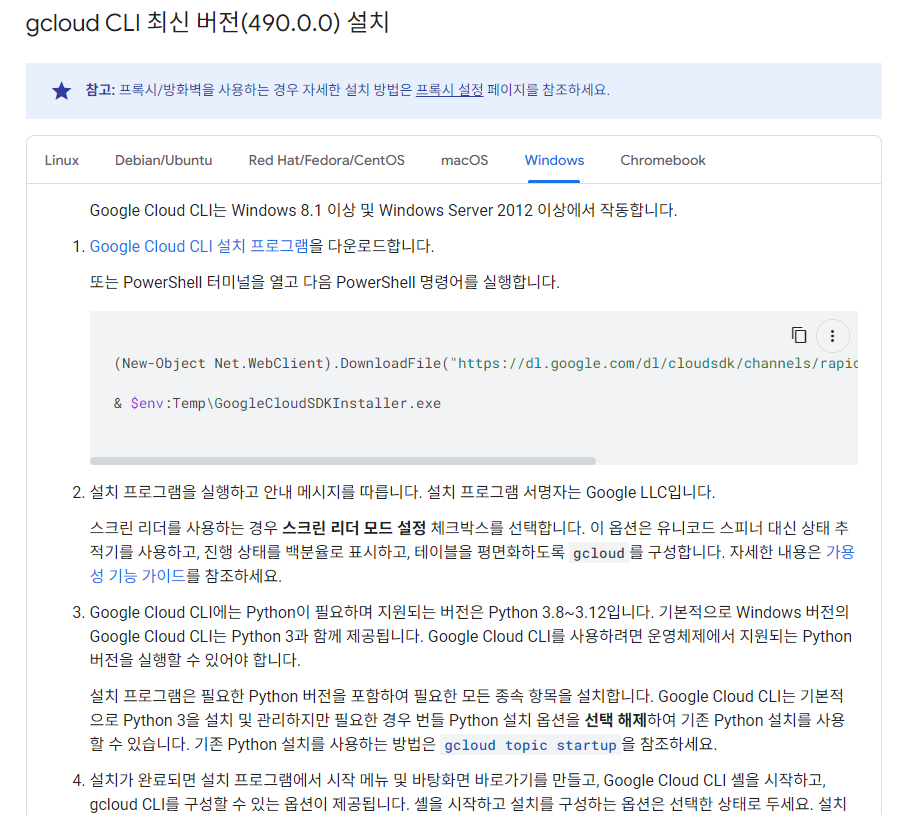
1.3. 설치 프로그램 실행
○ 설정 후 다음으로 넘어가기
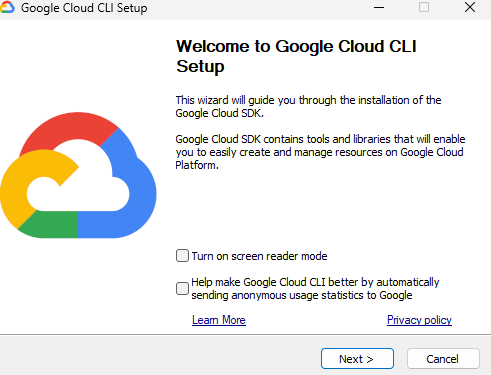
○ 약관 동의
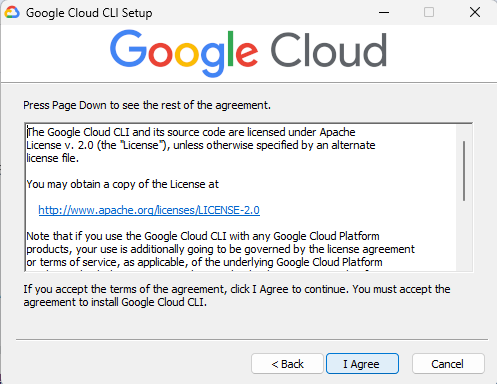
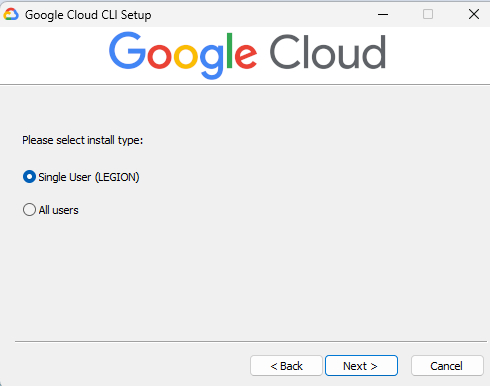
○ 설치 타입 선택
○ 위치 선정
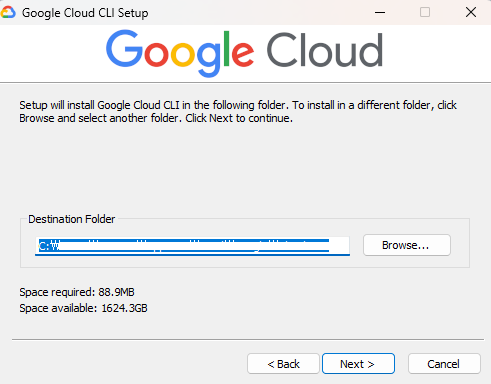
○ 옵션 선택 후 끝내기
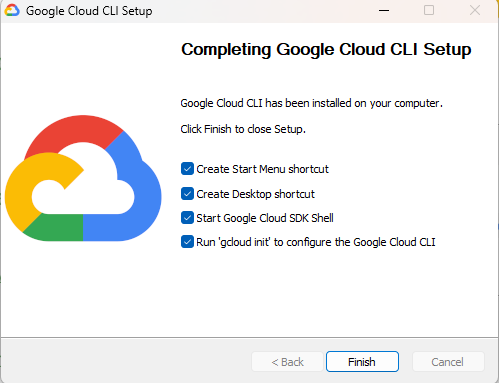
○ 설치 완료 화면
Start Google Cloud SDK Shell 체크 시 해당 화면이 나온다.
로그인을 원하면 y, 원하지 않으면 n로 입력한다.
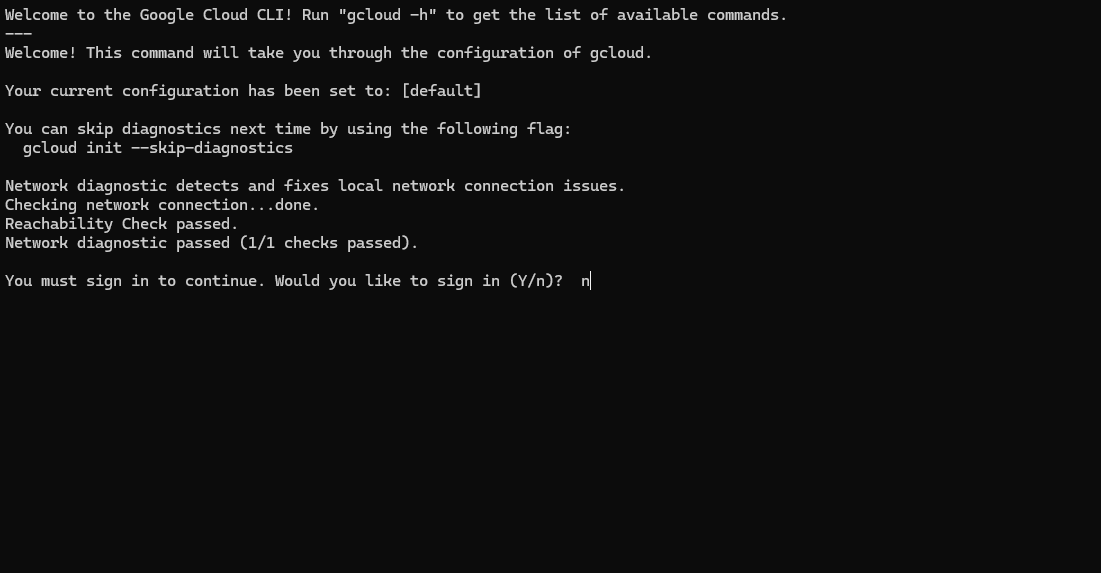
1.4. 설치 확인
cmd 창에서 클라우드 설치를 확인한다.
gcloud -v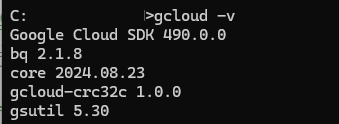
2. gcloud 명령
-
gcloud CLI 사용 인증
https://cloud.google.com/docs/authentication/gcloud?hl=ko
2.1. gcloud GROUP
- https://cloud.google.com/sdk/docs/authorizing?hl=ko
- https://cloud.google.com/shell/docs/run-gcloud-commands?hl=ko
- https://cloud.google.com/sdk/docs/cheatsheet?hl=ko
gcloud GROUP | COMMAND [--account=ACCOUNT] [--billing-project=BILLING_PROJECT] [--configuration=CONFIGURATION] [--flags-file=YAML_FILE] [--flatten=[KEY,…]] [--format=FORMAT] [--help] [--project=PROJECT_ID] [--quiet, -q] [--verbosity=VERBOSITY; default="warning"] [--version, -v] [-h] [--access-token-file=ACCESS_TOKEN_FILE] [--impersonate-service-account=SERVICE_ACCOUNT_EMAILS] [--log-http] [--trace-token=TRACE_TOKEN] [--no-user-output-enabled]2.1. gcloud 초기화
CMD 에서 진행
로그인 필요시 y 작성
gcloud init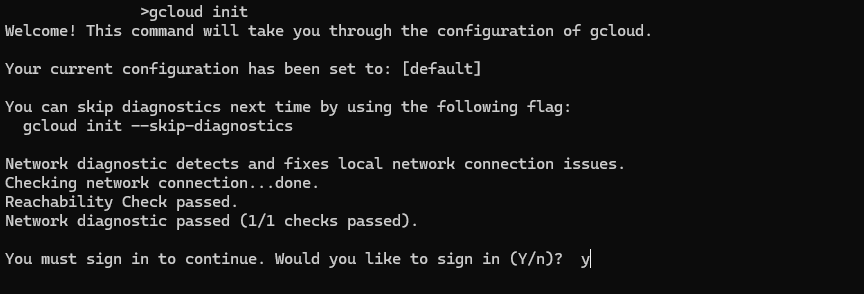
2.2. gcloud 로그인 인증
구글 홈페이지가 노출되며, 해당 창에서 로그인하면 된다.
gcloud auth login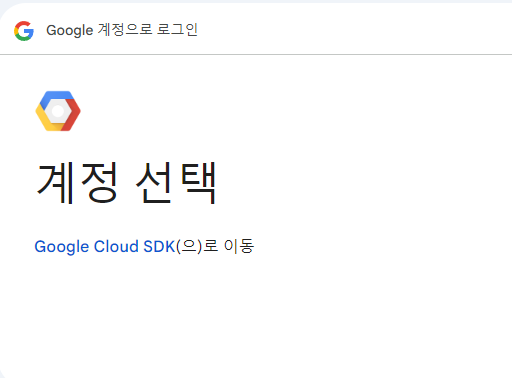
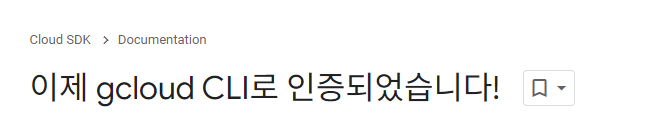
2.3. 계정 리스트 확인
gcloud auth list2.4. gcloud 환경 목록 확인
gcloud config list2.5. 접근 가능한 프로젝트 목록 확인
gcloud projects listgcloud config list projectgcloud config get-value project○ project 세부 정보 확인
gcloud compute project-info describe --project $(gcloud config get-value project)2.6. gcloud 환경 설정
○ Region 설정
- 한국 region
asia-northeast3
gcloud config set compute/region [region]○ Zone 설정
gcloud config set compute/zone [zone]○ 사용자 ID 변경
gcloud config set account ‘ACCOUNT’○ Region 목록 확인
gcloud config get-value compute/region○ 속성과 설정 전체 출력
gcloud config list --all○ 구성요소 확인
gcloud components list2.7. Log 확인
○ 사용 가능 log 확인
gcloud logging logs list○ 컴퓨팅 리소스 관련 log 확인
gcloud logging logs list --filter="compute"○ gce_instance 리소스 유형과 관련된 log 확인
gcloud logging read "resource.type=gce_instance" --limit 5○ 특정 VM log 확인
gcloud logging read "resource.type=gce_instance AND labels.instance_name='gcelab2'" --limit 52.8. VM (Virtual Machine) 관련 명령
https://cloud.google.com/compute/docs/gcloud-compute/common-commands?hl=ko
○ vm 생성
gcloud compute instances create VM_NAME \
    [--image IMAGE | --image-family IMAGE_FAMILY] \
--image-project IMAGE_PROJECT-
gcloud compute를 사용하면 Compute Engine API보다 간단한 형식으로 Compute Engine 리소스를 관리할 수 있습니다.
-
instances create는 새 인스턴스를 만듭니다.
export ZONE=$(gcloud config get-value compute/zone)cloud compute instances create gcelab2 --machine-type e2-medium --zone $ZONE-
gcelab2는 VM의 이름입니다.
-
--machine-type 플래그는 머신 유형을 e2-medium으로 지정합니다.
-
--zone 플래그는 VM이 생성되는 위치를 지정합니다.
-
--zone 플래그를 생략하면 gcloud 도구가 기본 속성을 기준으로 개발자가 원하는 영역을 추론할 수 있습니다. machine type 및 image와 같은 기타 필수 인스턴스 설정은 create 명령어에서 지정되지 않은 경우 기본값으로 설정됩니다.
○ VM 리스트 확인
- 조건에 맞는 내용 출력
gcloud compute instances listgcloud compute instances list --filter="name=('gcelab2')"○ 방화벽 규칙 확인
gcloud compute firewall-rules listgcloud compute firewall-rules list --filter="network='default'"gcloud compute firewall-rules list --filter=ALLOW:'80'○ 방화벽 규칙 업데이트
gcloud compute firewall-rules create default-allow-http --direction=INGRESS --priority=1000 --network=default --action=ALLOW --rules=tcp:80 --source-ranges=0.0.0.0/0 --target-tags=http-server○ VM 인스턴스에 대한 HTTP 통신 가능 유무 확인
curl http://$(gcloud compute instances list --filter=name:gcelab2 --format='value(EXTERNAL_IP)')○ VM 인스턴스 SSH 접속
gcloud compute ssh gcelab2 --zone $ZONE○ VM 인스턴스 tag 추가
gcloud compute instances add-tags gcelab2 --tags http-server,https-server
GCP 서비스 개인 학습
1. cloudskillsboost
cloudskillsboost는 자습이 가능한 서비스다.
실습을 할 수 있으며, 기본은 무료로 특정 기술에 따라 유료다.
○ Qwiklabs 계정 만들기
https://support.google.com/qwiklabs/answer/9210144?hl=ko
○ Cloud Shell 및 gcloud 시작하기 (GSP002)
https://www.cloudskillsboost.google/focuses/563?locale=ko&parent=catalog