stream
- input stream : keyboard or from a file
- output stream : screen or to a file
file
- file(; ASCII file) : 모든 컴퓨터에서 동일하기에 송수신 가능
- binary file : 같은 컴퓨터, 같은 언어에서 읽을 수 있음, textfile보다 효율적, 자바 binary file의 경우 platform에 독립적임
writing to a text file
PrintWriter 객체를 이용해야 함
import
	import java.io.PrintWriter;
    import java.io.FileOutputStream;
    import java.io.FileNotFoundException;
try-catch block 밖에 PrintWriter 객체가 선언되어야 함
local객체이면 안되므로
파일명을 사용하려면 FileOutputStream(_filename)을 이용해야 함
	PrintWriter outputStreamName;
	outputStreamName = new PrintWriter(new FileOutputStream(FileName));
file 존재시 : 옛날 자료 사라짐
따라서 outputStreamName = new PrintWriter(new FileOutputStream(FileName, true)); 를 이용해야 함 ; 덧붙이기 모드
file 존재x시 : 새로운 파일 생성
print,println를 사용하여 file에 쓸 수 있음
outputStreamName.close()
- file에 연결했던 stream을 자원을 해제함
buffer
physical writing to a file이 느림이에, 즉시 쓰지 않고 temporary location에 저장하는데 이곳이 buffer.
close()할 때나 buffer에 data가 쌓였을 때,flush()가 호출되어 buffer의 데이터가 file에 한 번에 쓰임
주의점
program terminates abnormally
bufferd data날라감
close 전에 reopen하려 할 때
파일이 제대로 읽히지 않거나 파일에 손상을 가져옴
가능한한 빨리 닫아야 함
reading from a text file
Scanner 객체를 이용
import
	import java.util.Scanner;
    import java.io.FileInputStream;
    import java.io.FileNotFoundException;
파일명을 이용하려면 FileInputStream(_filename)을 이용해야 함
* keyboard input을 이용하려면 단순히 Scanner(System.in)이용
	Scanner inputStream = null;

    try {
    	inputStream = new Scanner(new FileInputStream(FileName));
    } catch (FileNotFoundException e){
    	System.exit(0);
    }

    int n1 = inputStream.nextInt();
    int n2 = inputStream.nextInt();
    int n3 = inputStream.nextInt();

    inputStream.nextLine(); //다음 줄로

    inputStream.close();
text file 끝 처리
- 끝을 넘어서 read하려고 하면 예외가 던져짐
- 이를 해결하기 위해
hasNextLine(),hasNextInt()메서드를 활용
String line = null;
int count = 0;
while (inputStream.hasNextLine()) {
	line = inputStream.nextLine();
    count++;
    outputStream.println(count + " " + line);
}BufferedReader객체를 이용한 읽기
import
import java.io.BufferedReader;
import java.io.FileReader;
import java.io.FileNotFoundException;
import java.io.IOException;
파일명을 이용하려면 FileReader(_filename)을 이용해야 함
BufferedReader inputStream = null
try {
	inputStream = new BufferedReader(new FileReader(_filename));
    String line = inputStream.readLine();
    System.out.println(line);
} catch (FileNotFoundException e) {
	e.getMessage();
} catch (IOException e) {
	e.getMessage();
}
method
readLine()
- line을 읽어 String 반환
- end of file일 때 null 리턴; IOException 예외 throw 안함
read()
- 각 char를 읽어 해당하는 int값 반환
- end of file일 때 -1 리턴
skip(Long n)
n개의 char 생략
Reading number
import java.io.BufferedReader;
import java.io.FileReader;
import java.io.IOException;
import java.util.StringTokenizer;

public class Main {
    public static void main(String[] args) {
        String fileName = "numbers.txt";
        BufferedReader reader = null;

        try {
            reader = new BufferedReader(new FileReader(fileName));
            String line;

            // Read and convert single numbers on separate lines
            line = reader.readLine();
            if (line != null) {
                int intValue = Integer.parseInt(line);
                System.out.println("Integer value: " + intValue);
            }

            line = reader.readLine();
            if (line != null) {
                double doubleValue = Double.parseDouble(line);
                System.out.println("Double value: " + doubleValue);
            }

            // Read and convert multiple numbers on a single line
            line = reader.readLine();
            if (line != null) {
                StringTokenizer tokenizer = new StringTokenizer(line);
                while (tokenizer.hasMoreTokens()) {
                    String token = tokenizer.nextToken();
                    int number = Integer.parseInt(token);
                    System.out.println("Tokenized integer value: " + number);
                }
            }

        } catch (IOException e) {
            e.printStackTrace();
        } finally {
            if (reader != null) {
                try {
                    reader.close();
                } catch (IOException e) {
                    e.printStackTrace();
                }
            }
        }
    }
}
IOException
checked exception임 exception을 상속받음;;
FileNotFoundException
I/O상황에서 예외일 때 대부분 이 예외가 던져짐
NoSuchElementException
파일 끝에서 read를 시도할 때
관련 주제
[Path Names]
file name이 인자로 들어갈때의 전제 : 같은 디렉토리에 있다.
따라서 같은 디렉토리에 없다면, the full or relative path name을 제시해야 한다.
정의
full path name
•	Unix/Linux: /home/user/documents/file.txt
•	Windows: C:\Users\User\Documents\file.txt
relative path name
•	. (현재 디렉터리)와 .. (상위 디렉터리) 등을 사용할 수 있습니다.
•	예시:
•	현재 디렉터리가 /home/user인 경우:
•	documents/file.txt (현재 디렉터리에서 documents 디렉터리 안의 file.txt 파일)
•	../other_user/file.txt (현재 디렉터리의 상위 디렉터리인 /home 디렉터리 안의 other_user 디렉터리의 file.txt 파일)
사용
윈도우
BufferedReader inputStream = new BufferedReader(new FileReader ("C:\\dataFiles\\goodData\\data.txt"));UNIX
BufferedReader inputStream =
        new BufferedReader(new
        FileReader("/user/sallyz/data/data.txt"));
[stream redirection]
- System.in: 표준 입력 스트림으로, 일반적으로 키보드 입력을 처리합니다.
- System.out: 표준 출력 스트림으로, 일반적으로 화면에 정상 출력을 나타냅니다.
- System.err: 표준 오류 스트림으로, 일반적으로 화면에 오류 메시지를 나타냅니다.
다른 스트림으로 redirection하기
예를 들어, 에러 메시지를 화면이 아닌 파일에 기록하기
import java.io.FileOutputStream;
import java.io.IOException;
import java.io.PrintStream;

public class Main {
    public static void main(String[] args) {
        // 원래 System.err는 콘솔을 가리킵니다.
        System.err.println("This error message will go to the console.");

        PrintStream errStream = null;
        try {
            // 새로운 PrintStream 객체를 생성하여 "errMessages.txt" 파일에 출력
            errStream = new PrintStream(new FileOutputStream("errMessages.txt"));

            // System.err을 errStream으로 리다이렉션
            System.setErr(errStream);

            // 이제 System.err로 출력되는 메시지는 파일에 기록됩니다.
            System.err.println("This error message will go to the file.");

        } catch (IOException e) {
            e.printStackTrace();
        } finally {
            // 리다이렉션한 스트림을 닫음
            if (errStream != null) {
                errStream.close();
            }
        }

        // 리다이렉션 후, 다시 콘솔로 출력되는지 확인 (일반적으로는 프로그램 종료 전까지 유지됨)
        System.err.println("This error message will also go to the file.");
    }
}
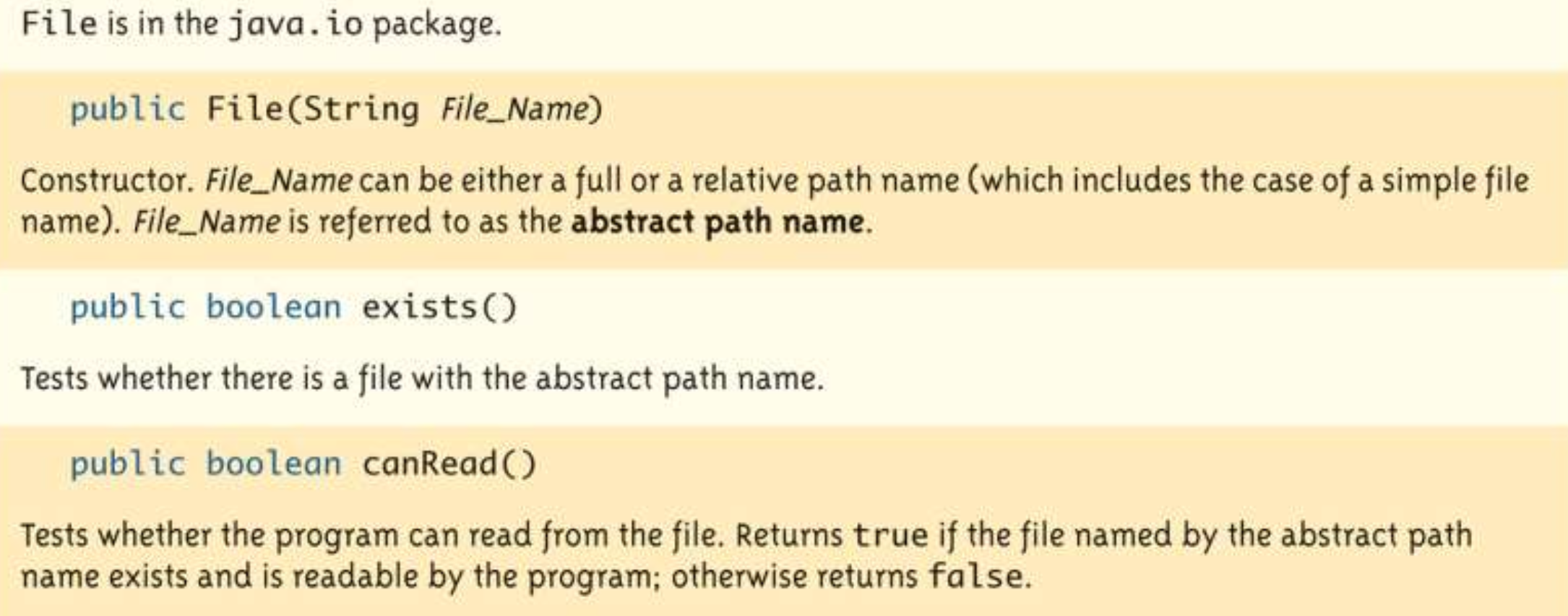
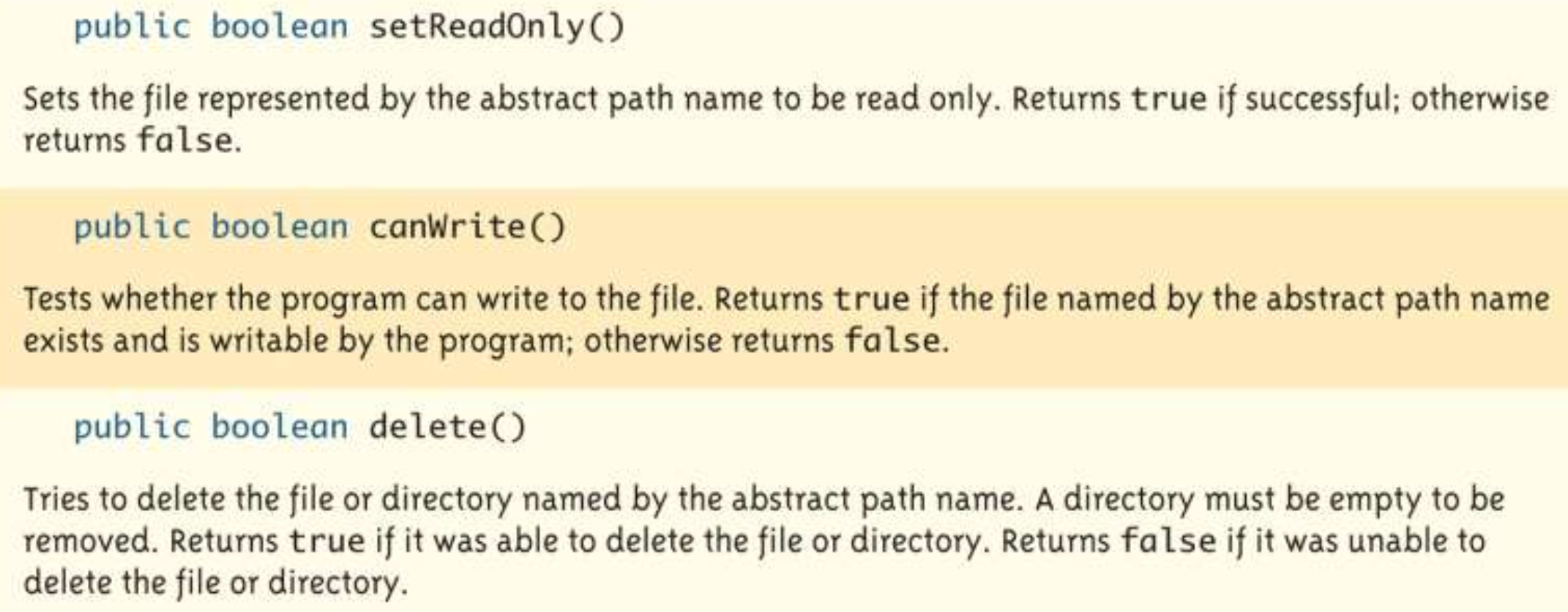
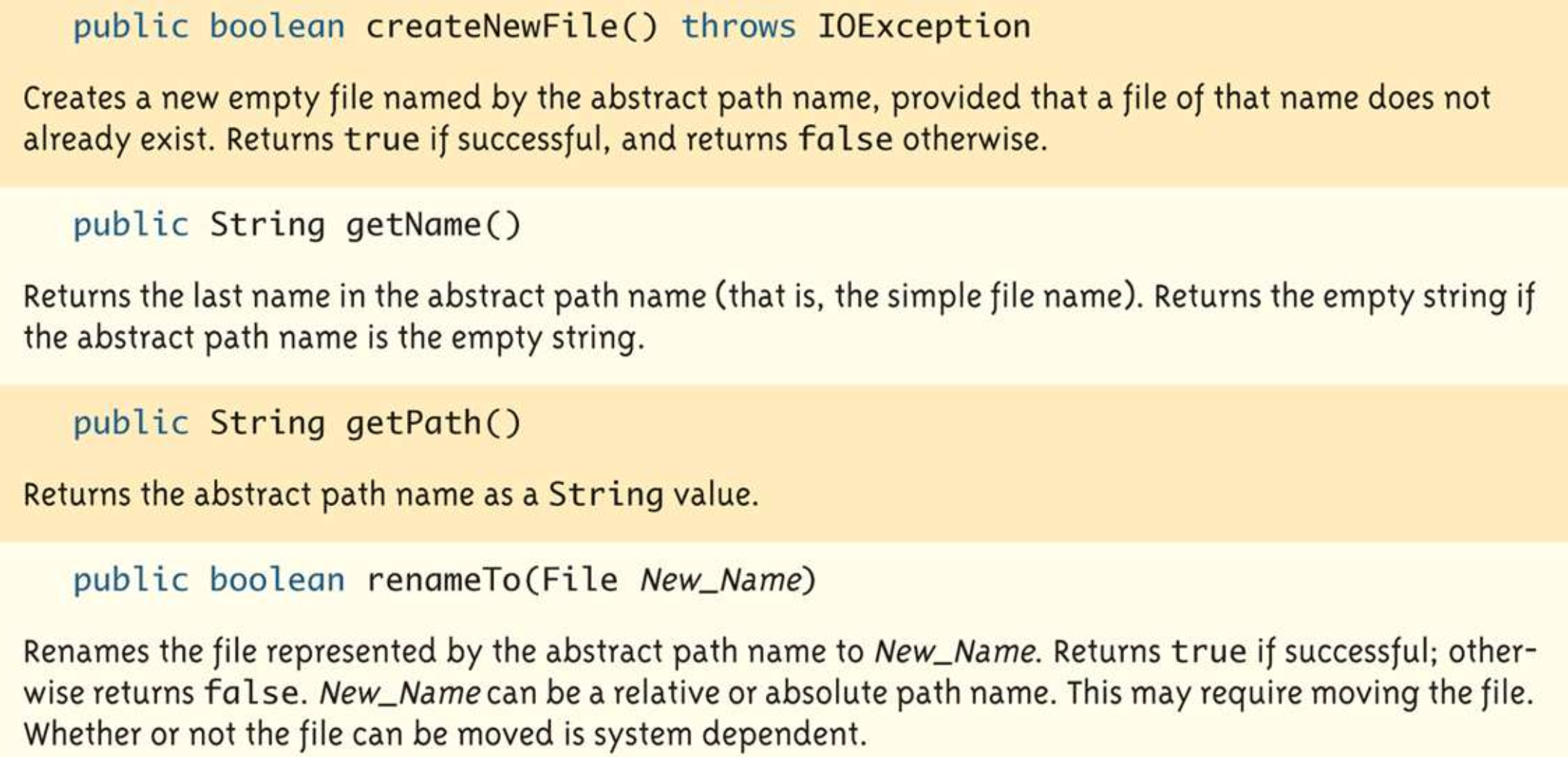
[File 객체]
wrapper class 같은 거
import java.util.Scanner;
import java.io.File;
import java.io.PrintWriter;
import java.io.FileOutputStream;
import java.io.FileNotFoundException;

public class FileclassDemo {
	public static void main(String[] args) {
    	Scanner keyboard = new Scanner(System.in);
        String line = null;
        String filename = null;
        line = keyboard.nextLine();
        filename = Keyboard.nextLine();
        File fileobj = new File(filename);

        while(fileobj.exists()) {
        	System.out.println("해당 파일 이름이 이미 존재\n 다른 거");
           	filename = keyboard.nextLine();
            fileobj = new File(filename);
        }

    }
}

@Hanyang univ(seoul). CSE