
VSCode의 변경사항 취소
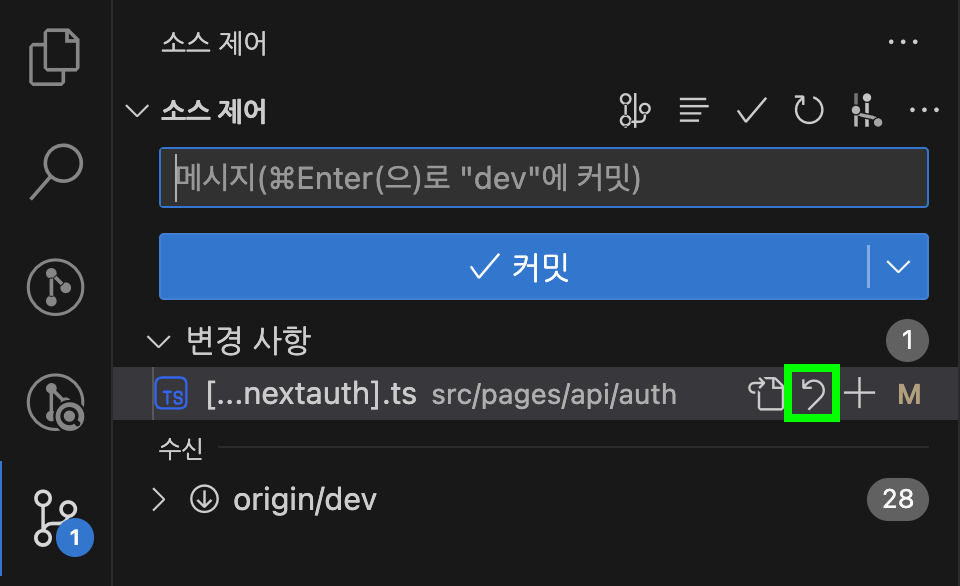
VSCode에서는 소스제어 > 변경사항에서 두 번째 아이콘 (초록색 박스 부분)을 클릭하면

위와 같이 커밋하지 않은 변경사항을 취소 할 수 있는 모달을 표시한다.
백날천날 VSCode만 쓰다가 오랜만에 Eclipse를 쓰려니 손에 익지않은 내용이 한 둘이 아니다!
이클립스에서는 동일한 기능을 어떻게 사용할 수 있을까?
Eclipse의 변경사항 취소
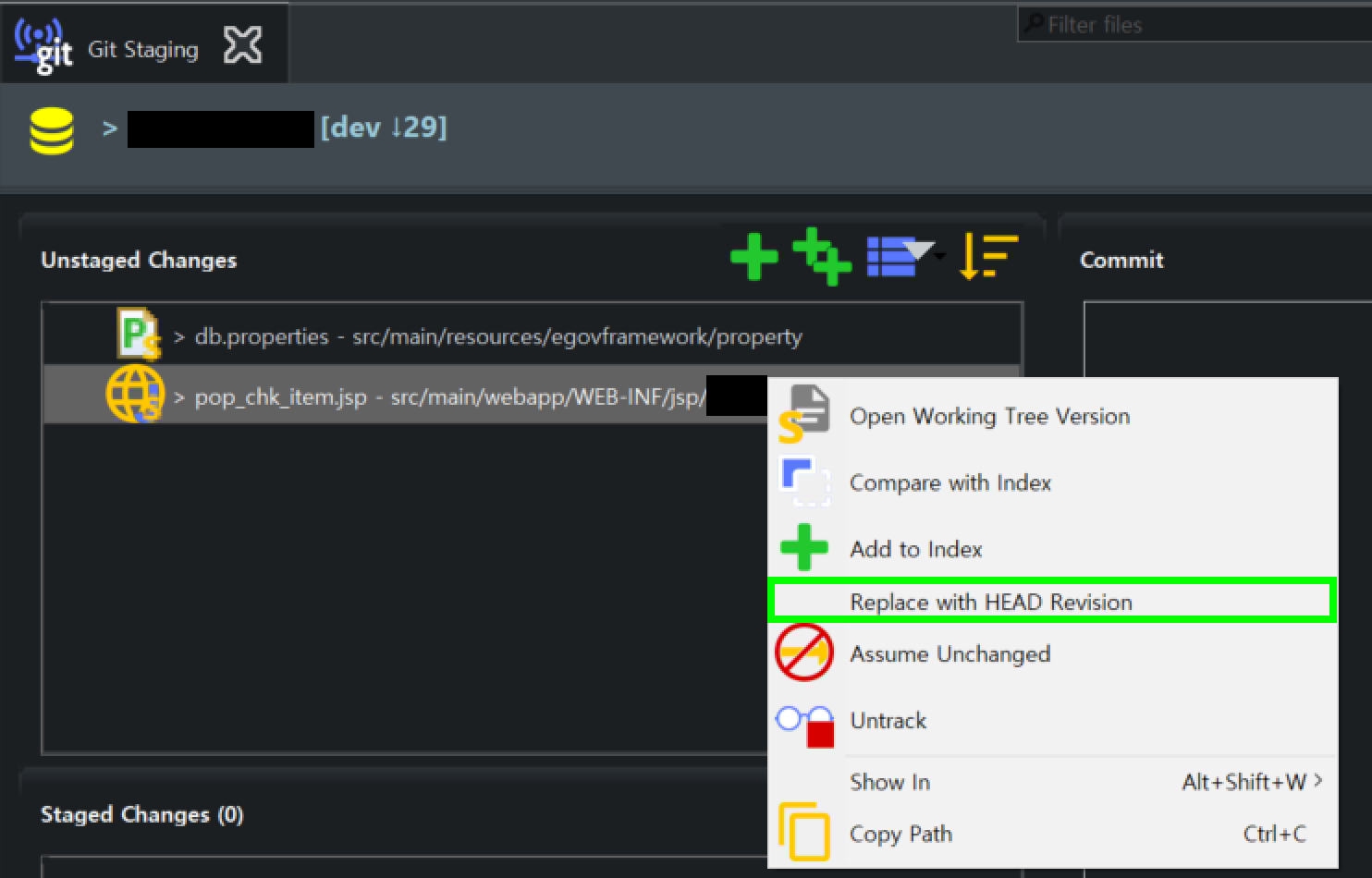
Git Staging > Unstaged Changes > 변경 사항 취소 할 파일 우클릭 > Replace with HEAD Revision 클릭
하면 Unstaged Changes 목록에서 해당 파일이 사라진다.
시스템 환경
전자정부프레임워크(3.10)
Eclipse Version: 2020-06 (4.16.0)
리소스
Perflexity에게 질문해서 얻은 답변 전문을 첨부합니다.
Correct method for Eclipse:
Open the Git Staging view.
Locate the unstaged file in the "Unstaged Changes" section.
Right-click on the file.
Select "Replace With" from the context menu.
Choose "HEAD Revision" from the submenu.
This action will revert the file to its state in the last commit, effectively discarding the unstaged changes.
Alternatively, you can also use these methods:
Using the Project Explorer:
Right-click on the file in the Project Explorer.
Go to "Team" > "Replace With" > "HEAD Revision".
Using keyboard shortcuts:
Select the file in the Project Explorer or Git Staging view.
Press Alt+T (for Team menu), then R (for Replace With), then H (for HEAD Revision).
