응용1 ) Configmap의 환경변수들을 Secret으로 작성하기
step1) 시크릿 생성
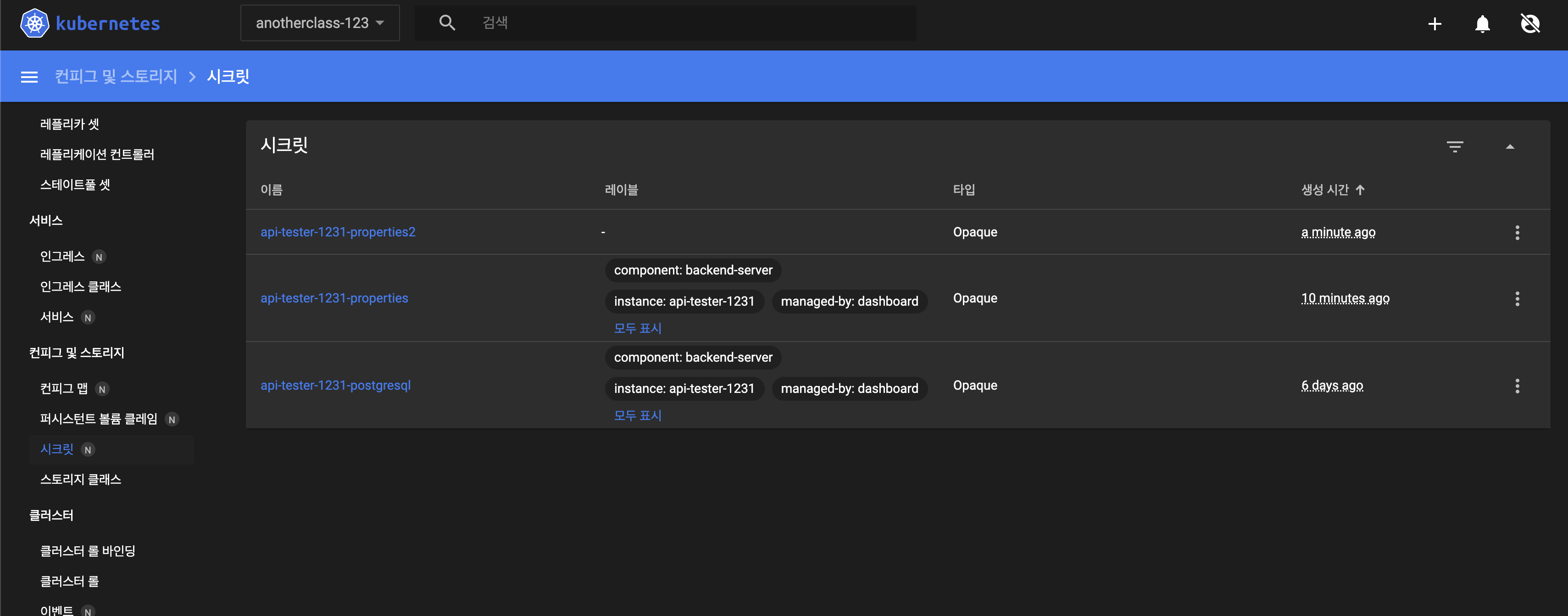
step2) envFrom 수정 - configmap을 Secret으로

🎯 트러블슈팅
문제) Secret의 api-tester-1231-postgresql로 연결해놓은 DB정보가 뜨지 않음
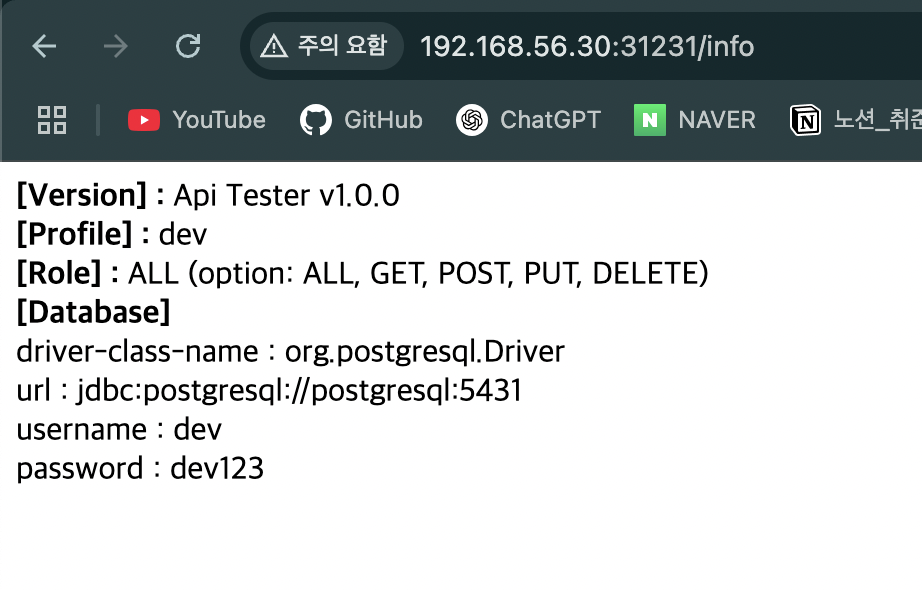
위 이미지는 해결된 모습이지만,
driver-class-name, url, username, password의 value가 빈칸이었다.
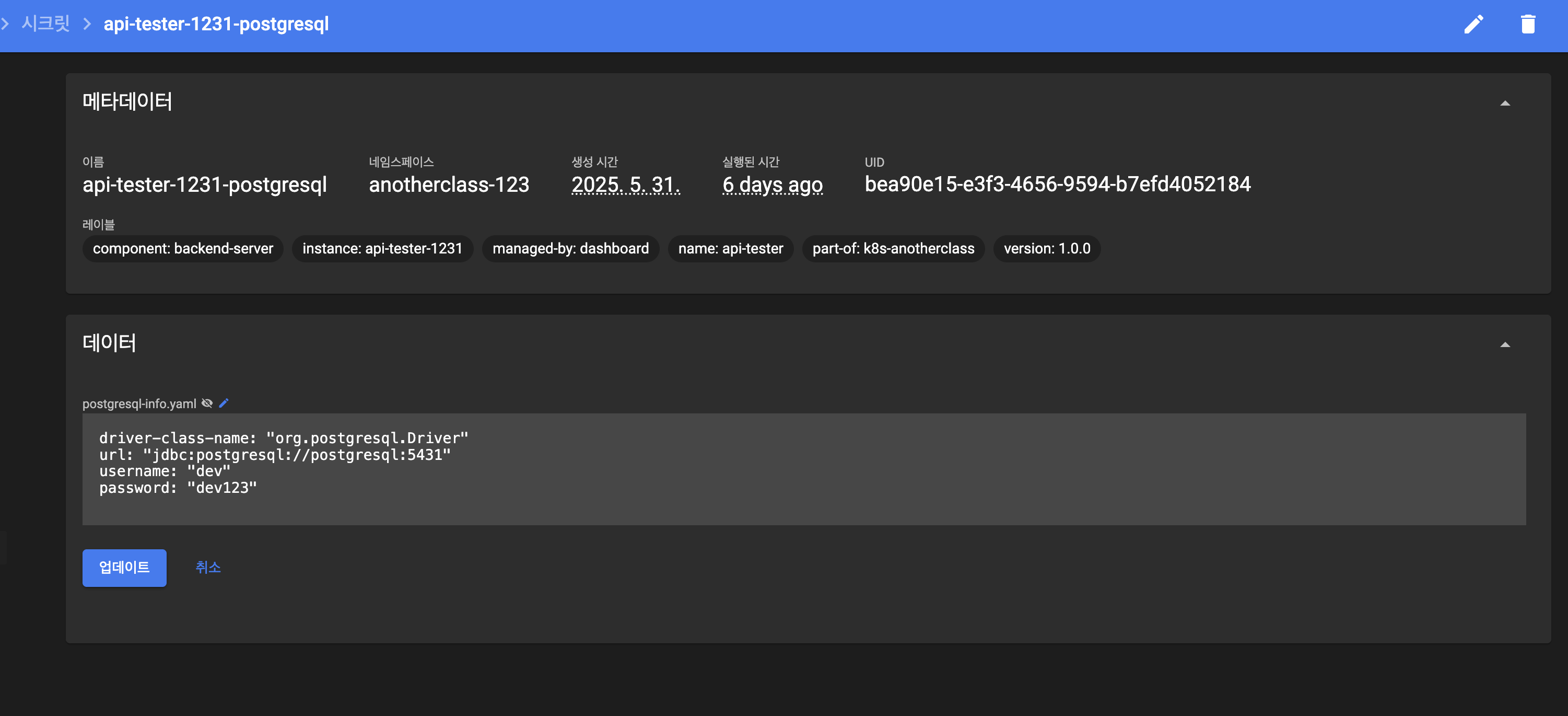
해결) Secret의 postgresql_filepath 값 수정
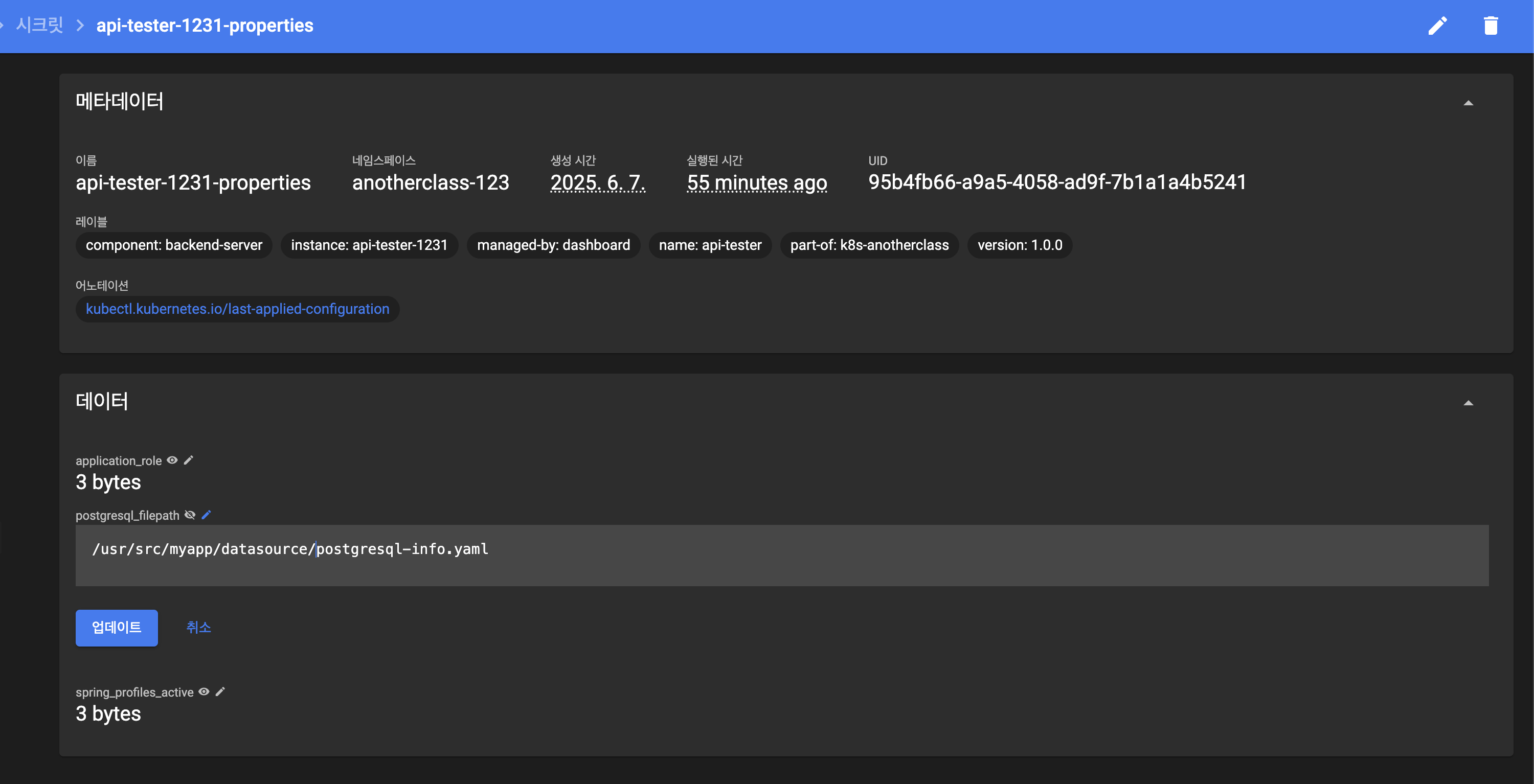
Secret의 api-tester-1231-properties의
postgresql_filepath를
/usr/src/myapp/datasource/dev/postgresql-info.yaml에서
/usr/src/myapp/datasource/postgresql-info.yaml로 수정해주었다.
[Deployment 전체 YAML 확인하기]
kubectl get deployment api-tester-1231 -n anotherclass-123 -o yaml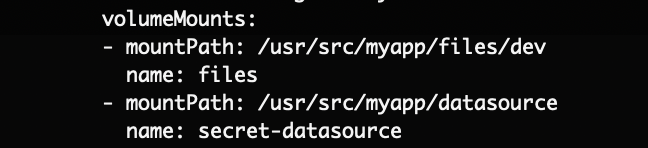
/usr/src/myapp/datasource 경로로 Mount 되어있었으므로 경로를 수정하였다.
응용2) configMap에 database 정보 넣기
step1) configMap 생성
apiVersion: v1
kind: ConfigMap
metadata:
  namespace: anotherclass-123
  name: api-tester-1231-postgresql
  labels:
    part-of: k8s-anotherclass
    component: backend-server
    name: api-tester
    instance: api-tester-1231
    version: 1.0.0
    managed-by: dashboard
data:
  postgresql-info.yaml: |
    driver-class-name: "org.postgresql.Driver"
    url: "jdbc:postgresql://postgresql:5431"
    username: "dev"
    password: "dev123"
step2) Deployment의 volumeMounts.name과 volumes 부분 업데이트
apiVersion: apps/v1
kind: Deployment
metadata:
  namespace: anotherclass-123
  name: api-tester-1231
spec:
  template:
    spec:
      nodeSelector:
        kubernetes.io/hostname: k8s-master
      containers:
        - name: api-tester-1231
          image: 1pro/api-tester:v1.0.0
          volumeMounts:
            - name: configmap-datasource
              mountPath: /usr/src/myapp/datasource/dev
      volumes:
        - name: configmap-datasource
          configMap:
            name: api-tester-1231-postgresql
결과확인)

알게된 점) volumes vs volumeMounts 역할 차이
| 항목 | 설명 |
|---|---|
volumes | Pod 수준 설정. 어떤 볼륨(데이터 원본)을 사용할지 정의 (예: ConfigMap, Secret, PVC 등) |
volumeMounts | Container 수준 설정. 정의한 볼륨을 컨테이너 내 어느 경로에 마운트할지 지정 |
비유하면?
volumes는 "외부 저장장치 목록"volumeMounts는 "내 책상 위에 어디에 둘지 지정"
즉,
volumes는 Pod에 어떤 자료를 연결할지 결정하고,volumeMounts는 그 자료를 컨테이너 안에서 어디에 둘지 정하는 구조

DevOps를 기반으로 한 클라우드, 알고리즘, 백엔드 관심있는 컴공생