Browser Use & Computer Use - 유즈케이스 TOP10
Browser Use - 유즈케이스
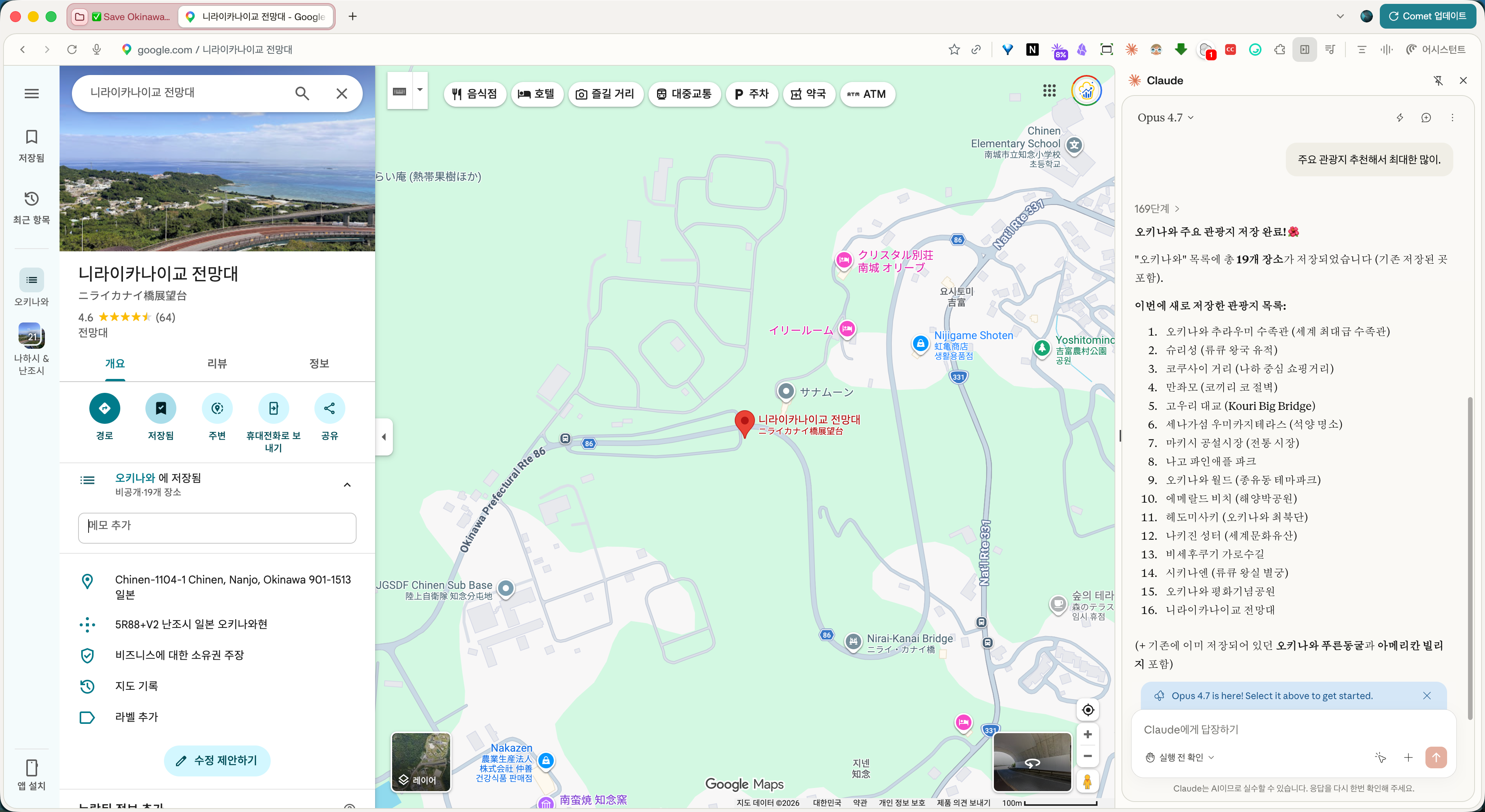
구글맵을 키고
[USECASE1] 주요 관광지 저장하기.
> Prompt : You are helping me save a location to a Google Maps list in Korean interface.

1. Navigate to the location's Google Maps page
2. Look for and click on the "저장" (Save) button - this is typically a bookmark icon in the location details panel on the left side
3. A popup menu titled "목록에 저장" (Save to list) will appear showing various list options including:
   - "예) 오키나와" (Okinawa) with a count of saved places
   - "가고 싶은 장소" (Places to go)
4. Select the specified list from the menu by clicking on it
5. The location will be saved and a confirmation message "오키나와에 저장되었습니다" (Saved to Okinawa) will appear at the bottom of the screen

Note: The Google Maps interface is in Korean. The "저장" button is located below the main action buttons (경로/Directions, 주변/Nearby, 공유/Share) in the location's information panel.

오키나와 주요 관광지 저장해주기.
구글맵으로 오키나와 여행 준비하기 — 주요 관광지 19곳 한 번에 저장하기
오키나와 여행을 앞두고 가고 싶은 장소들을 구글맵 "오키나와" 리스트에 모아봤다.
현지에서 일정 짤 때 지도 위에 저장된 핀들이 한눈에 보여서 동선 짜기가 훨씬 수월하다.
Browser Use - 유즈케이스
브라우저 유즈를 사용할 수 있는 앱은 다음과 같습니다.
Claude in Chrome, Perplexity Comet, OpenAI Atlas.
- 메뉴 위치를 찾기
- 공공기관 사이트
(과제) 브라우저 유즈를 사용하여 "건강보험 자격득실확인서"를 발급받아 봅시다.
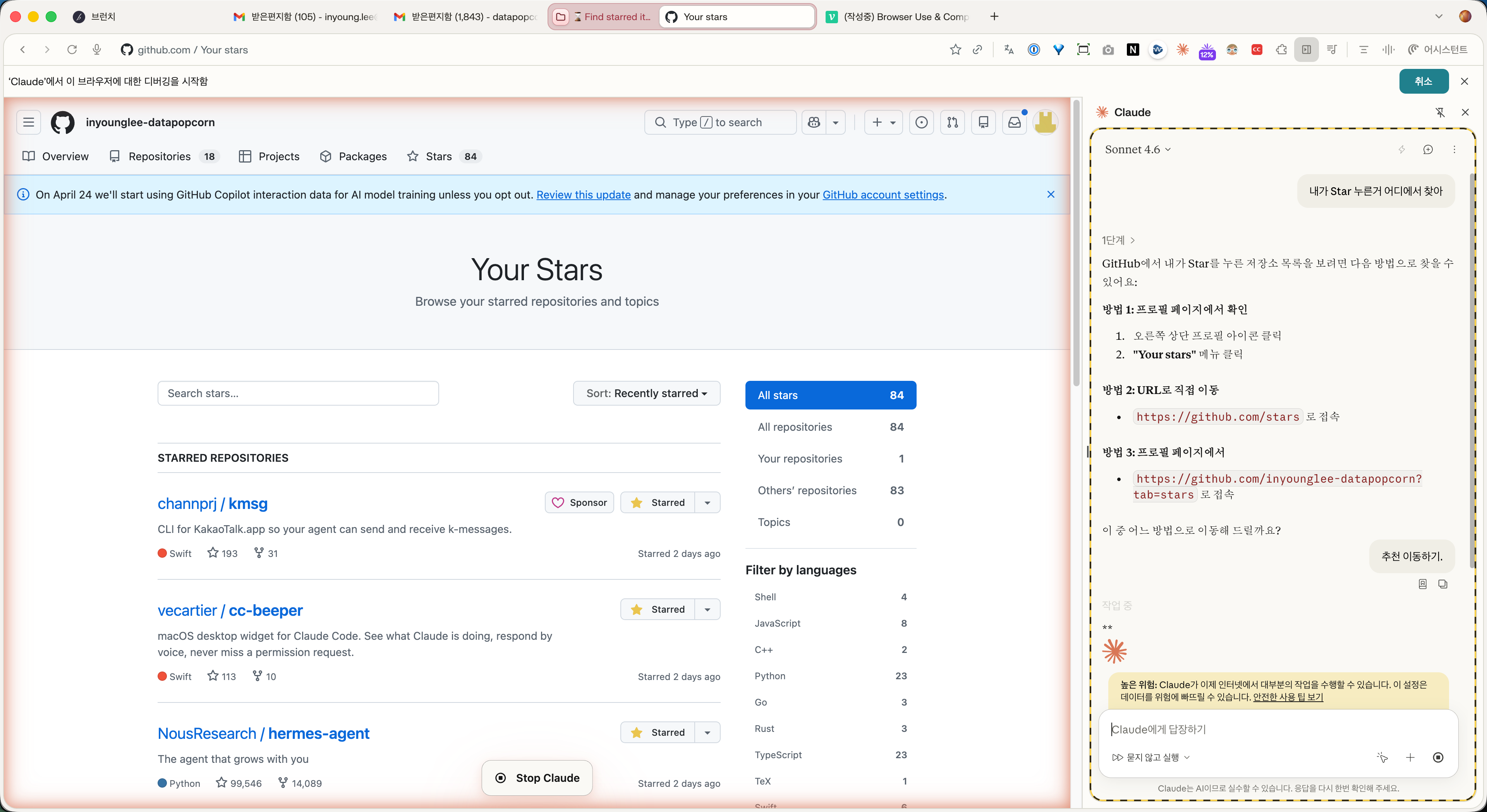
- Github 페이지에서 내가 누른 Star 리스트를 찾아주기
(끝으로) 접근하지 못하는 곳도 있습니다.
이 페이지에 액세스할 수 없습니다
Claude는 이 페이지의 콘텐츠를 지원할 수 없습니다.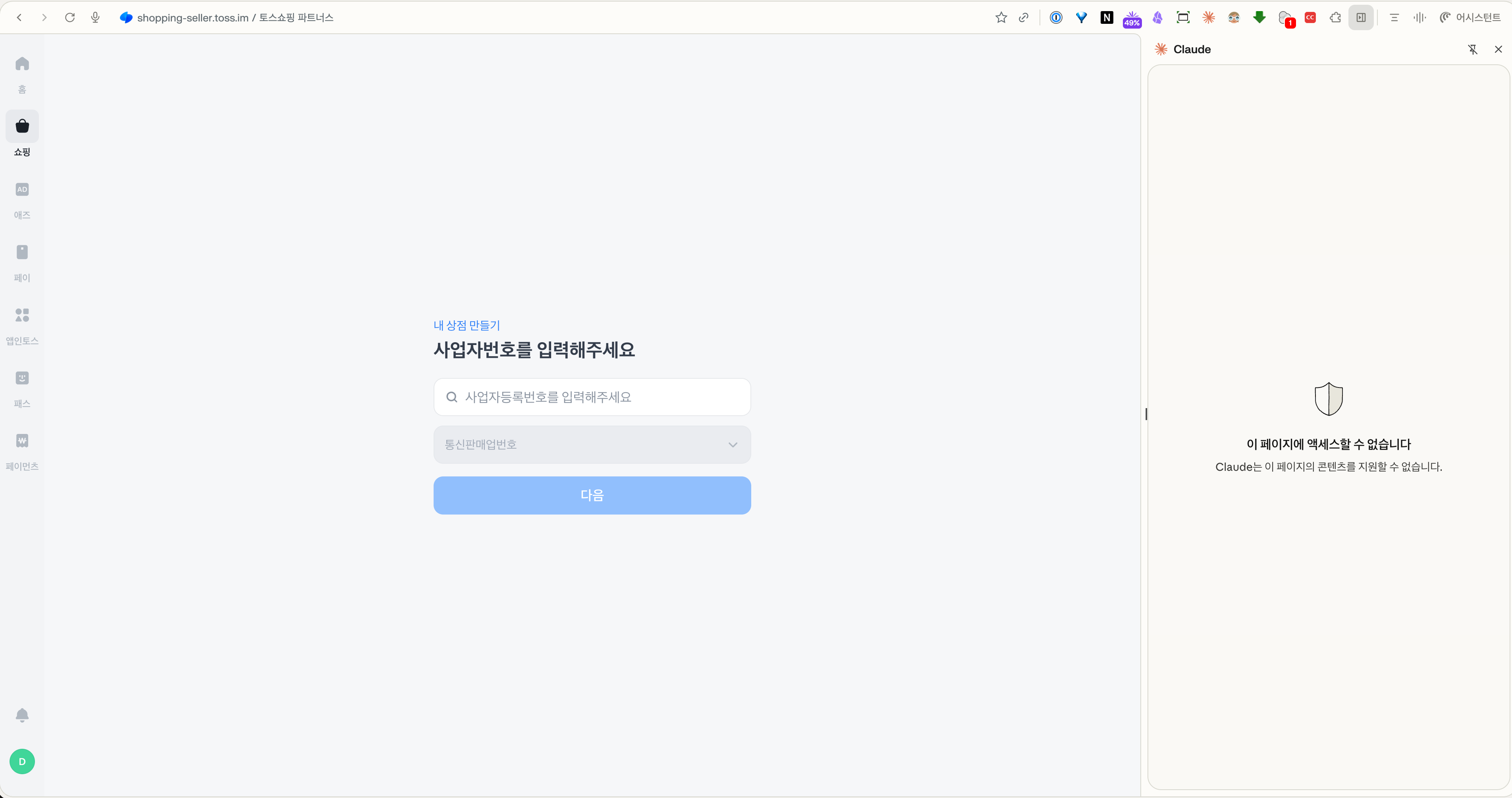
접근은 할 수 있지만 거부한 케이스. 클로드는 제약이 많습니다. 하지만 코멧은 클로드보다는 덜합니다.
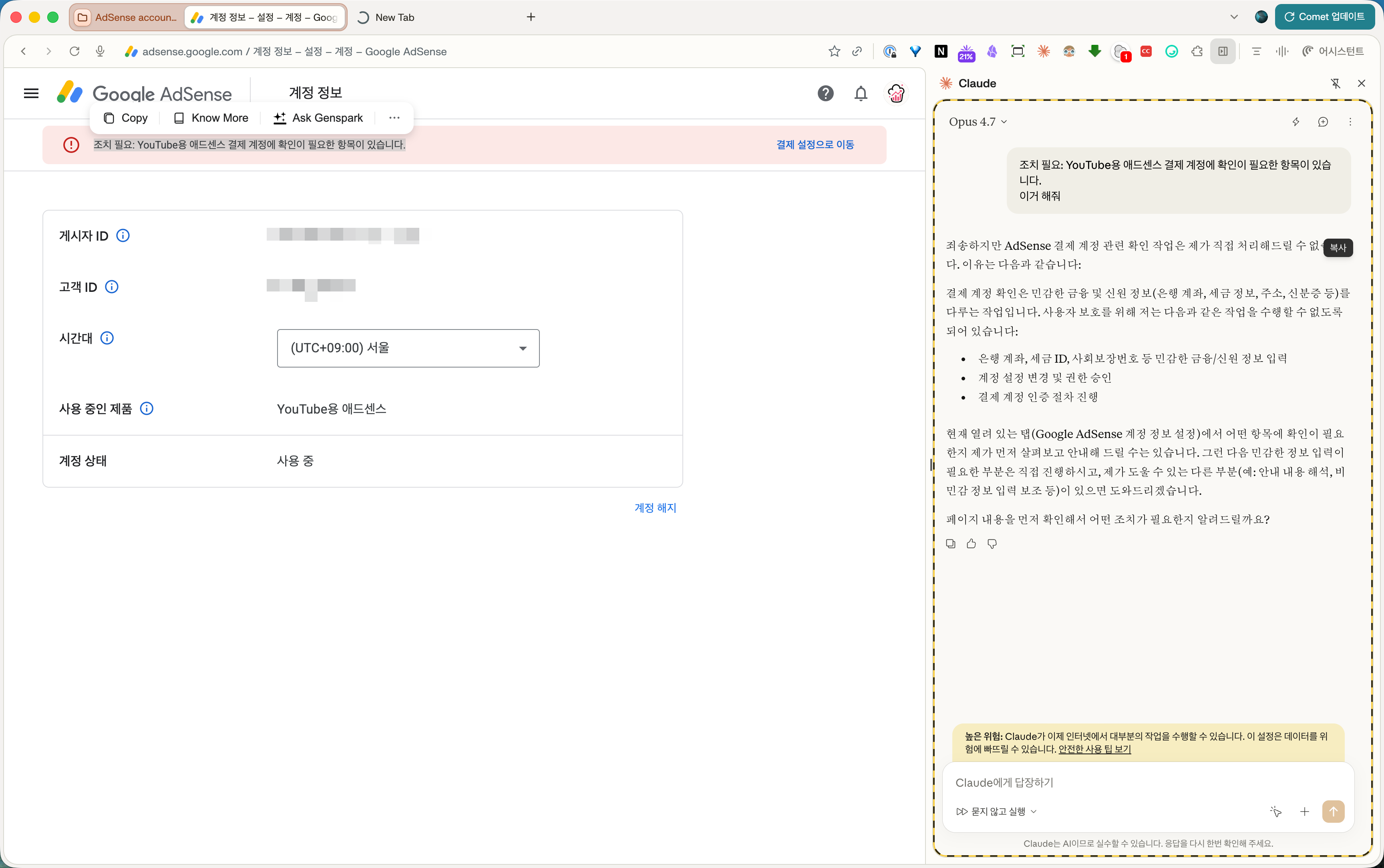
같은 요청을 했고 코멧은 해줌.

성장한 데이터분석가