
✅ Scope
: 웹 서버의 일정 영역
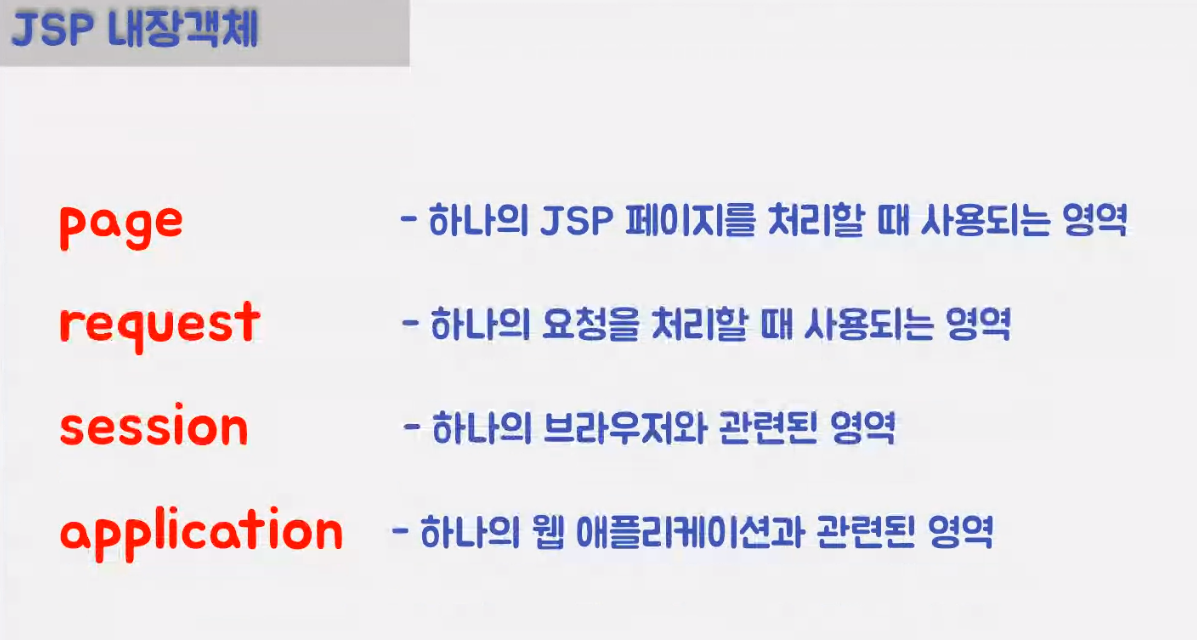
- page : jsp 하나의 페이지에서만 저장되는 영역
- request : 요청을 처리할 때 사용되는 영역
- session : 하나의 브라우저와 관련된 영역
- application : 웹 어플리케이션과 관련된 영역

[주요 속성]
.setAttribute(name, value);
.getAttribute(name);
.removeAttribute(name);
[사용해보기]
<!-- jsp ①-->
<body>
	<%
		// scope에 값 넣기
		pageContext.setAttribute("page", "OK");
		request.setAttribute("request", "OK");
		session.setAttribute("session", "OK");
		application.setAttribute("application", "OK");
	%>

	<%
		// scope 값 가져오기
		String result1 = (String)pageContext.getAttribute("page");
		String result2 = (String)request.getAttribute("request");
		String result3 = (String)session.getAttribute("session");
		String result4 = (String)application.getAttribute("application");
	%>
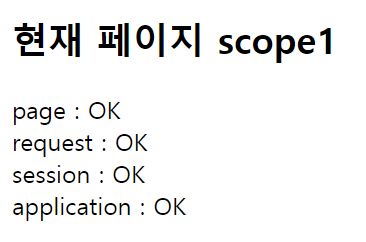
	<h2>현재 페이지 scope1</h2>
	<!--  scope값 웹페이지에 출력하기 -->
	page : <%= result1 %><br>
	request : <%= result2 %><br>
	session : <%= result3 %><br>
	application : <%= result4 %><br>
</body>
해당 페이지에선 모든 scope들의 값이 HTML로 출력된다.
💠 forward(ing)
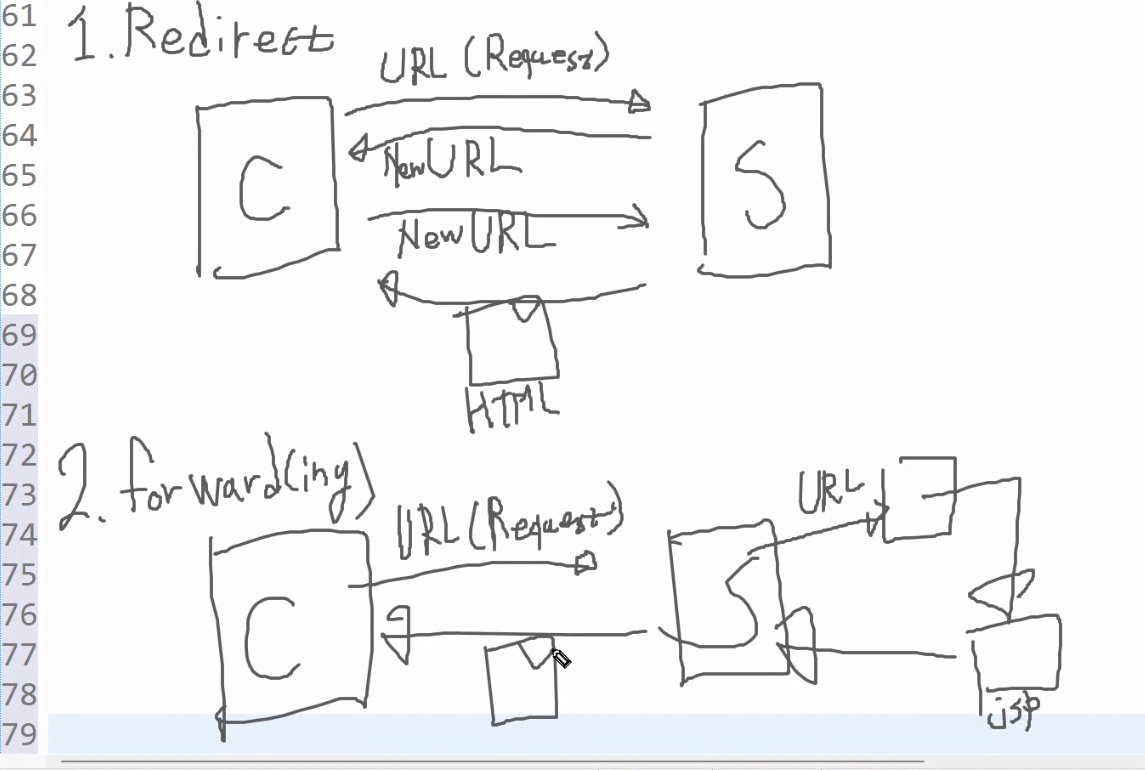
: Client가 새로운 페이지로 요청(이동)해야 할 때 Server가 해당 문서를 돌려주는 방식
RequestDispatcher: request 객체가 forwarding으로 하게 만들어 줌- RequestDispatcher rd = request.getRequestDispatcher(path);
path : 이동할 경로
[예시] ex01scope.jsp에 request영역 안에 저장한 데이터를 살려서 ex02scope.jsp로 request를 보내야 함
		RequestDispatcher rd = request.getRequestDispatcher("ex02scope.jsp");
		rd.forward(request, response);
<!-- jsp ②-->
<body>
<%
// scope 값 가져오기
String result1 = (String)pageContext.getAttribute("page");
String result2 = (String)request.getAttribute("request");
String result3 = (String)session.getAttribute("session");
String result4 = (String)application.getAttribute("application");
%>
<h2>현재 페이지 scope2</h2>
<!-- scope값 웹페이지에 출력하기 -->
page : <%= result1 %><br>
request : <%= result2 %><br>
session : <%= result3 %><br>
application : <%= result4 %><br>
</body>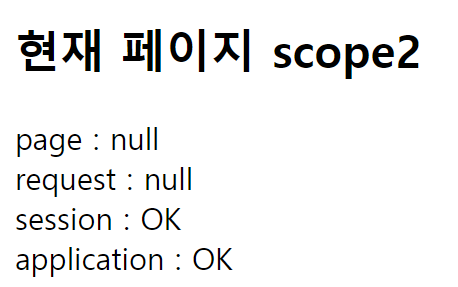

scope는 redirect랑 다르게 scope1 주소이지만 scope2 페이지를 준다!!
[Redirect와 forwarding 차이]
[실습] today 올리기

<!-- jsp -->
<body>
	<%
		application.setAttribute("today", "1"); // application의 값을 넣을 때는 문자열로 넣어야 한다.
		String today = (String)application.getAttribute("today");
		out.println("오늘 방문자 수 : " + today);
	%>
</body>
[실습] 방문자수 늘때마다 (새로고침) today수 올리기

<!-- jsp -->
<body>
	<%
		String today = (String)application.getAttribute("today");
		if (today == null){
			application.setAttribute("today", "1");
		} else {
			int todayInt = Integer.parseInt(today);
			todayInt++;
			application.setAttribute("today", todayInt + "");
		}
		out.println("오늘 방문자 수 : " + today);
	%>
</body>
Hello, World!