
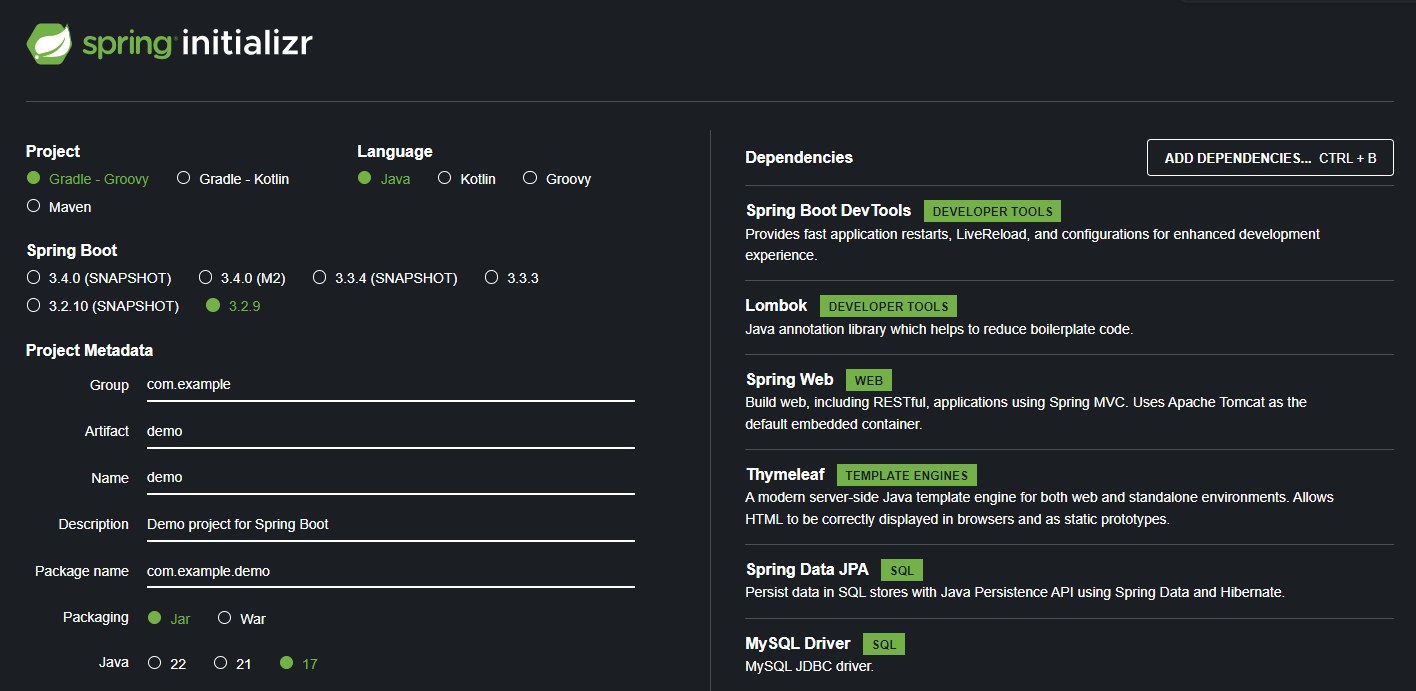
-> Artifact name으로 zip파일 생성됨
spring boot 생성 하여 IntelliJ에서 열기
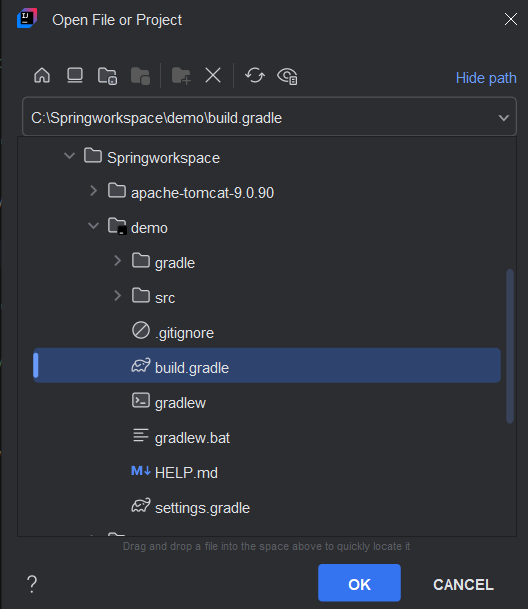
oepn file or project
기본 설정
application.properties
- 부트 설정파일
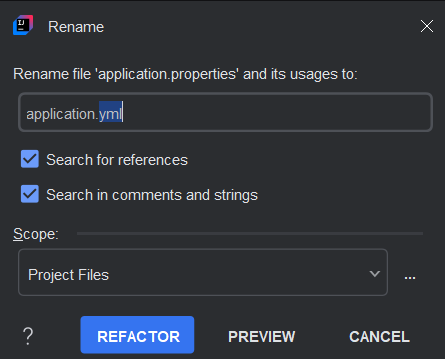
- properties -> yml로 변경
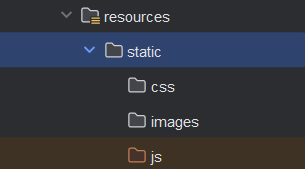
static
- 정적 폴더
js, css, images directory 생성해주기
templates
homl.html 생성해주기

home.html
<!DOCTYPE html>
<html lang="en" xmlns:th="http://www.thymeleaf.org">
<head>
    <meta charset="UTF-8">
    <title>home</title>
</head>
<body>
  Thymeleaf => JSTL, EL과 비슷
</body>
</html>
http://www.thymeleaf.org
Thymeleaf => JSTL, EL과 유사함
springboot는 독립 어플리케이션으로
main application이 springboot의 시작점이 된다.
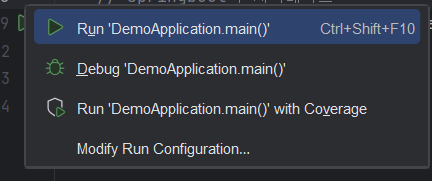
- RUN시 jpa오류, 내장된 tomcat 서버의 port(oracle:8080)중복 오류 발생
build.gradle
- jpa 오류 해결

application.yml
-
port 번호 변경
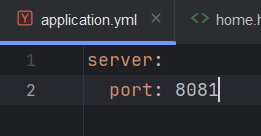
-
재시작시 무사히 연결

controller
- com.example.demo.controller 생성
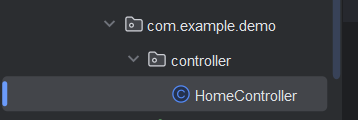
HomeController
package com.example.demo.controller;

import org.springframework.stereotype.Controller;
import org.springframework.web.bind.annotation.GetMapping;

@Controller
public class HomeController {
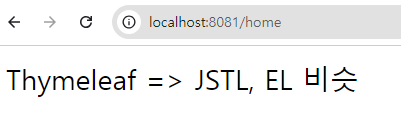
    // http://localhost:8081/home
    @GetMapping("/home")
    public String home(){
        return "home"; // home.html
    }
}
JDBC 설정
build.gradle
- jpa 사용위해 다시 살려준다
implementation 'org.springframework.boot:spring-boot-starter-data-jpa'application.yml
# JDBC 설정
spring:
  datasource:
    driver-class-name: com.mysql.cj.jdbc.Driver
    username: root
    password: 12345
    url: jdbc:mysql://localhost:3306/jpa

  jpa:
    database-platform: org.hibernate.dialect.MySQL8Dialect
    properties:
      hibernate:
        format_sql: 'true'
    hibernate:
      ddl-auto: create
      naming:
        physical-strategy: org.hibernate.boot.model.naming.PhysicalNamingStrategyStandardImpl
show-sql: 'true'- database-platform : 어떤 DB언어를 사용할 것인지
- dialect : MySQL8로 방언 지정
1) JDBC : JAVA+SQL
2) MyBatis : JAVA와 SQL 분리하여 API를 통해 MyBatis가 일함
3) JPA : API를 통해 SQL쿼리를 자동으로 만들어줌
- format_sql : 들여쓰기 적용하여 sql문 정리하여 보기
- ddl-auto : data definition language - auto
- create :
@entity가 붙어있는 class를 Table로 create해준다. - column 생성시 변수명이 자동으로 카멜 -> 스네이크 방식으로 변경되어 생성
- create :
- show-sql : 자동으로 만들어진 sql 보기
Book list 보기
entity package
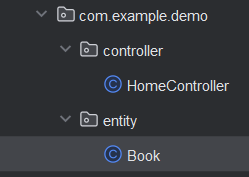
Book
package com.example.demo.entity;

import jakarta.persistence.*;
import lombok.AllArgsConstructor;
import lombok.Getter;
import lombok.NoArgsConstructor;
import lombok.Setter;

@Setter
@Getter
@NoArgsConstructor
@AllArgsConstructor
@Entity // JPA API -> create table book
// JPA API(엔진 : Hibernate)
// Object -> table Mapping : ORM -> SQL 생성
public class Book {
    @Id // PK
    @GeneratedValue(strategy = GenerationType.IDENTITY) // 자동증가컬럼
    private Long id;

    // name=DB명칭 설정할 수 있다, unique=중복, nullable=null여부, length = default 255
    @Column(name = "title", unique = true, nullable = false, length = 40)
    private String title;
    private int price;
    private String author;
    private int page;
}- 실행시 JPA가 알아서 TABLE을 생성해줬다.
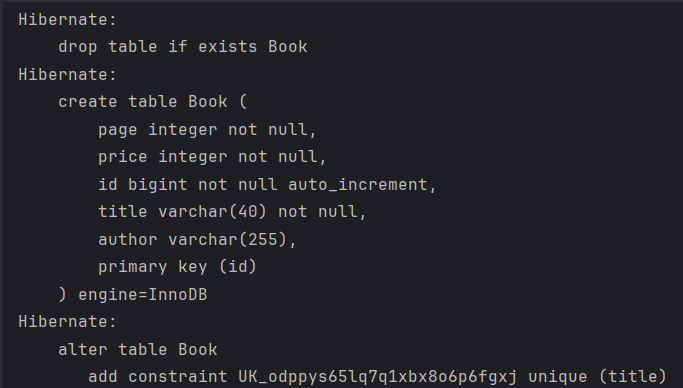
repositoty package

BookRepository
package com.example.demo.repository;

import com.example.demo.entity.Book;
import org.springframework.data.jpa.repository.JpaRepository;
import org.springframework.stereotype.Repository;

import java.util.List;
// jpa api
@Repository
public interface BookRepository extends JpaRepository<Book, Long> {
    // JpaRepository가 이미 만들어 놔서 상속 받으면 됨..
    // entity(table 정보)와 pk의 자료형 적어주어야 함
    // 그걸 보고 구현해준다....?
}
/*
  public class EntityManager implements BookRepository{
        // JDBC
        public List<Book> findAll(){
            1. SQL(JPQL:사용자정의SQL) : select * from Book(Table명 Entity명이므로 대소문자 주의)
            2. Book
            3. List
        }
  }
 */
service package

BookService
- findAll을 Repository에서 따로 생성해주지 않아도 JPA가 만들었기 때문에 사용 가능하다
package com.example.demo.service;

import com.example.demo.entity.Book;
import com.example.demo.repository.BookRepository;
import lombok.RequiredArgsConstructor;
import org.springframework.stereotype.Service;

import java.util.List;

@Service
@RequiredArgsConstructor
public class BookService {

    private final BookRepository bookRepository;
    public List<Book> findAll(){
        return bookRepository.findAll(); // select * from Book : JPQL
    }
}
HomeController
package com.example.demo.controller;

import com.example.demo.entity.Book;
import com.example.demo.service.BookService;
import lombok.RequiredArgsConstructor;
import org.springframework.stereotype.Controller;
import org.springframework.ui.Model;
import org.springframework.web.bind.annotation.GetMapping;

import java.util.List;

@Controller
@RequiredArgsConstructor
public class HomeController {

    private final BookService bookService;

    @GetMapping("/list")
    public String findAll(Model model){
        List<Book> books=bookService.findAll();
        model.addAttribute("books", books);
        return "list"; // list.html
    }
}
application.yml
- table 생성 후에는 ddl-auto
create->update변경해주어야 한다.
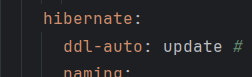
list.html
<!DOCTYPE html>
<html lang="en" xmlns:th="http://www.thymeleaf.org">
<head>
    <meta charset="UTF-8">
    <title>list</title>
</head>
<body>
  <h3>Spring Boot, JPA, Thymeleaf</h3>
  <table border="1">
      <tr>
          <th>번호</th>
          <th>제목</th>
          <th>가격</th>
          <th>저자</th>
          <th>페이지</th>
      </tr>
      <tr th:each="book:${books}">
          <td th:text="${book.id}">ID</td>
          <td th:text="${book.title}">TITLE</td>
          <td th:text="${book.price}">PRICE</td>
          <td th:text="${book.author}">AUTHOR</td>
          <td th:text="${book.page}">PAGE</td>
      </tr>
  </table>
</body>
</html>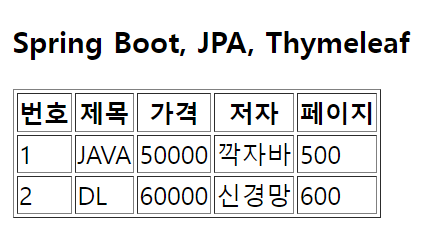
책 삭제
list.html
- 버튼 생성, script 생성
<!DOCTYPE html>
<html lang="en" xmlns:th="http://www.thymeleaf.org">
<head>
    <meta charset="UTF-8">
    <title>list</title>
    <script>
        function goDel(id){
            console.log(id);
            location.href="/delete/"+id;
        }
    </script>
</head>
<body>
  <h3>Spring Boot, JPA, Thymeleaf</h3>
  <table border="1">
      <tr>
          <th>번호</th>
          <th>제목</th>
          <th>가격</th>
          <th>저자</th>
          <th>페이지</th>
          <th>삭제</th>
      </tr>
      <tr th:each="book:${books}">
          <td th:text="${book.id}">ID</td>
          <td th:text="${book.title}">TITLE</td>
          <td th:text="${book.price}">PRICE</td>
          <td th:text="${book.author}">AUTHOR</td>
          <td th:text="${book.page}">PAGE</td>
          <td><button th:onclick="goDel([[${book.id}]])">삭제</button></td>
      </tr>
  </table>
</body>
</html>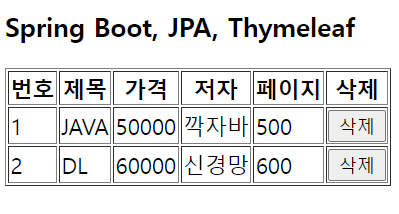
BookService
    public void deleteById(Long id){
        bookRepository.deleteById(id); // delete from Book b where b.id=?1
    }
HomeController
    @GetMapping("/delete/{id}")
    public String deleteById(@PathVariable Long id){
        bookService.deleteById(id);
        return "redirect:/list";
}-
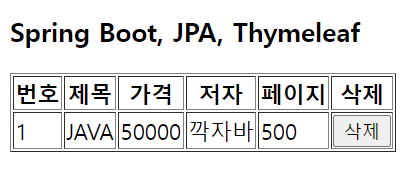
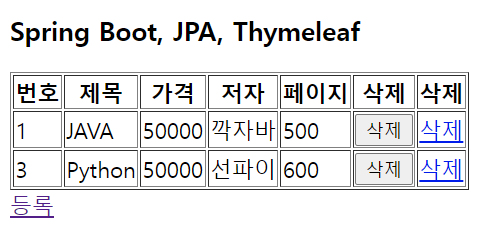
2번 책 삭제 버튼 클릭
-
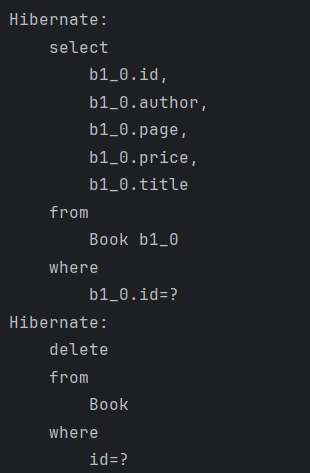
해당 책을 select하여 있는지 확인하고 delete 시행됨
-
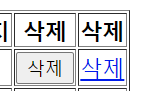
a태그로 삭제 버튼 만듦

책 등록
list.html

HomeController
    // 책 등록 화면 이동
    @GetMapping("/register")
    public String register(){
        return "register"; // register.html
    }
register.html
- 새로 생성
<!DOCTYPE html>
<html lang="en" xmlns:th="http://www.thymeleaf.org">
<head>
    <meta charset="UTF-8">
    <title>register</title>
</head>
<body>
<h3>책 등록 화면</h3>
  <form th:action="@{/register}" method="post">
      <table>
          <tr>
              <td>제목</td>
              <td><input type="text" name="title"/></td>
          </tr>
          <tr>
              <td>가격</td>
              <td><input type="number" name="price"/></td>
          </tr>
          <tr>
              <td>저자</td>
              <td><input type="text" name="author"/></td>
          </tr>
          <tr>
              <td>페이지</td>
              <td><input type="number" name="page"/></td>
          </tr>
          <tr>
              <td colspan="2">
                  <button type="submit">등록</button>
                  <button type="reset">취소</button>
              </td>
          </tr>
      </table>
  </form>
</body>
</html>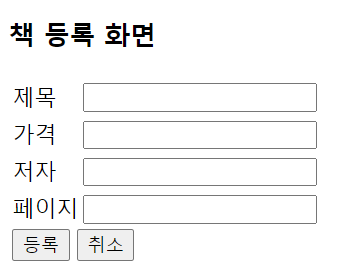
BookService
    public Book save(Book book){
        return bookRepository.save(book); // insert into Book
    }
HomeController
    // 책 등록
    @PostMapping("/register")
    public String register(Book book){
        bookService.save(book);
        return "redirect:/list";
    }
책 상세보기
list.html
- 제목 눌렀을 때 상세보기 페이지로 이동할 수 있도록 a태그로 연결

<td><a th:href="@{/detail/{id}(id=${book.id})}" th:text="${book.title}">TITLE</a></td>BookService
    public Book findById(Long id){
        Optional<Book> optional = bookRepository.findById(id);
        if(optional.isPresent()){
            return optional.get();
        } else {
            throw new RuntimeException("Book not found with id" + id);
        }
    }
HomeController
    // 책 상세보기
    @GetMapping("/detail/{id}")
    public String detail(@PathVariable Long id, Model model){
        Book book = bookService.findById(id);
        model.addAttribute("book", book);
        return "detail"; // detail.html
    }
detail.html
<!DOCTYPE html>
<html lang="en" xmlns:th="http://www.thymeleaf.org">
<head>
    <meta charset="UTF-8">
    <title>detail</title>
</head>
<body>
  <h3>책 상세보기</h3>
  <table border="1">
      <tr>
          <td>번호</td>
          <td th:text="${book.id}">ID</td>
      </tr>
      <tr>
          <td>제목</td>
          <td th:text="${book.title}">TITLE</td>
      </tr>
      <tr>
          <td>가격</td>
          <td th:text="${book.price}">PRICE</td>
      </tr>
      <tr>
          <td>저자</td>
          <td th:text="${book.author}">AUTHOR</td>
      </tr>
      <tr>
          <td>페이지</td>
          <td th:text="${book.page}">PAGE</td>
      </tr>
      <tr>
          <td colspan="2">
              <a th:href="@{/list}">목록</a>
              <a th:href="@{/modify/{id}(id=${book.id})}">수정</a>
              <a th:href="@{/delete/{id}(id=${book.id})}">삭제</a>
          </td>
      </tr>
  </table>
</body>
</html>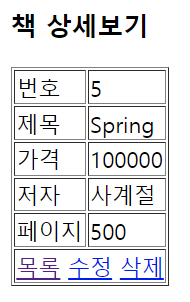

Hello, World!