
⛺ Gatsby
1. Gatsby란?
- React 기반의 정적 사이트 생성 프레임워크 (JAM Stack 기반)
1-1. 🧇Jamstack이 뭐지?
Jamstack은 웹을 더 빠르고, 더 안전하고, 더 쉽게 확장할 수 있도록 설계된 아키텍처입니다.
Jam은 Javascript , Markup , Api의 앞글자를 하나씩 따왔습니다.
- Pre-rendering : 최적화된 정적 페이지로 사전 구축됩니다.
- Enhancing with JavaScript : 마크업된 html을 CDN을 통해 빠르게 캐싱합니다.
- Supercharging with services : API를 통해 데이터를 호출하여 어플리케이션을 구축합니다.
정리하면, Jamstack은 HTML을 빌드하고 Pre-rendering하여 캐싱후, CDN을 통해 제공하는 것입니다.
1-2. 🥑[SSG] Static Site Generators (정적 사이트 생성기)
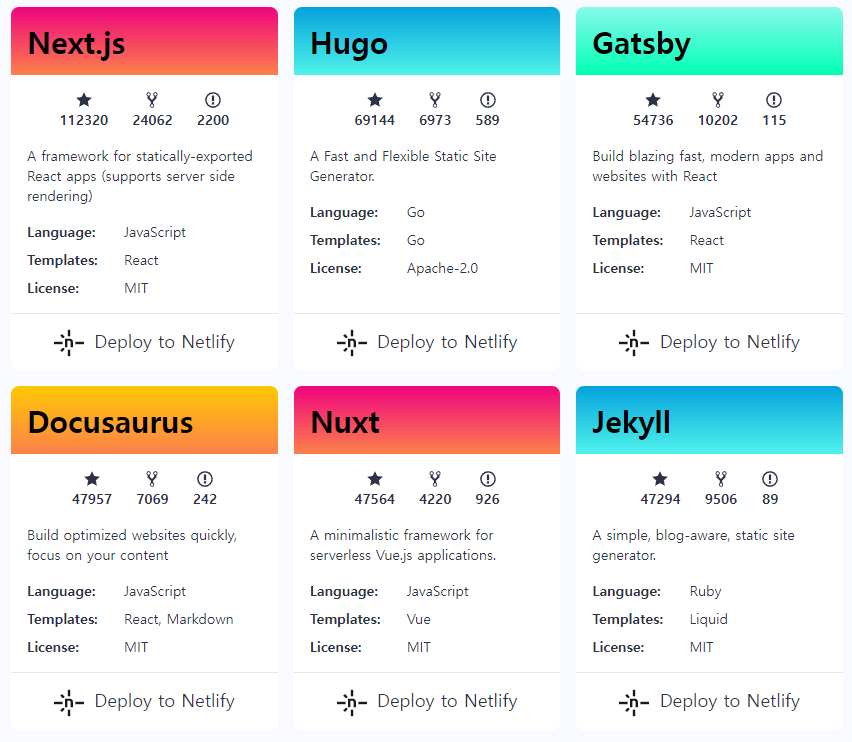
"Jamstack 사이트용 정적 사이트 생성기 목록 (출처: https://www.gatsbyjs.com)"
Next.js: Javascript/ReactGatsby: Javascript/ReactHugo: GoJekyll: Ruby/LiquidNuxt: Javascript/Vue
Jamstack site에서 다양한 마크업을 찾아볼 수 있습니다.
2. Gatsby 시작하기!
2-1. ⛳Gatsby 프로젝트 생성하기
npm install -g gatsby-cli (gatsby CLI 전역설치)
gatsby new (구축)
gatsby --version (버전 확인)
cd my-gatsby-site (프로젝트명 폴더)
npm run develop 또는 npm run start (로컬 개발 서버를 시작)-
gatsby new: 이 명령은 구축하려는 사이트에 대해 질문하는 대화형 프롬프트를 표시합니다. 타입스크립트를 선택해서 시작 할수 있습니다. -
개발서버가 준비되면 로컬호스트
http://localhost:8000주소로 이동합니다. -
gatsby new로 구축할 때 문제가 있다면npm init gatsby를 대신 사용합니다.
2-2. Typescript 설치하기
만약, 나중에 타입스크립트로 변경하려면 따로 설치해주어야 합니다.
yarn add -D typescript
yarn add gatsby-plugin-typescript

yarn add typescript @types/node @types/react @types/react-dom @types/jest
2-3. GitHub repo 연결하기
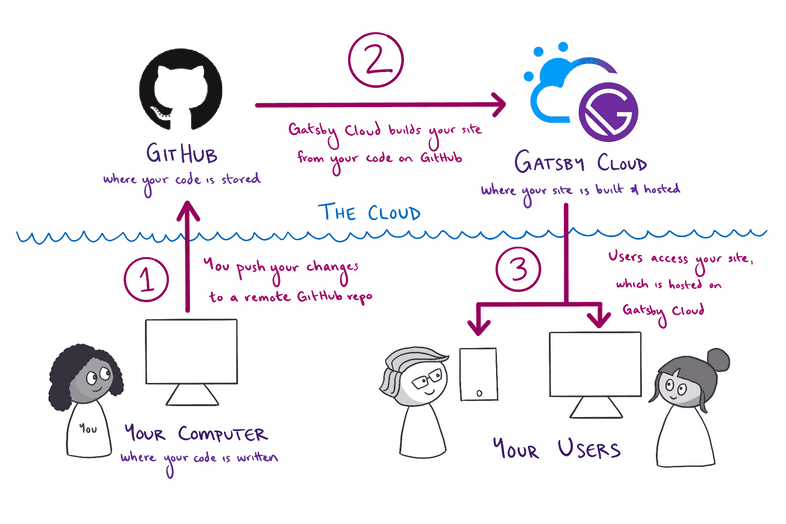
- GitHub 에서 새로운 저장소를 생성하고 푸쉬합니다.
git remote add origin https://github.com/YOUR_GITHUB_USERNAME/YOUR_GITHUB_REPO_NAME.git
git branch -M main
git push -u origin main
3. 🕹️Pages 만들기
💡Key Gatsby Concept
Gatsby는
src/pages디렉토리에 있는 파일의 React 컴포넌트를 내보내 자동으로 페이지를 생성합니다.사용자가 실제로 존재하지 않는 페이지의 URL을 방문하려고 하면 Gatsby는 오류 대신
src/pages/404.js페이지를 표시합니다. 한번 시도해 보세요! (시도하려면 localhost:8000 에서 'Preview custom 404 page' 버튼을 클릭해야 합니다.)
3-1. About page 생성하기
: 사이트에 페이지를 만드려면 pages의 폴더 아래에 js/jsx/tsx를 리턴하는 파일을 만들면 됩니다.
/src/pages/about.js 를 만들면 localhost:8000/about 에서 about page를 볼 수 있습니다.
/* src/pages/about.js */

import * as React from 'react'

const AboutPage = () => {
  return (
    <main>
      <h1>About Me</h1>
      <p>Hi there! I'm the proud creator of this site, which I built with Gatsby.</p>
    </main>
  )
}

export default AboutPage
3-2. 👑HEAD API
: Gatsby Head API를 사용하면 <title> 및 메타데이터를 정의할 수 있습니다.
페이지 내에 Head 컴포넌트를 호출하여 내보내면 됩니다.
/* src/pages/about.js */
import * as React from 'react'

const AboutPage = () => {
  return (
    <main>
      <h1>About Me</h1>
      <p>Hi there! I'm the proud creator of this site, which I built with Gatsby.</p>
    </main>
  )
}

export const Head = () =>
	<>
    	<title>About Me</title>
    	<meta name="description" content="Your description" />
 	</>

export default AboutPage
3-3. 🚩Site Metadata 작성하기
gatsby-config 파일에 사이트의 메타데이터를 작성합니다.
/* gatsby-config.js */
module.exports = {
  siteMetadata: {
    title: `Using Gatsby Head`,
    description: `Example project for the Gatsby Head API`,
    twitterUsername: `@gatsbyjs`,
    image: `/gatsby-icon.png`,
    siteUrl: `https://www.yourdomain.tld`,
  },
}
4. Link component 사용하기
<Link>를 사용하면 Gatsby 사이트의 다른 페이지에 대한 링크를 추가할 수 있습니다.
- Gatsby의 Link 컴포넌트는 preloading을 제공합니다. 이는 링크가 스크롤되어 표시되거나 마우스가 링크 위에 있을 때 링크된 페이지에 대한 리소스가 요청된다는 것을 의미합니다.
- 이렇게 하면 사용자가 실제로 링크를 클릭할 때 새 페이지가 매우 빠르게 로드될 수 있습니다.
4-1. Link component 만들기
/* src/pages/index.js */
import * as React from 'react'
import { Link } from 'gatsby'

const IndexPage = () => {
  return (
    <main>
      <h1>Welcome to my Gatsby site!</h1>
      <Link to="/about">About</Link>
      <p>I'm making this by following the Gatsby Tutorial.</p>
    </main>
  )
}
export const Head = () => <title>Home Page</title>
export default IndexPage
4-2. 재사용 가능한 Layout component 만들기
여러 페이지에서 재사용할 수 있도록 모든 공유 요소를 그룹화하는 하나의 공통
Layout component를 만드는 것이 좋습니다.
- 이렇게 하면 레이아웃을 업데이트해야 할 때
한 곳에서 변경할 수 있으며 해당 컴포넌트를 사용하는모든 페이지에자동으로 적용됩니다.
src/components/layout.js를 만듭니다.
레이아웃 컴포넌트는 (pageTitle prop에서) 동적 제목, 네비게이션 링크의 목록 및 children prop와 함께 전달된 내용을 렌더링합니다. 접근성을 향상시키기 위해 페이지별 구성요소(<h1> 제목 및 children의 컨텐츠)를 래핑하는 <main> 요소도 있습니다.
/* src/components/layout.js */
import * as React from 'react'
import { Link } from 'gatsby'

const Layout = ({ pageTitle, children }) => {
  return (
    <div>
      <nav>
        <ul>
          <li><Link to="/">Home</Link></li>
          <li><Link to="/about">About</Link></li>
        </ul>
      </nav>
      <main>
        <h1>{pageTitle}</h1>
        {children}
      </main>
    </div>
  )
}

export default Layout
✨Update component
이전 섹션에서 추가한 하드코딩된 Link 컴포넌트를 Layout 컴포넌트를 사용해서 업데이트 합니다.
- 홈페이지
/* src/pages/index.js */
import * as React from 'react'
import Layout from '../components/layout'

const IndexPage = () => {
  return (
    <Layout pageTitle="Home Page">
      <p>I'm making this by following the Gatsby Tutorial.</p>
    </Layout>
  )
}

export const Head = () => <title>Home Page</title>

export default IndexPage- About Page
/* src/pages/about.js */
import * as React from 'react'
import Layout from '../components/layout'

const AboutPage = () => {
  return (
    <Layout pageTitle="About Me">
      <p>Hi there! I'm the proud creator of this site, which I built with Gatsby.</p>
    </Layout>
  )
}

export const Head = () => <title>About Me</title>

export default AboutPage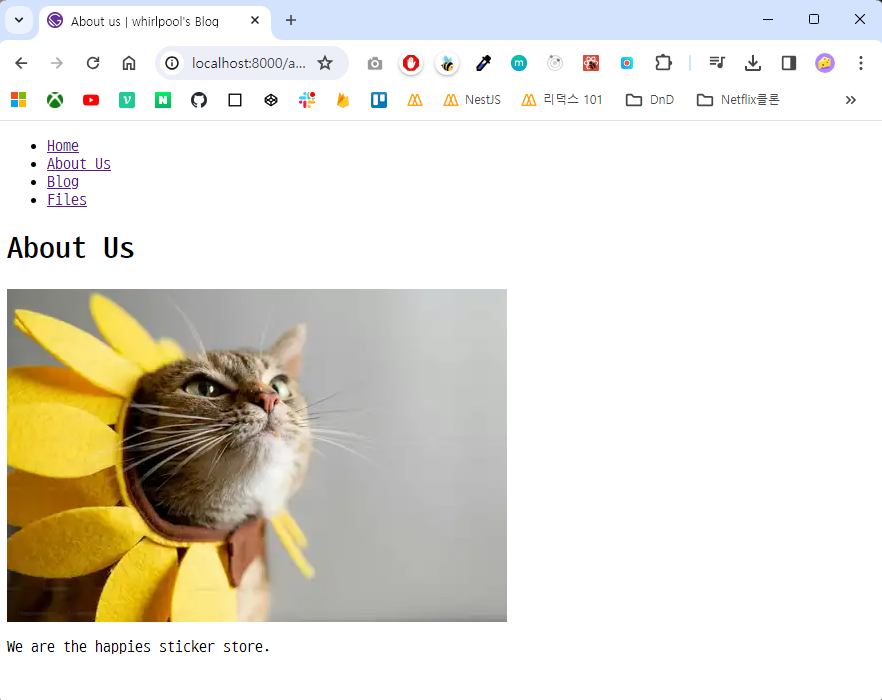
참조문서 :
[[React] Gatsby 찍먹해보기 - 설치부터 배포까지]
[Gatsby 홈페이지 - docs/tutorial]