가. 입력 양식 태그
→ 입력 양식이란? 사용자에게 정보를 입력받는 요소
1. 입력 양식 개요
• form 태그는 method 속성의 방식으로 action 속성 장소에 데이터를 전달한다.
<form action="전송 위치" method="전송 방식">
</form>
2. 입력 양식 종류
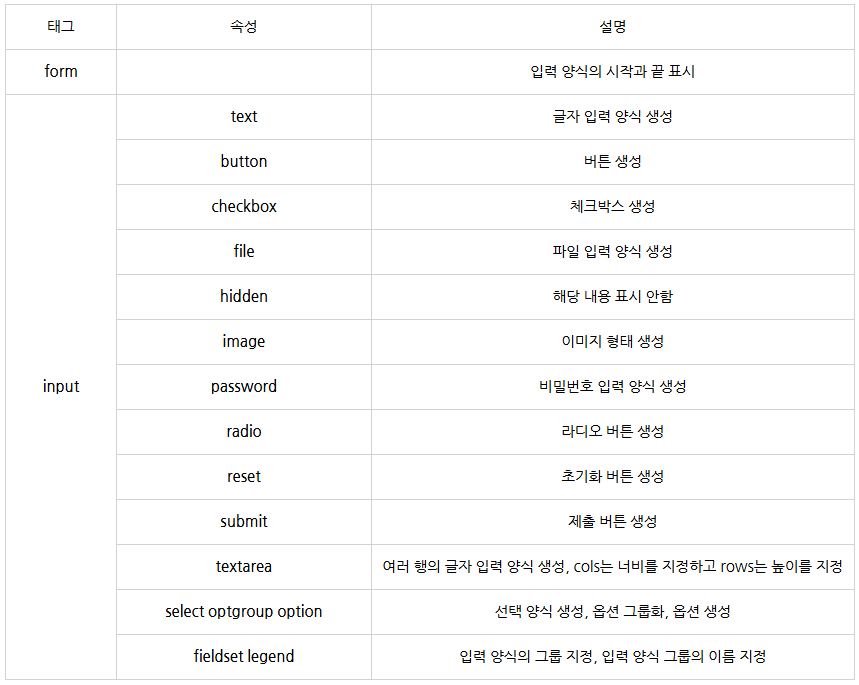
• 기본 입력 양식 태그
<!--<input type(속성)="text(속성 값)"-->
<!DOCTYPE html>
<html>
<head>
    <title>HTML5 Basic</title>
</head>
<body>
    <form>
        <!-- 사용자가 입력하는 입력 양식-->
        <input type="text" name="text" value="text"><br>
        <input type="password" name="password" value="password"><br>
        <input type="file" name="file" value="file"><br>
        <input type="checkbox" name="checkbox" value="checkbox"><br>
        <input type="radio" name="radio" value="radio"><br>

        <!-- 보이지 않는 입력 양식-->
        <input type="hidden" name="hidden" value="hidden"><br>

        <!-- 버튼 -->
        <input type="button" name="button" value="button"><br>
        <input type="reset" name="reset" value="reset"><br>
        <input type="submit" name="submit" value="submit"><br>
        <input type="image" src="http://via.placeholder.com/100x100">
    </form>
</body>
</html>
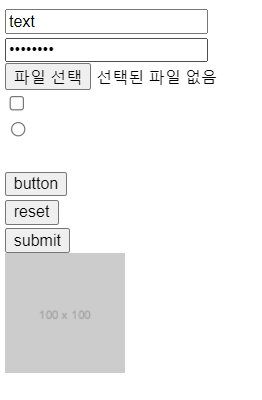
→ input 태그에 type 속성을 지정해서 다양한 종류의 기본 입력 양식을 생성할 수 있다.
• 간단한 입력 양식 생성
<body>
    <form>
        <table>
            <tr>
                <td><label for="username">이름</label></td>
                <td><input id="username" type="text" name="username"></td>
            </tr>
            <tr>
                <td>성별</td>
                <td>
                    <!-- radio 버튼은 name 속성을 같게 입력해야 여러 항목 중 하나만 선택됩니다.-->
                    <input id="man" type="radio" name="gender" value="m">
                    <label for="man">남자</label>
                    <input id="woman" type="radio" name="gender" value="w">
                    <label for="woman">여자</label>
                </td>
            </tr>
        </table>
        <input type="submit" value="가입">
    </form>
</body>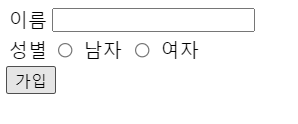
• 선택 가능한 입력 양식
<body>
    <!-- 한 항목만 선택하기 -->
    <select>
        <option>김밥</option>
        <option>떡볶이</option>
        <option>순대</option>
        <option>어묵</option>
    </select>
</body>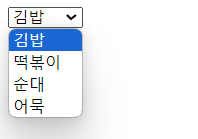
<body>
    <!-- 여러 항목 선택하기 -->
    <select multiple="multiple">
        <option>김밥</option>
        <option>떡볶이</option>
        <option>순대</option>
        <option>어묵</option>
    </select>
</body>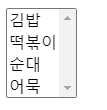
<body>
    <!-- 선택 옵션 묶기 -->
    <select>
        <optgroup label="HTML5">
            <option>Multimedia Tag</option>
            <option>Connectivity</option>
            <option>Device Access</option>
        </optgroup>
        <optgroup label="CSS3">
            <option>Animation</option>
            <option>3D Transform</option>
        </optgroup>
    </select>
</body>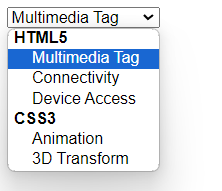
<body>
    <fieldset>
        <legend>입력 양식</legend>
        <table>
            <tr>
                <td><label for="name">이름</label></td>
                <td><input id="name" type="text"></td>
            </tr>
            <tr>
                <td><label for="name">이메일</label></td>
                <td><input id="mail" type="email"></td>
            </tr>
        </table>
        <input type="submit">
    </fieldset>
</body>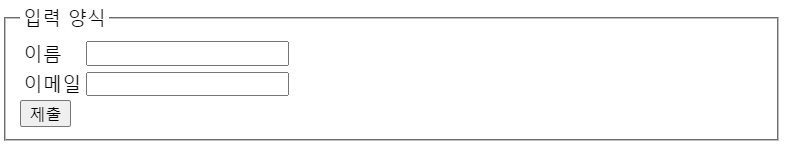
※ textarea 주의 사항
→ 글자를 여러 줄 입력할 때 사용하는 textarea 태그를 정렬하려고 다음과 같은 코드로 작성하는 경우가 많다.
<body>
    <textarea>
        Textarea 태그
        Textarea 태그
    </textarea>
</body>
그러나, 위의 코드처럼 입력하면 왼쪽의 들여쓰기가 입력 양식 내부에 출력된다. 따라서 다음과 같이 작성해야 한다.
<body>
    <textarea>Textarea 태그
Textarea 태그</textarea>
</body>
나. HTML5 문서 구조화
1. 공간 분할 태그
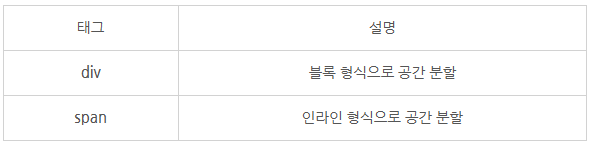
• 공간을 블록 형식으로 분할하기
<!-- 사용 플랫폼에 따라 행이 바뀌기 때문에 -->
<body>
    <div>div 태그 - block 형식</div>
    <div>div 태그 - block 형식</div>
    <div>div 태그 - block 형식</div>
    <div>div 태그 - block 형식</div>
    <div>div 태그 - block 형식</div>
</body>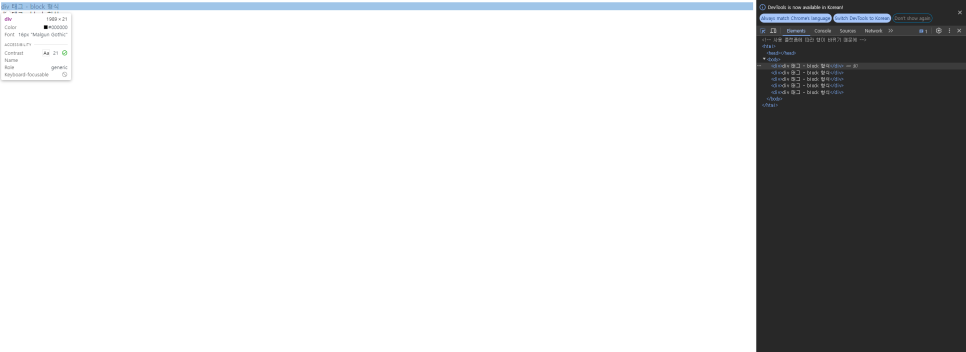
• 공간을 인라인 형식으로 분할하기
<!-- 왼쪽에서 오른쪽으로 쌓임 -->
<body>
    <span>span 태그 - inline 형식</span>
    <span>span 태그 - inline 형식</span>
    <span>span 태그 - inline 형식</span>
    <span>span 태그 - inline 형식</span>
    <span>span 태그 - inline 형식</span>
</body>
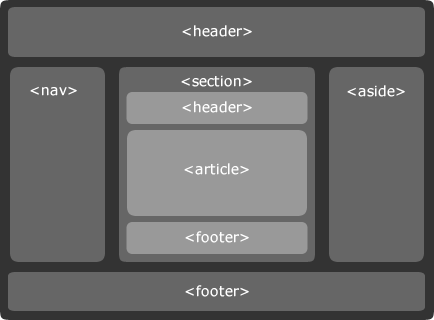
2. 시맨틱 태그
→ 시맨틱 웹은 컴퓨터 프로그램이 코드를 읽고 의미를 인식할 수 있는 지능형 웹을 의미함.
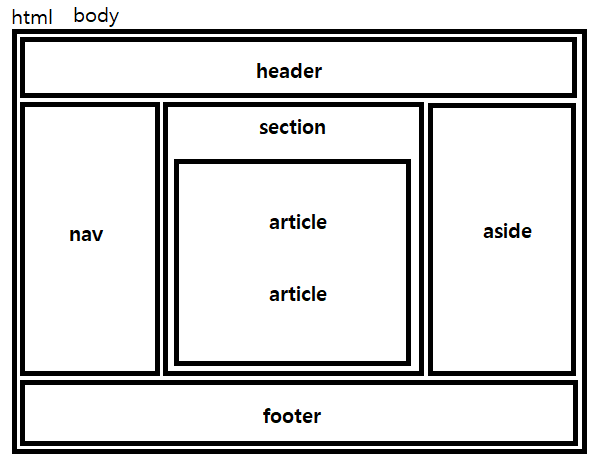
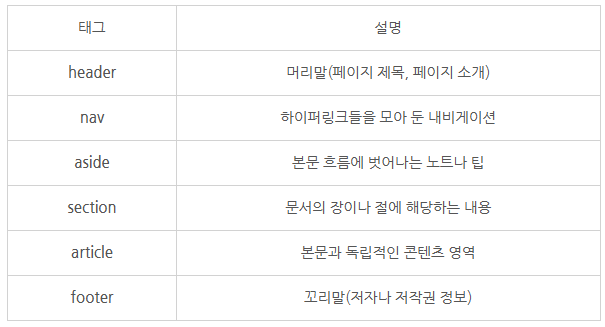
<body>
    <div>
        <h1>HTML5 기본</h1>
    </div>
    <div>
        <ul>
            <li><a href="#">메뉴 - 1</a></li>
            <li><a href="#">메뉴 - 2</a></li>
            <li><a href="#">메뉴 - 3</a></li>
        </ul>
    </div>
    <div>
        <h1>Lorem ipsum dolor sit amet</h1>
        <p>Lorem ipsum dolor sit amet, consectetur adipiscing elit.</p>
    </div>
    <div>
        <h1>Lorem ipsum dolor sit amet</h1>
        <p>Lorem ipsum dolor sit amet, consectetur adipiscing elit.</p>
    </div>
    </div>
    <div>
        <span>서울특별시 강서구 내발산동</span>
    </div>
</body>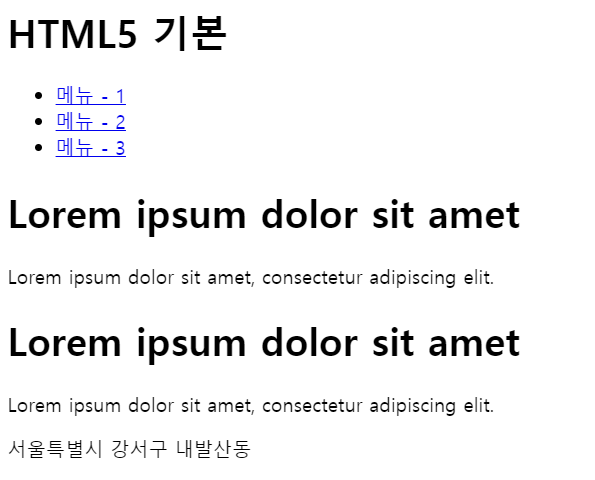

결과 화면도 있어서 이해가 쉽네요!! 잘 보고 갑니다~