📕 문제
- 주어진 데이터를 확인합니다.
const menuItems = [
    { name: '비빔밥', description: '밥 위에 나물, 고기, 고추장 등을 얹고 비벼 먹는 한국 요리' },
    { name: '김치찌개', description: '김치와 돼지고기 등을 넣고 끓인 한국의 찌개 요리' },
    { name: '불고기', description: '양념한 고기를 구워서 먹는 한국 요리' },
    { name: '떡볶이', description: '떡과 어묵을 고추장 양념에 볶아 만든 한국의 간식' },
    { name: '잡채', description: '당면과 여러 채소, 고기를 볶아 만든 한국 요리' }
];- 배열 메서드로 데이터를 화면에 표시합니다.
- CSS로 간단한 스타일을 적용합니다.
- 객체의 속성을 추가 해봅니다.(e.g. 가격, 카테고리 등)
filter를 사용하여 설명에 “고기”가 포함된 메뉴 항목만 화면에 노출시킵니다.
🤔 고민과정
- HTML은 어떻게 넣을까?
▶innerHTML를 사용해서 HTML구조를 문자열로 생성하여 한번에 삽입한다.
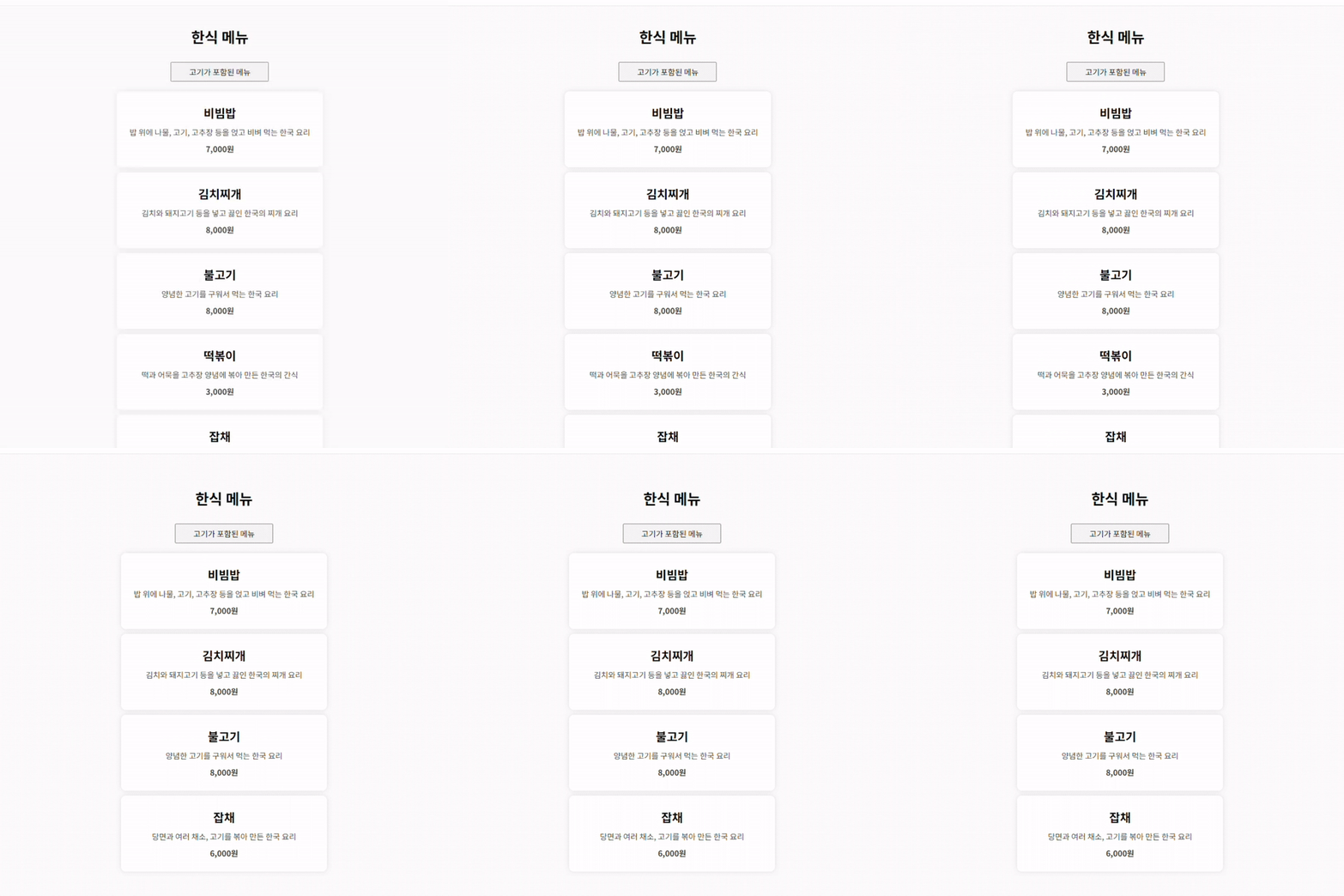
✅ 결과물
'고기가 포함된 메뉴'버튼 클릭시 고기포함 메뉴만 렌더링됩니다.
<!DOCTYPE html>
<html lang="en">

<head>
    <meta charset="UTF-8">
    <meta name="viewport" content="width=device-width, initial-scale=1.0">
    <title>한식 메뉴</title>
    <link rel="preconnect" href="https://fonts.googleapis.com">
    <link rel="preconnect" href="https://fonts.gstatic.com" crossorigin>
    <link href="https://fonts.googleapis.com/css2?family=Noto+Sans+KR:wght@100..900&display=swap" rel="stylesheet">
    <style>
        * {
            font-family: "Noto Sans KR", sans-serif;
            box-sizing: border-box;
        }

        body {
            min-height: 100vh;
            display: flex;
            justify-content: center;
            align-items: center;
            margin: 0;
            padding: 40px 20px;
            background-color: #f6f6f6;
        }

        ul {
            margin: 0;
            padding: 0;
            list-style: none;
        }

        .tit {
            font-size: 30px;
            text-align: center;
            margin: 0 0 30px;
        }

        .menu-item {
            text-align: center;
            padding: 26px;
            margin: 10px 0 0;
            border-radius: 10px;
            background-color: #fff;
            box-shadow: 0 0 10px rgba(0, 0, 0, 0.1);
        }

        .menu-item__tit {
            font-size: 24px;
            margin: 0;
        }

        .menu-item__txt {
            font-size: 16px;
            color: #333;
            margin: 10px 0 0;
        }

        .btn-wrap {
            text-align: center;
            margin-bottom: 20px;
        }

        .btn {
            width: 200px;
            height: 40px;
            font-size: 16px;
            cursor: pointer;
        }
    </style>

    <script>
        const menuItems = [
            { name: '비빔밥', description: '밥 위에 나물, 고기, 고추장 등을 얹고 비벼 먹는 한국 요리', price: '7,000원' },
            { name: '김치찌개', description: '김치와 돼지고기 등을 넣고 끓인 한국의 찌개 요리', price: '8,000원' },
            { name: '불고기', description: '양념한 고기를 구워서 먹는 한국 요리', price: '8,000원' },
            { name: '떡볶이', description: '떡과 어묵을 고추장 양념에 볶아 만든 한국의 간식', price: '3,000원' },
            { name: '잡채', description: '당면과 여러 채소, 고기를 볶아 만든 한국 요리', price: '6,000원' }
        ];

        function koreanMenu() {
            let menuList = document.querySelector('#menu-list');

            menuList.innerHTML = menuItems.map(item => `
                <li class="menu-item">
                    <h2 class="menu-item__tit">${item.name}</h2>
                    <p class="menu-item__txt">${item.description}</p>
                    <p class="menu-item__txt"><b>${item.price}</b></p>
                </li>
            `).join('');
        }

        function meatMenu() {
            let menuList = document.querySelector('#menu-list');
            let meatMenuItems = menuItems.filter(item => item.description.includes('고기'));

            menuList.innerHTML = meatMenuItems.map(item => `
                <li class="menu-item">
                    <h2 class="menu-item__tit">${item.name}</h2>
                    <p class="menu-item__txt">${item.description}</p>
                    <p class="menu-item__txt"><b>${item.price}</b></p>
                </li>
            `).join('');
        }

        window.onload = function () {
            koreanMenu();
        };
    </script>
</head>

<body>
    <div>
        <h1 class="tit">한식 메뉴</h1>
        <div class="btn-wrap">
            <button onclick="meatMenu()" class="btn">고기가 포함된 메뉴</button>
        </div>
        <ul id="menu-list"></ul>
    </div>
</body>

</html>