Chapter
1.딕셔너리(Dictionary)
(1) 딕셔너리 조회
(2) 딕셔너리 추가와 수정
(3) 딕셔너리 삭제
1. 딕셔너리(Dictionary)
딕셔너리는 아이템들을 나열했던 리스트와 튜플과 달리, {key1:value1, key2:value2, ...}와 같은 형태로, 인덱스가 아닌 직접 사용자가 key값을 지정해서 그에 value를 부여하는 것이다.
이때 'key:value'가 하나의 아이템이 된다.
key값은 인덱스이므로 하나의 딕셔너리 안에서 중복될 수 없다. value는 얼마든지 중복될 수 있고, 리스트나 튜플과 같이 숫자,문자(열),논리형 혹은 컨테이너 자료형 등 다양한 값이 가능하다.
students = {'s1':'홍길동', 's2':'박찬호', 's3':'이용규', 's4':'박승철','s5':'김지은'}
print(f'studnets: {students}')
print(f'type of students: {type(students)}')
print('-'*80)

dic = {'key1': 3.14, 'key2':'김아무개', 'key3':True, 's4':['Im fine.','Thanks.']}
print(f'dic:{dic}')
print(f'type of dic : {type(dic)}')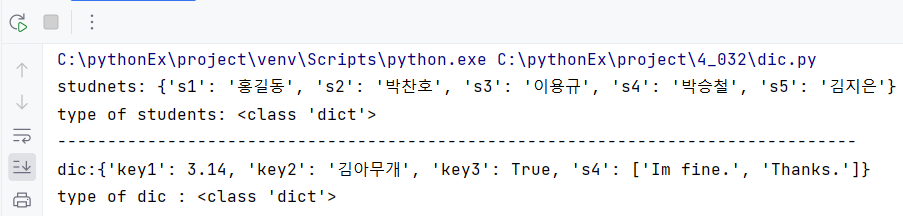
(1) 딕셔너리 조회
1) key를 이용한 조회
딕셔너리는 인덱스 대신에 key값을 지정해서 사용하기 때문에 만약 딕셔너리 안에서 value를 출력하고 싶다면, key를 이용하면 된다.
students = {'s1':'홍길동', 's2':'박찬호', 's3':'이용규', 's4':'박승철','s5':'김지은'}
print(f'students: {students}')

print('stdents[\'s1\']: {}'.format( students['s1'] ))
print('stdents[\'s2\']: {}'.format( students['s2'] ))
print('stdents[\'s3\']: {}'.format( students['s3'] ))
print('stdents[\'s4\']: {}'.format( students['s4'] ))
print('stdents[\'s5\']: {}'.format( students['s5'] ))
print('-'*80)

# 딕셔너리 안의 리스트 조회
students2 = {'s1':'홍길동', 's2':'박찬호', 's3':'이용규', 's4':['박세리','박공주']}
print(f'students2[\'s4\'][0]: {students2["s4"][0]}')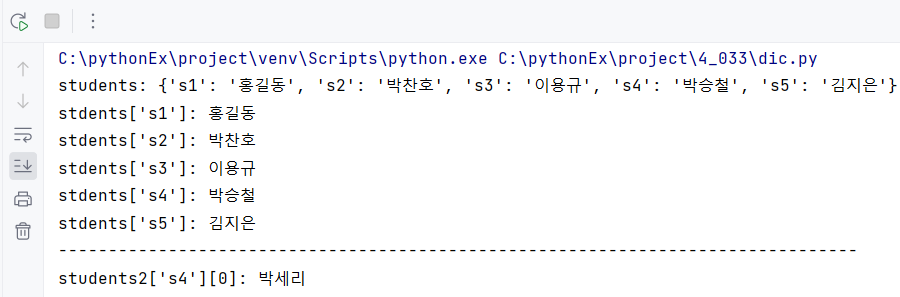
2) get()함수를 이용한 조회
get()함수 안에 key를 넣어주면 value를 확인할 수 있다.
students = {'s1':'홍길동', 's2':'박찬호', 's3':'이용규', 's4':'박승철','s5':'김지은'}
print(f'students: {students}')

print(students.get('s1'))
print(students.get('s2'))
print(students.get('s3'))
print(students.get('s4'))
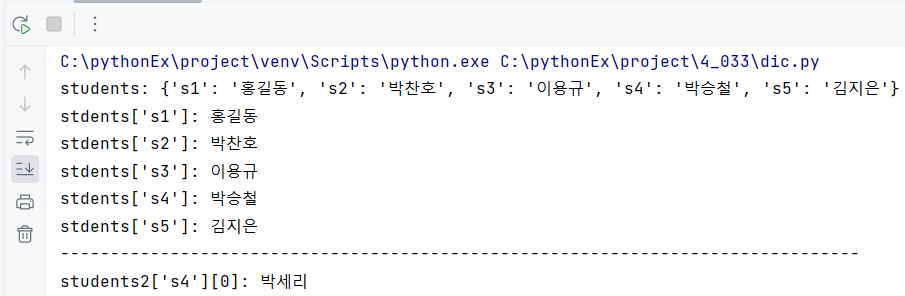
만약 key를 이용해서 value를 조회할 경우, 조회할 key가 딕셔너리 안에 존재하지 않다면 KeyError가 발생하게 된다.
하지만 get()함수를 사용했을 때에는 'None'를 출력해서 존재하지 않는다는 것을 알 수 있다.
print(students['s9']) # KeyError 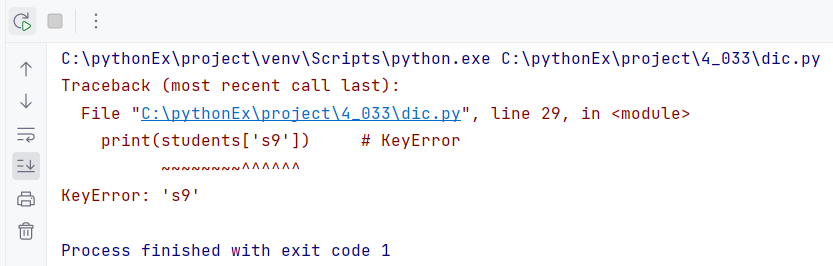
print(students.get('s9'))
3) keys(), values(), items()
만약 딕셔너리 안의 전체 key나 value(), 혹은 item()끼리 각각 분류해서 조회하고 싶다면 keys(), values(), items()함수로 각각 확인할 수 있다.
memInfo = {'이름':'홍길동',
           '메일':'gildon@gamil.com',
           '학년': 3,
           '취미':['수영','축구']}

ks = memInfo.keys()
print(f'ks: {ks}')
print(f'type of ks:{type(ks)}')
print('-'*80)

vs = memInfo.values()
print(f'vs: {vs}')
print(f'type of vs: {type(vs)}')
print('-'*80)

items = memInfo.items()
print(f'items: {items}')
print(f'type of items: {type(items)}')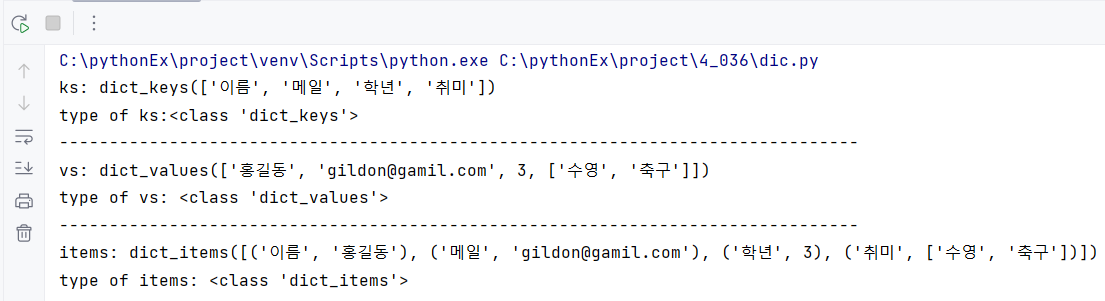
4) 반복문을 이용한 조회
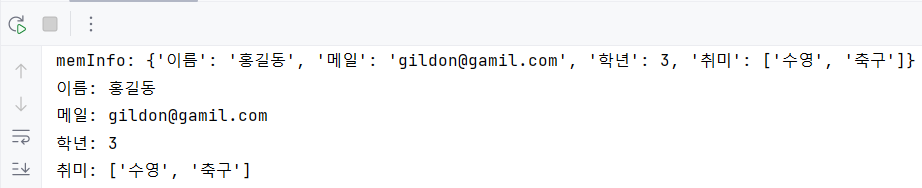
반복문을 이용해서 아이템을 조회하고 싶을 경우, 딕셔너리는 인덱스 번호가 부여되지 않으므로 key값을 이용한다.
print(f'memInfo: {memInfo}')
for key in memInfo:
    print(f'{key}: {memInfo[key]}')
(2) 딕셔너리 추가와 수정
1) 딕셔너리 추가
딕셔너리에 key를 이용해서 key에 value를 넣으면 딕셔너리에 아이템을 추가할 수 있다.
myInfo = {}
myInfo['이름'] = '박경진'
myInfo['전공'] = '컴공'
myInfo['메일'] = 'jin@gmail.com'
myInfo['학년'] = 3
myInfo['주소'] = 'Korea Seoul'
myInfo['취미'] = ['요리', '여행']
print(f'myInfo: {myInfo}')
2) 딕셔너리 수정
기존의 딕셔너리 안에 들어있는 key값에 value를 다시 저장해서 덮어쓰기 하면 딕셔너리를 수정할 수 있다.
myInfo['전공'] = '수학'
print(f'myInfo: {myInfo}')
(3) 딕셔너리 삭제
1) del 키워드
del 키워드를 이용한다면 아이템을 하나씩 삭제할 수 있다.
memInfo = {'이름':'홍길동', '메일':'gildon@gamil.com', '학년': 3, '취미':['수영','축구']}
print(f'memInfo: {memInfo}')

del memInfo['메일']
print(f'memInfo: {memInfo}')

del memInfo['취미']
print(f'memInfo: {memInfo}')
2) pop()
pop()함수를 이용하면 아이템을 삭제할 수 있다.
이 때 제거할 값을 변수에 초기화해서 값을 따로 저장도 할 수 있다.
memInfo = {'이름':'홍길동', '메일':'gildon@gamil.com', '학년': 3, '취미':['수영','축구']}
print(f'memInfo: {memInfo}')
print('-'*80)

returnValue = memInfo.pop('취미')
print(f'returnValue: {returnValue}')
print(f'type of returnValue: {type(returnValue)}')
print(f'memInfo: {memInfo}')
print('-'*80)

returnValue = memInfo.pop('메일')
print(f'returnValue: {returnValue}')
print(f'type of returnValue: {type(returnValue)}')
print(f'memInfo: {memInfo}')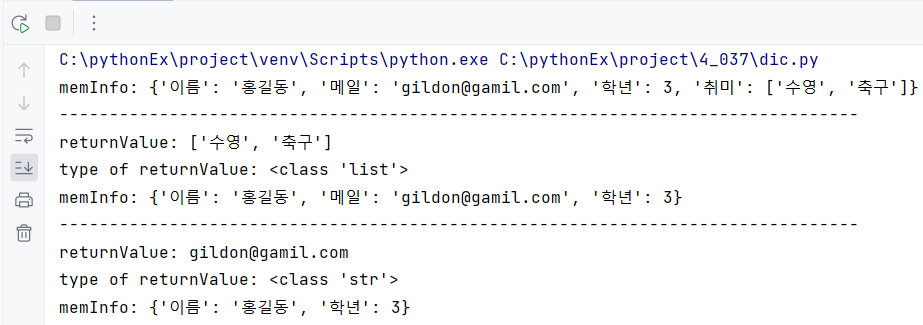
3) clear()
아이템을 하나씩 삭제하는 del 키워드와 pop()함수와 달리 clear()함수는 딕셔너리를 전부삭제하는 함수이다.
memInfo = {'이름':'홍길동', '메일':'gildon@gamil.com', '학년': 3, '취미':['수영','축구']}
print(f'memInfo: {memInfo}')

memInfo.clear()
print(f'memInfo: {memInfo}')