1. 사용자 입출력
# input("안내문구")
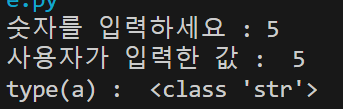
a = input('숫자를 입력하세요 : ')
print('사용자가 입력한 값 : ', a)
print('type(a) : ', type(a))

1-1. print 자세히 알기
print('life' 'is' 'good')
print("life" "is" "good")
print('life'+'is'+'good')
print('life','is','good')

# 한 줄에 결과값 출력하기
# 뒤에 end='' 값을 변경하기. 초기값은 \n(줄바꿈)
for i in range(5) :
    print(i, end = '~')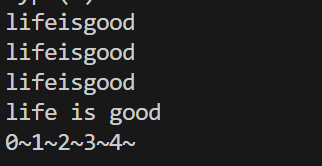
2. 파일 생성
파일객체 = open(파일이름, 파일열기모드)
r : 읽기모드, w : 쓰기모드, a : 추가모드
단 쓰기모드의 경우 이미 존재하는 파일이면 기존 내용이 날아가고, 없는 경우 새로 생성함
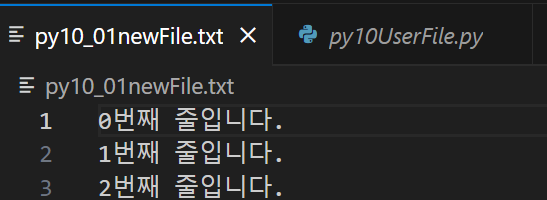
f = open('py10_01newFile.txt', 'w', encoding="UTF-8")
for i in range(3) :
    f.write('%d번째 줄입니다. \n' %i)
f.close()
해당 코드 실행 후 다음과 같은 파일이 만들어짐
2-1. 파일 읽기
# 파일 읽기
# 줄바꿈을 없애고 싶은 경우, line.strip() 사용.

fileRoute = "C:/파일경로/py10_01newFile.txt"

fileData1 = open(fileRoute, 'r', encoding="UTF-8")

line = fileData1.readline()
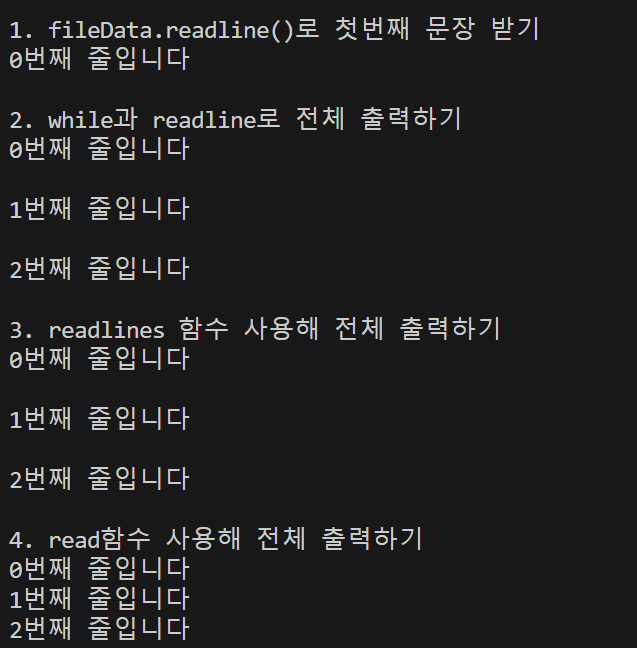
print('1. fileData.readline()로 첫번째 문장 받기')
print(line)
fileData1.close()

print('2. while과 readline로 전체 출력하기')
fileData2 = open(fileRoute, 'r', encoding="UTF-8")
while True:
    line2 = fileData2.readline()
    if not line2 : break
    print(line2)
fileData2.close()

print('3. readlines 함수 사용해 전체 출력하기')
fileData3 = open(fileRoute, 'r', encoding="UTF-8")
lines = fileData3.readlines()
for line3 in lines :
    print(line3)
fileData3.close()

print('4. read함수 사용해 전체 출력하기')
fileData4 = open(fileRoute, 'r', encoding="UTF-8")
print(fileData4.read())
fileData4.close()
2-2. 파일에 새로운 내용 추가하기
fileData5 = open(fileRoute, 'a', encoding="UTF-8")
for i in range(3, 6) :
    fileData5.write('%d번째 줄을 추가합니다.\n' %i)
fileData5.close()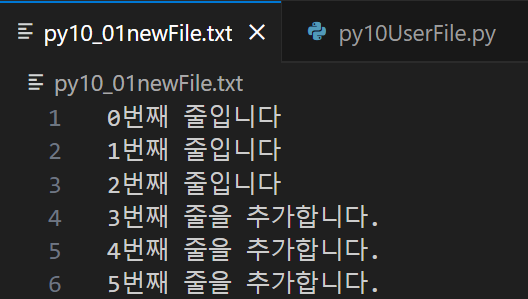
2-3. file.open과 close를 사용하지 않고 with으로 간단하게 값 추가하기
with open(fileRoute, 'a', encoding="UTF-8") as fileData6:
    fileData6.write('with를 사용해 문장을 추가합니다.')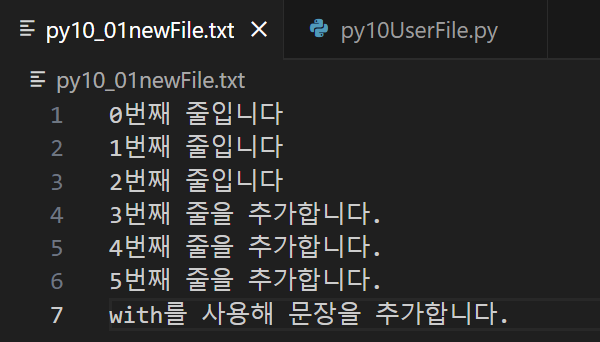
3. 다른py 불러오기
python py10childFile.py aaa bbb ccc
'Python'이라는 단어만 나오는 경우 환경변수 확인하기
관련 링크 : https://recall.tistory.com/39
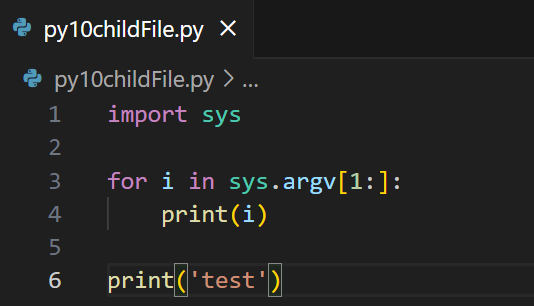
위와 같은 파일을 만듬.


개인 공부 기록용.