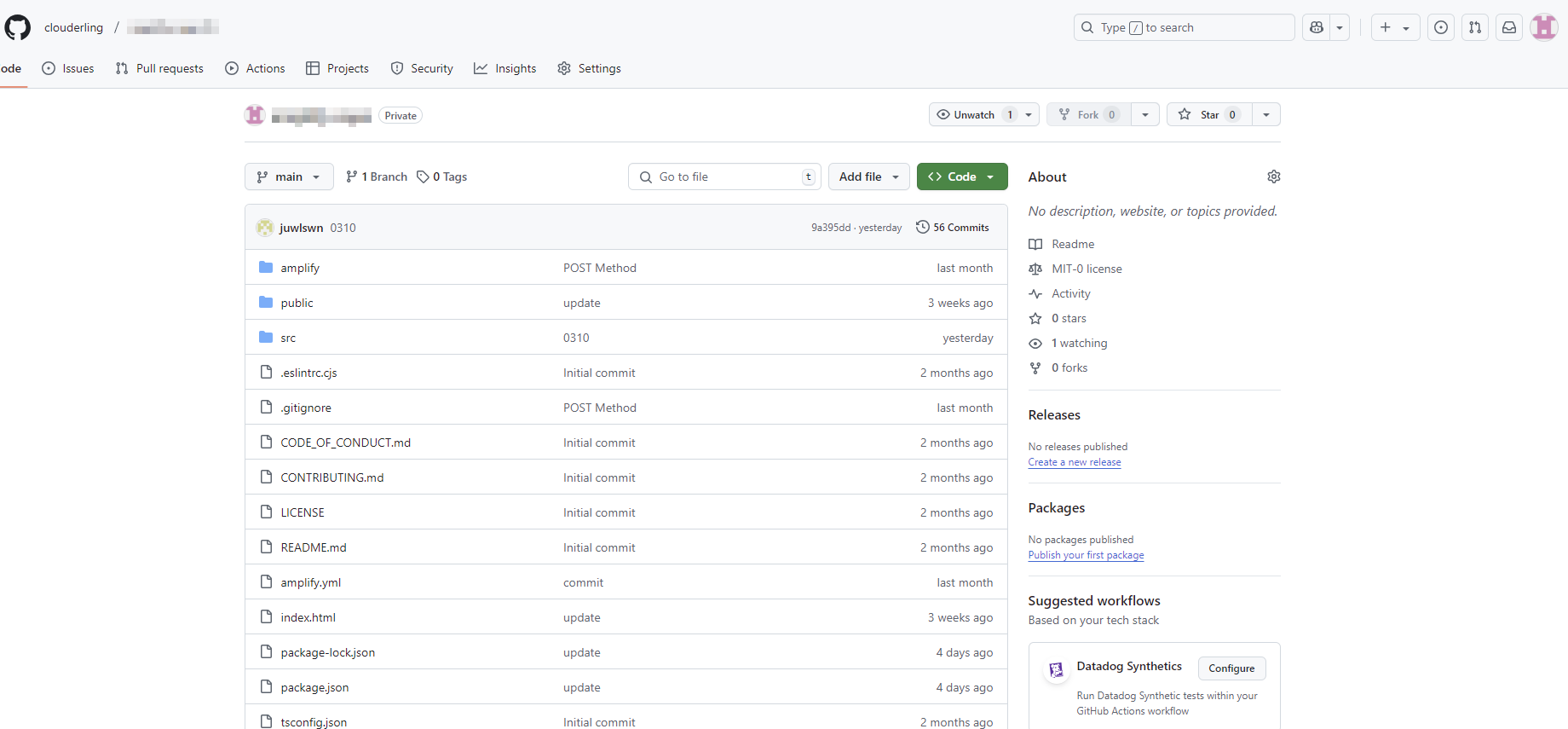
여기서는 Local PC > Github로 코드를 Push 하기 위한 권한 및 절차를 정리한다.
HTTPS 방식을 통한 코드 푸시 방법을 알아보도록 한다.
권한 설정 방식
- HTTPS 방식 (Github 계정과 Personal Access Token 사용)
- SSH 방식 (SSH 키를 생성하여 등록)
Personal Access Token(PAT) 생성
1. Github 로그인 후 > Developer Settings
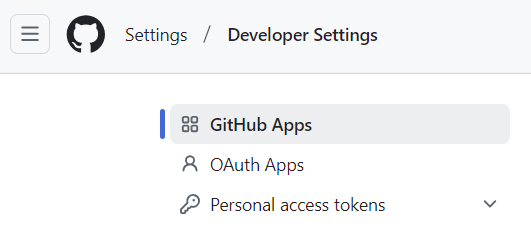
2. Personal access tokens > Tokens(classic)
[권한]
- repo(모든 리포지토리 권한)
- workflow (GitHub Actions 사용 시)
- write:packages(패키지 푸시 시)
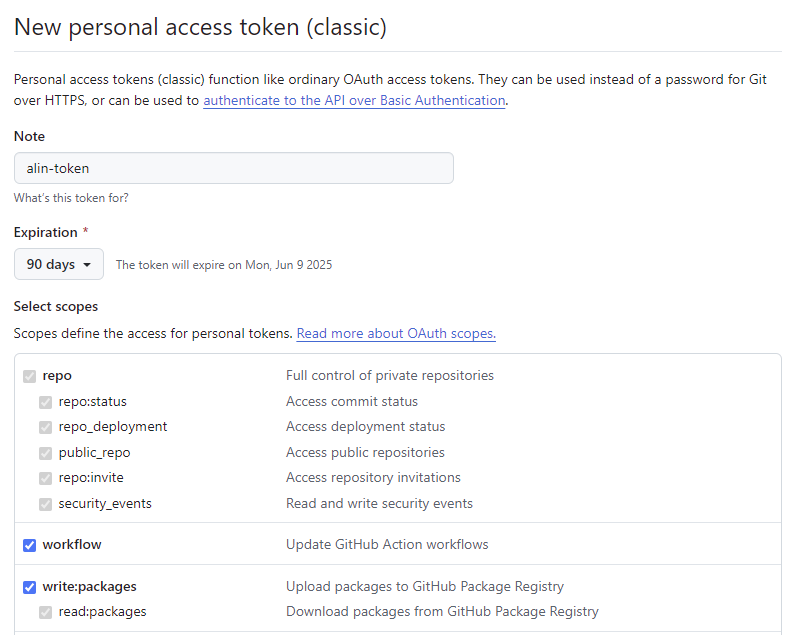
생성된 Token은 복사해서 저장한다. 다시 볼 수 없으니 잘 저장해놓기
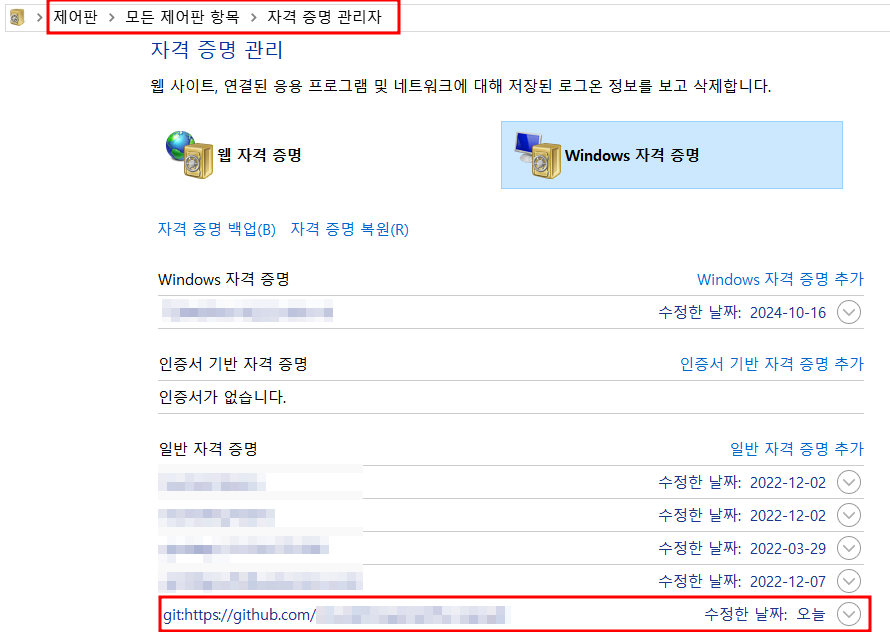
기존 자격증명 삭제하기(Window)
기존에 등록되어 있는 자격증명이 있는 경우 git push가 되지 않았다.
아래 그림과 같이 접속해서, 필요없는 git 자격증명을 삭제해주면 된다.
1. 현재 Git 상태 확인
먼저, 로컬과 원격 저장소의 상태를 확인
git remote -v2. 원격 저장소(origin)가 잘못된 경우
git remote remove origin
git remote add origin https://github.com/YOUR_USERNAME/YOUR_REPOSITORY.git
3. 깃으로 코드 올리기
git push origin main4. 강제로 푸시해야 하는 경우
강제 푸시는 위 최후의 보루!
git push --force origin main그럼에도 발생한 에러...
git push origin main
warning: ----------------- SECURITY WARNING ----------------
warning: | TLS certificate verification has been disabled! |
warning: ---------------------------------------------------
warning: HTTPS connections may not be secure. See https://aka.ms/gcm/tlsverify for more information.
To https://github.com/clouderling/amplify-repo.git
! [rejected] main -> main (fetch first)
error: failed to push some refs to 'https://github.com/clouderling/amplify-repo.git'
hint: Updates were rejected because the remote contains work that you do
hint: not have locally. This is usually caused by another repository pushing
hint: to the same ref. You may want to first integrate the remote changes
hint: (e.g., 'git pull ...') before pushing again.
hint: See the 'Note about fast-forwards' in 'git push --help' for details.
해결 방법
1. TLS 인증서 검증 활성화 (보안 강화)
git config --global http.sslVerify true2. 원격 저장소와 로컬 저장소 동기화
git pull --rebase origin main결과