실습문제를 풀면서 몰랐던 부분을 새로 정리해보자
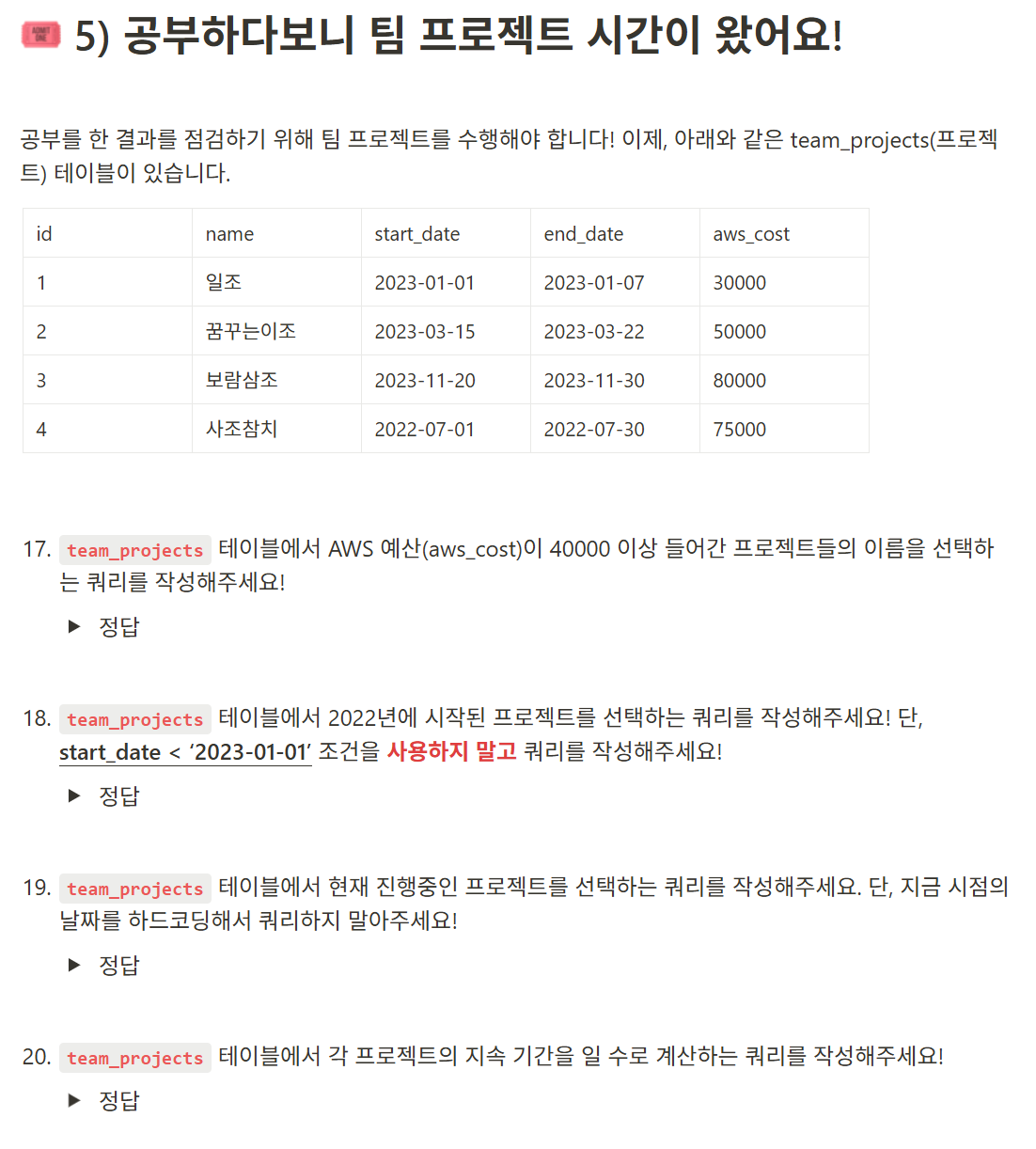
17번
select name
from team_projects
where aws_cost>=40000
18번
select *
from team_projects
where Year(start_date)=2022
where조건문으로 날짜를 뽑아내고 싶다면 년도, 월, 일 등 원하는 것과 ()괄호 안에 컬럼 이름을 써서 조건문을 만든다.
19번
select *
from team_projects
where curedate() between start_date and end_date
curedate, curetime등은 현재 날짜, 현재 시간을 의미하는 명령문이다.
이를 활용해서 현재를 기준으로 한 조건문을 만들 수 있다.
curedate, curetime 뒤에는 ()괄호를 붙인다.
20번
select *,
       datediff(end_date, start_date) working_days
from team_projects
날짜를 이용하여 연산하고 싶다면 datediff함수를 사용한다.
datediff(날짜 구분자, 끝나는 날짜, 시작하는 날짜)의 형식으로 쓴다.
날짜 구분자는 'year', 'month', 'day'등이 있다.
datediff('year', '2025-01-02', '2024-12-31')이면 실제 두 날짜는 이틀 차이지만 연도는 1년 차이나기 때문에 1이 출력된다.
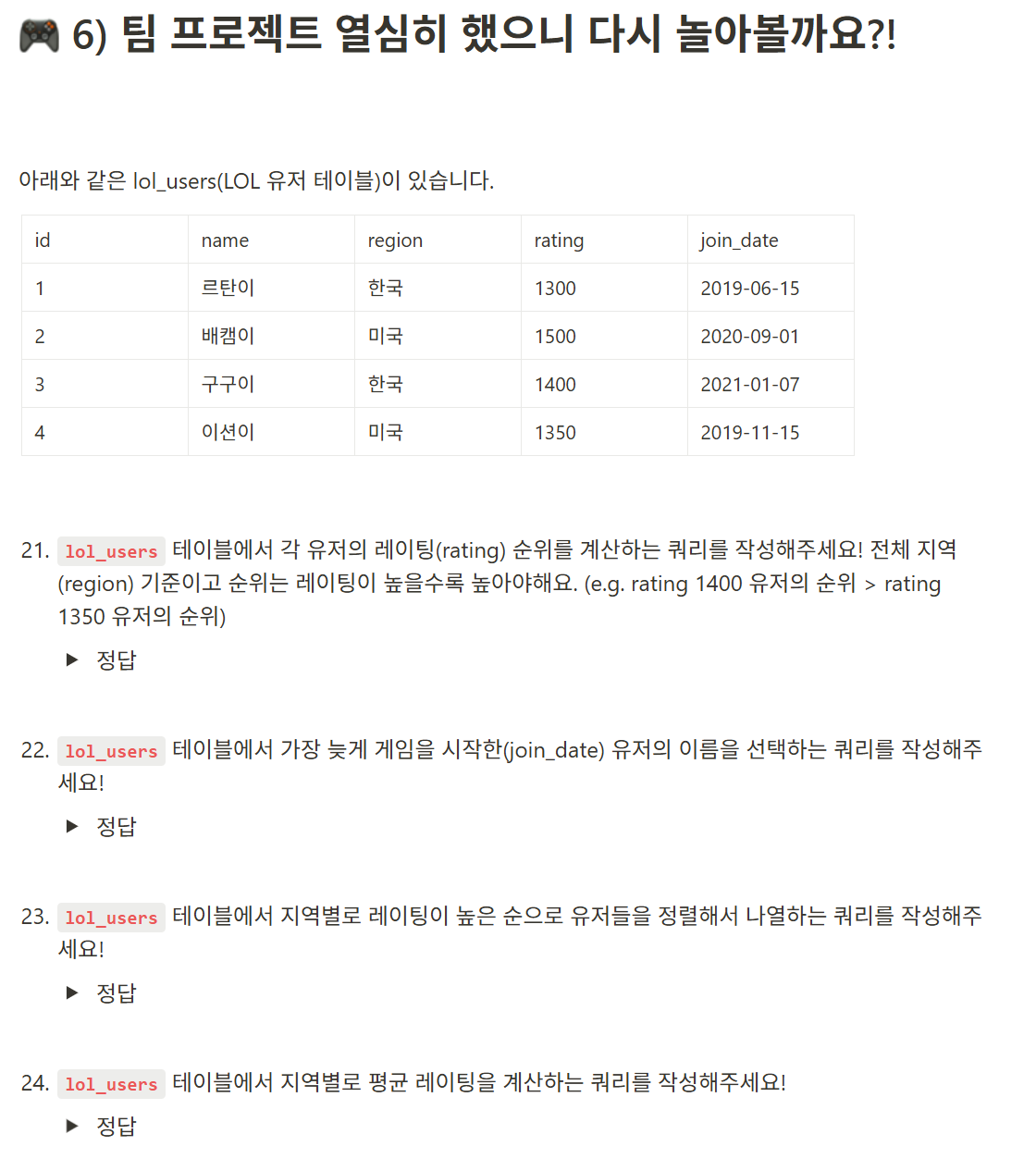
21번
select name,
       rating,
       rank() over(order by rating desc) rank
from lol_users
22번
select name
from lol_users
order by join_date desc
limit 1
제일 위의 몇명만 선택하려면 뒤에 limit과 원하는 숫자를 붙여준다.
23번
select *
from lol_users
order by region,
         rating desc
24번
select region,
       avg(rating) avg_rating
from lol_users
group by region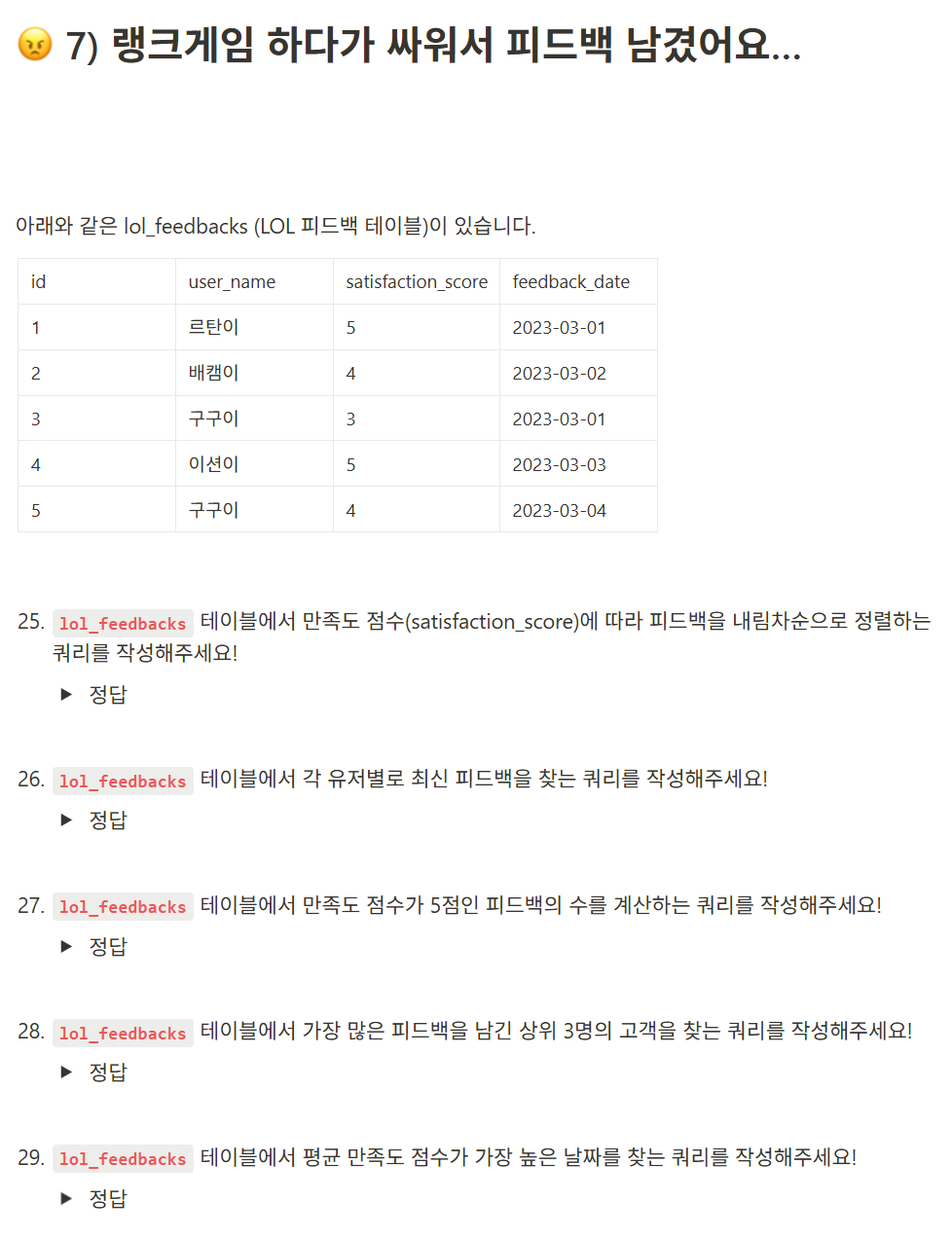
25번
select *
from lol_feedbacks
order by satisfaction_score desc
26번
select *,
       max(feedback_date)
from lol_feedbacks
group by user_name
27번
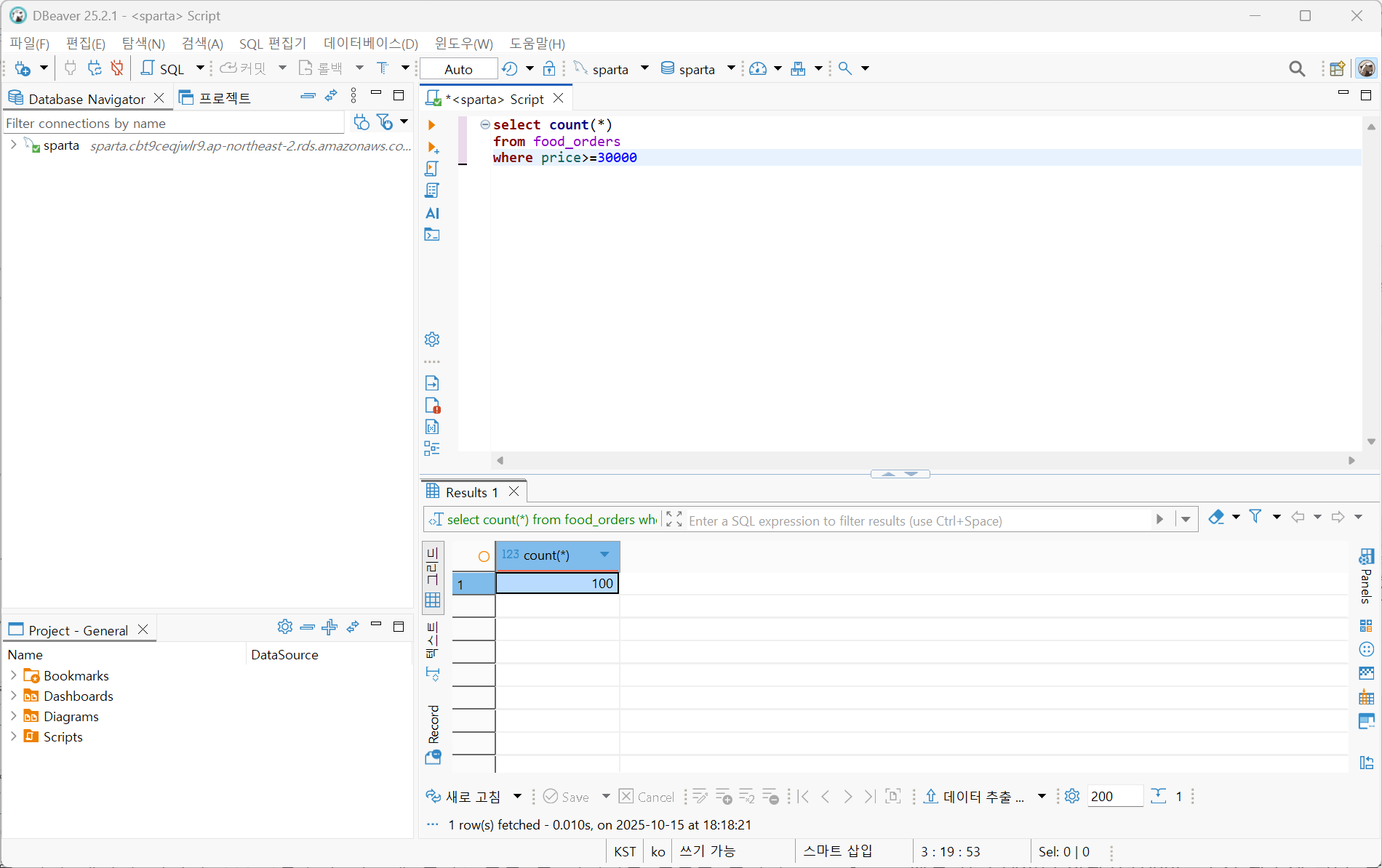
select count(*)
from lol_feedbacks
where satisfaction_score=5
select ,
count(1)
from lol_feedbacks
where satisfaction_score=5
이렇게 오답을 작성했는데,
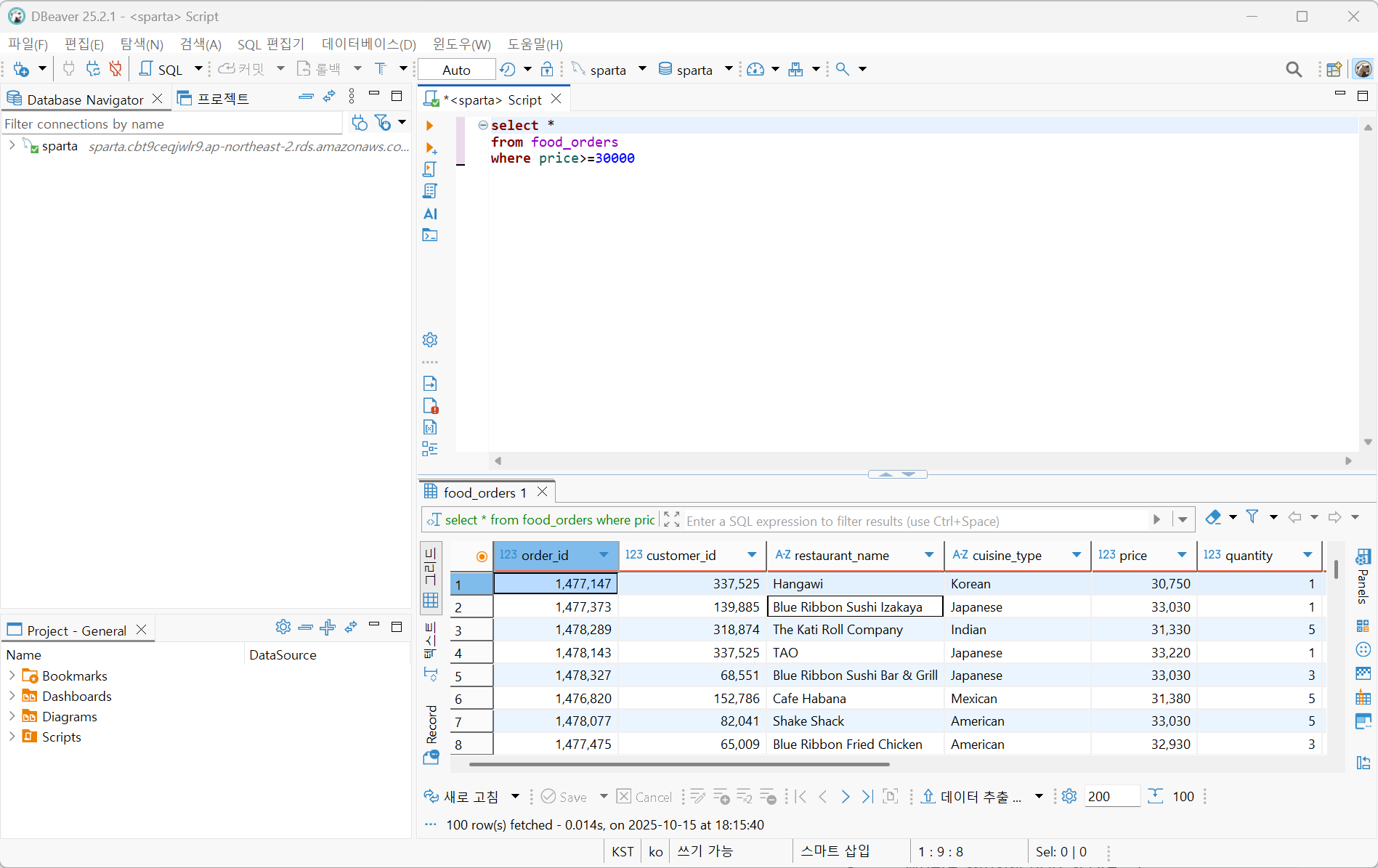
해당 조건의 데이터는 총 100개이다.
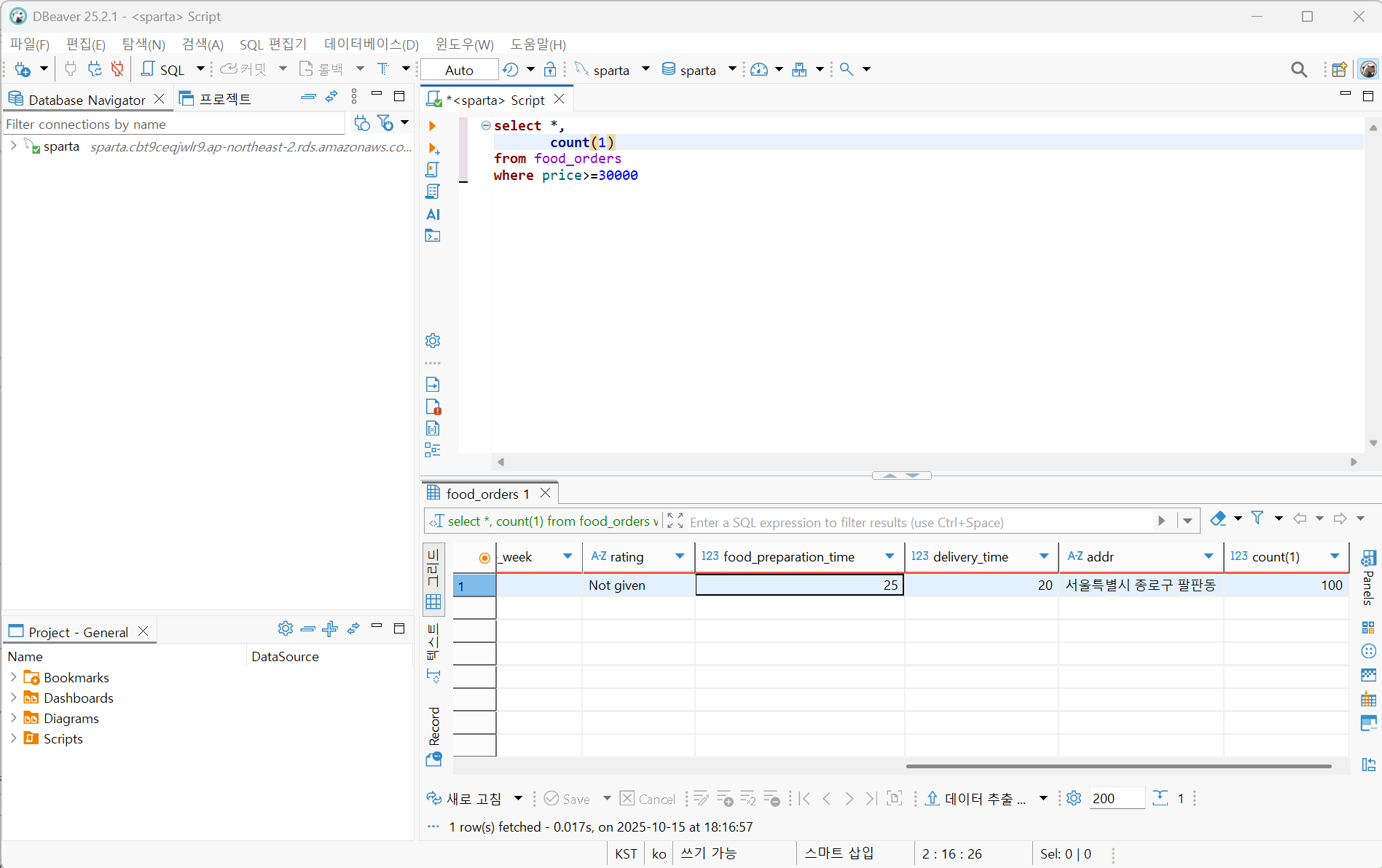
제일 위의 데이터 하나와 count함수가 나오게 된다. 틀린 건 아니지만 혼란을 줄이기 위해서는 count()만 입력한다.
28번
select user_name,
       count(1) cnt_feedbacks
from lol_feedbacks
group by user_name
order by cnt_feedbacks desc
limit 3
29번
select feedback_date,
       avg(satisfaction_score) avg_satisfaction_score
from lol_feedbacks
group by feedback_date
order by avg_satisfaction_score desc
limit 1