order by를 사용해서 오름차순 또는 내림차순으로 컬럼을 정리하는 법을 배웠다.
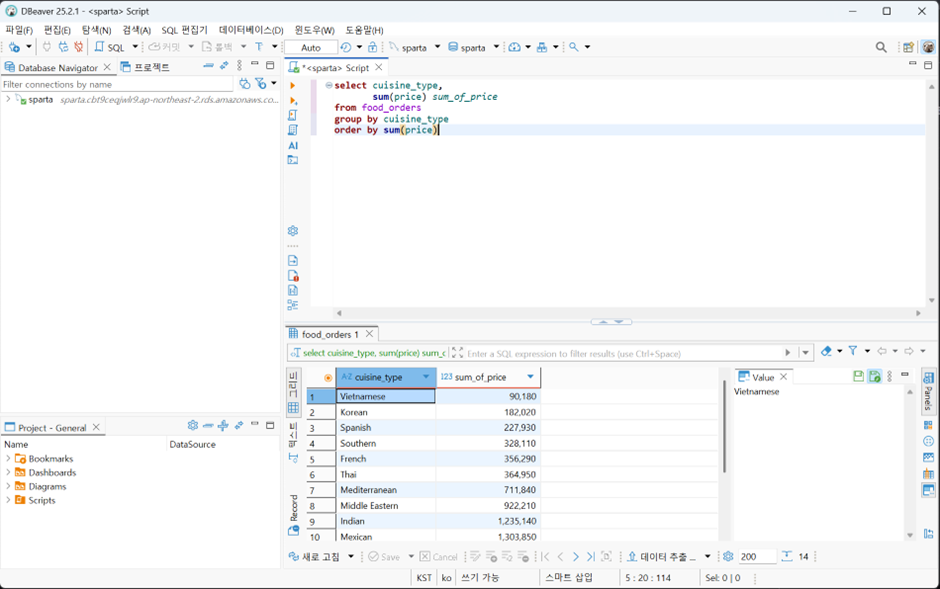
select cuisine_type,
       sum(price) sum_of_price
from food_orders
group by cuisine_type
order by sum(price)  #음식점별로 가격을 합치고 그 합계를 기준으로 테이블을 정렬
특정 기준으로 값을 정렬해야 할 때 order by를 사용한다.
기본은 오름차순이다.
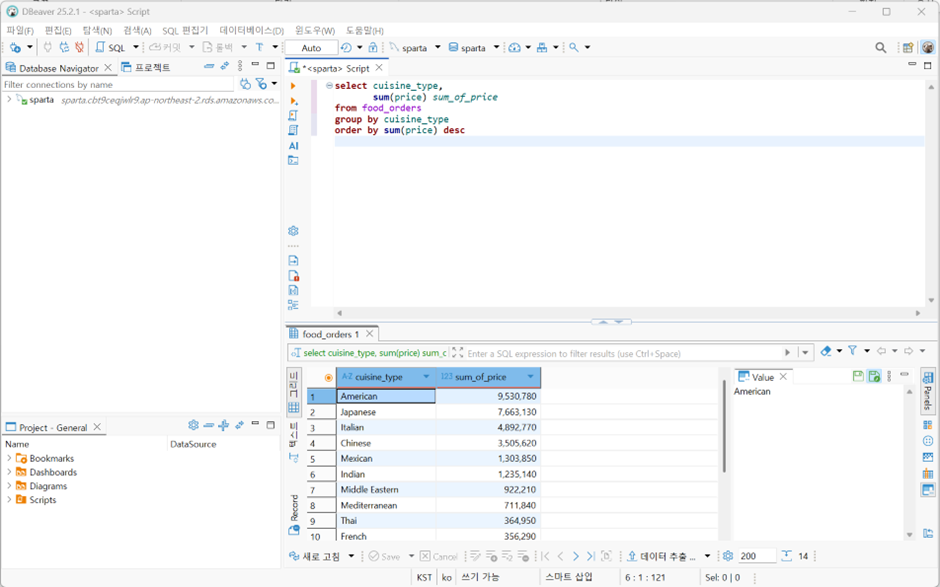
뒤에 desc를 입력하면 내림차순으로 정렬할 수 있다
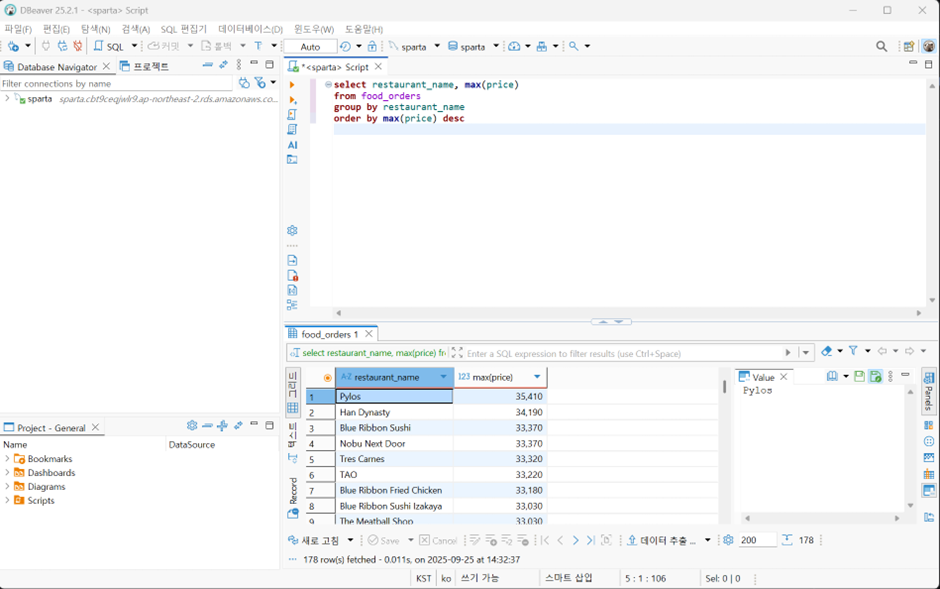
select restaurant_name, max(price)
from food_orders
group by restaurant_name
order by max(price) desc
명령어 순서는 반드시 select-from-where-group by순으로 작성
음식점별로 최대값을 구하고 이를 내림차순으로 정렬했다.
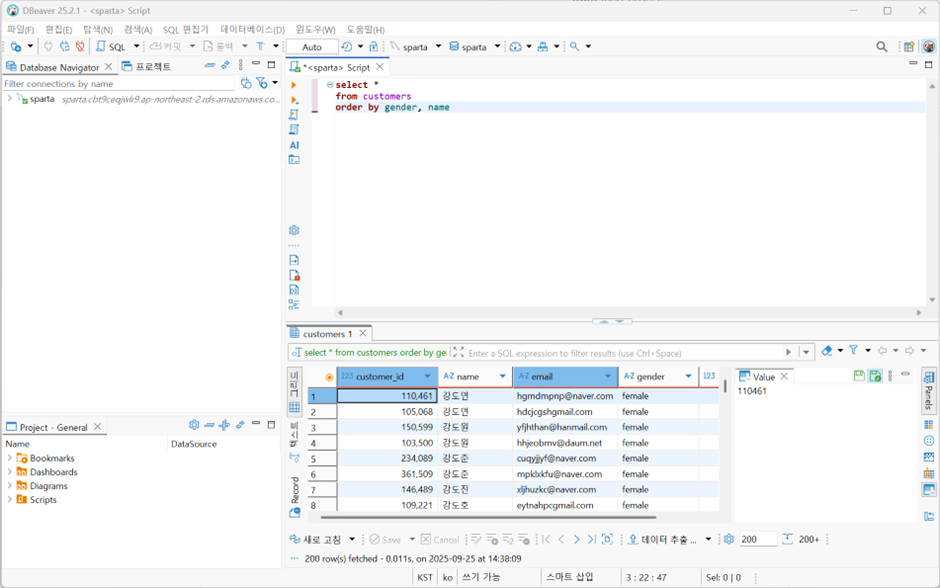
select *
from customers
order by gender, name  #Gender, name 순으로 입력하면 성별->이름으로 나열하기 때문에 여성 중 이름 오름차순으로 먼저 정렬하고 그 뒤에 남성 중 이름오름차순으로 정렬됨
정렬 조건을 추가하고 싶으면 병렬로 나열한다.
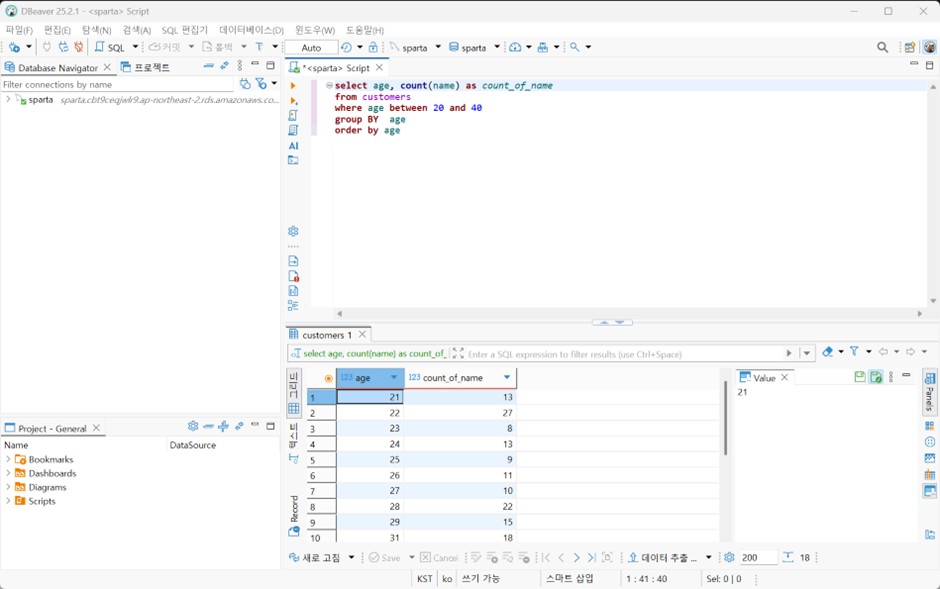
select age, count(name) as count_of_name  #count(name)을 해주지 않으면 고객들 나이만 나오기 때문에 이름 개수로 count를 해줘야 나이별로 몇 명인지 출력이 가능하다.
from customers
where age between 20 and 40
group BY  age
order by age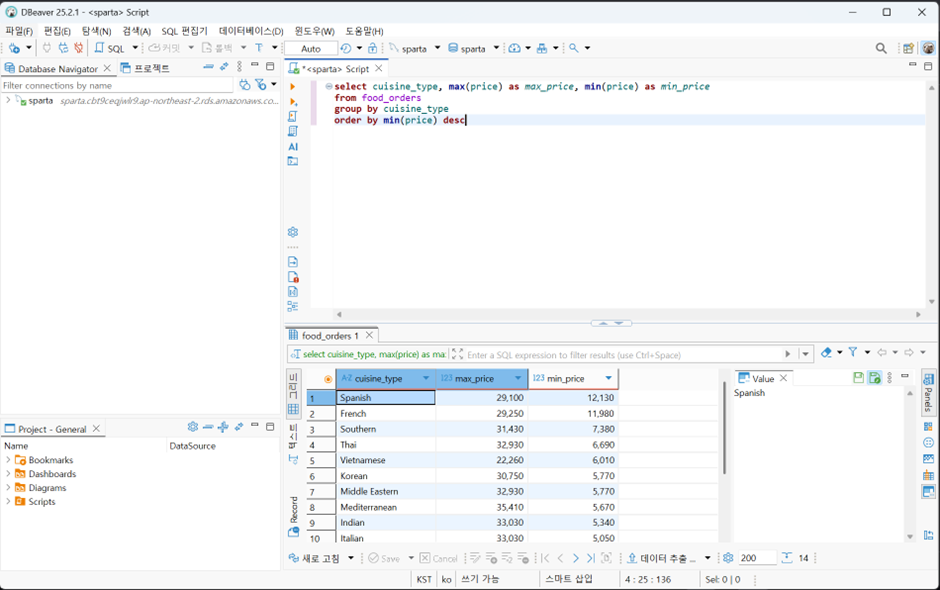
select cuisine_type, max(price) as max_price, min(price) as min_price
from food_orders
group by cuisine_type
order by min(price) desc
음식점별로 최대 주문 금액과 최소 주문 금액을 조회하고 최소 주문 금액 내림차순으로 정렬