# pragmatic/settings.py
INSTALLED_APPS = [
	...
    'projectapp',
]

# pragmatic/urls.py
urlpatterns = [
	...
	path('projects/', include('projectapp.urls')),
]
# projectapp/urls.py 생성 - 우리가 설정할 view 에 대한 라우팅
from django.urls import path
from projectapp.views import ProjectListView, ProjectCreateView, ProjectDetailView
app_name = 'projectapp'
urlpatterns = [
path('list/', ProjectListView.as_view(), name='list'),
path('create/', ProjectCreateView.as_view(), name='create'),
path('detail/<int:pk>', ProjectDetailView.as_view(), name='detail'),
]# 모델
from django.db import models
class Project(models.Model):
image = models.ImageField(upload_to='project/', null=True)
title = models.CharField(max_length=20, null=False)
description = models.CharField(max_length=200, null=True)
created_at = models.DateTimeField(auto_now=True)# form
from django.forms import ModelForm
from projectapp.models import Project
class ProjectCreationForm(ModelForm):
class Meta:
model = Project
fields = ['image', 'title', 'description'] # ModelForm 을 기반으로 3가지를 입력으로 받는다
# 마이그레이션
python manage.py makemigration
python manage.py migrate# view
from django.shortcuts import render
from django.urls import reverse
from django.views.generic import CreateView, DetailView, ListView
from projectapp.forms import ProjectCreationForm
from projectapp.models import Project
# Create your views here.
@method_decorator(login_required, 'get')
@method_decorator(login_required, 'post')
class ProjectCreateView(CreateView):
model = Project
form_class = ProjectCreationForm
template_name = 'projectapp/create.html'
def get_success_url(self):
return reverse('projectapp:detail', kwargs={'pk': self.object.pk})
class ProjectDetailView(DetailView):
model = Project
context_object_name = 'target_project'
template_name = 'projectapp/detail.html'
class ProjectListView(ListView):
model = Project
context_object_name = 'project_list'
template_name = 'projectapp/list.html'
paginate_by = 25<!--projectapp/templates/craete.html-->
{% extends 'base.html' %}
{% load bootstrap4 %}
{% block content %}
<div style="text-align : center; max-width: 500px; margin: 4rem auto;">>
<div class="mb-4"> <!-- margin bottom 해서 4배 -->
<h4>Create Project</h4>
</div>
<!--url 일원화, post 방식 으로 전송 -->
<form action="{% url 'projectapp:create' %}" method="post" enctype="multipart/form-data">
{% csrf_token %} <!-- csrf_token 은 항상 들어 가야 하는 것 -->
{% bootstrap_form form %}
<input type="submit" class="btn btn-dark rounded-pill col-6 mt-3">
</form>
</div>
{% endblock %}<!--projectapp/templates/detail.html-->
{% extends 'base.html' %}
{% block content %}
<div>
<div style="text-align: center; max-width: 500px; margin: 4rem auto;">
<img src="{{ target_project.image.url }}" alt=""
style="height: 12rem; width: 12rem; border-radius: 20rem; margin-bottom: 2rem;">
<h2 style="font-family: 'NanumSquareB'">
{{ target_project.title }}
</h2>
<h5 style="margin-bottom: 3rem;">
{{ target_project.description}}
</h5>
</div>
</div>
{% endblock %}<!-- /projectapp/templates/list.html -->
{% extends 'base.html' %}
{% load static %}
{% block content %}
<style>
.container {
padding: 0
margin: 0, auto;
}
.container a {
width: 45%;
max-width: 250px;
}
.container div {
display: flex;
justify-content: center;
align-items: center;
border-radius: 1rem;
}
.container img {
width: 100%;
border-radius: 1rem;
}
</style>
{% if project_list %}
<div class="container">
{% for project in project_list %}
<a href=" {% url 'projectapp:detail' pk=project.pk %}">
{% include 'snippets/card_project.html' with project=project %}
</a>
{% endfor %}
</div>
<script src="{% static 'js/magicgrid.js' %}"></script> <!--js 를 컨테이너 내부로 이동시키기-->
{% else %}
<div class="text-center">
<h1>No Projects YET! </h1>
</div>
{% endif %}
{% include 'snippets/pagination.html' with page_obj=page_obj %}
<div style="text-align: center;">
<a href="{% url 'projectapp:create' %}" class="btn btn-dark rounded-pill mt-3 mb-3 px-3">
Create Project
</a>
</div>
{% endblock %}<!-- /pragmatic/templates/snippets/card_project.html 생성 -->
<div>
<img src="{{ project.image.url }}" alt="">
</div><!-- /pragmatic/templates/snippets/pagination.html 수정-->
<!-- {% url 'articleapp:list' %} 부분을 제거하여 모든 app 에서 사용 가능하도록 -->
<!-- 어떤 페이지에서든 pagination 을 불러오더라도 슬래시(/) 앞에 있는 url 은 그대로 있고 get 파라미터만 바뀌어서 온다.-->
<div style="text-align: center; margin: 1rem 0;">
{% if page_obj.has_previous %} <!--현재 페이지 page_obj 객체가 이전 페이지를 가지고 있다면-->
<!--get 방식으로 이전 페이지의 번호를 넘겨주면서 이전 페이지로 넘어가는 링크를 만들어줌-->
<a href="?page={{ page_obj.previous_page_number }}"
class="btn btn-secondary rounded-pill">
{{ page_obj.previous_page_number }}
</a>
{% endif %}
<!-- 현재 있는 페이지 -->
<a href="?page={{ page_obj.number }}"
class="btn btn-secondary rounded-pill active">
{{ page_obj.number }}
</a>
{% if page_obj.has_next %} <!-- 다음 페이지가 있다면 -->
<!-- 다음페이지로 향하는 링크 만들어주기-->
<a href="?page={{ page_obj.next_page_number }}"
class="btn btn-secondary rounded-pill active">
{{ page_obj.next_page_number }}
</a>
{% endif %}
</div>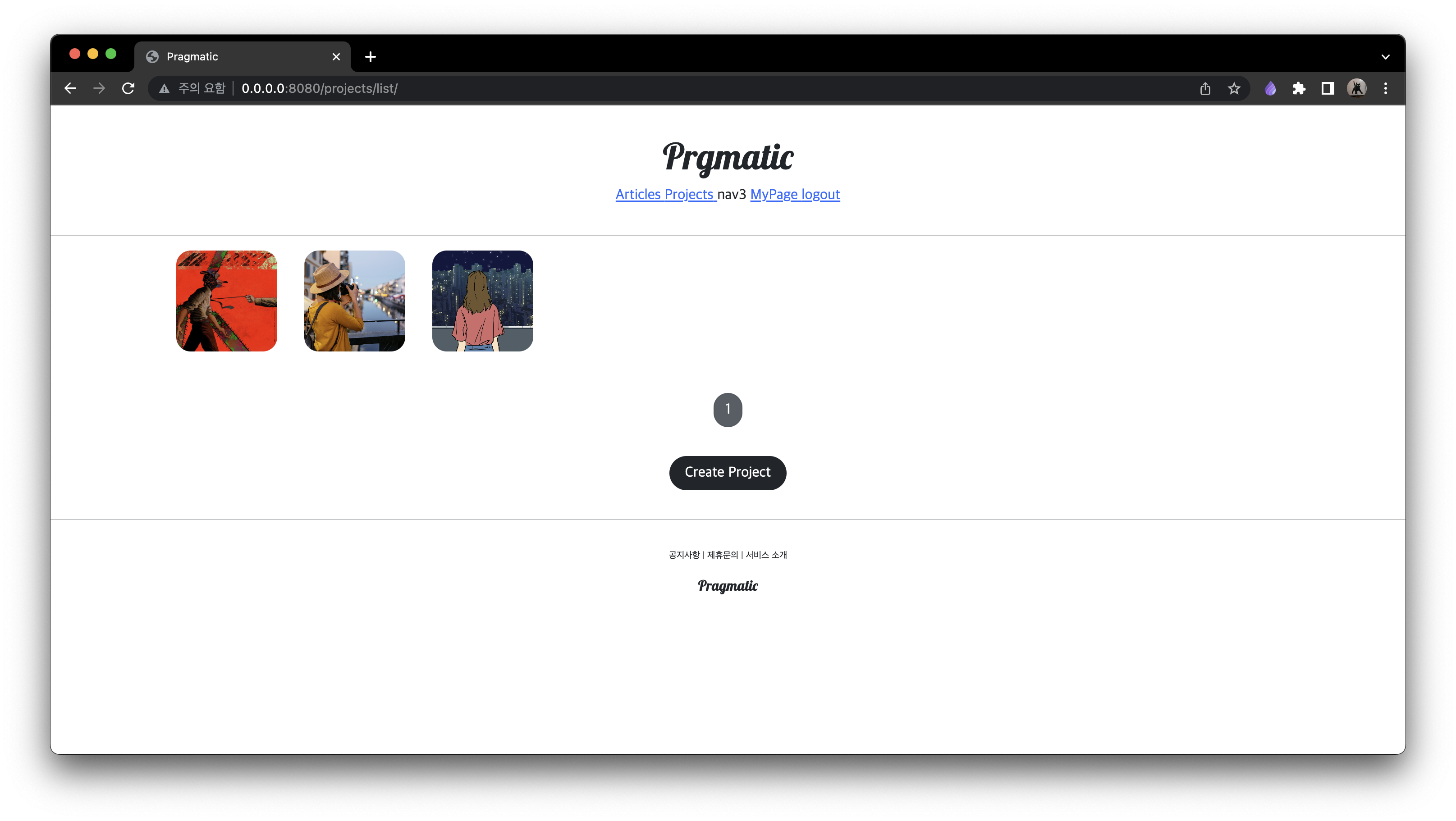
<!-- card_project.html -->

<div style="display: block; text-align: center;">
  <img src="{{ project.image.url }}" alt="">
  <h5 class="mt-2">
    {{ project.title | truncatechars:8 }} <!-- 8자 넘어가면 .. 처리 -->
  </h5>
</div>
<!-- header.html -->
<!-- class="pragmatic_header_nav" 추가 -->
/*base.css*/

.pragmatic_logo {
    margin-top: 1rem;
    font-family: 'Lobster', cursive;
}

.pragmatic_footer_button {
    font-size: .10rem;
}

.pragmatic_footer{
    text-align:center;
    margin-top: 2rem;
}

.pragmatic_header {
    text-align:center;
    margin: 2rem 0;
}

@media screen and (max-width:500px) {
    html {
        font-size: 13px;
    }
}

a {
    color: black;
}

a:hover {
    color: black;
    text-decoration: none;
}

.pragmatic_header_nav {
    margin: 0 0.5rem;
}

.pragmatic_header_navbar {
    margin: 1rem 0;
}

공부한 것 기록용