About 'this' in JavaScript...
결론 : 'this'의 값은 함수가 어떻게 호출되었는지에 따라 달라진다.
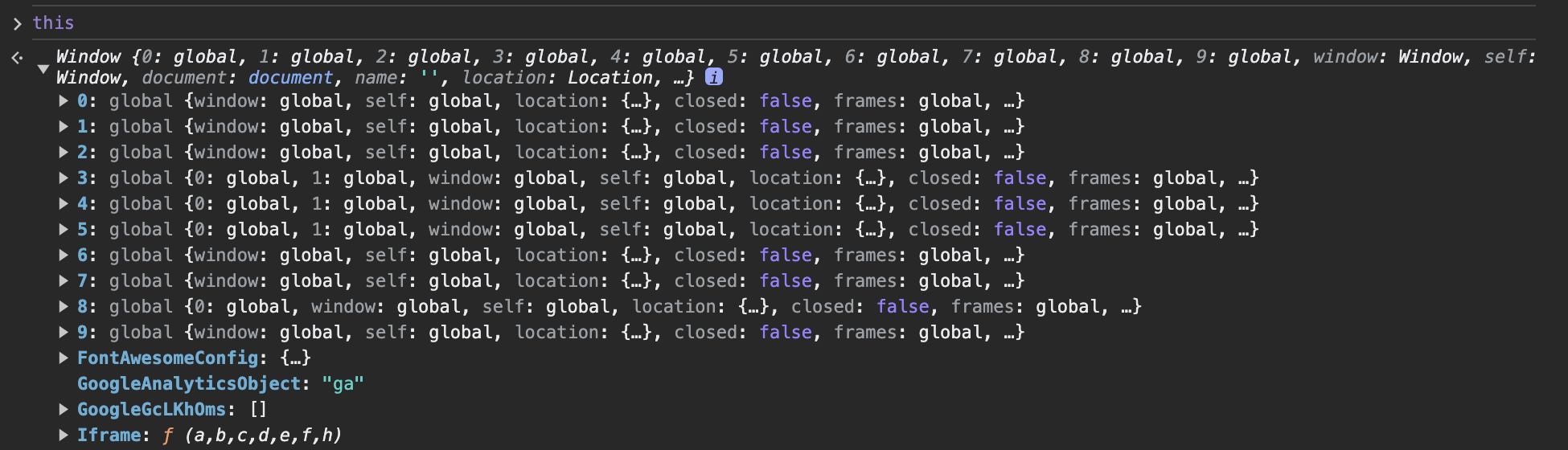
this는 웹 브라우저 환경에서 기본적으로 Window 객체를 가리킨다.
함수의 this가 기본적으로 window인 동작 원리는 "실행 컨텍스트" 개념과 연관되어 있다.
(해당 내용은 공부하여 추후 업데이트 예정입니다.)
👉 링크
객체의 메서드로서 함수가 호출될 때, this는 그 객체 자체를 참조한다.
var obj = {
    a: function() { console.log(this); }
};
obj.a(); // obj 객체 자체를 출력한다. = {a: ƒ}
- a 메서드로서 함수가 호출되면, 해당 함수 내부의 'this'는 해당 객체 obj를 참조한다.
(추가 예시)
var obj = {
    name: "Kongveloper",
    sayHello: function() { console.log("Hello, " + this.name); }
};

obj.sayHello();  // 출력: "Hello, Kongveloper"
호출 시, 호출하는 함수가 객체의 메서드인지, 그냥 함수인지의 여부가 중요하다.
- 아래의 예제에서 a2()를 호출 시, window 객체가 출력된다.
➡️ a2()는 obj.a를 꺼내온 것(레퍼런스 값을 참조하고 있는 것)이기 때문에 더이상 객체 메서드가 아니다.

'this' Methods
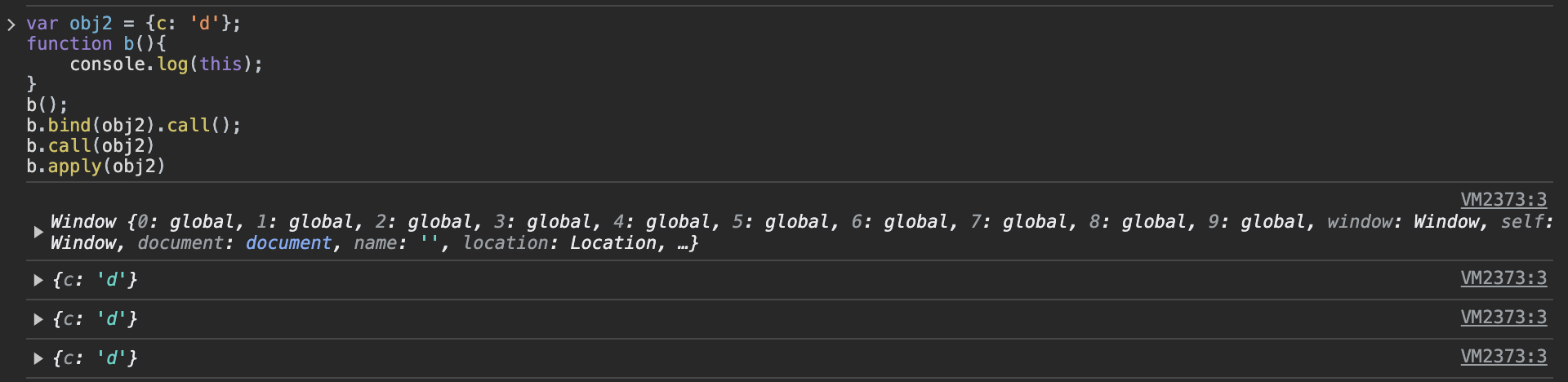
메서드 bind, call, apply를 사용해서 명시적으로 this를 바꿀 수 있다.
- bind, call, apply 메서드를 사용하면 this가 명시한 해당 객체를 가리키게 된다.
function foo(num1, num2) {
	console.log(this.name, num1 + num2);
}

const person = {
	name: 'kong',
};

foo.call(person, 1, 2); // kong, 3
foo.apply(person, [1, 2]); // kong, 3

const newFoo = foo.bind(person);
newFoo(1, 2); // kong, 3- call() : 함수의 첫 번째 인자로 전달하는 값에 this를 바인딩한다.
- apply() : 함수의 첫 번째 인자로 전달하는 값에 this를 바인딩한며, 인자는 배열 형태로 전달되지만, 실제 배열이 아닌 배열의 요소들이 전달된다.
- bind() : 함수의 첫 번째 인자로 전달하는 값에 this를 바인딩하며, 새로운 함수를 반환한다.
생성자 함수
[ 생성자 함수를 new 키워드를 사용하지 않고 그냥 호출한 경우 ]
- new 키워드를 사용하지 않으면, 그냥 함수로 인식되기 때문에 this가 window 객체를 가리키게 된다.
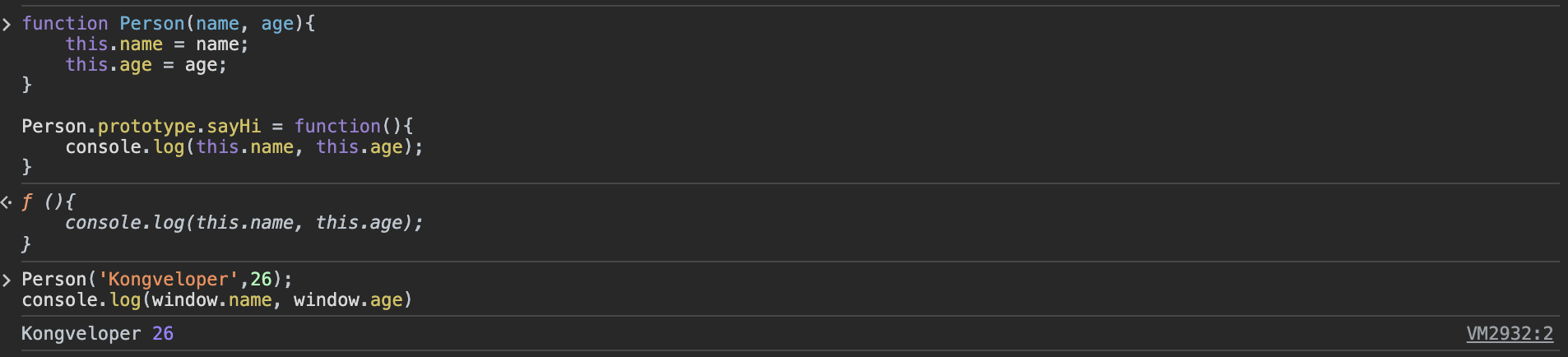
[ 생성자 함수를 new 키워드로 호출한 경우 ]
- 위 예시처럼 this가 window를 참조하는 것을 막기 위해선 new 키워드를 사용해야 한다.
- 위와 같은 new 키워드를 빼먹는 문제를 방지하기 위해 ES6에 class 개념이 도입되었다. - new 키워드를 사용하면, 생성자를 통해 생성된 인스턴스(hero)가 this가 된다.

실무 활용
[Event Listener]
- 객체 메서드, bind() 메서드를 사용한 것도, new 키워드를 사용한 것도 아닌데 this가 window가 아닌 'body 태그 요소'를 가리킨다.
- 이벤트가 발생할 때, 내부적으로 this 참조를 바꾼다!

jQuery : 이벤트 리스너 예시
[ 문제 상황 ]
내부 inner 함수 호출 시, this는 window,
클릭 이벤트 핸들러 함수 호출 시, this는 'div 요소', 서로 다른 걸 참조한다.
- 원인 : 클릭 이벤트 리스너가 내부적으로 this의 참조를 바꿨음에도 명시적으로 알리지 않아 생긴 문제
(inner 함수는 '함수 this는 기본적으로 window 가리킨다'라는 원칙을 지키고 있을뿐이다.)
$('div').on('click', function() {
  console.log(this); // <div>
  function inner() {
    console.log('inner', this); // inner Window
  }
  inner();
});
[ 문제 해결 방법 ]
ES6에 화살표 함수 기능이 도입되기 이전엔, 아래의 예제와 같이 우회적으로 this를 회피하는 방법밖엔 없었다.
- 1) this를 다른 변수에 저장된 값으로 쓴다.
$('div').on('click', function() {
  console.log(this); // <div>
  var that = this;
  function inner() {
    console.log('inner', that); // inner <div>
  }
  inner();
});
2) ES6 : Arrow Function
화살표 함수 사용 시, this는 상위 함수의 this를 참조한다.
$('div').on('click', function() {
  console.log(this); // <div>
  const inner = () => {
    console.log('inner', this); // inner <div>
  }
  inner();
});
[Summary]
자바스크립트에서 ' this '는 함수 호출 방식에 따라 달라진다. 기본적으로 함수의 this는 window를 참조하지만, 객체 메서드, bind, call, apply, new 키워드를 사용할 때 this의 참조가 바뀐다.
(cf. strict mode에서는 undefined를 가리킨다.)
이벤트 리스너, jQuery, React 등 기타 라이브러리에서 this를 내부적으로 바꾸는 경우가 있기 때문에, this 사용에 주의가 필요하다.
참고 자료
