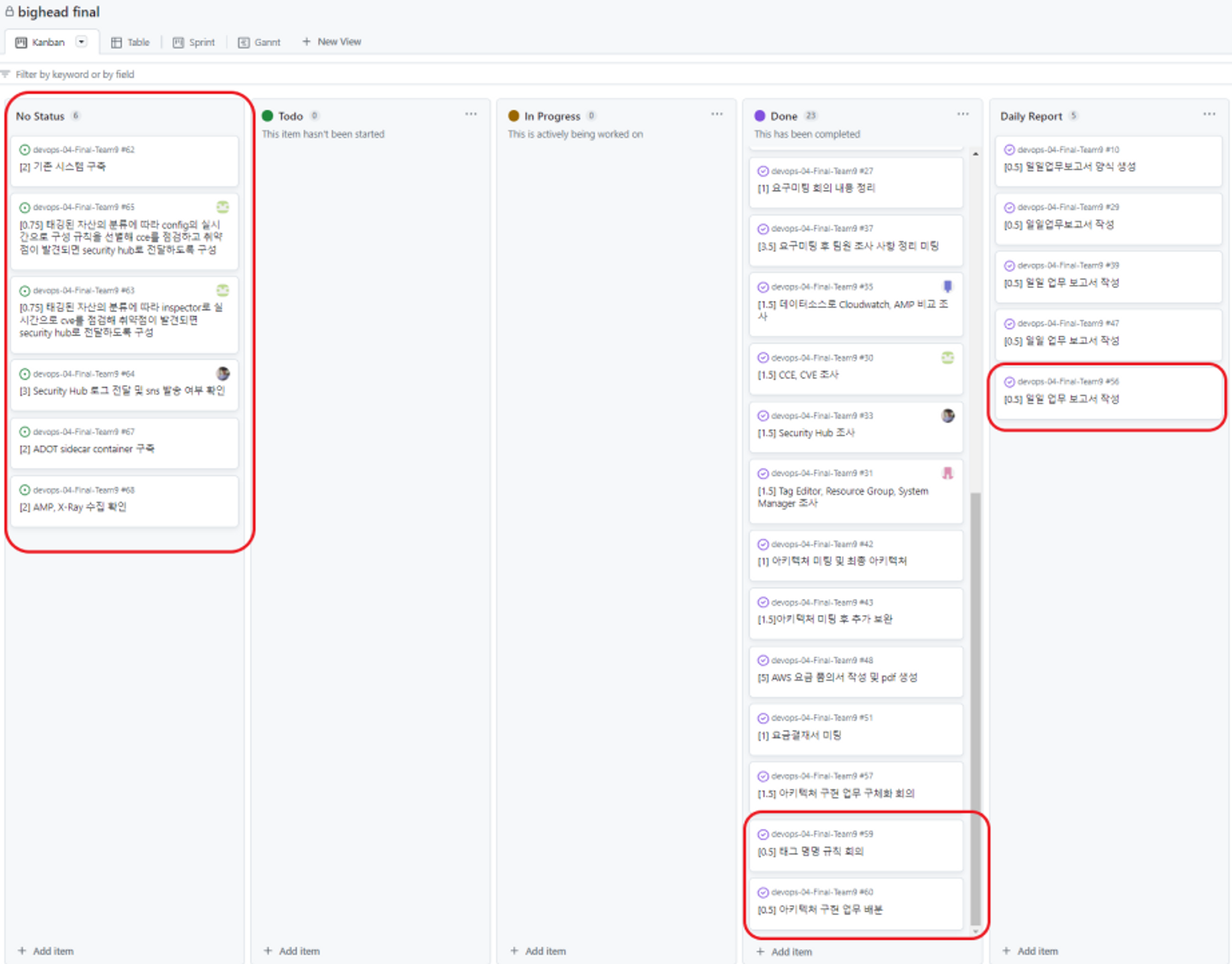
- Security Hub 로그 전달 및 sns 발송 여부 확인
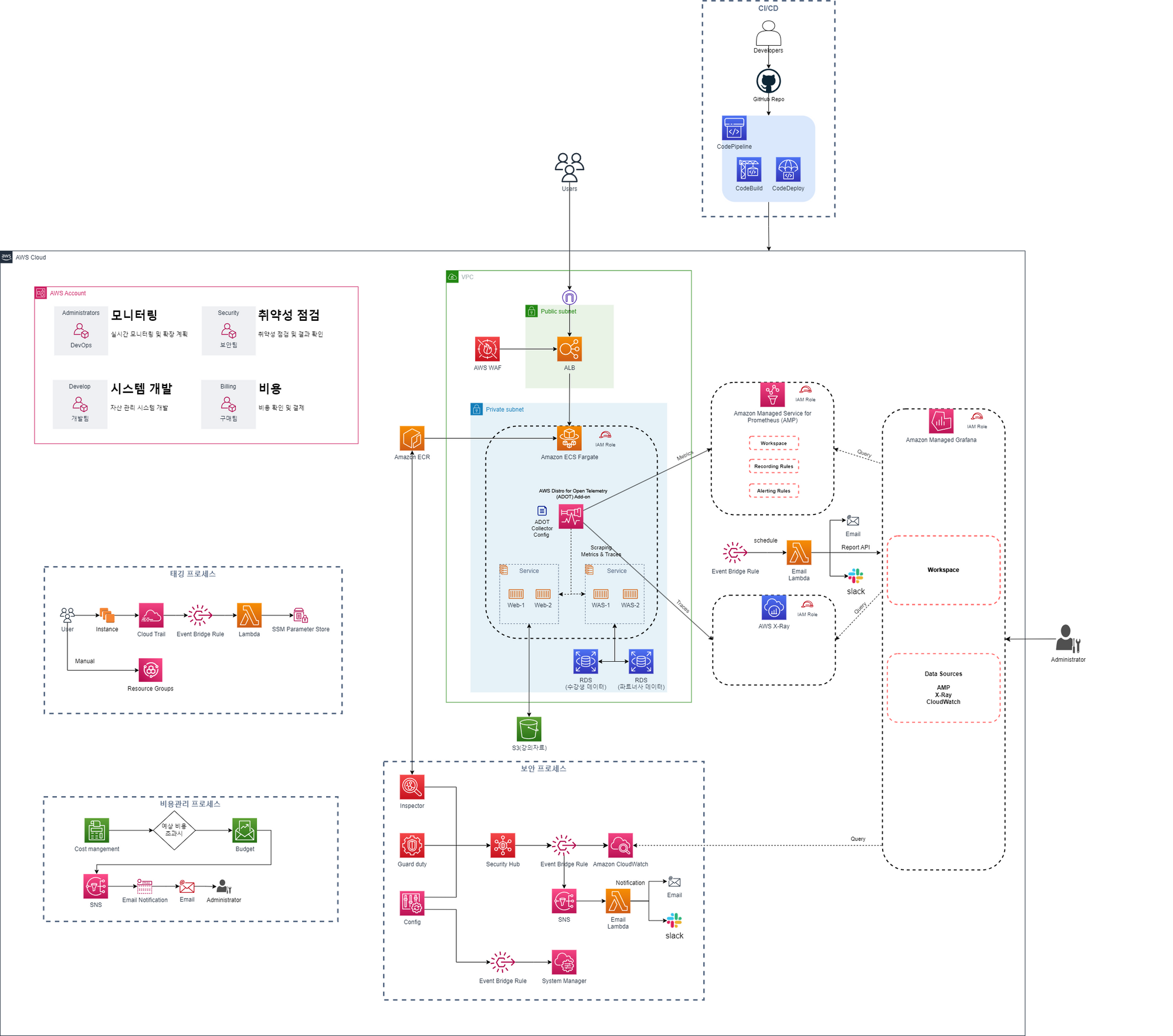 아키텍처의 수정이 있었다. 사용하지 않은 서비스를 사용하다 보니. 공식문서에 기능이 있다는 부분만 확인하고 제대로 어떻게 작동하는지 확인하지 못하여 수정이 있었다.
본래 AMP의 Alerting Rules이 스케줄 기능이 있는 줄 알았지만 그러지 않은 것 같아 Event Bridge Rule을 통해 스케줄링을 하기로 하였다.
Event Bridge Rule가 스케줄링 기능을 통해 트리거 되면 Lambda가 AMP의 데이터를 조회해서 보고서를 만든다.

구현할 부분을 나누었다.
자산 점검 프로세스를 담당했다.

자산 점검 프로세스 중 구현 해야하는 부분은 Security Hub에 담긴 로그를 Event Bridge Rule를 통해 CloudWatch와 SNS로 보내주고 Lambda를 통해 로그를 가공하여 중요한 정보만 알림을 해주는 부분이다.
확인 해야하는 부분은
- CloudWatch에 Security Hub의 로그가 Event Bridge Rule을 통해 전달 되는가?
- Security Hub의 로그가 Event Bridge Rule과 SNS를 통해 Lambda로 전달되는가?
- Lambda는 메세지를 가공 해주는가?
- Lambda는 Slack과 Email로 가공한 메세지를 보내주는가?
📌 CloudWatch에 Security Hub의 로그가 Event Bridge Rule을 통해 전달 되는가?
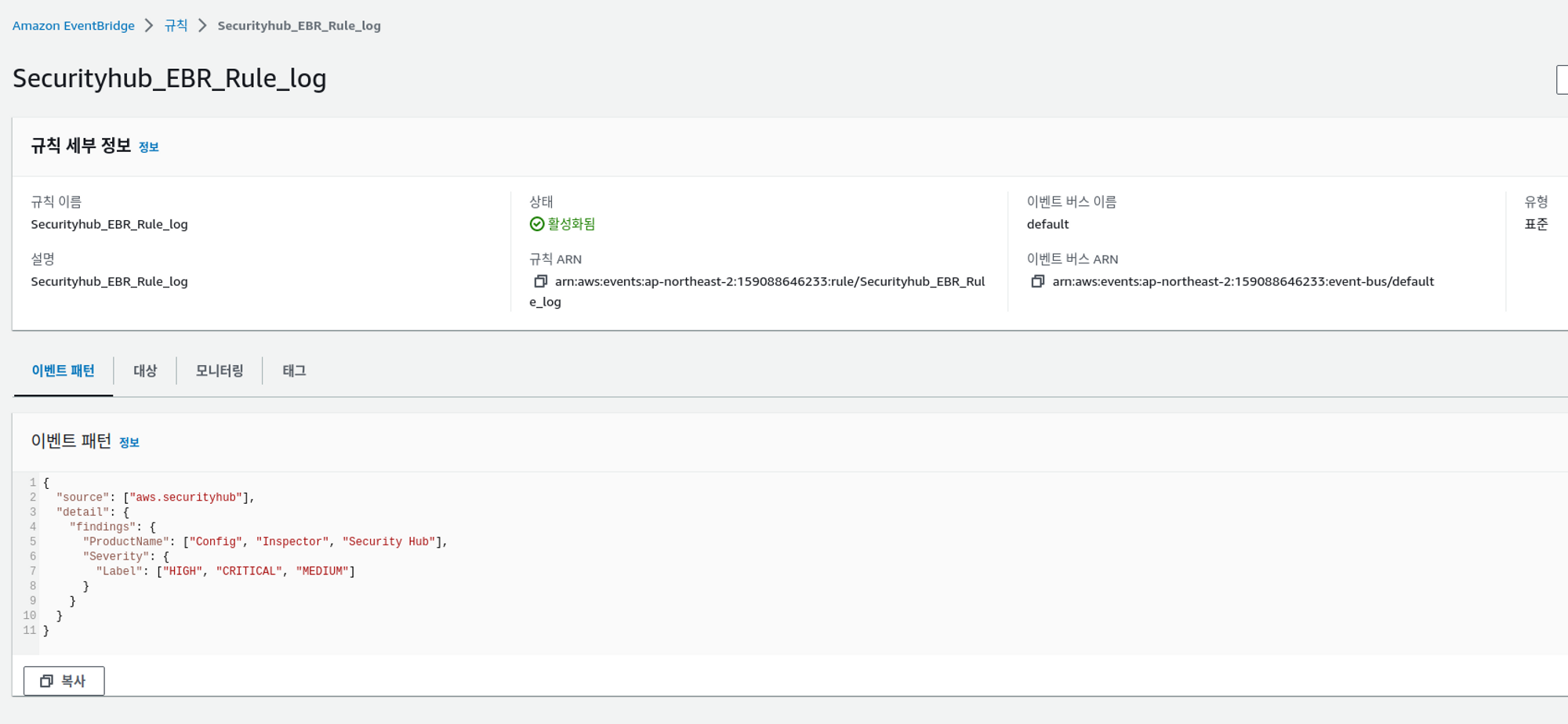
Security Hub의 로그가 Event Bridge Rule를 통해 CloudWatch로 갈 수 있도록 연결 하였다.
Security Hub의 데이터 중 Config와 Inspector, Security Hub에서 탐지하는 CRITICAL, HIGH, MEDIUM에 대한 로그만 일단 넘어가도록 설정했다.
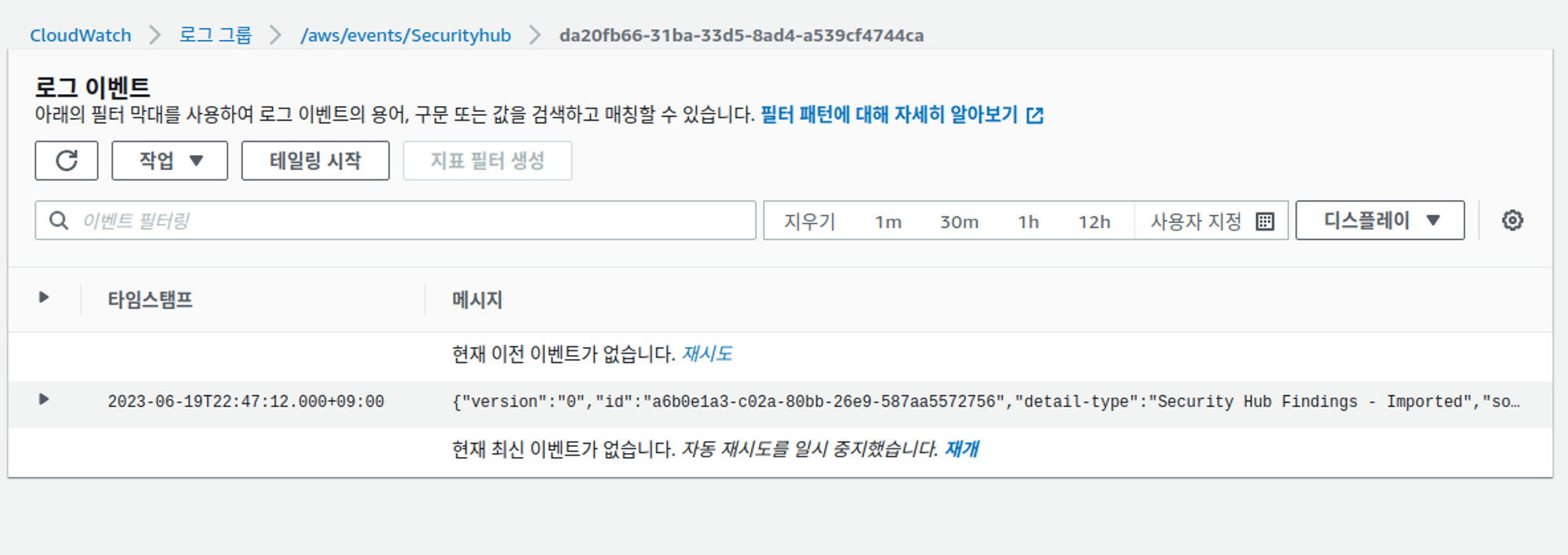
CloudWatch에 로그 쌓이는 것 확인.
📌 Security Hub의 로그가 Event Bridge Rule과 SNS를 통해 Lambda로 전달되는가?
# Securityhub_EBR_SNS_Lambda

import json
import urllib.request

def post_slack(argStr):
    message = argStr
    send_data = {
        "text": message,
    }
    send_text = json.dumps(send_data)
    request = urllib.request.Request(
        "<웹훅주소>,
        data=send_text.encode('utf-8'),
    )

    with urllib.request.urlopen(request) as response:
        slack_message = response.read()

def lambda_handler(event, context):
    detail = event.get('detail')
    if detail is not None:
        findings = detail.get('findings')
        if findings is not None:
            for finding in findings:
                ProductName = finding.get('ProductName')
                Severity = finding.get('FindingProviderFields', {}).get('Severity', {}).get('Label')
                description = finding.get('Description')
                time = event.get('time')
                message = "Time: {}\nProductName: {}\nLabel: {}\nDescription: {}\n".format(time, ProductName, Severity, description)
                post_slack(message)
# Securityhub_EBR_SNS_Lambda_email
import json
import boto3
def send_email(subject, body, sender, recipient):
ses_client = boto3.client('ses', region_name='ap-northeast-2')
response = ses_client.send_email(
Source=sender,
Destination={
'ToAddresses': [recipient]
},
Message={
'Subject': {
'Data': subject
},
'Body': {
'Text': {
'Data': body
}
}
}
)
print('Email sent successfully')
print('Message ID:', response['MessageId'])
def lambda_handler(event, context):
detail = event.get('detail')
if detail is not None:
findings = detail.get('findings')
if findings is not None:
for finding in findings:
ProductName = finding.get('ProductName')
Severity = finding.get('FindingProviderFields', {}).get('Severity', {}).get('Label')
description = finding.get('Description')
time = event.get('time')
message = "Time: {}\nProductName: {}\nLabel: {}\nDescription: {}\n".format(time, ProductName, Severity, description)
send_email("Security Hub Finding", message, "<수신자>", "<발신자>")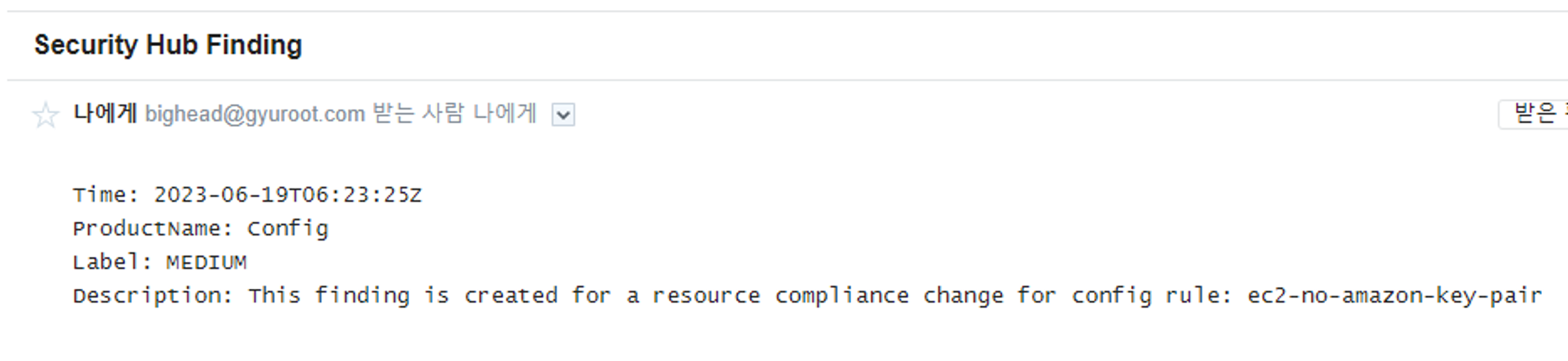
람다 함수에 직접 테스트 하여 Email과 Slack에 가공된 메세지가 오는 것 확인.
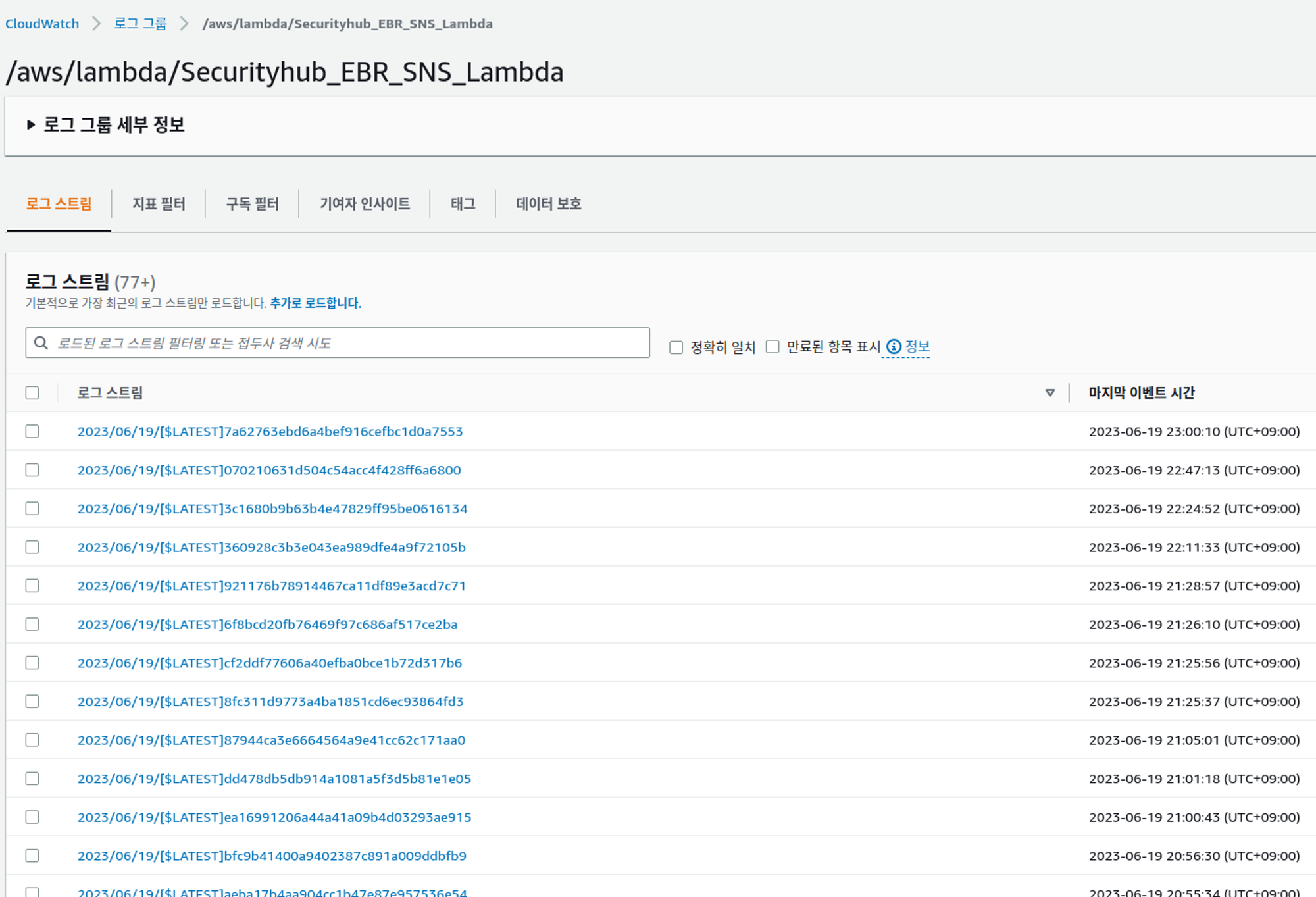
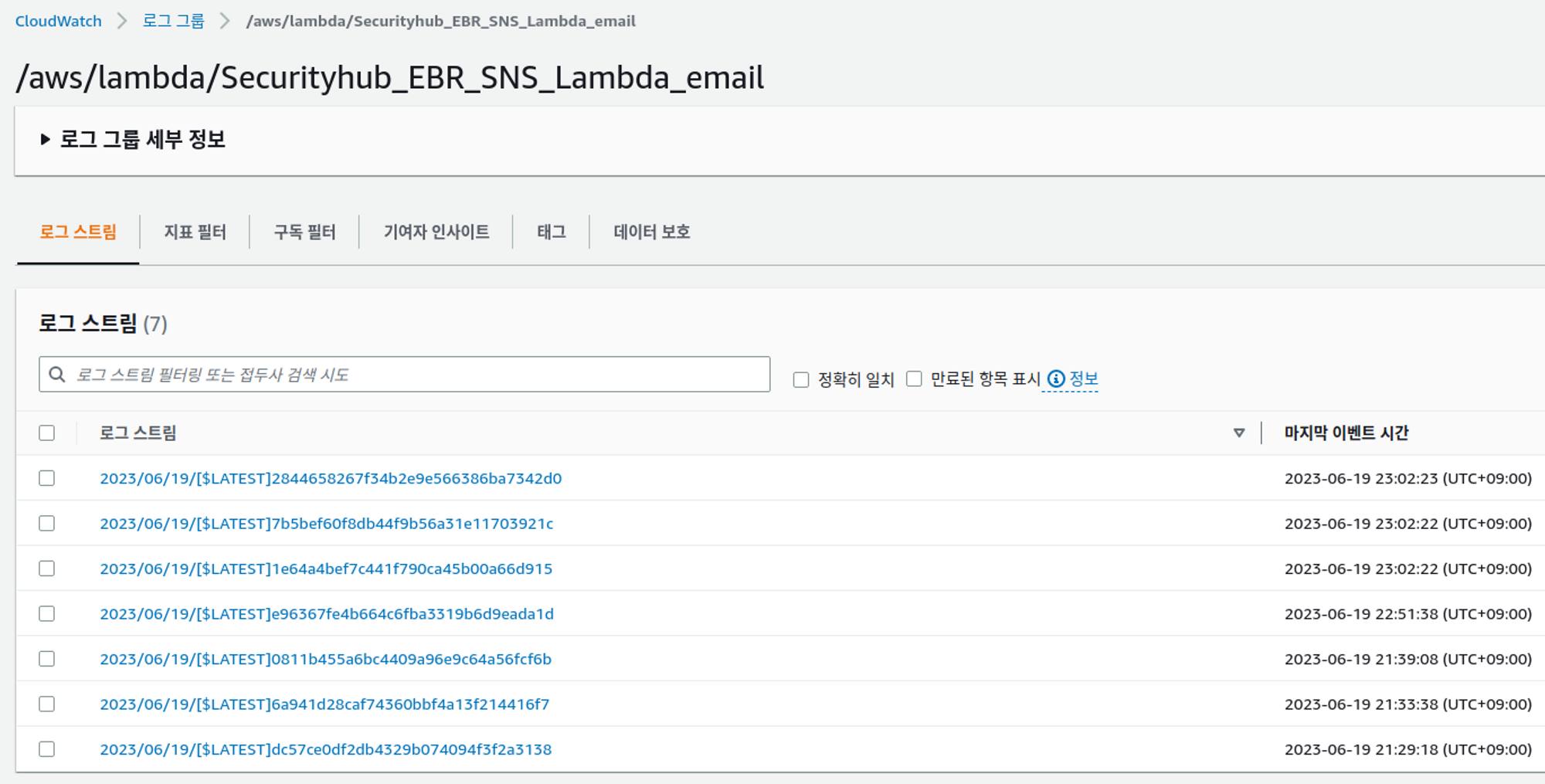
두 가지 문제가 발생 했다.
- 람다 함수가 작동을 했지만 Email과 Slack에 알람이 가지 않는다.
- Security Hub가 점검을 진행하여 실시간으로 로그가 CloudWatch에 생성 되었지만 람다 함수가 간헐적으로 작동한다.
해결하기 위해서 Lambda의 트리거를 SNS에서 CloudWatch Log로 변경 하였지만 동일하다.
문제를 해결하기 위해 생각해 본 것은
- Event Bridge Rule와 SNS는 트리거만 될 뿐 로그가 전달되지 않는다
- CloudWatch Log로 변경 하였지만 로그를 읽지 못한다
- 테스트 하는 방법에 문제가 있었다.
- 트리거에 문제가 있다. 다른 트리거를 사용해봐야 한다.
- 람다 함수에 문제가 있다.
📌 Lambda는 메세지를 가공 해주는가?
📌 Lambda는 Slack과 Email로 가공한 메세지를 보내주는가?
위에서 테스트 시 Lambda는 받은 테스트 로그를 가공해서 Email과 Slack으로 전달 하였다.
Slack과 Eamil로 메세지를 보내는 것을 python으로 작성 하였다.
사실 python을 할줄 모른다. 구글과 공식문서, python 문서들을 찾아가며 작성했다.
처음 해보는데 언어까지 처음 해보는 python으로 해서 오류가 난건가…?
발생한 오류는 내일 다시 해볼 예정이다!