Components 내부에 있는 파일들(m4a-mp3 convert코드가 들어있다)을 내 프로젝트로 이동시킨다.
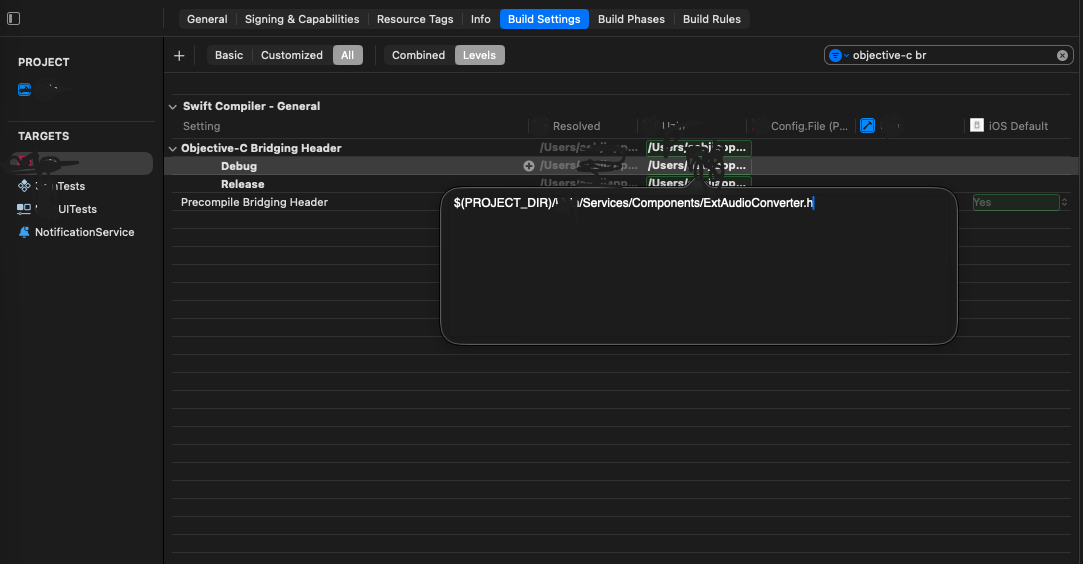
그리고 내 파일에서 위 obj-c 파일을 읽을 수 있게 Targets - Build Settings - Objective-C Bridging Header 를 해당 경로로 $(PROJECT_DIR)/..{경로}./Components/ExtAudioConverter.h 설정해준다.
변환 코드(recording.m4a -> converted.mp3)
let dir = FileManager.default.urls(for: .documentDirectory, in: .userDomainMask).first!
        let name = "recording.m4a"
        let input = dir.appendingPathComponent(name)
        let output = getDocumentsDirectory().appendingPathComponent("converted.mp3")
        let converter = MP3Converter()

        DispatchQueue.global(qos: .userInteractive).async {
            converter.convert(input: input, output: output)
                .receive(on: DispatchQueue.global())
                .sink(receiveCompletion: { result in
                    DispatchQueue.main.async {
                        if case .failure(let error) = result {
                            print ("Conversion failed: \n\(error.localizedDescription)")
                        }
                    }
                }, receiveValue: { result in
                    DispatchQueue.main.async {

                        print ("File saved as converted.mp3 in \nthe documents directory. \(result)")
                    }
                }).store(in: &self.disposable)
        }
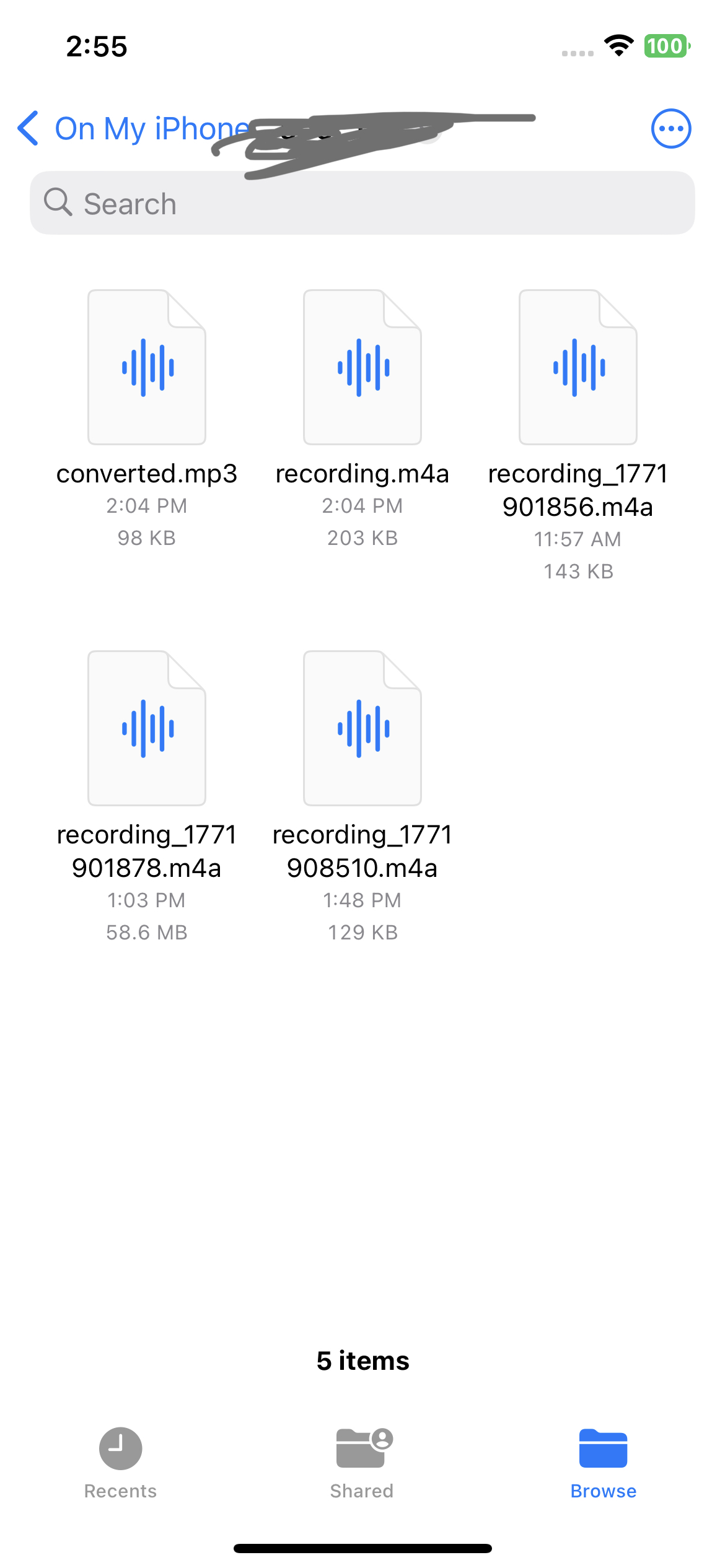
마지막으로 변경 원하는 파일을 recodeing.m4a라고 했을 때,
원하는 파일명(conveted.mp3)으로 변환한다.

iOS 꿈나무 개발자