stable diffusion 모델을 AWS의 EC2로 배포하려다 실패한 기록
백엔드 초짜가 도전한
2022년 11월 25일까지 대략 한 달간의 기록이다.
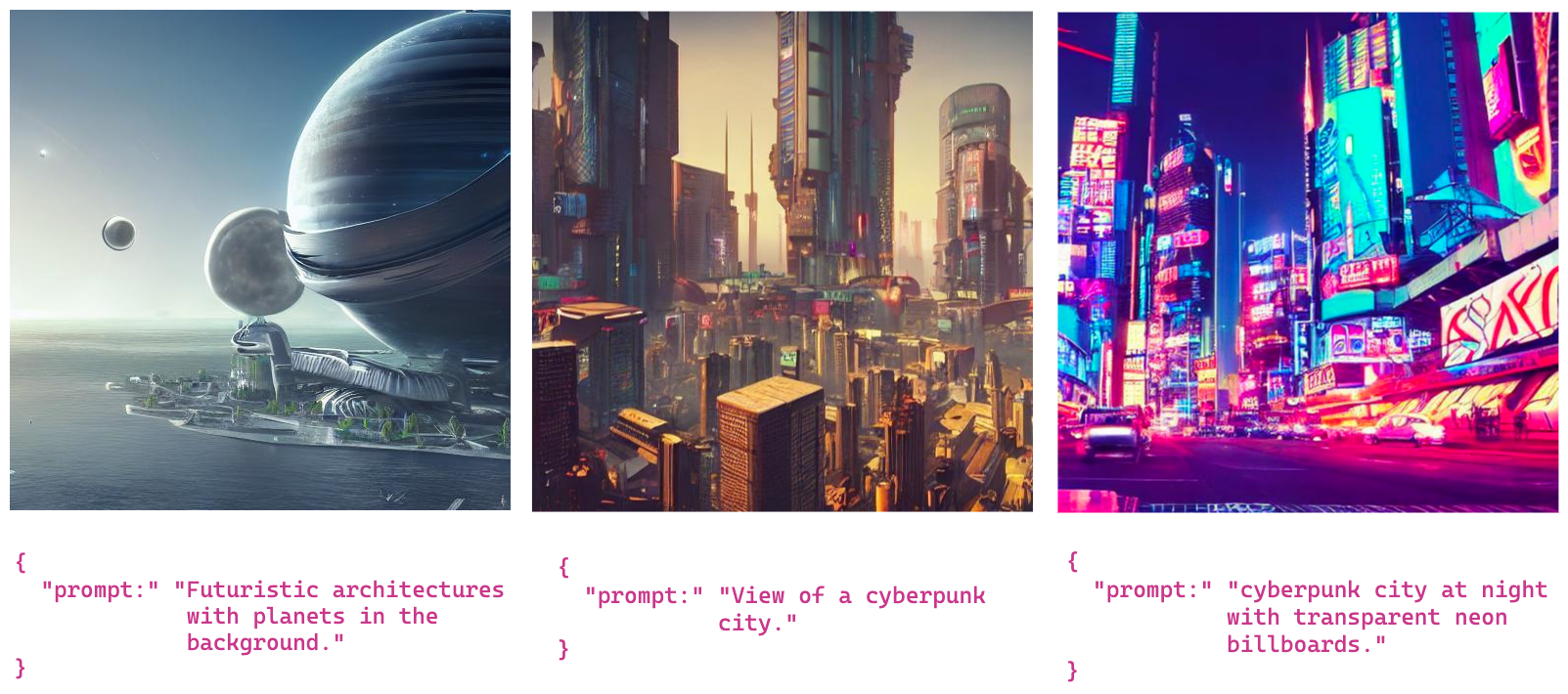
bentoML로 stable-diffusion 배포 가이드 문서 |
https://dshomin.github.io/bentoml/2022/10/03/Stable-Diffusion-bento.html
이 게시글은 ubuntu 서버를 기준으로 작성했다.
프로젝트를 진행한 계기
알바하는 곳에서 이 초짜 프로그래머(프로그래머도 안된다. 사실 코더에 가깝지 않을까?)에게 stable diffusion 모델(ai가 그림 그려주는 오픈소스 인공지능 모델)을 AWS의 EC2로 배포하라 하셨다...
우리의 목표는 최대한 무료로! 가능한 빠르게 stable diffusion 배포하는 것!

아 남의 것 배포하는 거 하나가 왤케 힘드냐
배울 수 있었던 것:
무엇이든 기초 지식이 최고로 중요하다. 기본이 안되니 남의 코드를 따라하는 것 하나도 막히고 에러가 난리가 난다.
그리고 물고 늘어지는 사냥개 같은 근성.
맨 위 참고자료url의 자료를 보며 진행했다. 다른 자료들과 비교해봤을때 굉장히 친절한 참고자료였지만, 초짜인 내겐 불친절했기 때문에 내가 막히고 몰랐던 부분을 정리 배우면서 좌충우돌 배포기를 적어보고자 한다.
요구사항
IAM 사용자 만들기
필자는 aws의 iam에서 사용자부터 추가하여 access key를 받아왔다.
AWS IAM 사용자 만들기 | https://ukayzm.github.io/aws-create-iam-user/
AWS 서버 만들기
AWS 에서 무료 서버를 하나 팠다.
AWS 클라우드 개인서버 무료 사용하기 | https://kyungsnim.net/173
스크린샷으로 세세한 설정까지 친절하게 설명하신 게시글이다.
나는 ubuntu 서버로 결정했다.
putty로 인스턴스 터미널 접속하기
AWS EC2 인스턴스 윈도우에서 접속하기 | https://mjmjmj98.tistory.com/87
나는 서버를 만들 때 새 키를 생성할 때 부터 .ppk 로 private key를 만들었다.
putty 실행 후 퍼블릭 DNS 주소 대신 퍼블릭 IPv4 주소를 넣어 SSH 연결을 했다.
pip 설치
이제 터미널에 이것 저것 잔뜩 깔아줄 시간이다!
여러 패키지를 설치하기 위해 우분투에 python3용 pip를 깔아주자
sudo apt update && sudo apt install python3-pip요구사항 준비
1. AWS CLI 인스톨 혹은 업데이트
aws cli 설치 문서 | https://docs.aws.amazon.com/cli/latest/userguide/getting-started-install.html
위 AWS 사이트에서 리눅스 운영체제를 따라 설치하자.
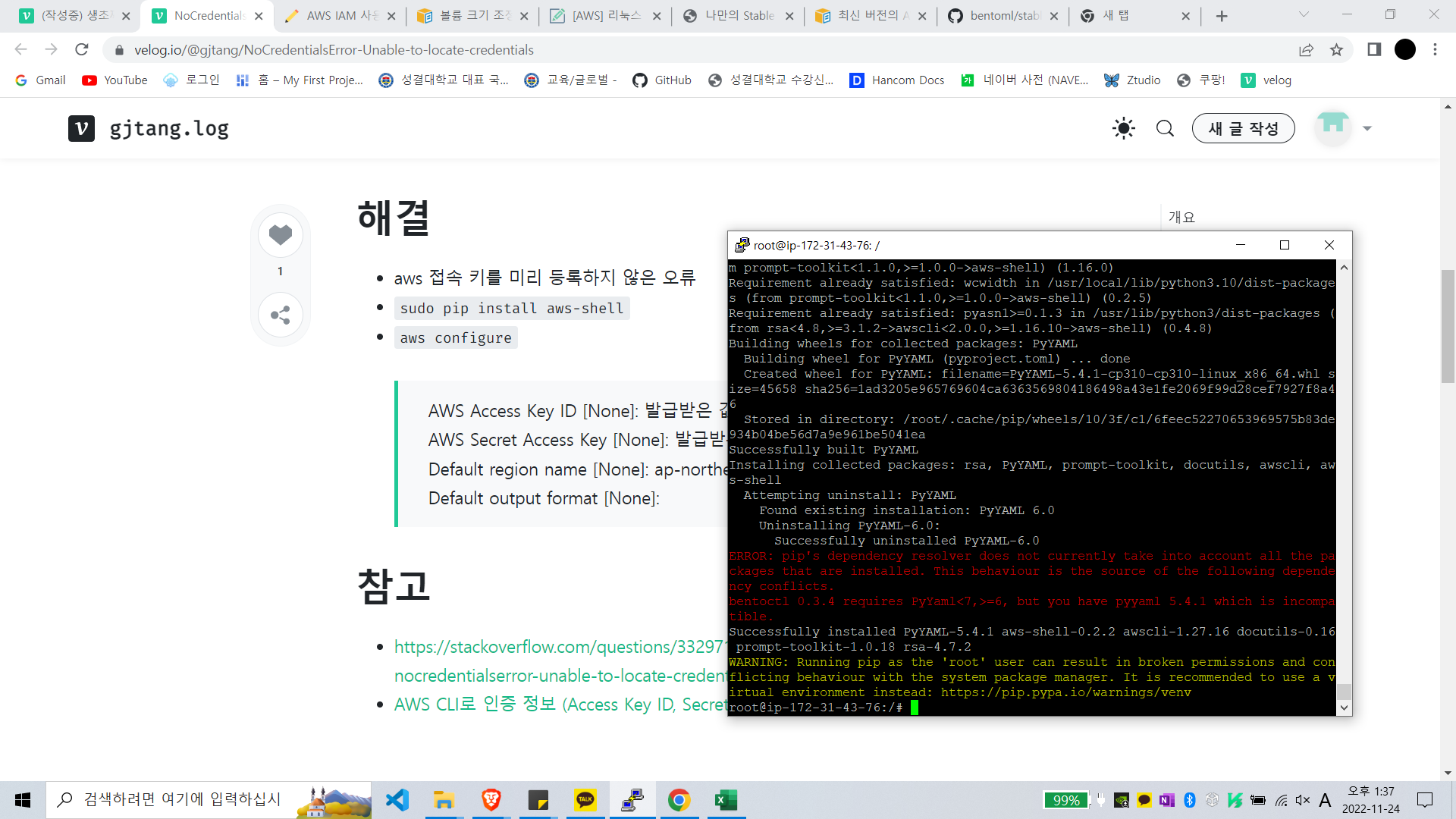
위위 링크에 친절히 다 나와있긴 하지만, aws 접속 키를 미리 등록하지 않으면 오류가 뜬다. aws 접속 키를 등록하자.
NoCredentialsError: Unable to locate credentials | https://velog.io/@gjtang/NoCredentialsError-Unable-to-locate-credentials
aws 접속 키를 미리 등록하지 않은 오류
AWS CLI로 인증 정보 (Access Key ID, Secret Access Key) 관리하기 | https://www.daleseo.com/aws-cli-configure/
aws cli 명령어 사용하기 | https://potato-yong.tistory.com/94
2. BentoML
문서 | https://github.com/bentoml/stable-diffusion-bentoml
3. bentoctl
pip install bentoctl문서 | https://github.com/bentoml/bentoctl#installation
https://github.com/bentoml/bentoctl/blob/main/docs/quickstart.md
1. 먼저 bentoml을 설치해야 한다.
2. Terraform 설치
3. AWS CLI
4. Terraform
terraform 인스톨 | https://developer.hashicorp.com/terraform/tutorials/aws-get-started/install-cli
terraform 설치 -> 리눅스 -> 우분투/데비안
5.Docker
Ubuntu에 Docker 엔진 설치 | https://docs.docker.com/engine/install/ubuntu/
Stable Diffusion Model 준비하기
EC2에서 Stable Diffusion Bento 배포
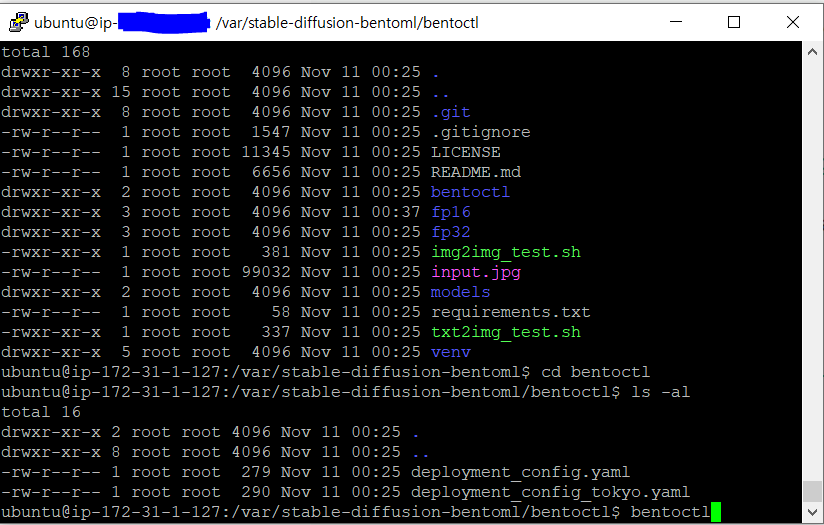
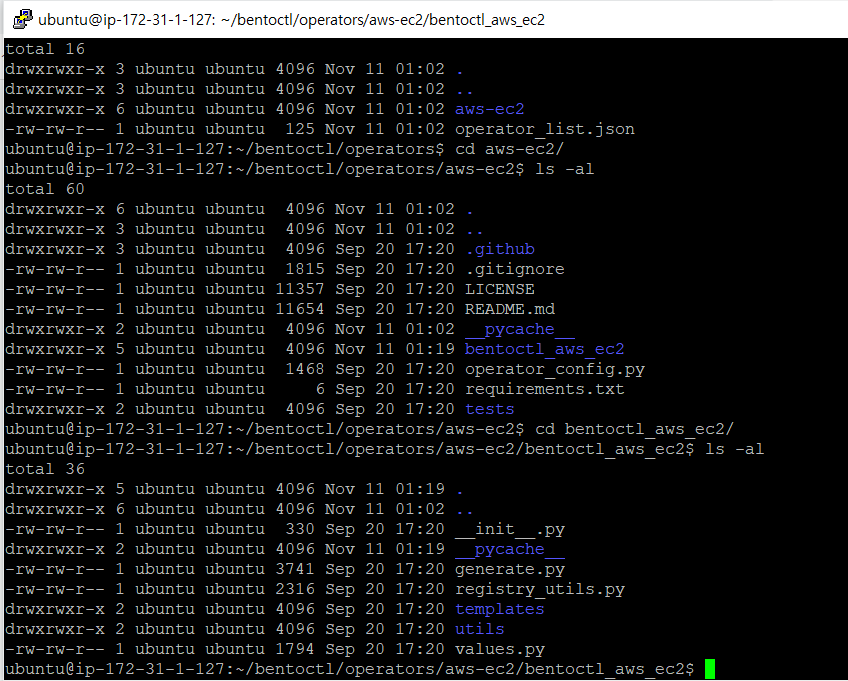
deployment_config.yaml 찾느라 혼났다. 이 파일은 bentoctl 폴더 안에서 찾아볼 수 있다.
사전 빌드 모델 다운
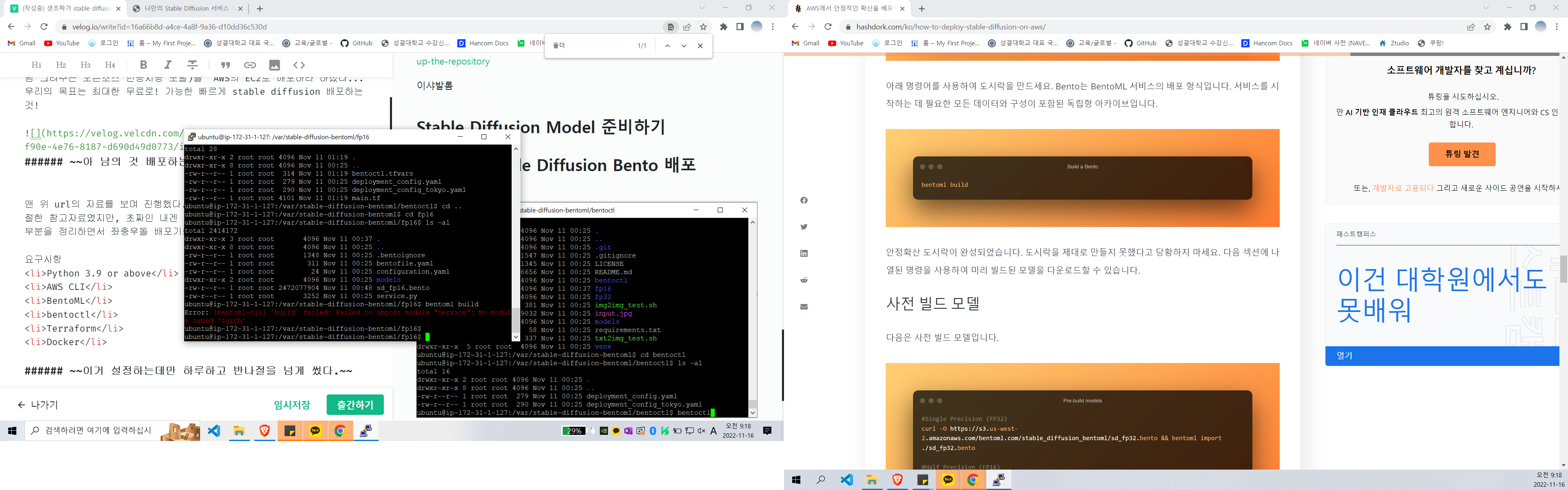
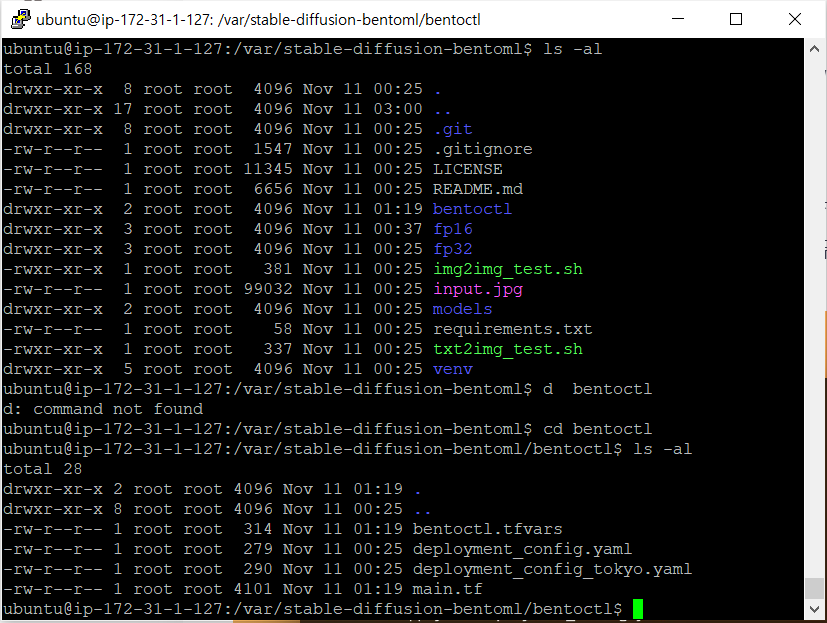
deployment_config.yaml파일 위치
리눅스
리눅스 파일 편집 및 관리 |
https://dog-developers.tistory.com/43
vi aaa.java //aaa.java 파일 편집하기리눅스 SUDO, SU의 차이점 |
https://brownbears.tistory.com/227
리눅스에서 새폴더 생성하는 방법 | https://itworld.gmax8.com/19
우분투 리눅스 rm (파일, 디렉토리 삭제) |
https://blog.hangyeong.com/entry/%EC%9A%B0%EB%B6%84%ED%88%AC-%EB%A6%AC%EB%88%85%EC%8A%A4-rm-%ED%8C%8C%EC%9D%BC-%EB%94%94%EB%A0%89%ED%86%A0%EB%A6%AC-%EC%82%AD%EC%A0%9C#%ED%8C%8C%EC%9D%BC%EC%82%AD%EC%A0%9C
rm aaa.txtaaa.txt 파일 삭제
rm -r /home/aaaaaa 디렉토리 삭제
[Linux] 리눅스 mv 명령어 사용법 & 옵션 정리 (파일 이동, 이름 바꾸기) |
https://coding-factory.tistory.com/751
mv [옵션][이동 할 파일][이동 될 위치]

현재 디렉토리에 있는 test.txt 파일을 디렉토리 내부의 new_folder 디렉토리로 이동
ex) mv test.txt new_folder

현재 디렉토리에 있는 test.txt 파일을 new_test.txt라는 파일로 이름 바꾸기
ex) mv test.txt new_test.txt

/user/jtaewu 경로의 test.txt 파일을 /user/jtaewu 디렉토리로 이동
ex) mv test.txt /user/jtaewu/new_folder

/user/jtaewu 경로 test.txt 파일을 /user/guest 디렉토리에 new.txt로 바꾸어 이동
ex) mv /user/jtaewu/test.txt /user/guest/new.txt
리눅스 폴더 찾기, 파일 찾기, 문자열 찾기
https://sigmasabjil.tistory.com/22
- 폴더 찾기
1) 전체 폴더에서 찾기
find / -name 폴더명 -type d 2)현재폴더(하위 포함) 에서 찾기
find ./ -name 폴더명 -type d- 파일 찾기
1) 전체 폴더에서 찾기
find / -name 파일명PermissionError:[Errno13] Permission denied 우분투 에러시 |
https://redapply.tistory.com/entry/PermissionErrorErrno13-Permission-denied-%EC%9A%B0%EB%B6%84%ED%88%AC-%EC%97%90%EB%9F%AC%EC%8B%9C
맨날 permission denied와 싸워서 구글링 해봤다.
- data 라는 폴더에 모든 권한(읽기,쓰기,실행)을 준다 . /var/www/html/data 위치에 있다는 가정시
bigcat-ubuntu:/var/www/html#
sudo chmod 777 /var/www/html/data 또는 sudo chmod 777 data/- test.py 파일에 권한을 주려면 (모든 사용자에게 실행)
sudo chmod a+x test.py 용량 문제와 부딪힘
리눅스 : 메모리 확인 / 캐시 삭제 |
https://jw910911.tistory.com/86
리눅스 : 용량 부족할때, 커널 삭제로 용량 확보하기 |
https://jw910911.tistory.com/88
Ubuntu - "No space left on device" 오류 대처 방법 |
https://velog.io/@anna_12/Ubuntu-No-space-left-on-device-%EC%98%A4%EB%A5%98-%EB%8C%80%EC%B2%98-%EB%B0%A9%EB%B2%95
리눅스 디스크 용량 확인
https://uzihoon.com/post/831cf540-adf4-11ea-b011-b113e86828fc
df -haws ebs 볼륨 사이즈 30G(프리티어)-> 64G로 수정
[AWS] 리눅스 디스크 볼륨 사이즈 늘리는 방법 |
https://tmjb.tistory.com/52
볼륨 크기 조정 후 Linux 파일 시스템 확장 |
https://docs.aws.amazon.com/ko_kr/AWSEC2/latest/UserGuide/recognize-expanded-volume-linux.html
자꾸 torch 받다가 죽는다.

사양 낮은 서버에 torch 설치 시 자동 killed 될 때 설치 |
https://extrememanual.net/12975
도커
도커(Docker) 입문편
컨테이너 기초부터 서버 배포까지 |
https://www.44bits.io/ko/post/easy-deploy-with-docker#dockerfile%EB%A1%9C-%EC%9D%B4%EB%AF%B8%EC%A7%80-%EB%A7%8C%EB%93%A4%EA%B8%B0
도커 이미지 빌드와 Dockerfile 기초 |
https://www.44bits.io/ko/post/building-docker-image-basic-commit-diff-and-dockerfile#%EB%93%A4%EC%96%B4%EA%B0%80%EB%A9%B0
[Docker][해결방법] Got permission denied while trying to connect to the Docker | https://technote.kr/369
docker 사용 중 permission denied 문제는 사용자가 /var/run/docker.sock 을 접근하려고 하였지만 권한이 없어 발생하는 문제로 사용자가 root:docker 권한을 가지고 있어야 한다.
도커 - 컨테이너 조회(ps), 중지(stop), 시작(start), 재시작(restart), 접속(attach)
https://blog.naver.com/complusblog/220974632766
도커 컨테이너 내부 접속하는 법 | https://wotres.tistory.com/entry/docker-container-%EB%82%B4%EB%B6%80-%EC%A0%91%EC%86%8D-%ED%95%98%EB%8A%94-%EB%B2%95
1. 접속하고 싶은 컨테이너 아이디 알아내기
$sudo docker ps- exec 명령어를 통해 접속하기
$sudo docker exec -it 컨테이너 아이디 /bin/bash- 빠져나오고 싶을 때에는 exit 명령어 사용
Docker 이미지 생성하기 & Dockerfile 명령어 알아보기 |
http://hong.adfeel.info/docker/docker-%EC%9D%B4%EB%AF%B8%EC%A7%80-%EC%83%9D%EC%84%B1%ED%95%98%EA%B8%B0-dockerfile-%EB%AA%85%EB%A0%B9%EC%96%B4-%EC%95%8C%EC%95%84%EB%B3%B4%EA%B8%B0/
Docker 이미지 만들기 |
https://velog.io/@monadk/Docker-%EC%9D%B4%EB%AF%B8%EC%A7%80-%EB%A7%8C%EB%93%A4%EA%B8%B0
dockerfile 명령어 정리 (3) (COPY, ADD, ENV, ARG, WORKDIR) |
https://nirsa.tistory.com/69
## COPY <호스트OS 파일 경로> <Docker 컨테이너 안에서의 경로>
COPY test.sh /root/copy/test.sh

## ADD <호스트OS 파일 경로> <Docker 컨테이너 안에서의 경로>
ADD test.sh /root/add/test.sh
docker file 편집하기
bentoctl 이거