[항해99] 웹개발 종합반 2회 완강 中 5주차 (서버 배포)
5주차 수업
- Flask 프레임워크를 활용해서 API를 만들 수 있다.
- '버킷리스트'를 완성한다.
- EC2에 내 프로젝트(팬명록) 를 올린다.
버킷리스트 POST (기록하기)
- API 만들고 사용하기 - 버킷리스트 기록 API (Create→ POST)
- 요청 정보 : URL= /bucket, 요청 방식 = POST
- 클라(ajax) → 서버(flask) : bucket
- 서버(flask) → 클라(ajax) : 메시지를 보냄 (기록 완료!)
단! 서버에서 한 가지 일을 더 해야한다.
→ 번호를 만들어 함께 넣어주는 것. 그래야 업데이트가 가능함
- 서버 만들기
(bucket 정보를 받아서 저장 / 버킷번호 와 완료여부 를 함께 넣어줘야 함)
count = list(db.bucket.find({},{'_id':False}))
num = len(count) + 1

vs

count = db.bucket.find({},{'_id':False}).count()
num = count + 1
@app.route("/bucket", methods=["POST"])
def bucket_post():
bucket_receive = request.form["bucket_give"]
count = db.bucket.find({},{'_id':False}).count()
num = count + 1
doc = {
'num':num,
'bucket': bucket_receive,
'done':0
}
db.bucket.insert_one(doc)
return jsonify({'msg':'등록 완료!'})- 클라이언트 만들기
(bucket 정보 보내주기)
function save_bucket(){
    let bucket = $('#bucket').val()
    $.ajax({
        type: "POST",
        url: "/bucket",
        data: {bucket_give:bucket},
        success: function (response) {
            alert(response["msg"])
            window.location.reload()
        }
    });
}
버킷리스트 GET (보여주기)
- API 만들고 사용하기 - 버킷리스트 조회 API (Read→ GET)
- 요청 정보 : URL= /bucket, 요청 방식 = GET
- 클라(ajax) → 서버(flask) : (없음)
- 서버(flask) → 클라(ajax) : 전체 버킷리스트를 보여주기
- 서버 만들기
(bucket 에 주문정보를 담아서 내려주기)
@app.route("/bucket", methods=["GET"])
def bucket_get():
    buckets_list = list(db.bucket.find({},{'_id':False}))
return jsonify({'buckets':buckets_list})- 클라이언트 만들기
(응답을 잘 받아서 for문으로 붙여주기)
function show_bucket(){
    $('#bucket-list').empty()
    $.ajax({
        type: "GET",
        url: "/bucket",
        data: {},
        success: function (response) {
            let rows = response['buckets']
            for (let i = 0; i < rows.length; i++) {
                let bucket = rows[i]['bucket']
                let num = rows[i]['num']
                let done = rows[i]['done']

                let temp_html = ``
                if (done == 0) {
                    temp_html = `<li>
                                    <h2>✅ ${bucket}</h2>
                                    <button onclick="done_bucket(${num})" type="button" class="btn btn-outline-primary">완료!</button>
                                </li>`
                } else {
                    temp_html = `<li>
                                    <h2 class="done">✅ ${bucket}</h2>
                                </li>`
                }
                $('#bucket-list').append(temp_html)
            }
        }
    });
}
버킷리스트 POST (완료하기)
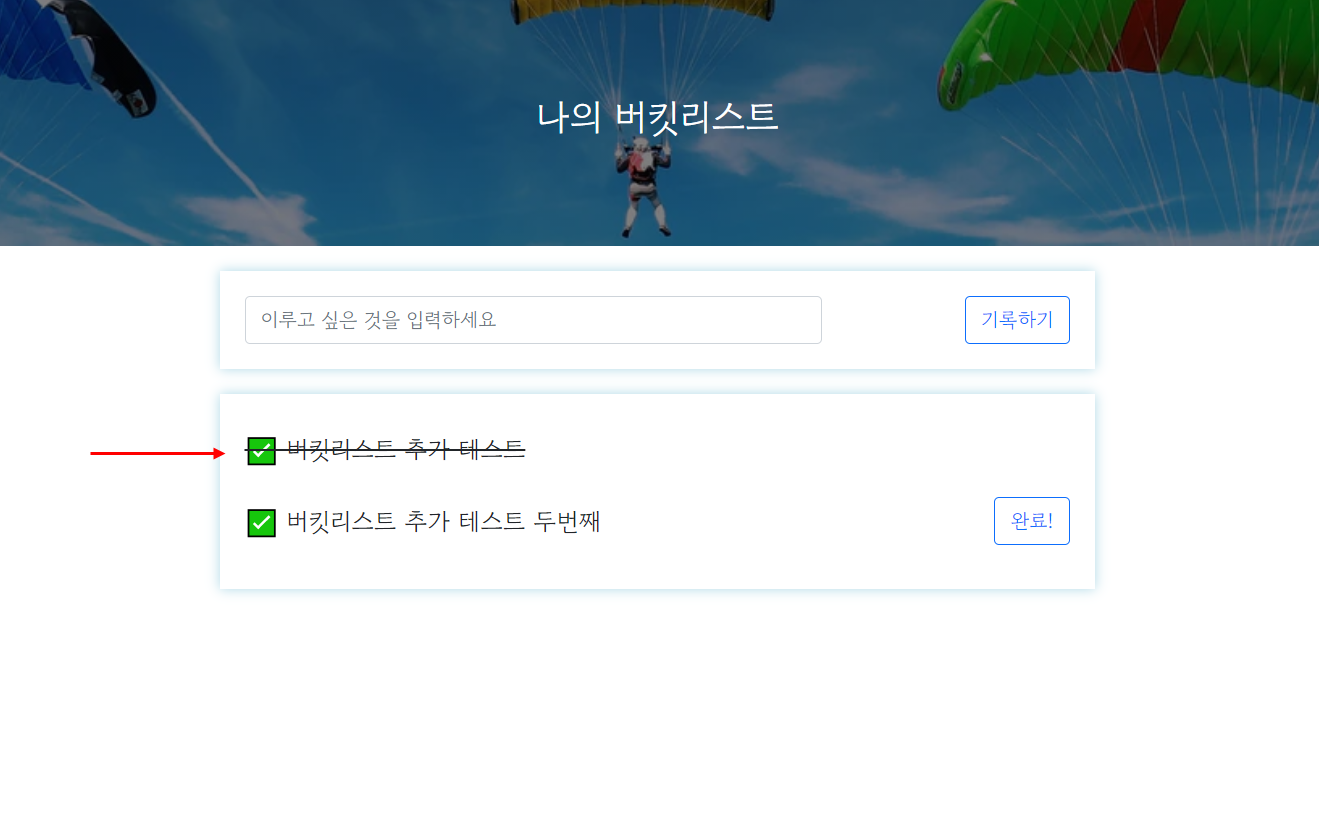
- API 만들고 사용하기 - 버킷리스트 완료 API (Update➡ POST)
- 요청 정보 : URL= /bucket/done, 요청 방식 = POST
- 클라(ajax) → 서버(flask) : num (버킷 넘버)
- 서버(flask) → 클라(ajax) : 메시지를 보냄 (버킷 완료!)
- 서버 만들기
(버킷번호 받아서 업데이트 / 단, num_receive 는 문자열로 들어오니까 숫자(int) 로 바꿔주는 게 중요함!)
@app.route("/bucket/done", methods=["POST"])
def bucket_done():
    num_receive = request.form["num_give"]
    db.bucket.update_one({'num': int(num_receive)}, {'$set': {'done': 1}})
return jsonify({'msg': '버킷 완료!'})- 클라이언트 만들기
(버킷넘버 를 보여주면 된다)
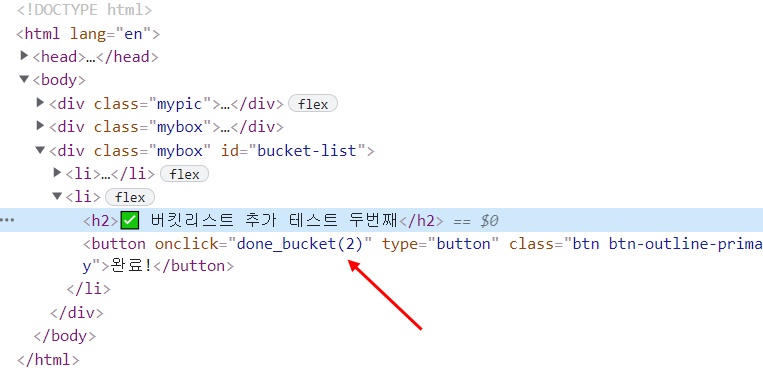
function done_bucket(num){
    $.ajax({
        type: "POST",
        url: "/bucket/done",
        data: {'num_give':num},
        success: function (response) {
            alert(response["msg"])
            window.location.reload()
        }
    });
}
AWS EC2 에 접속하기
- Mac OS: Mac은 ssh가 있어서, 명령어로 바로 접근 가능!
- 터미널을 열기 (spotlight에 terminal 입력)
- 방금 받은 내 Keypair의 접근 권한을 바꿔주기
(sudo chmod 400 받은키페어를끌어다놓기) - SSH로 접속하기
(ssh -i 받은키페어를끌어다놓기 ubuntu@AWS에적힌내아이피) - 예) 아래와 비슷한 생김새
(ssh -i /path/my-key-pair.pem ubuntu@13.125.250.20)
- Window: ssh가 없으므로, git bash라는 프로그램을 이용!
- gitbash를 실행하고, 아래를 입력!
(ssh -i 받은키페어를끌어다놓기 ubuntu@AWS에적힌내아이피) - 예) 아래와 비슷한 생김새!
(ssh -i /path/my-key-pair.pem ubuntu@13.125.250.20) - Key fingerprint 관련 메시지가 나올 경우 Yes를 입력한다.
- git bash를 종료할 때는 exit 명령어를 입력하여 ssh 접속을 먼저 끊어준다.
- gitbash를 실행하고, 아래를 입력!
간단한 리눅스 명령어 입력하기
(팁: 리눅스 커널에서 윗화살표를 누르면 바로 전에 썼던 명령어가 나온다)
ls: 내 위치의 모든 파일을 보여준다.
pwd: 내 위치(폴더의 경로)를 알려준다.
mkdir: 내 위치 아래에 폴더를 하나 만든다.
cd [갈 곳]: 나를 [갈 곳] 폴더로 이동시킨다.
cd .. : 나를 상위 폴더로 이동시킨다.
cp -r [복사할 것] [붙여넣기 할 것]: 복사 붙여넣기
rm -rf [지울 것]: 지우기
sudo [실행 할 명령어]: 명령어를 관리자 권한으로 실행한다.
sudo su: 관리가 권한으로 들어간다. (나올때는 exit으로 나옴)
EC2 한방에 세팅하기
- 서버 환경 통일하기
# python3 -> python
sudo update-alternatives --install /usr/bin/python python /usr/bin/python3 10

# pip3 -> pip
sudo apt-get update
sudo apt-get install -y python3-pip
sudo update-alternatives --install /usr/bin/pip pip /usr/bin/pip3 1

# port forwarding
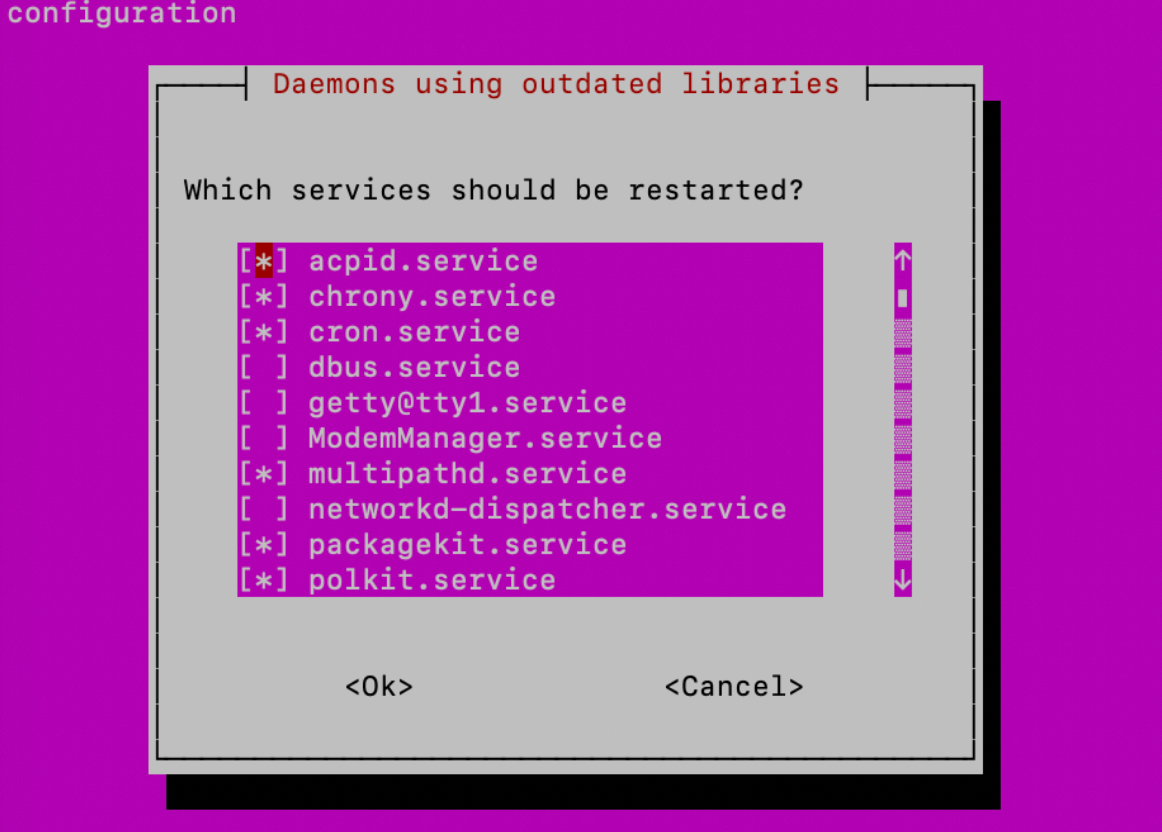
sudo iptables -t nat -A PREROUTING -i eth0 -p tcp --dport 80 -j REDIRECT --to-port 5000- 진행 중 아래와 같은 화면이 나타나면 설정 변경 없이 를 선택 후 엔터를 쳐서 창을 닫아주시면 됩니다!
nohup 설정하기
- SSH 접속을 끊어도 서버가 계속 돌게 하기
# 아래의 명령어로 실행하면 된다
nohup python app.py &
서버 종료하기 - 강제종료하는 방법
ps -ef | grep 'python app.py' | awk '{print $2}' | xargs killog 태그
- static 폴더 아래에 이미지 파일을 넣고, 각자 프로젝트 HTML의 ~ 사이에 아래 내용을 작성하면 og 태그를 개인 프로젝트에 사용할 수 있다.
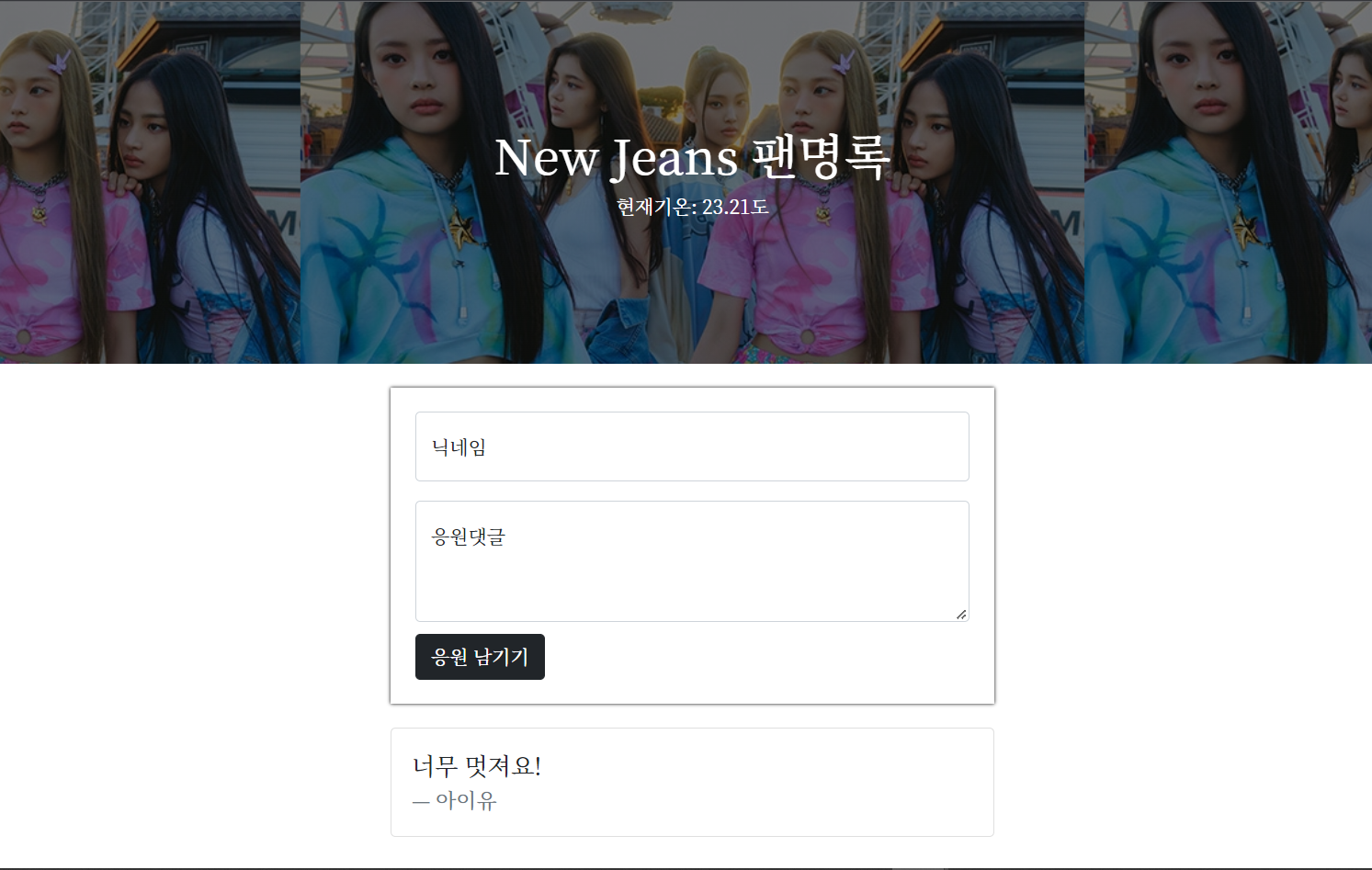
<meta property="og:title" content="New Jeans 팬명록" />
<meta property="og:description" content="응원 한마디 남기고 가세요!" />
<meta property="og:image" content="https://img.wowtv.co.kr/wowtv_news/dnrs/20220725/2022072516132608449d3244b4fed182172185139.jpg" />
5주차 과제 링크
과제 전체 코드
- app.py
from flask import Flask, render_template, request, jsonify
app = Flask(__name__)

from pymongo import MongoClient
client = MongoClient('mongodb+srv://test:sparta@cluster0.xsj14ws.mongodb.net/Cluster0?retryWrites=true&w=majority')
db = client.dbsparta

@app.route('/')
def home():
   return render_template('index.html')

@app.route("/homework", methods=["POST"])
def homework_post():
    name_receive = request.form['name_give']
    comment_receive = request.form['comment_give']

    doc = {
        'name': name_receive,
        'comment': comment_receive
    }

    db.homework.insert_one(doc)
    return jsonify({'msg':'응원 완료!'})

@app.route("/homework", methods=["GET"])
def homework_get():
    comment_list = list(db.homework.find({}, {'_id': False}))
    return jsonify({'comments':comment_list})

if __name__ == '__main__':
app.run('0.0.0.0', port=5000, debug=True)- index_html
<!DOCTYPE html>
<html lang="en">
<head>
    <meta charset="UTF-8">
    <meta http-equiv="X-UA-Compatible" content="IE=edge">
    <meta name="viewport" content="width=device-width, initial-scale=1.0">

    <meta property="og:title" content="New Jeans 팬명록" />
    <meta property="og:description" content="응원 한마디 남기고 가세요!" />
    <meta property="og:image" content="https://img.wowtv.co.kr/wowtv_news/dnrs/20220725/2022072516132608449d3244b4fed182172185139.jpg" />

    <link href="https://cdn.jsdelivr.net/npm/bootstrap@5.0.2/dist/css/bootstrap.min.css" rel="stylesheet"
        integrity="sha384-EVSTQN3/azprG1Anm3QDgpJLIm9Nao0Yz1ztcQTwFspd3yD65VohhpuuCOmLASjC" crossorigin="anonymous">
    <script src="https://ajax.googleapis.com/ajax/libs/jquery/3.5.1/jquery.min.js"></script>
    <script src="https://cdn.jsdelivr.net/npm/bootstrap@5.0.2/dist/js/bootstrap.bundle.min.js"
        integrity="sha384-MrcW6ZMFYlzcLA8Nl+NtUVF0sA7MsXsP1UyJoMp4YLEuNSfAP+JcXn/tWtIaxVXM"
        crossorigin="anonymous"></script>

    <title>New Jeans - 팬명록</title>

    <link href="https://fonts.googleapis.com/css2?family=Noto+Serif+KR:wght@200;300;400;500;600;700;900&display=swap" rel="stylesheet">
    <style>
        * {
            font-family: 'Noto Serif KR', serif;
        }
        .mypic {
            width: 100%;
            height: 300px;

            background-image: linear-gradient(0deg, rgba(0, 0, 0, 0.5), rgba(0, 0, 0, 0.5)), url('https://img.wowtv.co.kr/wowtv_news/dnrs/20220725/2022072516132608449d3244b4fed182172185139.jpg');
            background-position: top;
            background-size: revert;

            color: white;

            display: flex;
            flex-direction: column;
            align-items: center;
            justify-content: center;
        }

        .mypost {
            width: 95%;
            max-width: 500px;
            margin: 20px auto 20px auto;

            box-shadow: 0 0 3px 0 black;
            padding: 20px;
        }

        .mypost > button {
            margin-top: 10px;
        }

        .mycards {
            width: 95%;
            max-width: 500px;
            margin: 20px auto 0 auto;
        }

        .mycards > card {
            margin-top: 10px;
            margin-bottom: 10px;
        }
    </style>
    <script>
        $('#comment-list').empty()
        $(document).ready(function(){
            set_temp()
            show_comment()
        });
        function set_temp(){
            $.ajax({
                type: "GET",
                url: "http://spartacodingclub.shop/sparta_api/weather/seoul",
                data: {},
                success: function (response) {
                    $('#temp').text(response['temp'])
                }
            })
        }
        function save_comment(){
            let name = $('#name').val()
            let comment = $('#comment').val()

            $.ajax({
                type: 'POST',
                url: '/homework',
                data: {'name_give':name, 'comment_give':comment},
                success: function (response) {
                    alert(response['msg'])
                    window.location.reload()
                }
            })
        }
        function show_comment(){
            $.ajax({
                type: "GET",
                url: "/homework",
                data: {},
                success: function (response) {
                    let rows = response['comments']
                    for (let i = 0; i < rows.length; i++) {
                        let name = rows[i]['name']
                        let comment = rows[i]['comment']

                        let temp_html = `<div class="card">
                                            <div class="card-body">
                                                <blockquote class="blockquote mb-0">
                                                    <p>${comment}</p>
                                                    <footer class="blockquote-footer">${name}</footer>
                                                </blockquote>
                                            </div>
                                        </div>`
                        $('#comment-list').append(temp_html)
                    }
                }
            });
        }
    </script>
</head>
<body>
    <div class="mypic">
        <h1>New Jeans 팬명록</h1>
        <p>현재기온: <span id="temp">36</span>도</p>
    </div>
    <div class="mypost">
        <div class="form-floating mb-3">
            <input type="text" class="form-control" id="name" placeholder="url">
            <label for="floatingInput">닉네임</label>
        </div>
        <div class="form-floating">
            <textarea class="form-control" placeholder="Leave a comment here" id="comment"
                style="height: 100px"></textarea>
            <label for="floatingTextarea2">응원댓글</label>
        </div>
        <button onclick="save_comment()" type="button" class="btn btn-dark">응원 남기기</button>
    </div>
    <div class="mycards" id="comment-list">
    </div>
</body>
</html>
5주차까지 끝내고 느낀 점
: 1주차~5주차까지 두번을 완강을 했지만 아직까지도 많이 부족한 부분들이 많고 이해가 어려운 부분들이 있어서 앞으로 다른 프로젝트를 개인적으로 만들게 되든 팀으로 프로젝트를 만들게 되든 최대한 많은 횟수로 포트폴리오를 만들어보는 것이 정말 중요할 것 같다. 지금 당장은 어려운 부분들이 많지만 당연한 것이라 생각하고 너무 조급하게 생각하지 않고 내가 할 수 있는 만큼 꾸준히 공부하고 기술을 알아나간다면 분명히 빠른 시간 내에 많은 걸 이해할 수 있는 개발자가 될 수 있다고 믿는다. 화이팅!!!!!!!!

Fun_Dev