참고 : 인프런 [ 실전! 스프링 부트와 JPA 활용1 - 웹 애플리케이션 개발 - 김영한 ]
상품 등록
MemberController
  @GetMapping("/members")
    public String list(Model model){
        List<Member> members = memberService.findMembers();
        model.addAttribute("members", members);
        return "members/memberList";
    }
BookForm 생성
@Getter @Setter
public class BookForm {

   private Long id;

   private String name;
   private int price;
   private int stockQuantity;

   private String author;
   private String isbn;
}
ItemController 생성
...
 @GetMapping("items/new")
    public String createForm(Model model) {
        model.addAttribute("form", new BookForm());
        return "items/createItemForm";
    }

    @PostMapping("items/new")
    public String create (BookForm form){
        Book book=new Book();
        book.setName(form.getName());
        book.setPrice(form.getPrice());
        book.setStockQuantity(form.getStockQuantity());
        book.setAuthor(form.getAuthor());
        book.setIsbn(form.getIsbn());

        itemService.saveItem(book);

        return "redirect:/"; //저장된 책 목록으로 리턴

    }
...
실무에서는 Stter을 제거하고 createbook 과 같은 static 생성자 메서드를 가지고 설계하는 것이 좋다.
createItemForm.html 생성
...
<div th:replace="fragments/bodyHeader :: bodyHeader"/>
    <form th:action="@{/items/new}" th:object="${form}" method="post">
        <div class="form-group">
            <label th:for="name">상품명</label>
            <input type="text" th:field="*{name}" class="form-control" placeholder="이름을 입력하세요">
        </div>
        <div class="form-group">
            <label th:for="price">가격</label>
            <input type="number" th:field="*{price}" class="form-control" placeholder="가격을 입력하세요">
        </div>
...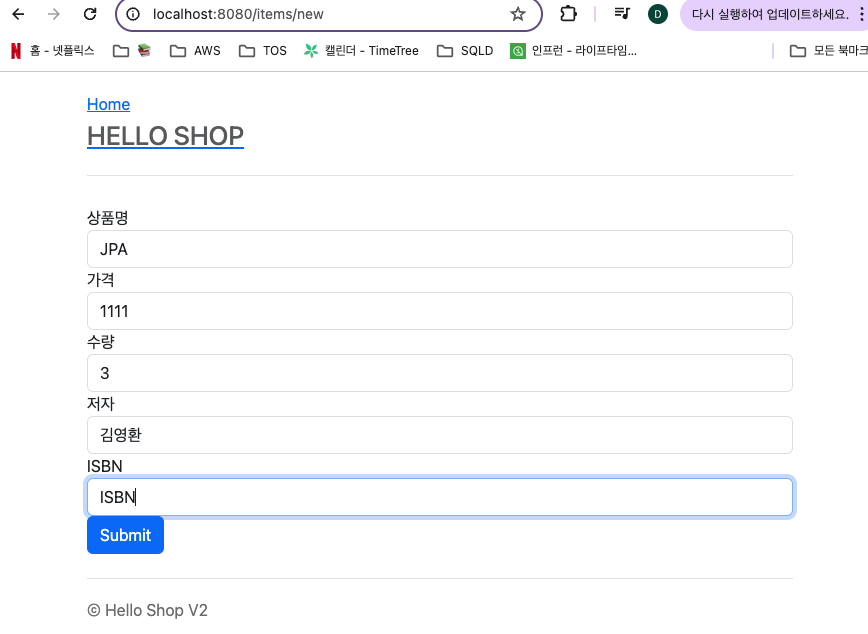

상품 등록 후 디비 콘솔에서 저장된 것을 확인 할 수 있다.
상품 목록 조회
ItemController
  @GetMapping("/items")
    public String list(Model model){
        List<Item> items= itemService.findItems();
        model.addAttribute("items", items);

        return "items/itemList";

    }
itemList.html 생성
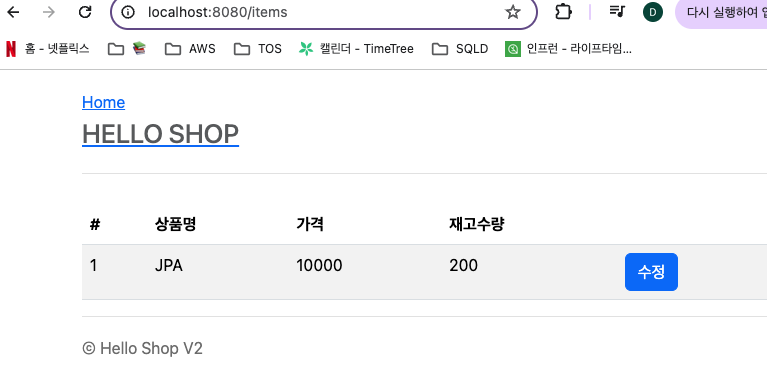
<table class="table table-striped">
            <thead>
            <tr>
                <th>#</th>
                <th>상품명</th>
                <th>가격</th>
                <th>재고수량</th>
                <th></th>
            </tr>
            </thead>
            <tbody>
            <tr th:each="item : ${items}">
                <td th:text="${item.id}"></td>
                <td th:text="${item.name}"></td>
                <td th:text="${item.price}"></td>
                <td th:text="${item.stockQuantity}"></td>
                <td>
                    <a href="#" th:href="@{/items/{id}/edit (id=${item.id})}" class="btn btn-primary"
                       role="button">수정</a>
                </td>
            </tr>
            </tbody>
... 

복습 복습 복습