Claude MCP 연결
Claude에 MCP를 연결해서 사용 할 수 있다고 해서 해보았다.
mac os 기준
Claude desktop을 설치하고
Node.js를 설치
(base) Claude % node -v
v23.7.0
(base) Claude % npx -v
10.9.2
(base) Claude % npm -v
10.9.2
touch ~/Library/Application\ Support/Claude/claude_desktop_config.json
을 생성하고
nano ~/Library/Application\ Support/Claude/claude_desktop_config.json
{
  "mcpServers": {
    "filesystem": {
      "command": "npx",
      "args": ["-y", "@modelcontextprotocol/server-filesystem", "/Users/username"]
    },
    "brave-search": {
      "command": "npx",
      "args": ["-y", "@modelcontextprotocol/server-brave-search"],
      "env": {
        "BRAVE_API_KEY": "api key"
      }
    },
    "terminal": {
      "command": "/Users/user/Desktop/MCP_Servers/.venv/bin/python",
      "args": ["/Users/user/Desktop/MCP_Servers/terminal_server.py"],
      "env": {
        "PATH": "/Users/user/Desktop/MCP_Servers/.venv/bin:/usr/local/bin:/usr/bin:/bin:/usr/sbin:/sb$
      }
    }
  }
}
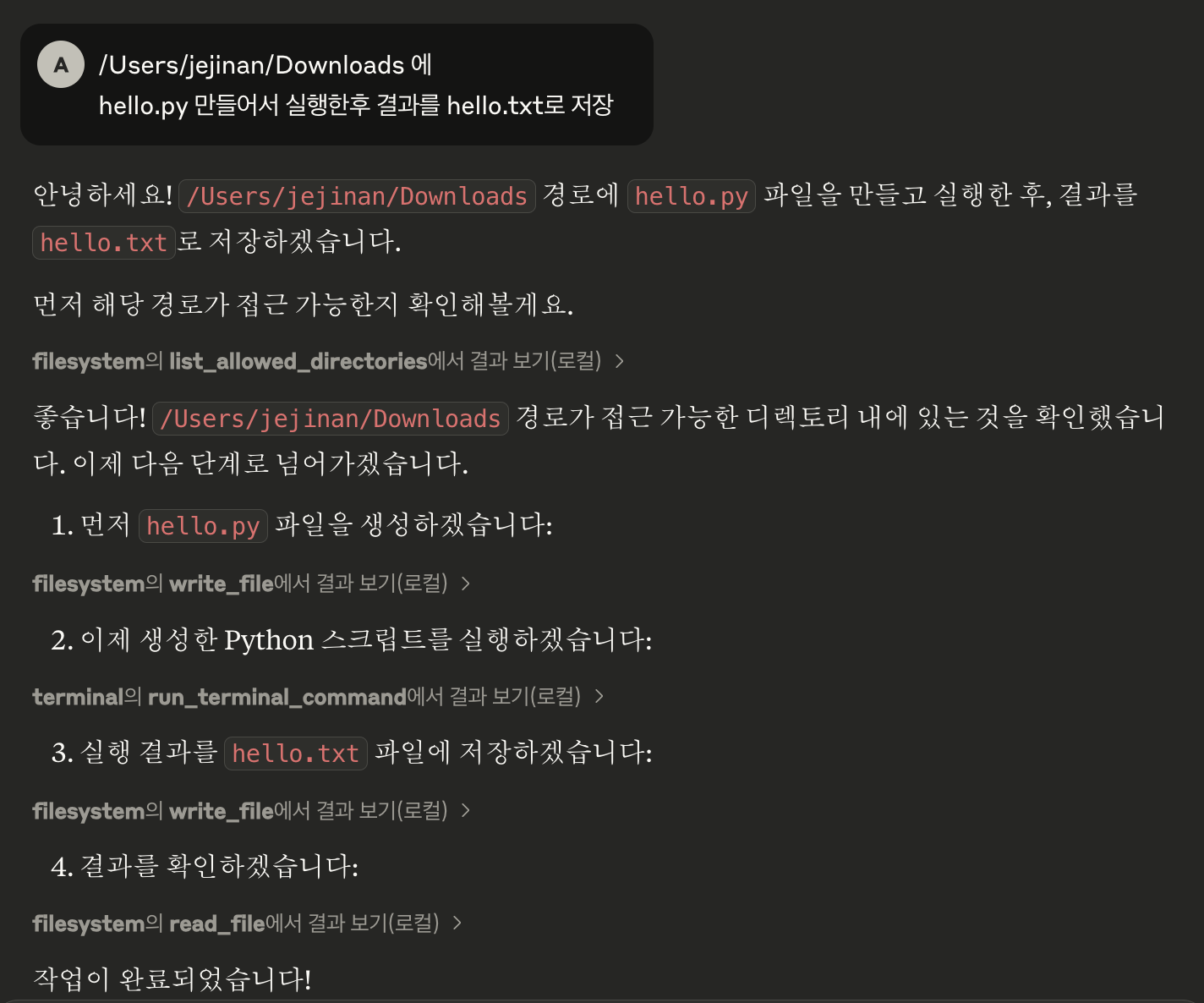
이와 같이 3개의 mcp 서버를 설정했다
@modelcontextprotocol/server-filesystem
@modelcontextprotocol/server-brave-search
는 npm 패키지를 사용
terminal은 python fastmcp로 mcp 서버를 추가함
from mcp.server.fastmcp import FastMCP
import subprocess

# MCP 서버 인스턴스 생성
mcp = FastMCP("Terminal Server")

# 터미널 명령 실행 도구 정의
@mcp.tool()
def run_terminal_command(command: str) -> str:
    """
    주어진 터미널 명령을 실행하고 결과를 반환합니다.

    Args:
        command (str): 실행할 터미널 명령어 (예: "ls -la" 또는 "dir")

    Returns:
        str: 명령어 실행 결과 (stdout 또는 stderr)
    """
    try:
        # subprocess로 명령 실행
        result = subprocess.run(
            command,
            shell=True,          # 셸을 통해 명령 실행
            capture_output=True, # 출력 캡처
            text=True           # 문자열로 반환
        )
        # stdout이 있으면 반환, 없으면 stderr 반환
        return result.stdout if result.stdout else result.stderr
    except Exception as e:
        return f"Error executing command: {str(e)}"

# 서버 실행
if __name__ == "__main__":
    mcp.run()```
테스트