- Spring Security api를 postman에서 테스트 할때
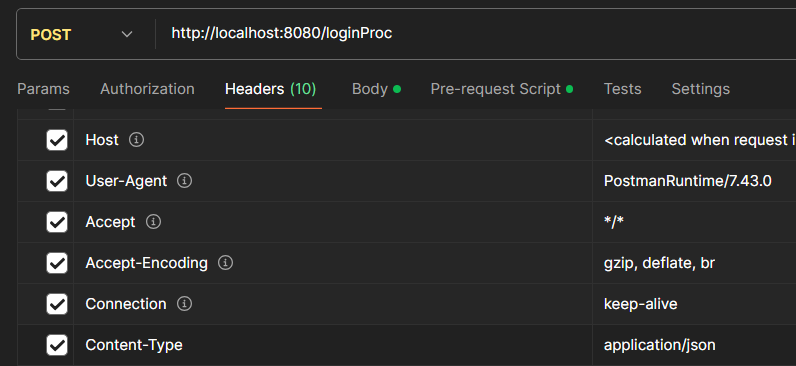
다음과 같이 Header의 Content-Type이 'application/json'으로 되어있다면
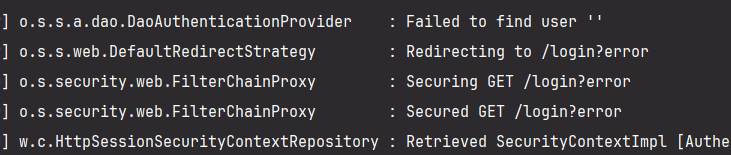
이런 에러를 마주할 것이다.
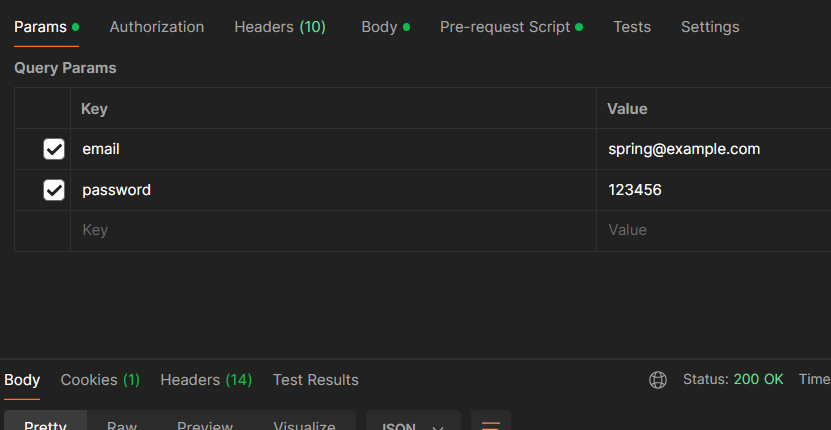
- 이렇게 queryparmas로는 해결이 될 수도 있겠지만 내가 원하는 기능은 "body"에 담아서 request를 하는 것이다. 따라서 해결 방안을 찾아보았다.
Spring security postman에서 header,body 설정
- 로그인 예시
header

body
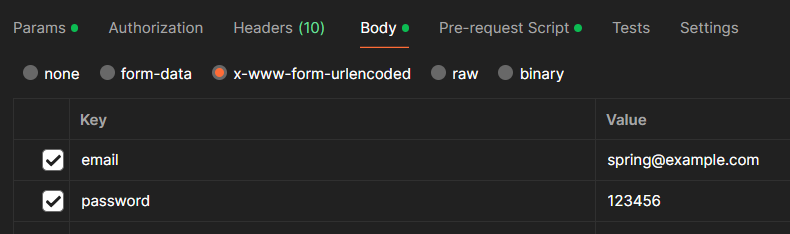
json 방식과 x-www-form-urlencoded 차이
- json 방식
Content-Type: application/json

{
  "email": "spring@example.com",
  "password":"123456"
}- x-www-form-urlencoded
요청
email : spring@example.com
password: 123456
->email=spring@example.com&password=123456
-
POST 전송에서의 content-type
-
이 content-type으로 이루어진 body는 browser에서 데이터를 자동으로 encoding된다.
Spring security에서 formLogin을 살펴보기
	@Nullable
    protected String obtainPassword(HttpServletRequest request) {
        return request.getParameter(this.passwordParameter);
    }

    @Nullable
    protected String obtainUsername(HttpServletRequest request) {
        return request.getParameter(this.usernameParameter);
}- getParameter형식
content-type : application / x-www.form-urlencoded - 이를 따라서 postman에서도 header,body를 모두 application / x-www.form-urlencoded 형식을 이용하자!
formLogin에 대해서 아래 Ref가 많이 도움되었다.
Custom하는 내용도 다룬다🌟