해결 방법은 글 하단에 있어요링
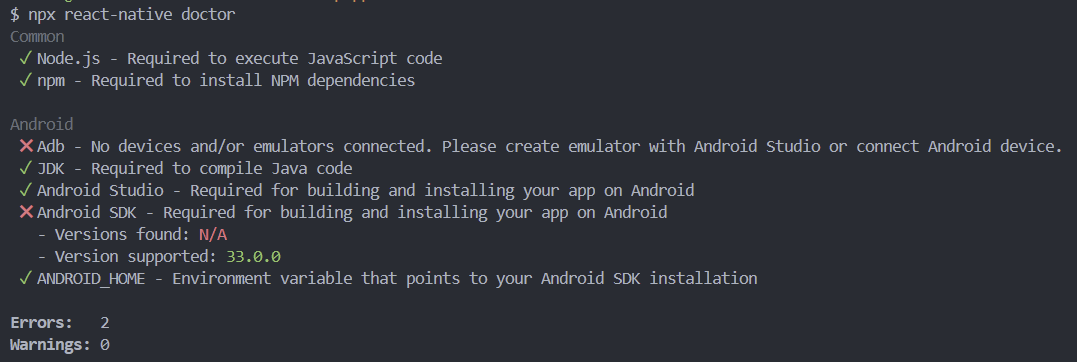
$ npx react-native doctor
Common
 ✓ Node.js - Required to execute JavaScript code
 ✓ npm - Required to install NPM dependencies

Android
 ✖ Adb - No devices and/or emulators connected. Please create emulator with Android Studio or connect Android device.
 ✓ JDK - Required to compile Java code
 ✓ Android Studio - Required for building and installing your app on Android
 ✖ Android SDK - Required for building and installing your app on Android
   - Versions found: N/A
   - Version supported: 33.0.0
 ✓ ANDROID_HOME - Environment variable that points to your Android SDK installation

Errors:   2
Warnings: 0
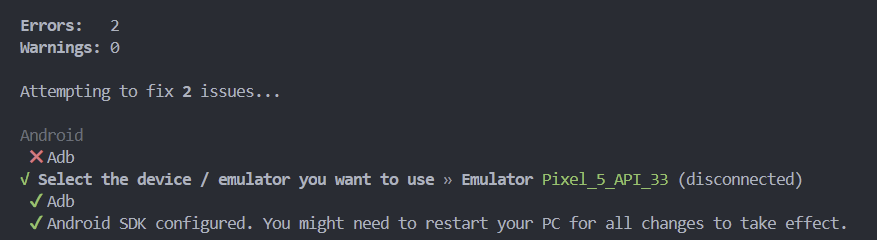
Android
 ✖ Adb
√ Select the device / emulator you want to use » Emulator Pixel_5_API_33 (disconnected)
 ✔ Adb
 ✔ Android SDK configured. You might need to restart your PC for all changes to take effect.
https://2nnsv.tistory.com/105 이 블로그에서 에러 원인을 찾는 경로를 알려주었다!
C:\Users[사용자이름]\AppData\Local\Google\AndroidStudio2024.1\log
idea.log
내 에러와 연관된 이야기는
WARN - Emulator: Medium Phone API 35 - Emulator terminated with exit code -529697949
이거인데 과연 어떻게 고칠 수 있을까..
https://learn-and-record.tistory.com/187
위의 블로그를 보고 도전..
실패!

흠 왜 없지?
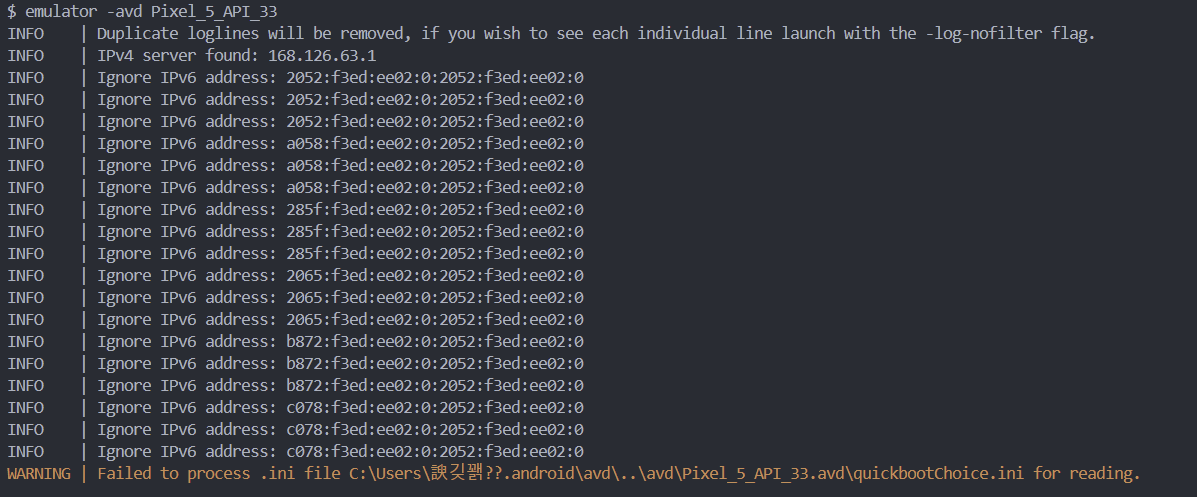
한글 경로명 때문에 그런가 ?
그래서 다른 경로에 있던
android, avd 폴더 경로를 바꿔줌

그리고 에뮬레이터를 재설치하고
Windows PowerShell
 C:\AndroidStudio\emulator\emulator -avd Pixel_5_API_33

git bash
/c/AndroidStudio/emulator/emulator -avd Pixel_5_API_33
이 명령어가 실행이 되더라고요
$ adb devices
List of devices attached
emulator-5554   device
결과적으로 devices 설정 완료!
그런데 왜 에뮬레이터가 화면에 안보이지?
흠.. 다시 시도해보니깐 됨
그리고
git bash
/c/AndroidStudio/emulator/emulator -avd Pixel_5_API_33
한다음에
git bash
npm start 해야 하는 것 같음 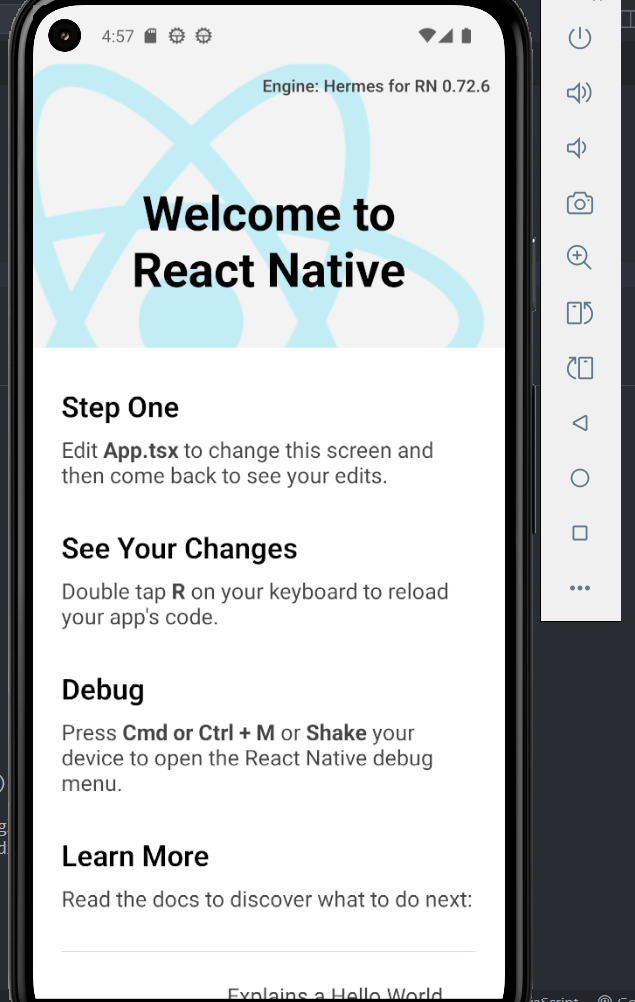
왤케 크지!!
✅체크 포인트
- adb devices에 에뮬리에터 리스트가 없음
- android, avd 폴더 이름에 한글이 있었음 -> 한글 이름 없는 경로에 폴더 생성 후 환경 설정 해야함
- android studion 에서 에뮬레이터 재설치
- /c/AndroidStudio/emulator/emulator -avd Pixel_5_API_33 에뮬레이터 먼저 실행
- npm start
프론트엔드