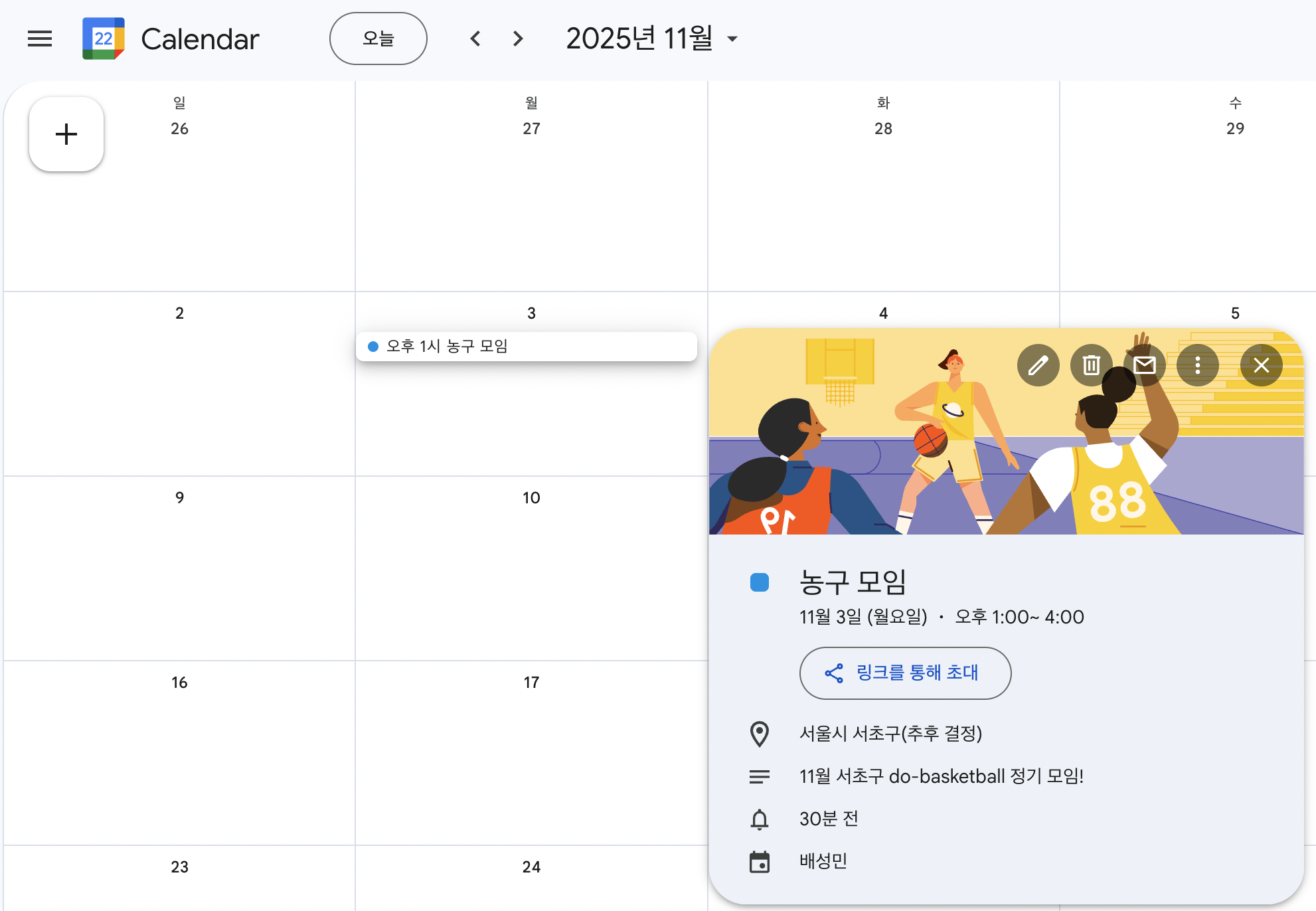
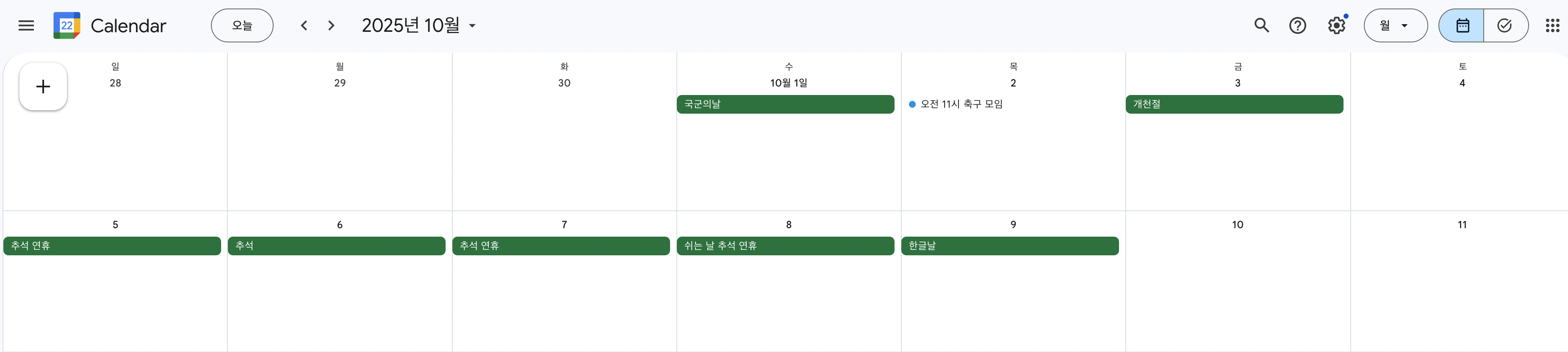
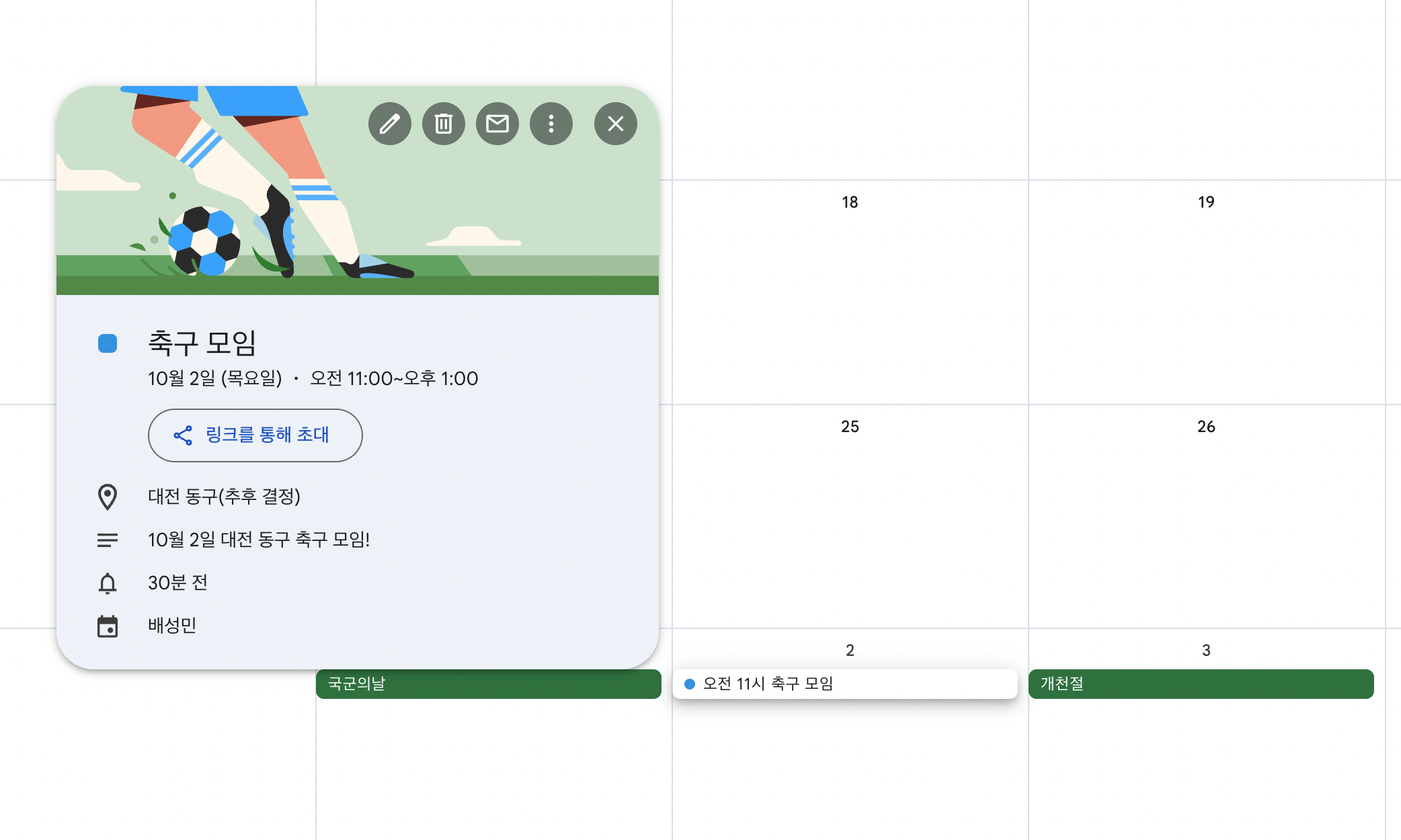
내가 개발한 모임 웹 서비스에서는 정기 모임과 일회성 모임이 존재한다.
사용자가 모임에 참여했을때, 단순히 모임 내에서 다가오는 일정을 보도록 할 수 있다. 하지만 내 일정들을 편리하게, 한눈에 볼 수 있도록 하려면 다음과 같은 옵션이 존재한다.
- 서비스에서 캘린더 UI 지원
- 많이 사용되는 다른 API 연동 (ex. 구글 캘린더 등)
1번 방식을 선택할수도 있지만, 대부분의 사람들은 휴대폰 앱(애플/삼성) 캘린더 또는 구글 캘린더를 사용하기 때문에 불편함을 느낄 수 있다.
따라서 2번 방식을 구현해보기로 했다.
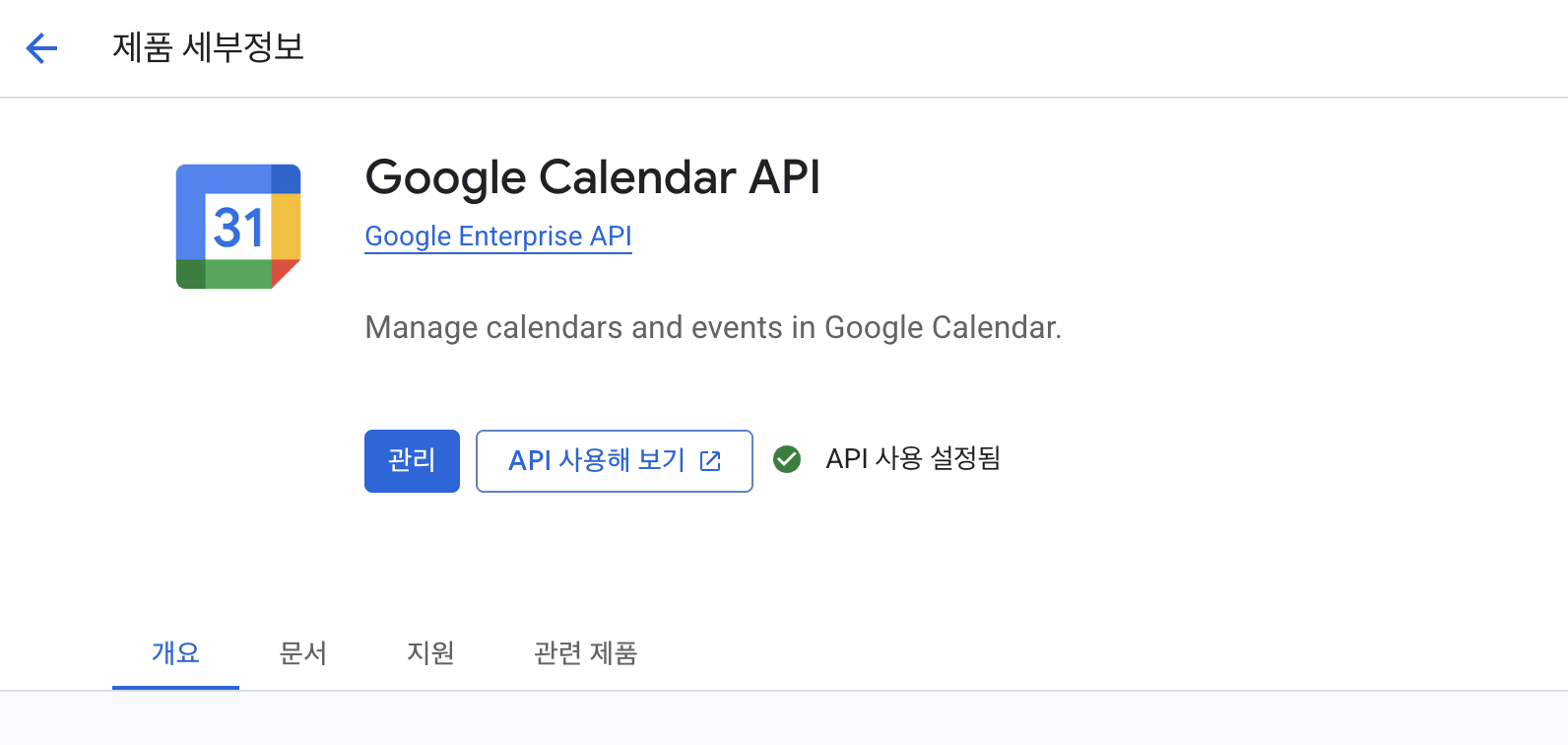
Google Calendar API 등록
구글 캘린더를 내 서비스와 연동하려면, 먼저 google console에서 calendar API를 등록해야한다.
https://console.cloud.google.com/marketplace/product/google/calendar-json.googleapis.com
모임 일정 네이밍
event는 애플리케이션 코드 내에 존재하는 Spring Event와 중복되기 때문에, appEvent로 정했다.
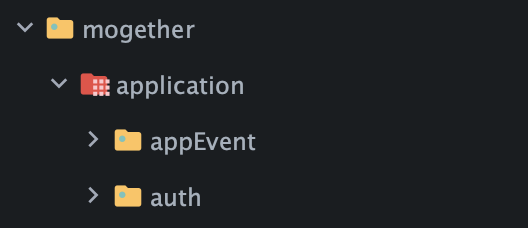
Entity
@Getter
@AllArgsConstructor
@Builder
@Entity
public class AppEvent {

    @Id
    @GeneratedValue(strategy = GenerationType.IDENTITY)
    private Long id;

    @ManyToOne(fetch = LAZY)
    @JoinColumn(name = "user_id")
    private User user;

    private String summary;
    private String description;
    private String location;
    private LocalDateTime startTme;
    private LocalDateTime endTime;

    private String googleEventId; // 구글 캘린더에 등록된 이벤트 ID (동기화 용)

    public void setGoogleEventId(String googleEventId) {
        this.googleEventId = googleEventId;
    }
}- AppEvent(모임 일정)와 User(회원)는
N:1 관계이며, Google Calendar에 표시할제목, 설명, 장소, 시작/종료시간을 가지고 있다.
의존성 추가
// Google Calendar API
implementation 'com.google.apis:google-api-services-calendar:v3-rev20250404-2.0.0'

// Google API 클라이언트 (기본 HTTP, JSON 지원)
implementation 'com.google.api-client:google-api-client:2.7.2'

// OAuth 2.0 인증 지원
implementation 'com.google.oauth-client:google-oauth-client-jetty:1.46.0'

// JSON 처리 (Jackson)
implementation 'com.google.http-client:google-http-client-jackson2:1.46.0'
implementation 'com.google.http-client:google-http-client-gson:1.46.0'
OAuth2 토큰 저장소 생성
이후 카카오, 애플 등 다른 OAuth2 토큰이 필요할 수 있기 때문에, 인터페이스와 상속을 통해 구현했다.
interface
public interface OAuth2Token {

    Long getUserId();
    String getAccessToken();
    String getRefreshToken();
    SocialType getSocialType();
}
구현체 (google oauth2 token)
@Builder
@NoArgsConstructor
@AllArgsConstructor
public class OAuth2GoogleToken implements OAuth2Token{

    private Long userId;
    private String accessToken;
    private String refreshToken;
    private SocialType socialType;

    @Override
    public Long getUserId() {
        return this.userId;
    }

    @Override
    public String getAccessToken() {
        return this.accessToken;
    }

    @Override
    public String getRefreshToken() {
        return this.refreshToken;
    }

    @Override
    public SocialType getSocialType() {
        return this.socialType;
    }
}
oAuth2 토큰 저장소 (redis)
- key :
oAuth2Token:1 - value :
oAuth2Token
@Repository
public class RedisOAuth2TokenRepository {

    private static final String OAUTH2TOKEN_KEY_PREFIX = "oAuth2Token:";

    private final RedisTemplate<String, OAuth2Token> oAuth2TokenRedisTemplate;
    private final ValueOperations<String, OAuth2Token> valueOperations;

    public RedisOAuth2TokenRepository(@Qualifier("oAuth2TokenRedisTemplate") RedisTemplate<String, OAuth2Token> oAuth2TokenRedisTemplate) {
        this.oAuth2TokenRedisTemplate = oAuth2TokenRedisTemplate;
        valueOperations = oAuth2TokenRedisTemplate.opsForValue();
    }

    public String getUserKey(Long userId) {
        return OAUTH2TOKEN_KEY_PREFIX + userId;
    }

    public OAuth2Token findByUserId(Long userId) {
        return Optional.ofNullable(valueOperations.get(getUserKey(userId)))
                .orElseThrow(() -> new MogetherException(ErrorCode.OAUTH2TOKEN_NOT_FOUND));
    }

    public OAuth2Token save(OAuth2Token oAuth2Token) {
        String userKey = getUserKey(oAuth2Token.getUserId());
        valueOperations.set(userKey, oAuth2Token);
        return oAuth2Token;
    }

    public void deleteById(Long userId) {
        valueOperations.getAndDelete(getUserKey(userId));
    }
}
Calendar API 호출과 일정 생성
Calendar API를 호출하기 위해서는 구글 client-id, client-secret이 필요하기 때문에, 설정 파일에서 주입받는다.
@Value("${spring.security.oauth2.client.registration.google.client-id}")
private String clientId;
@Value("${spring.security.oauth2.client.registration.google.client-secret}")
private String clientSecret;
Calendar 생성
일정을 만들고 관리하기 위해서는 먼저 Calendar 객체를 생성해야 한다.
미리 저장된 oauth2 token과 google client-id, client-secret를 기반으로 생성된다.
public Calendar getCalendarService(Long userId) throws GeneralSecurityException, IOException {
	//Redis에서 사용자 OAuth2 토큰 조회
	OAuth2Token token = redisOAuth2TokenRepository.findByUserId(userId);

    //UserCredentials 생성, Credential 구성
	GoogleCredentials credentials;

	if (token.getRefreshToken() != null) {
    credentials = UserCredentials.newBuilder()
    	.setClientId(clientId)
	    .setClientSecret(clientSecret)
    	.setAccessToken(new AccessToken(token.getAccessToken(), null))
	    .setRefreshToken(token.getRefreshToken())
	    .build();
    } else {
    	credentials = GoogleCredentials.create(new AccessToken(token.getAccessToken(), null));
	}

	//HttpRequestInitializer 생성
    HttpRequestInitializer requestInitializer = new HttpCredentialsAdapter(credentials);

    //Calendar 클라이언트 생성
    return new Calendar.Builder(
                GoogleNetHttpTransport.newTrustedTransport(),
                JacksonFactory.getDefaultInstance(),
                requestInitializer)
    .setApplicationName("GoogleCalendarApp")
	.build();
}
시간 포맷 변환 메서드
구글에서 제공/사용하는 DateTime은 내부적으로 epoch milliseconds(UTC 기준)를 가지고 있다.
내 서비스에서는 LocalDateTime을 사용하기 때문에, 요청/응답 간에 변환해주는 메서드가 필요하다.
//localDateTime -> 구글 dateTime
private DateTime toGoogleDateTime(LocalDateTime ldt) {
	return new DateTime(ZonedDateTime.of(ldt, ZoneId.systemDefault())
    	.toInstant()
        .toEpochMilli()
	);
}

//구글 dateTime -> localDateTime
public LocalDateTime eventDateTimeToLocalDateTime(EventDateTime eventDateTime) {
	if (eventDateTime == null) return null;

    //종일 이벤트 (dateTime이 없고 date만 존재)
	if (eventDateTime.getDateTime() == null && eventDateTime.getDate() != null) {
		LocalDate localDate = LocalDate.parse(eventDateTime.getDate().toStringRfc3339());
		return localDate.atStartOfDay();
	}

	//일반 이벤트
	DateTime dateTime = eventDateTime.getDateTime();
	return Instant.ofEpochMilli(dateTime.getValue())
		.atZone(ZoneId.of("Asia/Seoul"))
		.toLocalDateTime();
}
일정 만들기
-
서비스 내에서 생성된 모임 참여 일정을 google calendar에 동기화 시키는 작업이다.
-
먼저 내 애플리케이션 DB에 저장 후, google calendar에 동기화시키는 요청을 보낸다.
-
@Transactional덕분에 두 작업은 하나의 트랜잭션으로 묶여 원자성을 가진다.
@Transactional
public AppEventCreateResponse createEvent(Long userId, AppEventCreateRequest dto) {
	//RDB save
    AppEvent appEvent = AppEvent.builder()
    	.summary(dto.getSummary())
        .description(dto.getDescription())
        .location(dto.getLocation())
        .startTme(dto.getStartTime())
        .endTime(dto.getEndTime())
        .build();

	appEventRepository.save(appEvent);

	try {
    	Calendar service = getCalendarService(userId);
        Event googleEvent = new Event()
        	.setSummary(dto.getSummary())
            .setDescription(dto.getDescription())
            .setLocation(dto.getLocation())
            .setStart(new EventDateTime().setDateTime(toGoogleDateTime(dto.getStartTime())))
            .setEnd(new EventDateTime().setDateTime(toGoogleDateTime(dto.getEndTime())));

	//기본 캘린더에 추가
    //primary : 기본 캘린더. (이외에 회사 캘린더 등이 있음)
    Event createdEvent = service.events().insert("primary", googleEvent).execute();

	//insert googleEventId
    appEvent.setGoogleEventId(createdEvent.getId());
    appEventRepository.save(appEvent);

    return AppEventCreateResponse.of(appEvent.getId(), createdEvent);

    } catch (IOException | GeneralSecurityException ex) {
    	//구글 API 호출 실패 → rollback
        throw new MogetherException(CALENDAR_INSERT_FAILED);
	}
}
구글 캘린더 일정 불러오기
마찬가지로 시간 포맷을 변환해서, 특정 기간의 일정들을 불러온다.
현재로부터 3개월간의 일정을 시작 시간 순으로 정렬한다.
public List<UpcomingEventsResponse> getUpcomingEvents(Long userId) throws IOException, GeneralSecurityException {
	Calendar service = getCalendarService(userId);

    //현재로부터 3개월치 일정 불러오기
	LocalDateTime start = LocalDateTime.now();
    LocalDateTime end = start.plusMonths(3);

	DateTime timeMin = new DateTime(ZonedDateTime.of(start, ZoneId.systemDefault()).toInstant().toEpochMilli());
	DateTime timeMax = new DateTime(ZonedDateTime.of(end, ZoneId.systemDefault()).toInstant().toEpochMilli());

    Events.List request = service.events().list("primary")
    	.setSingleEvents(true) //반복 이벤트를 인스턴스 단위로 구성
    	.setOrderBy("startTime") //시작 시간 순 정렬
        .setTimeMin(timeMin)
        .setTimeMax(timeMax);

	List<Event> events = request.execute().getItems();
	return UpcomingEventsResponse.of(events);
}
API 테스트
Postman을 통해 API 테스트를 진행했다. 테스트를 위해서는 기존에 구글 oauth2 로그인을 통해 oauth2 토큰이 DB(redis 등)에 저장되어있어야 한다.
google oauth2 로그인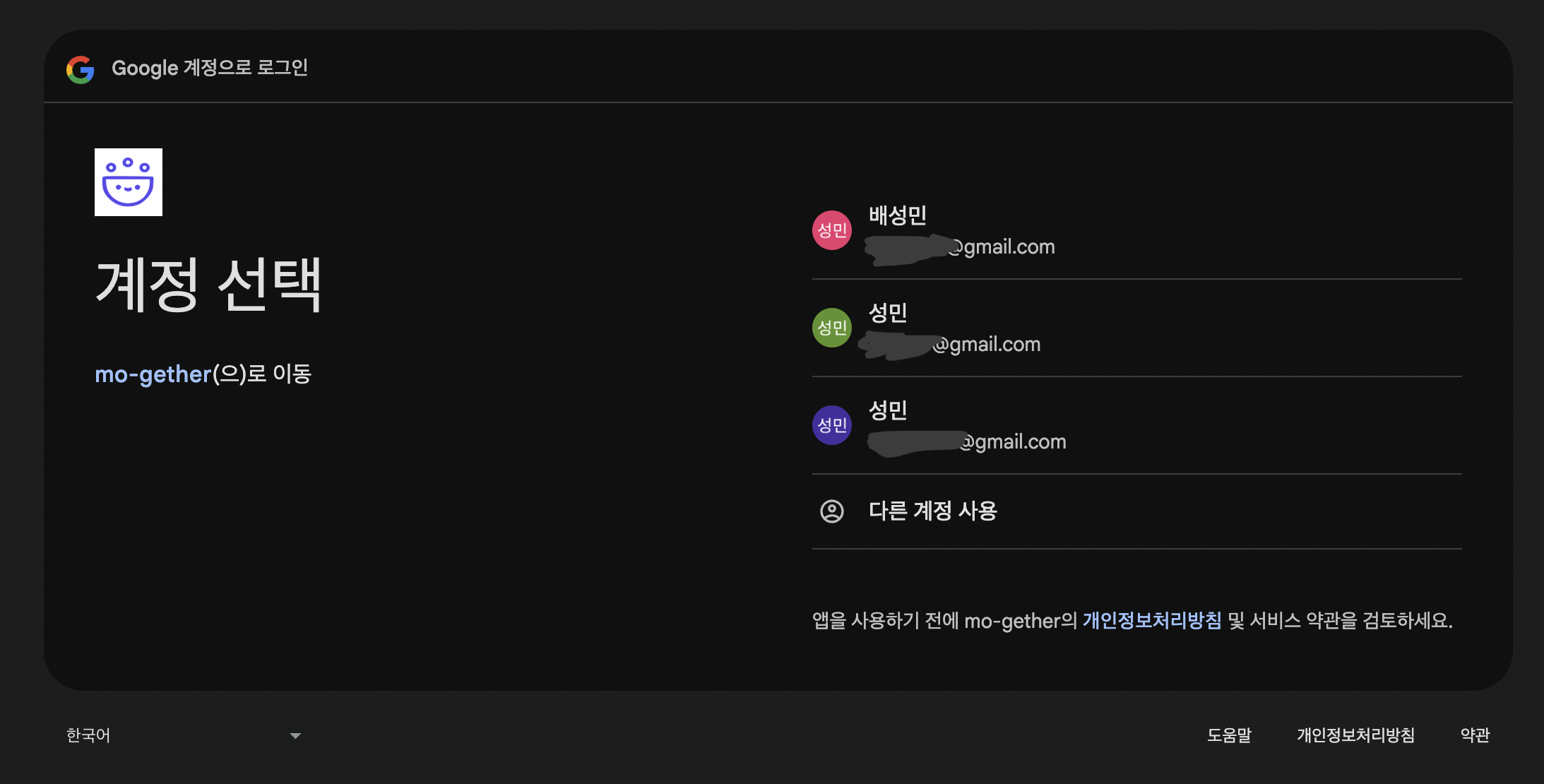
Google OAuth2 토큰 저장 확인 (Redis)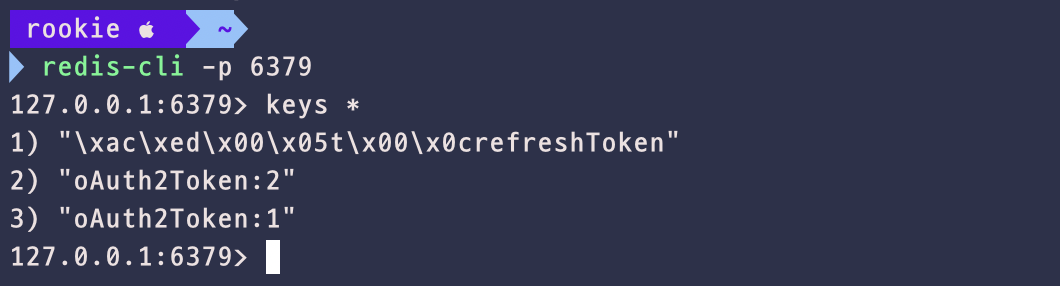
Request/Response API - 모임 일정 추가
- 200 응답과 함께 성공적으로 dto가 반환된다.
- (구글 캘린더에 저장되었는지 아래에서 확인)
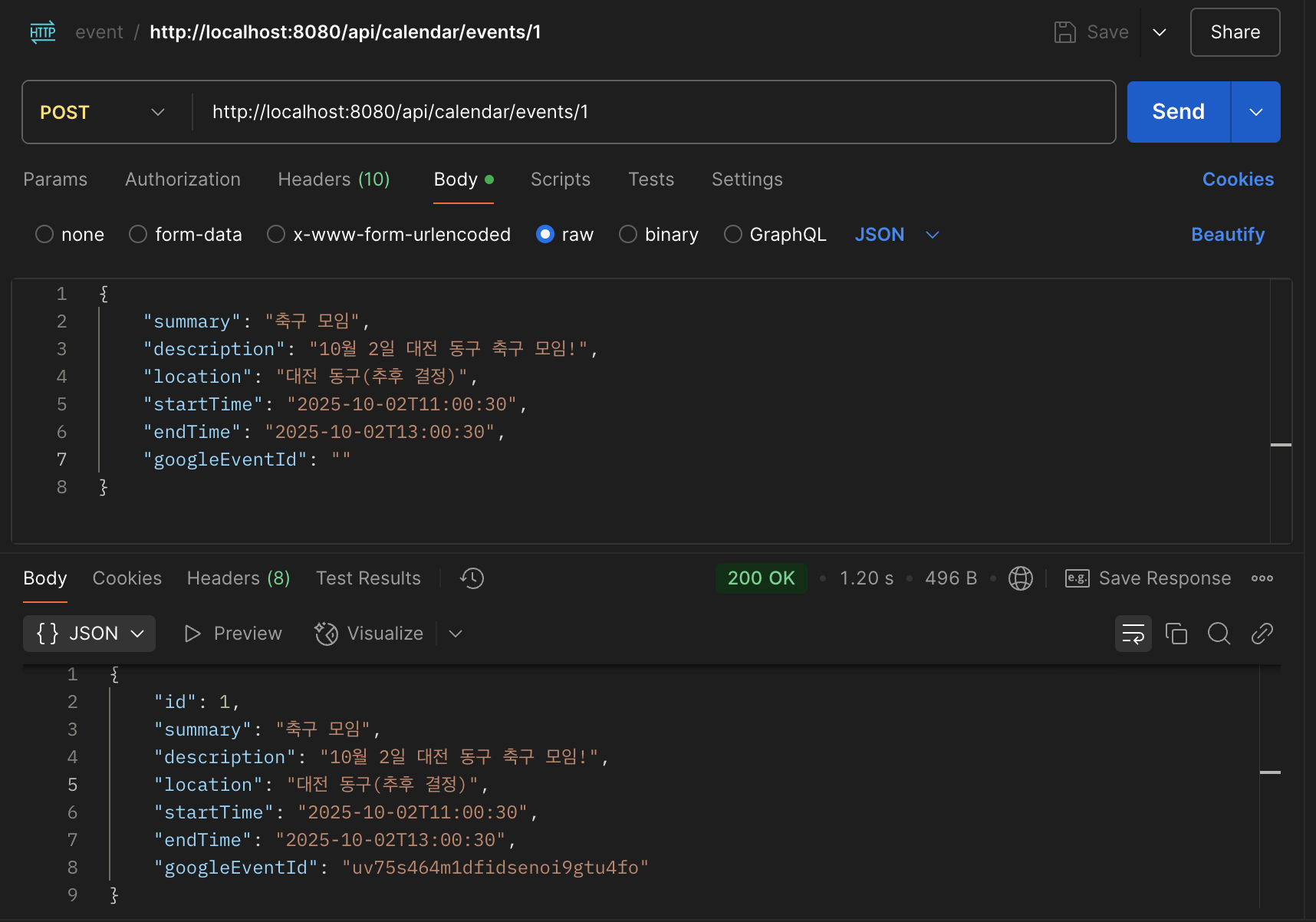
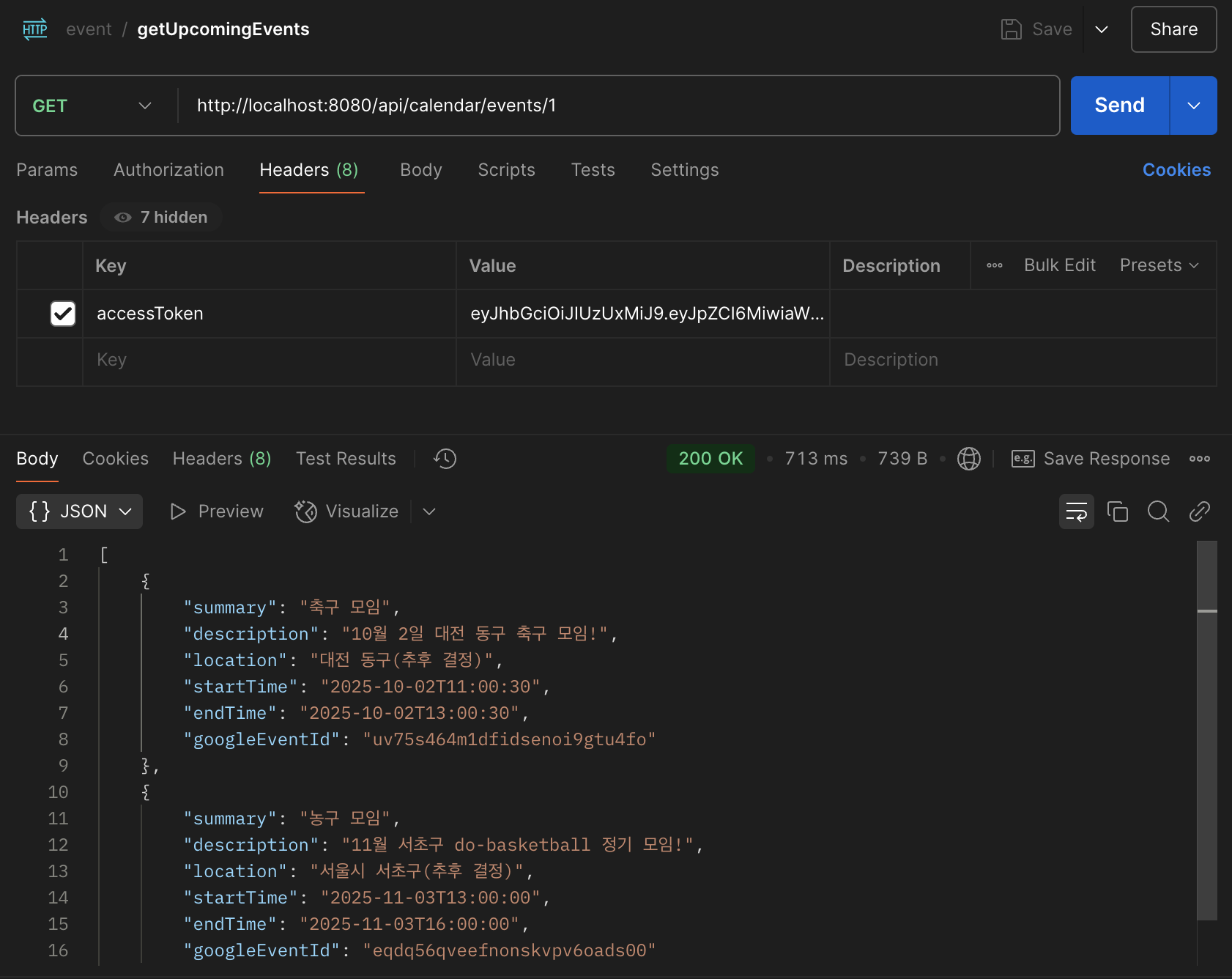
Request/Response API - 최근 3개월 일정 불러오기
- 특정 회원의 일정을 불러온다.
- 내 애플리케이션의 accessToken을 포함시켜 요청을 보냈고, 응답은 List 형식으로 잘 반환된다.
Google Calendar 저장 확인
- 제목, 내용, 위치, 시간 등이 모두 잘 저장되었다.