구축에 앞서 | 기획하기
H.Untact에는 3개의 페이지로 구성되어 있는데, 이번 챕터에서는 기능적 측면만 바라볼 예정이다.
-
인덱스 페이지
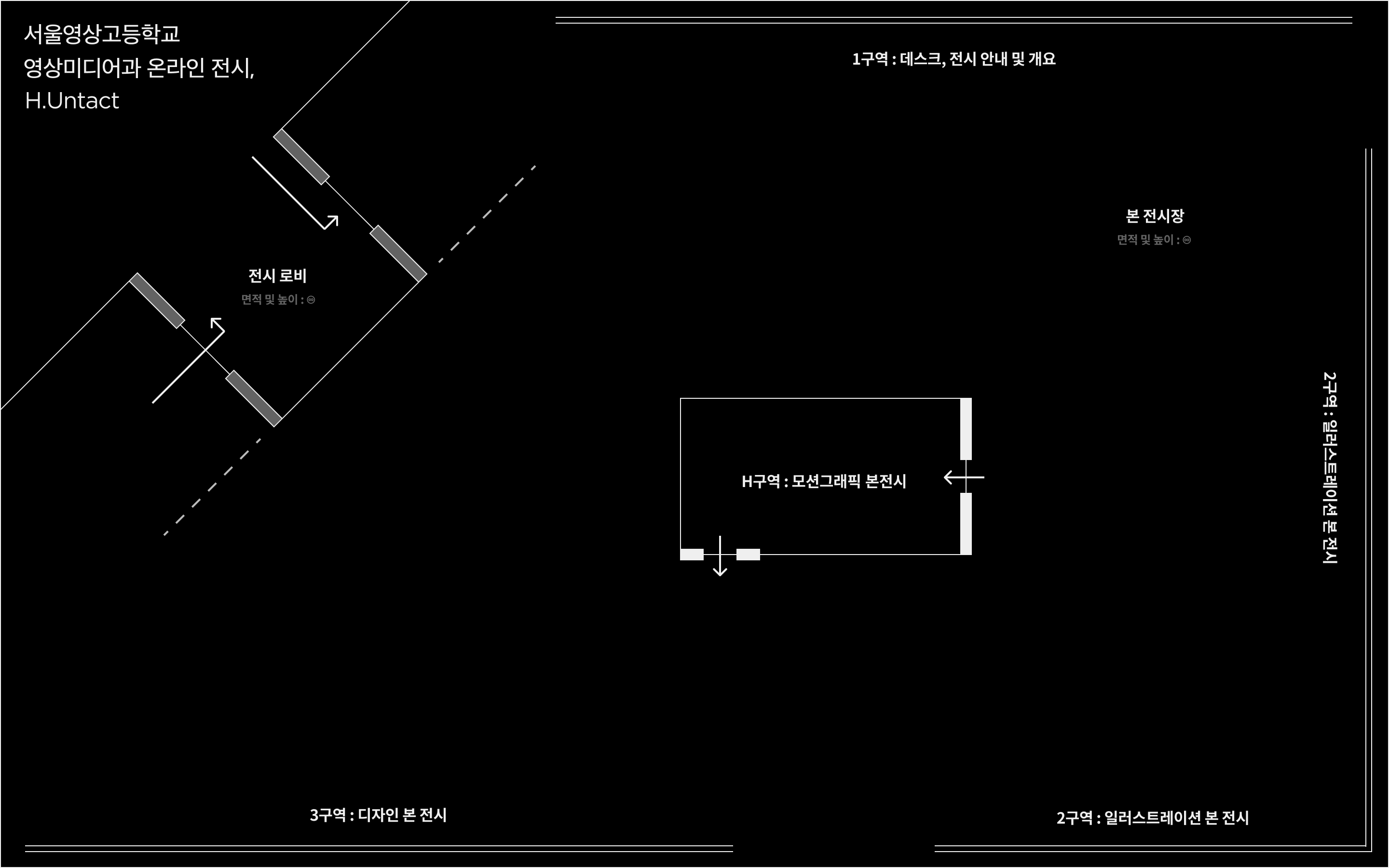
인덱스 페이지는 퍼블리싱 능력이 필요하다.
위 사진처럼 전시장 지도를 표시해야 하는데, 사이즈를 잘 맞추어야 하기 때문에 예전에 골치 아팠던 기억이 있다.
이 부분은 다음 챕터에서 다룰 예정이다. -
아카이브 페이지
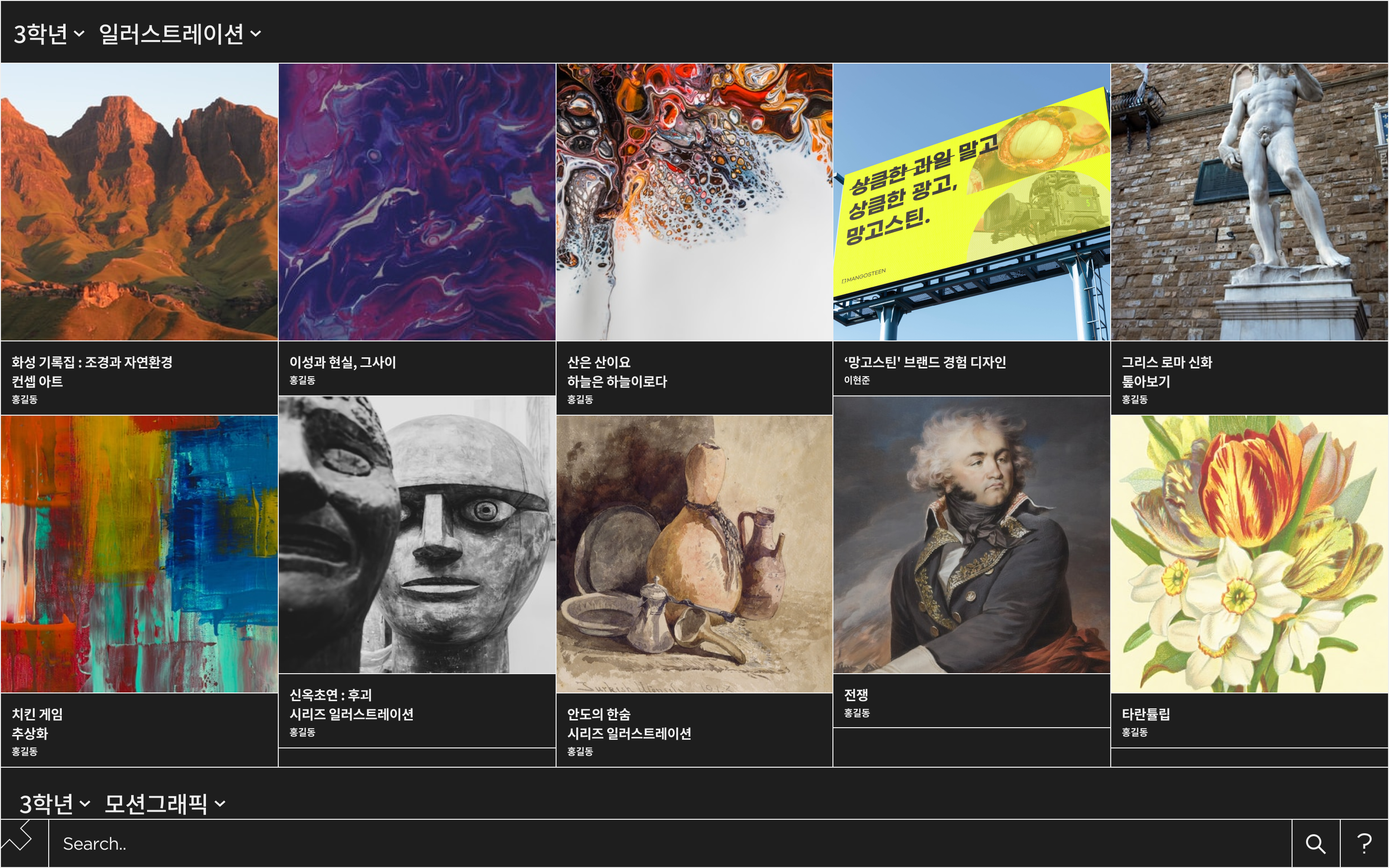
이 프로젝트의 중심이 되는 페이지이다.
각 학년과 장르에 맞는 분류로 정렬해야 하며, 검색 기능도 포함되어야 한다. -
디테일 페이지
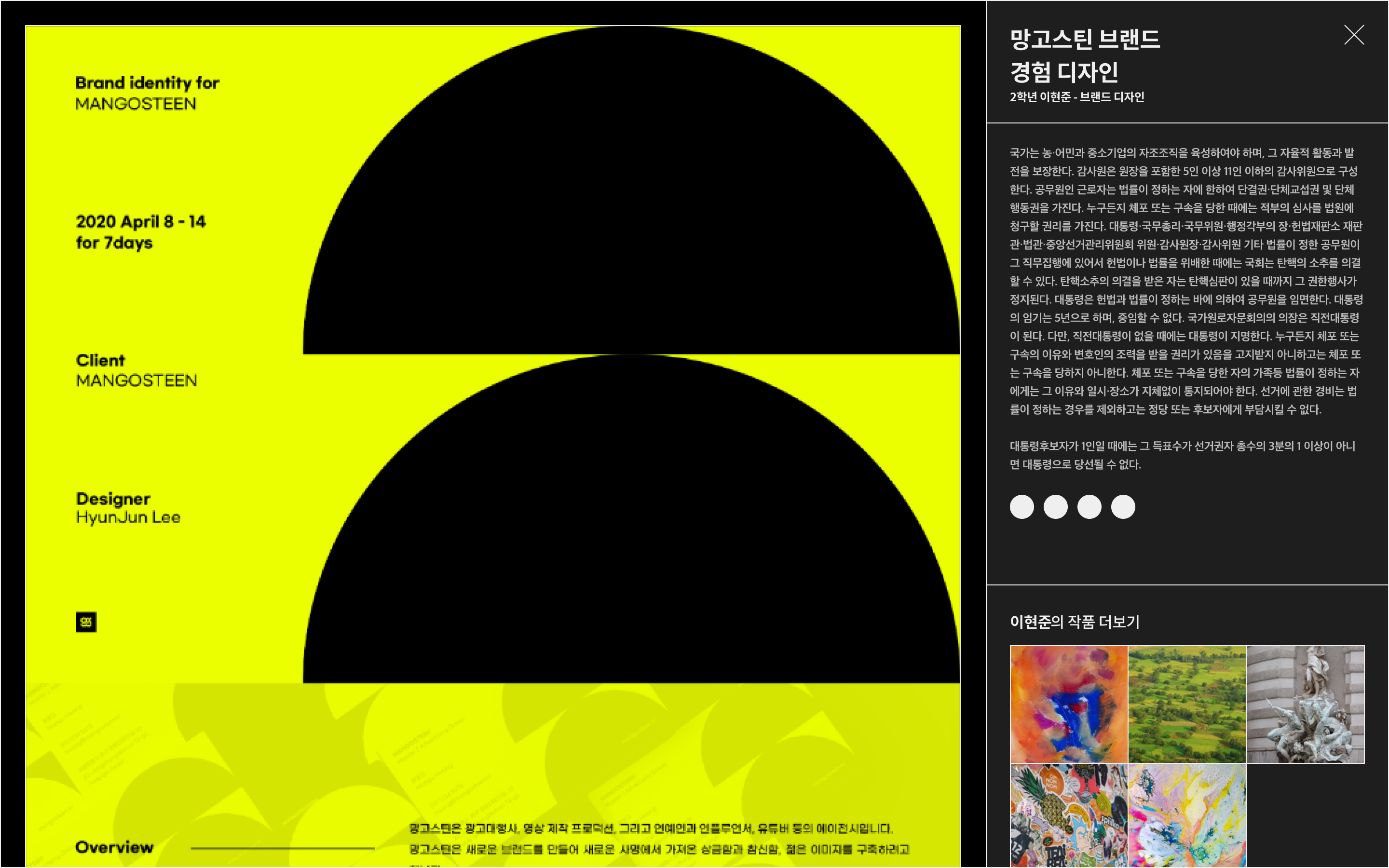
각 작품의 상세 페이지이다.
작품의 설명과 해당 작가의 작품들을 보여주어야 한다.
간단히 요약해서 이런 형태로 진행하려고 한다.
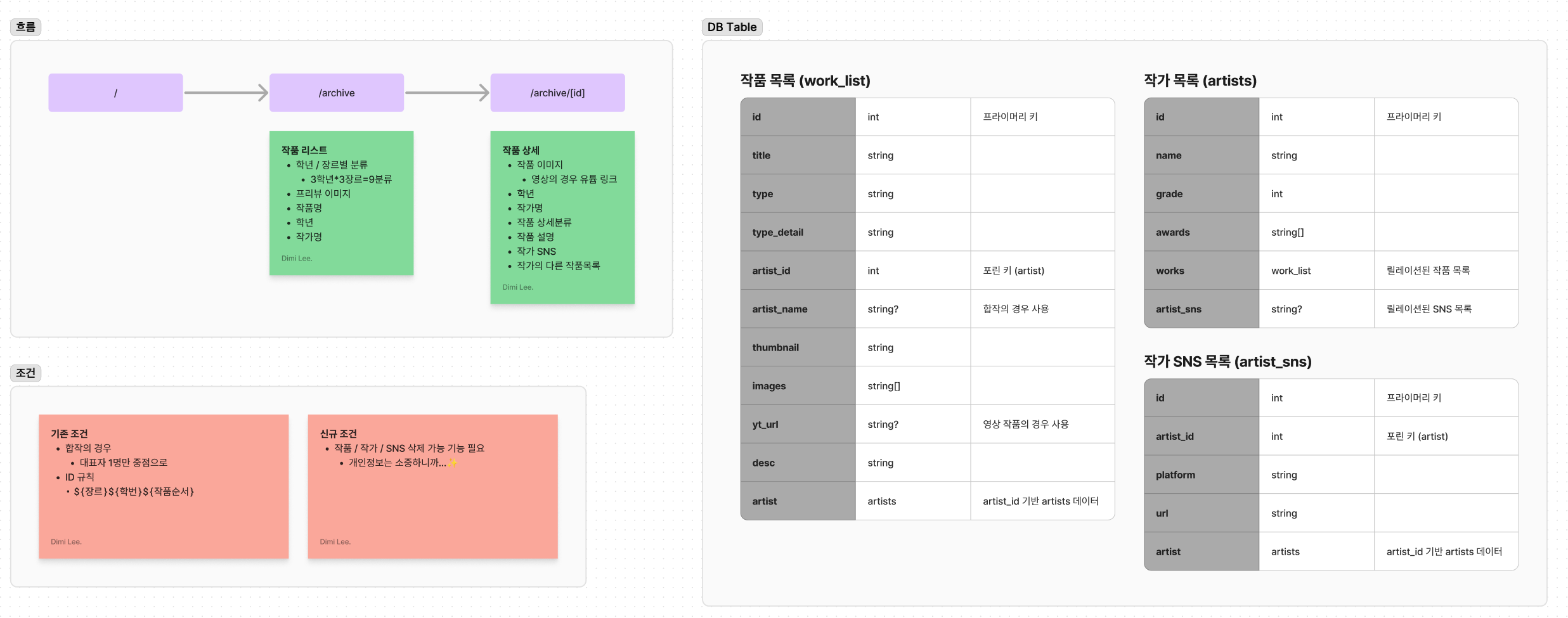
구축 1 | 라이브러리 설치, 초기값 설정
우선 Next.js 환경을 구축한다.
yarn create next-app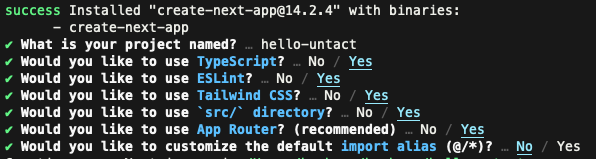
이후 Prisma를 설치하고 Vercel Postgres 활성화 / 모델을 반영한다.
yarn add -D prisma
yarn add @prisma/client
npx prisma init- /prisma/schema.prisma
generator client {
    provider = "prisma-client-js"
}

datasource db {
    provider  = "postgresql"
    url       = env("POSTGRES_PRISMA_URL")
    directUrl = env("POSTGRES_URL_NON_POOLING")
}

model work_list {
    id          Int      @id
    title       String
    type        String
    type_detail String
    artist_id   Int
    artist_name String?
    thumbnail   String
    images      String[]
    yt_url      String?
    desc        String
    artist      artists  @relation(fields: [artist_id], references: [id])

    @@index([title, type])
}

model artists {
    id         Int          @id
    name       String
    grade      Int
    awards     String[]
    works      work_list[]
    artist_sns artist_sns[]

    @@index([name])
}

model artist_sns {
    id        Int     @id @default(autoincrement())
    artist_id Int
    platform  String
    url       String
    artist    artists @relation(fields: [artist_id], references: [id])
}-
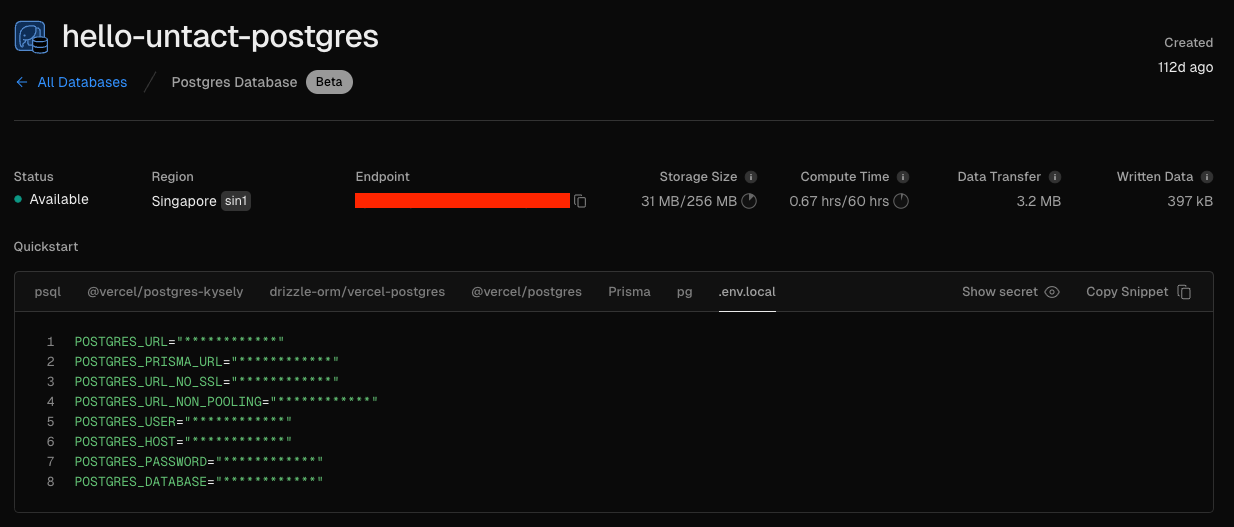
Vercel에서 Postgres를 활성화하고 아래 이미지 위치에 있는 .env 파일을 받는다.
(해당 프로젝트에 대한 글을 쓰기 시작한건 얼마 안되지만, 실질적으로 3달이 훌쩍 넘은 시간부터 조금조금씩 진행해서 생성일이 오래됐다...)
-
Prisma로 DB 마이그레이션 / API 타입 생성
(내가 이 프로젝트를 했을 당시에 db push로 처리했던 거 같은데, 원래는 그렇게 하면 안된다는 사실을 뒤늦게 알게 되었다. 추후 별도로 글을 남겨보려고 한다.)
npx prisma db push
npx prisma generate
구축 2 | 기능 구현
기능구현은 어렵지 않다.
Prisma가 워낙 잘되어 있기도 하고,
Next.js가 App Router로 전환되면서 기본적으로 서버사이드 렌더링을 우선하기 때문에 그냥 주르륵 쓰면 된다.
- /lib/prisma/index.ts
import { PrismaClient } from "@prisma/client";

declare global {
  var prisma: PrismaClient | undefined;
}

const prisma = global.prisma || new PrismaClient();

if (process.env.NODE_ENV === "development") global.prisma = prisma;

export default prisma;- /lib/prisma/transaction.ts
import prisma from "@/lib/prisma";

export async function archiveList() {
  /*
  	D: Design
    I: Illust
    M: Media
  */
  const types = ["D", "I", "M"];
  const grades = [3, 2, 1];

  const queries = types.flatMap((type) =>
    grades.map((grade) => {
      const whereCondition = {
        type: { equals: type },
        artist: { grade: { equals: grade } },
      };

      const orderByCondition = [
        {
          artist: {
            id: "asc" as const,
          },
        },
        {
          id: "asc" as const,
        },
      ];

      const selectFields = {
        id: true,
        title: true,
        type: true,
        artist_name: true,
        thumbnail: true,
        artist: {
          select: {
            name: true,
            grade: true,
          },
        },
      };

      return prisma.work_list.findMany({
        where: whereCondition,
        orderBy: orderByCondition,
        select: selectFields,
      });
    }),
  );

  const results = await prisma.$transaction(queries);

  const combinedResults = results.map((result, index) => {
    const typeIndex = Math.floor(index / grades.length);
    const gradeIndex = index % grades.length;
    const type = types[typeIndex];
    const grade = grades[gradeIndex];

    return {
      query: { type, grade },
      data: result,
    };
  });

  return combinedResults;
}

export async function work(id: number) {
  return await prisma.work_list.findUnique({
    where: { id },
  });
}
구축 3 | 마무리
이렇게까지 하면 DB에서 데이터를 읽어들이는 코드 작성은 완료된다.
다음 글에서는 퍼블리싱 작업과 검색 코드 작성을 서술하고자 한다.
주저리 | Daily Music
원래 글을 쓸 계획이 없었고, 이미 한참 진행중인 프로젝트기에 누락되거나 미흡한 부분들이 존재한다.
이 부분들은 추후 회고하면서 수정을 진행하고자 한다.
지금 내 플레이리스트가 J-POP이 점령했지만, 그 이전에 듣던 한국 인디들도 남아있었단 걸 최근에 깨달았다.
해서 오늘의 선곡은 한국노래로 하려고 한다. 아마 뒤에는 계속 일본 노래들이 데일리 뮤직으로 나올 예정...