
문제 출처 - 제로베이스 데이터 스쿨
▶Ex5 다양한 연산자를 이용한 프로그래밍
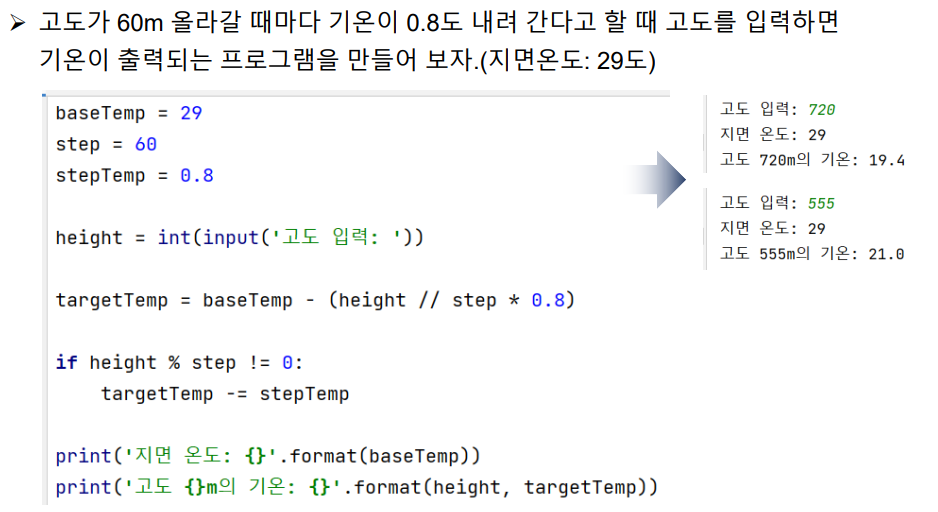
base = 29
step = 60
stepPerDesc = 0.8

height = int(input('press height(m) : '))
curTemp = base - ((height // step) * stepPerDesc)
if height % step != 0:
    curTemp -= stepPerDesc

print('height : %dm, current temprature : %.2f'%(height, curTemp))
#출력
press height(m) : 555
height : 555m, current temprature : 21.00💡if문 안에 조건문이 핵심인 것 같다. 한번에 이해하지 못히고 여러번 보았다..
▶Ex6 다양한 연산자를 이용한 프로그래밍
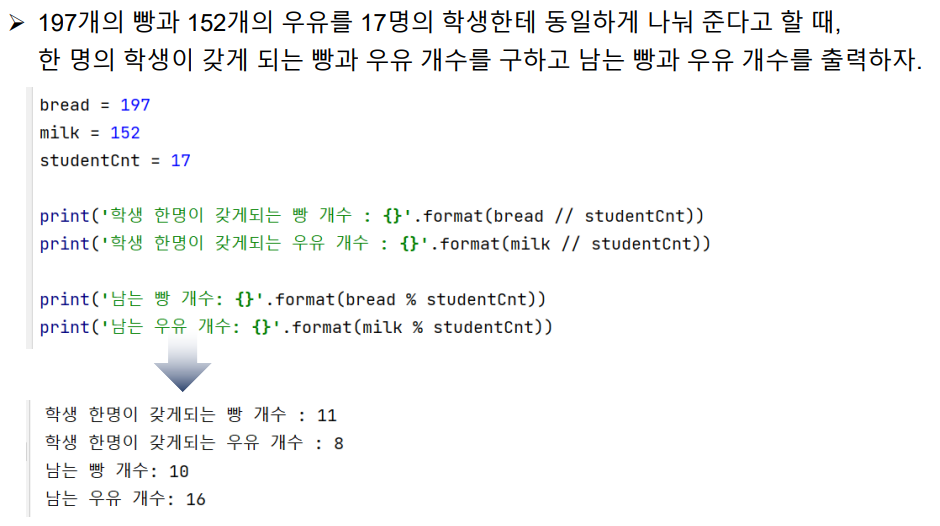
bread = 197
milk = 152
breadd = divmod(197, 17)
milkd = divmod(152, 17)

print('한명이 갖는 빵개수{}, 남는갯수{}'.format(breadd[0], breadd[1]))
print('한명이 갖는 우유개수{}, 남는갯수{}'.format(milkd[0], milkd[1]))
#출력
한명이 갖는 빵개수11, 남는갯수10
한명이 갖는 우유개수8, 남는갯수16💡divmod()함수를 이용할 수도 있고 '%'와 '//' 연산자를 이용해서 구할 수 있었다.
▶Ex7 다양한 연산자를 이용한 프로그래밍
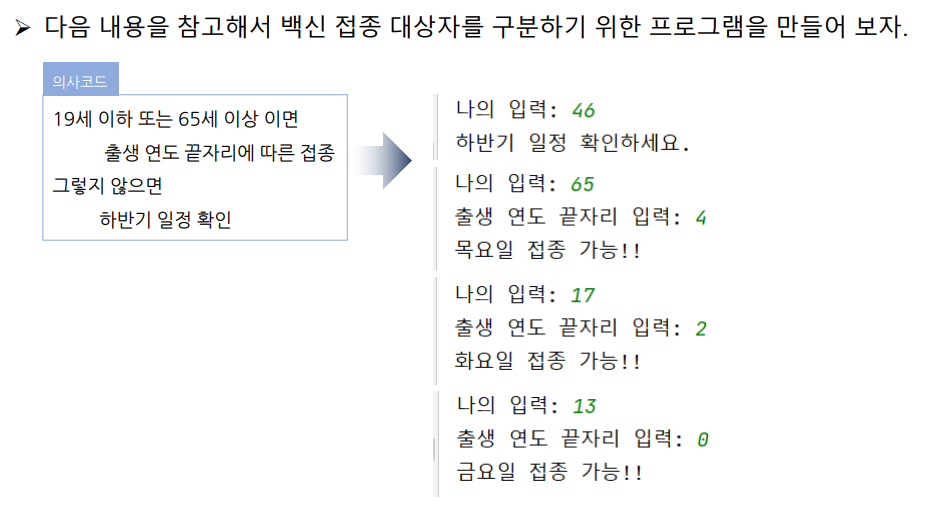
import datetime
born = int(input('press when were you born : '))
age = datetime.datetime.now().year - born
if age <= 19  or age >= 65:
    if age % 5 == 0:
        print('Friday possible')
    if age % 5 == 1:
        print('Monday possible')
    if age % 5 == 2:
        print('Tuesday possible')
    if age % 5 == 3:
        print('Wednesday possible')
    if age % 5 == 4:
        print('Thursday possible')
else:
    print('check next schedule')
#출력
press when were you born : 1945
Wednesday possible💡'datetime.datetime.now().year'을 알면 쉽게 풀 수 있었다. 'datetime'이 왜 두번 들어가는지 몰랐는데 첫번째는 모듈명이고 두번째는 클래스명인 것을 알게되었다.
▶Ex8 조건문을 이용해서 프로그램의 실행을 분기

speed = int(input('enter speed : '))

if speed >= 50:
    print('안전속도 위반 - 과태료 50,000원 부과!')
else:
    print('안전속도 준수중!')
#출력
enter speed : 60
안전속도 위반 - 과태료 50,000원 부과!▶Ex9 조건문을 이용해서 프로그램의 실행을 분기
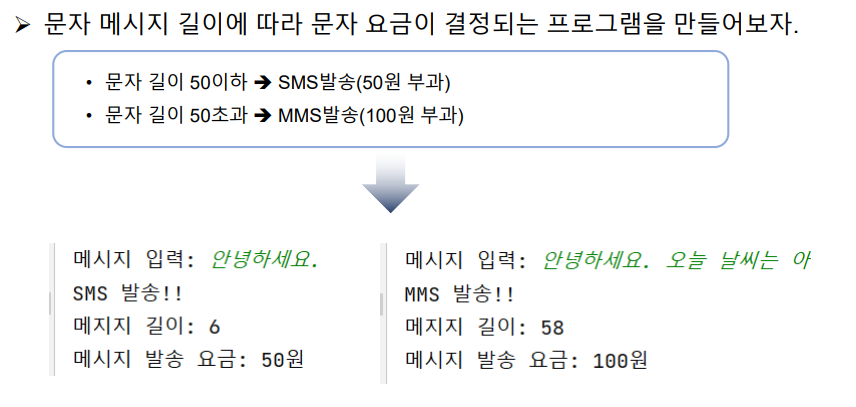
msg = input('enter message : ')

if len(msg) > 50:
    print('message : {}'.format(msg))
    print('MMS !')
    print('msg length : {}'.format(len(msg)))
    print('fee : 100won')
else:
    print('message : {}'.format(msg))
    print('SMS !')
    print('msg length : {}'.format(len(msg)))
    print('fee : 50won')
#출력
enter message : hellohellohellohellohellohellohellohellohellohellohellohello
message : hellohellohellohellohellohellohellohellohellohellohellohello
MMS !
msg length : 60
fee : 100won💡실행문 중에서 첫번째, 세번째 실행문은 어차피 겹치니까 굳이 쓰지않고 if문이 끝나고 출력을 따로 해도 된다는 것을 알았다.
▶Ex10 조건문을 이용해서 프로그램의 실행을 분기
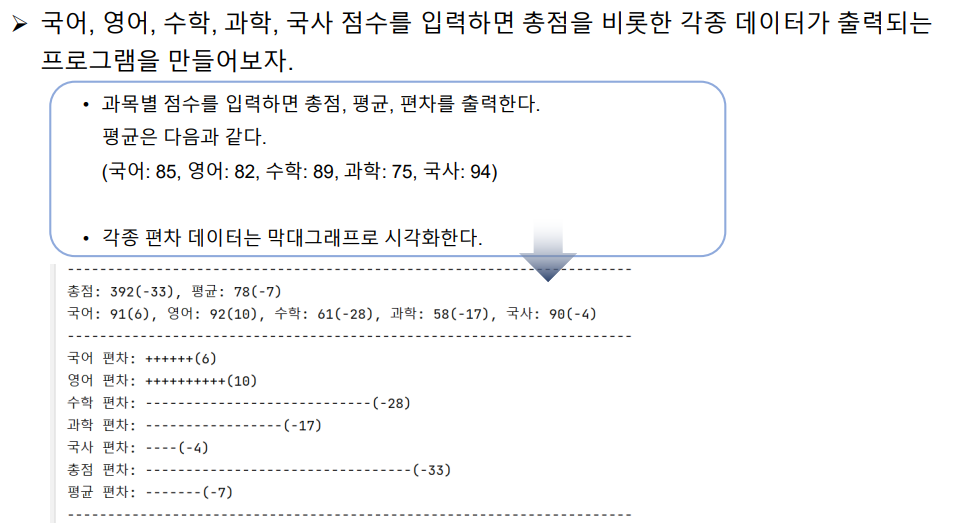
kor = int(input('enter korScore : '))
eng = int(input('enter engScore : '))
math = int(input('enter mathScore : '))
sci = int(input('enter sciScore : '))
his = int(input('enter hisScore : '))

total = kor + eng + math + sci + his
avg = total / 5
kordev = int(kor - avg)
engdev = int(eng - avg)
mathdev = int(math - avg)
scidev = int(sci - avg)
hisdev = int(his - avg)

print('total : {}, avg : {}'.format(total, avg))
print('kor :{}({}), eng :{}({}), math :{}({}), sci :{}({}), his :{}({}),'.format(kor,kordev,eng,engdev,math,mathdev,sci,scidev,his,hisdev))
print('-' * 60)
if kordev >= 0:
    print('kordev : ','+' * kordev,(kordev))
else:
    print('kordev : ','-' * abs(kordev),(kordev)) #절대값 abs()함수

if engdev >= 0:
    print('engdev : ','+' * engdev,(engdev))
else:
    print('engdev : ','-' * engdev,(engdev))

if mathdev >= 0:
    print('mathdev : ','+' * mathdev,(mathdev))
else:
    print('mathdev : ','-' * mathdev,(mathdev))

if scidev >= 0:
    print('scidev : ','+' * scidev,(scidev))
else:
    print('scidev : ','-' * scidev,(scidev))

if hisdev >= 0:
    print('hisdev : ','+' * hisdev,(hisdev))
else:
    print('hisdev : ','-' * abs(hisdev),(hisdev))
print('-' * 60)
#출력
enter korScore : 55
enter engScore : 80
enter mathScore : 100
enter sciScore : 90
enter hisScore : 60
total : 385, avg : 77.0
kor :55(-22), eng :80(3), math :100(23), sci :90(13), his :60(-17),
------------------------------------------------------------
kordev : ---------------------- -22
engdev : +++ 3
mathdev : +++++++++++++++++++++++ 23
scidev : +++++++++++++ 13
hisdev : ----------------- -17
------------------------------------------------------------💡편차를 출력할 떄 '+'는 출력이 되는데 '-'가 출력되지 않았다. 알고보니 편차가 음수라서 '-'문자에 음수를 곱할수는 없다는 것을 알았고 그때 쓰는 함수가 절대값을 반환해주는 'abs()' 를 쓰면 된다는 것을 알았다.
- 'abs(숫자형식)' - 숫자의 절대값을 반환.